Compare commits
35 Commits
| Author | SHA1 | Date | |
|---|---|---|---|
| 20bea07870 | |||
| a9f50fd724 | |||
| 84199c855d | |||
| 53644d192c | |||
| c3de7cecb2 | |||
| b3617f831a | |||
| 0d80d649b3 | |||
| fbd5edd62b | |||
| f45f27b254 | |||
| 2c3df9d549 | |||
| 949bbb08f3 | |||
| 20a5b1a89f | |||
| 94d4c380e3 | |||
| 3613b915c4 | |||
| 01043e1739 | |||
| c4cd7cd9b1 | |||
| 998288fabc | |||
| c70f99bb5b | |||
| cdf28ee55c | |||
| 099b6cd71b | |||
| 860923af96 | |||
| 790d327937 | |||
| 369e061ed1 | |||
| 9ed6524e4f | |||
| e72109abdb | |||
| 5e4937e013 | |||
| bb96326e1a | |||
| 555c6bd82a | |||
| 52a05612cb | |||
| 9a98c0c9d8 | |||
| 3cf6f1d4bf | |||
| 14aec95b6f | |||
| da2f572ed3 | |||
| 7c4981bb29 | |||
| 2d7088e16c |

68
0x01-temperatura/0x01-temperatura.ino
Normal file
68
0x01-temperatura/0x01-temperatura.ino
Normal file
@ -0,0 +1,68 @@
|
||||
|
||||
#include <OneWire.h>
|
||||
#include <DallasTemperature.h>
|
||||
|
||||
// Pin donde se conecta el bus 1-Wire
|
||||
const int pinDatosDQ = 2;
|
||||
|
||||
// Instancia a las clases OneWire y DallasTemperature
|
||||
OneWire oneWireObjeto(pinDatosDQ);
|
||||
DallasTemperature sensorDS18B20(&oneWireObjeto);
|
||||
|
||||
|
||||
// Dispositivo
|
||||
const int devID = 1;
|
||||
char devIDstr[5];
|
||||
int inQuery;
|
||||
|
||||
|
||||
|
||||
|
||||
float getData() {
|
||||
|
||||
sensorDS18B20.requestTemperatures();
|
||||
return (sensorDS18B20.getTempCByIndex(0));
|
||||
}
|
||||
|
||||
|
||||
void setup() {
|
||||
Serial.begin(9600);
|
||||
sensorDS18B20.begin();
|
||||
|
||||
|
||||
|
||||
|
||||
}
|
||||
void loop() {
|
||||
|
||||
|
||||
|
||||
|
||||
|
||||
|
||||
if ( Serial.available() > 0) {
|
||||
inQuery = Serial.read();
|
||||
if ( inQuery == devID) {
|
||||
|
||||
Serial.write(itoa(devID, devIDstr, 10));
|
||||
Serial.write(" ");
|
||||
Serial.write("T");
|
||||
Serial.write(" ");
|
||||
|
||||
|
||||
char lecturaStr[6]; // Buffer big enough for 7-character float
|
||||
dtostrf(getData(), 2, 4, lecturaStr); // Leave room for too large numbers!
|
||||
|
||||
|
||||
Serial.write(lecturaStr);
|
||||
Serial.write(" ");
|
||||
Serial.write("C");
|
||||
Serial.write(" ");
|
||||
Serial.write("99");
|
||||
|
||||
|
||||
}
|
||||
|
||||
}
|
||||
|
||||
}
|
||||
29
0x01-temperatura/arduino_0x01.ino.bak
Executable file
29
0x01-temperatura/arduino_0x01.ino.bak
Executable file
@ -0,0 +1,29 @@
|
||||
int inData;
|
||||
|
||||
void setup() {
|
||||
Serial.begin(14400);
|
||||
}
|
||||
|
||||
|
||||
|
||||
void loop() {
|
||||
|
||||
if ( Serial.available() > 0) {
|
||||
inData = Serial.read();
|
||||
switch (inData) {
|
||||
case 0x01:
|
||||
Serial.write("id:temperatura");
|
||||
Serial.write(" ");
|
||||
Serial.write("tp:temp");
|
||||
Serial.write(" ");
|
||||
Serial.write("vl:29");
|
||||
Serial.write(" ");
|
||||
Serial.write("un:C");
|
||||
Serial.write(" ");
|
||||
Serial.write("er:99");
|
||||
Serial.write(" ");
|
||||
Serial.write('\n');
|
||||
break;
|
||||
}
|
||||
}
|
||||
}
|
||||
1
0x01-temperatura/config.ino
Normal file
1
0x01-temperatura/config.ino
Normal file
@ -0,0 +1 @@
|
||||
|
||||
50
0x02-turbidez/0x02-turbidez.ino
Normal file
50
0x02-turbidez/0x02-turbidez.ino
Normal file
@ -0,0 +1,50 @@
|
||||
|
||||
// Dispositivo
|
||||
const int devID = 2;
|
||||
char devIDstr[5];
|
||||
int inQuery;
|
||||
|
||||
|
||||
|
||||
|
||||
int getData() {
|
||||
int sensorValue = analogRead(A2);
|
||||
return (map(sensorValue, 0, 700, 100, 0));
|
||||
}
|
||||
|
||||
|
||||
void setup() {
|
||||
Serial.begin(9600);
|
||||
}
|
||||
|
||||
|
||||
void loop() {
|
||||
|
||||
Serial.write("\n");
|
||||
delay(1000);
|
||||
|
||||
if ( Serial.available() > 0) {
|
||||
inQuery = Serial.read();
|
||||
|
||||
if ( inQuery == devID) {
|
||||
|
||||
Serial.write(itoa(devID, devIDstr, 10));
|
||||
Serial.write(" ");
|
||||
Serial.write("Tur");
|
||||
Serial.write(" ");
|
||||
|
||||
//char lecturaStr[6]; // Buffer big enough for 7-character float
|
||||
//dtostrf(getData(), 2, 4, lecturaStr); // Leave room for too large numbers!
|
||||
char lecturaStr[5]; // Buffer big enough for 7-character float
|
||||
dtostrf(getData(), 3, 2, lecturaStr); // Leave room for too large numbers!
|
||||
|
||||
Serial.write(lecturaStr);
|
||||
Serial.write(" ");
|
||||
Serial.write("TSS");
|
||||
Serial.write(" ");
|
||||
Serial.write("99");
|
||||
|
||||
}
|
||||
}
|
||||
|
||||
}
|
||||
BIN
0x02-turbidez/turbidez conectores.jpeg
Normal file
BIN
0x02-turbidez/turbidez conectores.jpeg
Normal file

Binary file not shown.
|
After Width: | Height: | Size: 9.0 KiB |
96
README.md
96
README.md
@ -1,13 +1,19 @@
|
||||
# Registrador de datos 'nodemecu'
|
||||
|
||||
# Sistema Modular para la Captura de Datos y Muestras Ambientales
|
||||
|
||||
**nombre clave: 'nodemecu'**
|
||||
|
||||
El registrador de datos 'nodemecu' es un programa que se encarga de:
|
||||
El Sistema Modular para la Captura de Datos y Muestras Ambientales ('nodemecu') es un desarrollo conjunto de **Herramientas para el Buen Vivir A.C.** (México), la cooperativa de desarrollo digital **SUTTY** (Argentina), **BarraDev infraestructuras y telemetría** (Argentina) y la **Cooperativa de Producción Tecnológica, Gráfica y Audiovisual LTDA** (Argentina) con el apoyo económico de **Witness** (USA), como parte del acompañamiento realizado al Frente de Pueblos en Defensa de la Tierra y el Agua de Puebla, Morelos y Tlaxcala en el marco del proyecto de fortalecimiento **“Coral”**.
|
||||
|
||||
- Tomar datos de los sensores asociados a los arduinos.
|
||||
- Enviar los datos a un servidor para su presentación.
|
||||
'**nodemecu**' consiste en un sistema electrónico autónomo sumergible con sensores que en tiempo real escanean las condiciones ambientales y envían esa información hacia un servidor web que almacena y despliega los datos de Temperatura, PH, Conductividad y Turbidez. Ante la detección de algún indicador de posible contaminación en el agua captura una muestra líquida de manera automatizada y sin intervención humana.
|
||||
|
||||
La intención del proyecto es brindar una herramienta accequible y de bajo costo a las comunidades y organizaciones en defensa del territorio, que necesiten fortalecer su estrategia jurídica con datos y cifras que comprueben la contaminación del medio ambiente.
|
||||
|
||||
El sistema, tanto en su hardware como software, ha sido diseñado de manera modular, de tal manera que permite la fácil implementación de otros sensores y sistemas de captura o comportamiento a partir de los diseños originales, todos los cuales serán publicados bajo licencias de software y hardware libre y puestos a disposición de las comunidades que lo necesiten.
|
||||
|
||||
Durante los últimos 6 meses se ha trabajado intensamente en el desarrollo del software que permite el registro, transmisión, almacenamiento y despliegue de datos, el control de los sensores, el diseño de placa de montaje de los componentes y en los exteriores del sistema. Actualmente estamos iniciando la etapa de prototipado, que consiste en la construcción real del sistema, para en caso de cumplir con las espectativas de diseño, inicie su replicación y masificación.
|
||||
|
||||
Para culminar esta etapa final antes de la implementación real en campo, hemos comprometido el apoyo del **Instituto de Desarrollo e Innovación Tecnológica de la Universidad Iberoamericana de Puebla** (IDIT - IBERO), quienes nos brindarán acompañamiento y asesoría.
|
||||
|
||||
## Instalación
|
||||
|
||||
@ -357,61 +363,59 @@ Ver el estado del servicio de envío de datos.
|
||||
$ sudo systemctl status nodemecu.service
|
||||
```
|
||||
|
||||
## Placas (PCB)
|
||||
|
||||
La última versión de la placa se encuentra en `placas/nodemecu.fz`. Es
|
||||
un archivo en el formato de [Fritzing](https://fritzing.org/) que
|
||||
permite editar esquemático, protoboard y PCB en un mismo archivo.
|
||||
|
||||
El archivo se guarda en `.fz` y no en `.fzz` para que podamos tener
|
||||
registro de cambios con `git`. El segundo es un formato comprimido.
|
||||
|
||||
Para producir las placas físicas, primero se exporta el archivo Fritzing
|
||||
a PDF utilizando el botón "Exportar para PCB".
|
||||
|
||||
Los archivos imprimibles son los que tienen el sufijo `mirror`, con
|
||||
estos se pueden imprimir PCBs de forma casera.
|
||||
|
||||
### Funcionamiento
|
||||
|
||||
Todos los Arduinos se encuentran conectados con la Raspberry en modo
|
||||
"maestro-esclavos" a través de una conexión serie de tipo UART.
|
||||
|
||||
Esto permite que la Raspberry pregunte y solo un Arduino responda por
|
||||
vez, usando la misma conexión serie.
|
||||
|
||||
Cada Arduino tiene un ID de dispositivo que es único en toda la placa:
|
||||
|
||||
| Sensor | ID |
|
||||
| ------------- | -- |
|
||||
| Temperatura | 1 |
|
||||
| Turbidez | 2 |
|
||||
| pH | 3 |
|
||||
| Conductividad | 4 |
|
||||
|
||||
La conexión serie se realizó adaptando el modelo ["UART/TTL-Serial
|
||||
network with single master and multiple
|
||||
slaves"](http://cool-emerald.blogspot.com/2009/10/multidrop-network-for-rs232.html),
|
||||
donde los RX (recepción) y TX (transmisión) de los Arduinos y Raspberry
|
||||
están conectados entre sí. Para activar la transmisión (respuesta) de
|
||||
los Arduinos, los diodos Schottky son activados con un pull-up de 5V
|
||||
a través de una resistencia de 10K.
|
||||
|
||||
Para poder activar la recepción de la Raspberry a través de un GPIO de
|
||||
3.3V, se introdujo un divisor de tensión que baja el voltaje de 5 a 3.3V
|
||||
en la misma línea.
|
||||
|
||||
Con esta conexión los Arduinos y la Raspberry pueden hablar entre sí.
|
||||
|
||||
### Historial
|
||||
|
||||
El historial de desarrollo de Nodemecu se encuentra en el directorio
|
||||
`esquematicos/`.
|
||||
|
||||
### Gerber
|
||||
|
||||
|
||||
|
||||
|
||||
|
||||
|
||||
|
||||
|
||||
|
||||
|
||||
|
||||
|
||||
|
||||
|
||||
|
||||
|
||||
|
||||
|
||||
|
||||
|
||||
|
||||
|
||||
|
||||
|
||||
|
||||
|
||||
|
||||
|
||||
|
||||
|
||||
|
||||
|
||||
|
||||
|
||||
|
||||
|
||||
|
||||
|
||||
|
||||
|
||||
|
||||
|
||||
|
||||
Para generar los archivos Gerber, con el archivo Fritzing abierto, ir al
|
||||
menú Archivo > Exportar > Para producción > Gerber Extendido (RS-274X)
|
||||
y elegir un directorio/carpeta donde guardar los archivos.
|
||||
|
||||
37
esquematicos/README.md
Normal file
37
esquematicos/README.md
Normal file
@ -0,0 +1,37 @@
|
||||
## Impresión PCB
|
||||
|
||||
Fichero `impresion_v1.pdf` se utiliza como referencia para el montaje de componentes.
|
||||
|
||||
Fichero `impresion_v1-invertido.pdf` es para imprimir y trasladar a placa PCB.
|
||||
|
||||
## Lista de materiales
|
||||
|
||||
| Insumo | Cantidad | Unidad | Total | Tienda | Imagen | Costo |
|
||||
| ------------------------------------------------------------ | -------- | ------ | ----- | ------------------------------------------------------------ | ------------------------------------------------------------ | ----- |
|
||||
| Socket DIP 30 (para Arduino Nano) | 4 | 69 | 276 | [enlace](https://articulo.mercadolibre.com.mx/MLM-927042088-10-base-socket-zocalo-28-pines-dip-ancha-dip28-_JM#position=13&search_layout=grid&type=item&tracking_id=50e3fda3-211b-4ca5-a739-4e8d0bc14b13) | 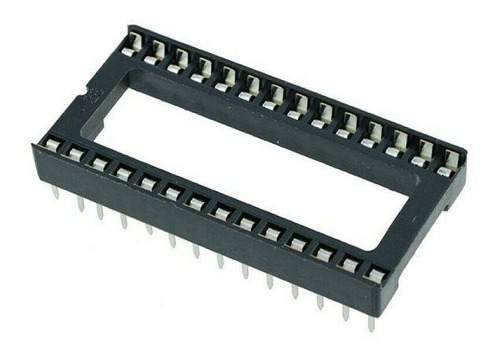 | |
|
||||
| Arduino Nano | 4 | 159 | 636 | [enlace](https://articulo.mercadolibre.com.mx/MLM-603372065-arduino-nano-v30-cable-usb-_JM) | 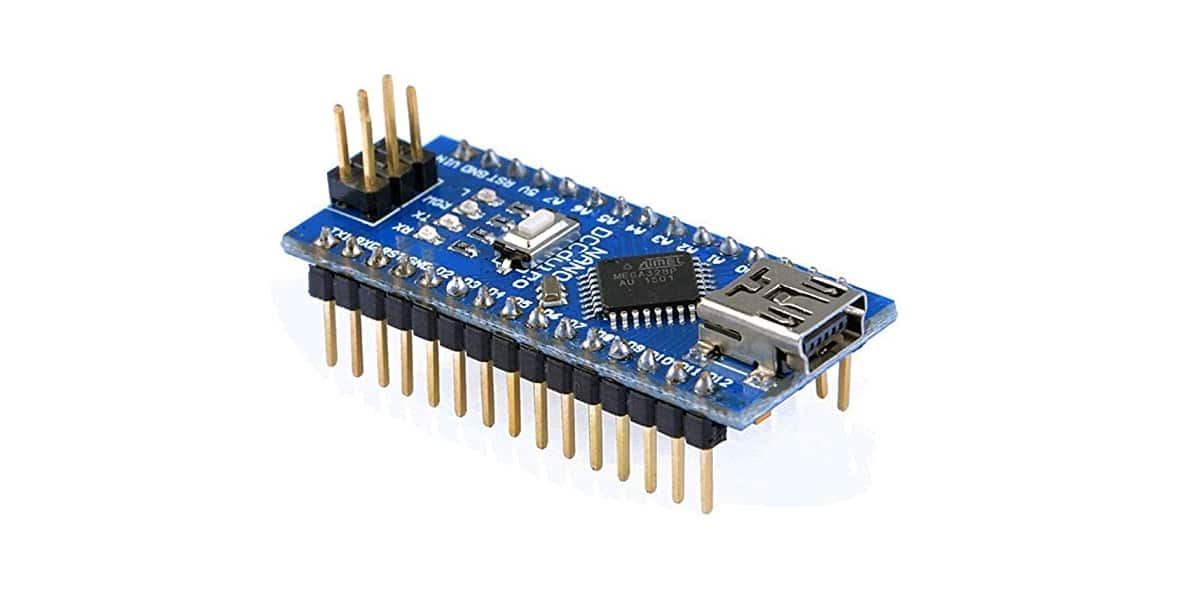 | |
|
||||
| Raspberry Pi 4 2GB | 1 | 1550 | 1550 | [enlace](https://www.geekfactory.mx/tienda/tarjetas/raspberry-pi/raspberry-pi-4-2-gb-ram-modelo-b/) | 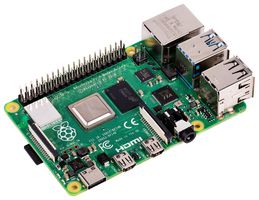 | |
|
||||
| Resistencia 10k 1%tolerancia | 1 | 1 | 1 | [enlace](https://www.steren.com.mx/resistencia-de-pelicula-de-carbon-de-10-kohms-a-1-2-watt-con-5-de-tolerancia.html) |  | |
|
||||
| Resistencia 4k7 1%tolerancia | 1 | 20 | 20 | |  | |
|
||||
| Resistencia 3k 1%tolerancia | 1 | 1 | 1 | |  | |
|
||||
| Resistencia 1k5 1%tolerancia | 1 | 20 | 20 | |  | |
|
||||
| Diodo Schottky 5v o más | 4 | 20 | 80 | | 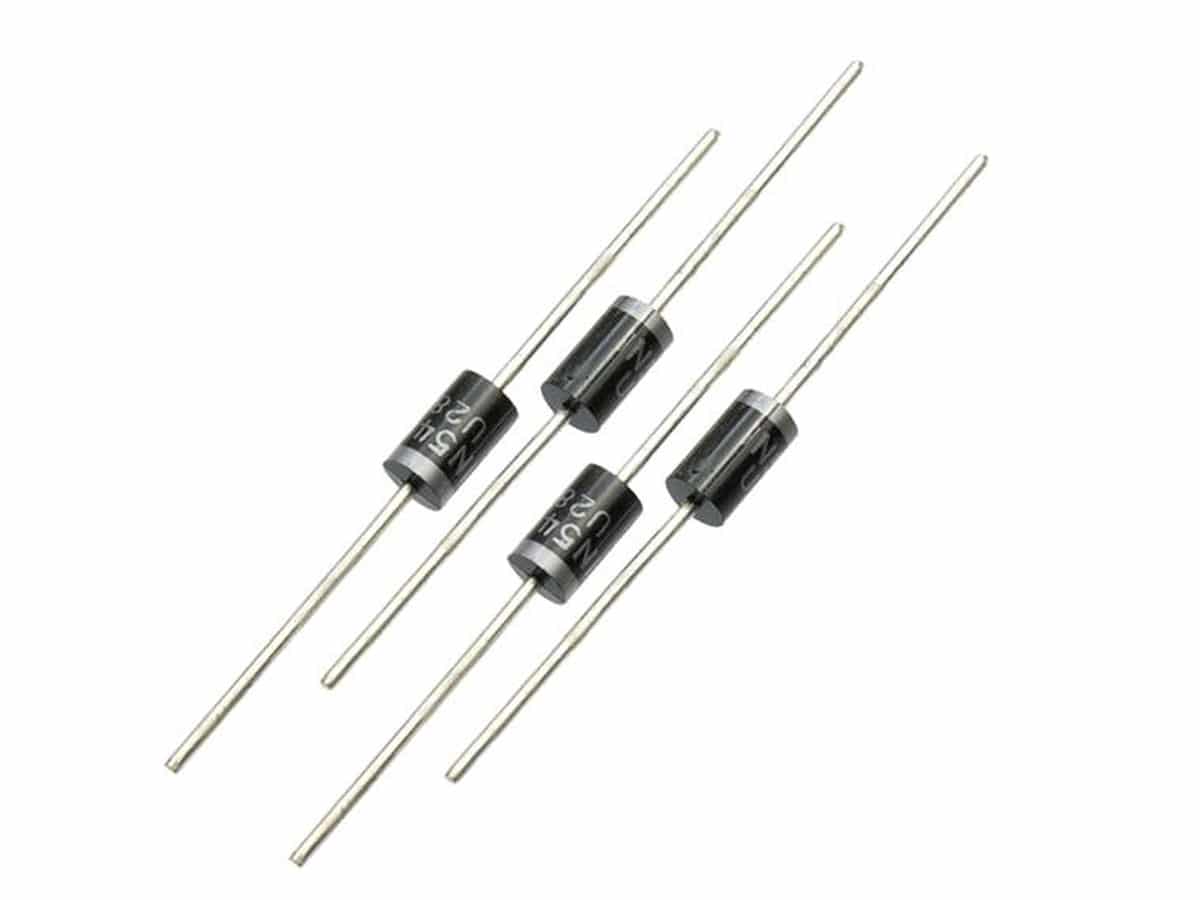 | |
|
||||
| Fusible chico | 1 | 4 | 4 | [enlace](https://www.steren.com.mx/fusible-europeo-de-5-a-250-vca.html) | | |
|
||||
| Porta fusible chico (30mm para placa) | 2 | 5 | 10 | [enlace](https://www.steren.com.mx/porta-fusible-abrazadera-europeo.html) |  | |
|
||||
| Botón pulsador | 2 | 45 | 90 | [enlace](https://articulo.mercadolibre.com.mx/MLM-768086213-20-piezas-de-push-button-4-pines-6x6x43mm-_JM#position=8&search_layout=grid&type=item&tracking_id=e91406ce-8426-460f-a0c3-6a5dd90c3014) | 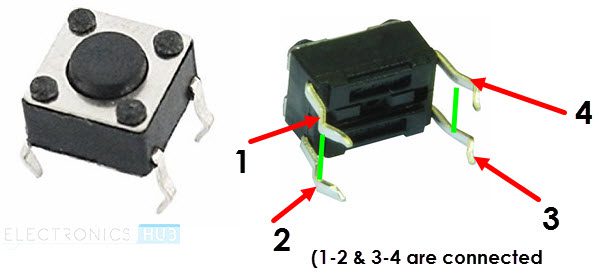 | |
|
||||
| Sonda digital de temperatura DS18B20 | 1 | 110 | 110 | [enlace](https://articulo.mercadolibre.com.mx/MLM-847988031-par-2-pzas-ds18b20-sensor-de-temperatura-sumergible-arduino-_JM#position=3&search_layout=grid&type=item&tracking_id=c8613538-bb28-4918-8ae8-fe46ff44ac58) | 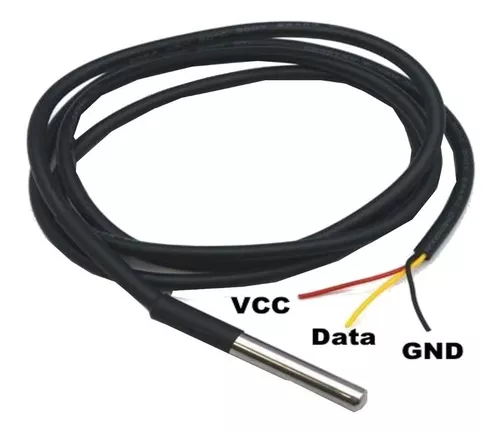 | |
|
||||
| Sensor de turbidez SEN0189 | 1 | 415 | 415 | [enlace](https://www.geekfactory.mx/tienda/sensores/sensor-de-turbidez-analogico-gravity-dfrobot/) |  | |
|
||||
| Kit sensor de pH | 1 | 5240 | 5240 | [enlace](https://atlas-scientific.com/kits/ph-kit/) | [enlace](https://atlas-scientific.com/kits/ph-kit/) | |
|
||||
| Kit sensor de conductividad | 1 | 6120 | 6120 | [enlace](https://atlas-scientific.com/kits/mini-conductivity-k-1-0-kit/) | [enlace](https://atlas-scientific.com/kits/mini-conductivity-k-1-0-kit/) | |
|
||||
| Bomba de agua sumergible para arduino | 1 | 62 | 62 | [enlace](https://articulo.mercadolibre.com.mx/MLM-683758574-mini-bomba-de-agua-sumergible-36v-arduino-pic-_JM) | | |
|
||||
| Conector de dos vías para cable hembra + 'Conector de dos vías para plaqueta macho recto | 6 | 45 | 270 | [enlace](https://articulo.mercadolibre.com.mx/MLM-905787098-2-juegos-conector-hembra-cable-y-macho-jst-125-mm-2-pin-_JM#position=3&search_layout=grid&type=item&tracking_id=c47d066e-77b4-474e-b220-2fee12dc0c5a) | | |
|
||||
| Conector de tres vías para cable hembra+ 'Conector de tres vías para plaqueta hembra recto | 2 | 50 | 100 | [enlace](https://articulo.mercadolibre.com.mx/MLM-734108508-conector-jst-xh-macho-y-hembra-de-3-pines-_JM#position=14&search_layout=grid&type=item&tracking_id=d3ec06ea-1846-4284-99eb-7a0d8ef6ee26) | 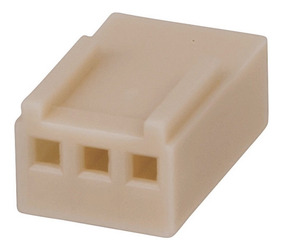 | |
|
||||
| celda de litio 18650 (si viene con la chapita de nickel les va a facilitar mucho al momento de soldar) | 56 | 20 | 1120 | [enlace](https://articulo.mercadolibre.com.mx/MLM-826413561-10-piezas-bateria-recargable-18650-ventilador-linterna-t2218-_JM?matt_tool=54306600&matt_word=&matt_source=google&matt_campaign_id=15697272376&matt_ad_group_id=128898863662&matt_match_type=&matt_network=g&matt_device=c&matt_creative=571860447281&matt_keyword=&matt_ad_position=&matt_ad_type=pla&matt_merchant_id=141916252&matt_product_id=MLM826413561&matt_product_partition_id=1429154252846&matt_target_id=pla-1429154252846&gclid=CjwKCAjwxOCRBhA8EiwA0X8hi6BBz86IZwYvJHgGO2gteos_GSVdfXCAoE5pvF6kMe783gNXFrFNWxoCyjUQAvD_BwE) |  | |
|
||||
| módulo de carga TP4056 con protección de descarga | 1 | 14 | 14 | [enlace](https://www.geekfactory.mx/tienda/modulos/cargadores/modulo-tp4056-cargador-bateria/) |  | |
|
||||
| fuente DC-DC boost (step-up que pueda tomar 3v y subirlo a 5.5v) | 1 | 33 | 33 | [enlace](https://www.geekfactory.mx/tienda/modulos/reguladores/convertidor-dc-dc-step-up-boost/) |  | |
|
||||
| Placa PCB | 1 | 32 | 32 | [enlace](https://www.geekfactory.mx/tienda/protoboards/placa-fenolica-una-cara-10-x-15-cm/) | | |
|
||||
| Cables Protoboard | 1 | 52 | 52 | [enlace](https://articulo.mercadolibre.com.mx/MLM-602661891-cables-dupont-jumpers-para-protoboard-20cm-40piezas-_JM?quantity=1&variation_id=18583022758) | | |
|
||||
| Tira header macho | 4 | 9 | 36 | [enlace](https://www.geekfactory.mx/tienda/componentes/conectores/header-macho/) | | |
|
||||
| Tira poste hembra | 4 | 10 | 40 | [enlace](https://www.geekfactory.mx/tienda/componentes/conectores/header-hembra-tira-de-pines-sencilla/) | | |
|
||||
|
||||
|
||||
BIN
esquematicos/componentes_nodemecu.ods
Normal file
BIN
esquematicos/componentes_nodemecu.ods
Normal file
Binary file not shown.
BIN
esquematicos/impresion_v1-invertido.pdf
Normal file
BIN
esquematicos/impresion_v1-invertido.pdf
Normal file
Binary file not shown.
BIN
esquematicos/impresion_v1.pdf
Normal file
BIN
esquematicos/impresion_v1.pdf
Normal file
Binary file not shown.
Binary file not shown.
29721
esquematicos/nodemecu_schematic-v4.pdf
Normal file
29721
esquematicos/nodemecu_schematic-v4.pdf
Normal file
File diff suppressed because it is too large
Load Diff
30905
placa/nodemecu.fz
Normal file
30905
placa/nodemecu.fz
Normal file
File diff suppressed because it is too large
Load Diff
@ -6,7 +6,7 @@ import sys
|
||||
|
||||
ser = serial.Serial(
|
||||
port='/dev/serial0', #Replace ttyS0 with ttyAM0 for Pi1,Pi2,Pi0
|
||||
baudrate = 14400,
|
||||
baudrate = 9600,
|
||||
parity=serial.PARITY_NONE,
|
||||
stopbits=serial.STOPBITS_ONE,
|
||||
bytesize=serial.EIGHTBITS,
|
||||
@ -22,7 +22,7 @@ ser.flush()
|
||||
while True:
|
||||
if ser.in_waiting > 0:
|
||||
line = ser.readline().decode('utf-8', errors='replace').rstrip()
|
||||
time.sleep(0.5)
|
||||
#time.sleep(0.1)
|
||||
print(line)
|
||||
ser.flush()
|
||||
break
|
||||
|
||||
@ -7,7 +7,9 @@ fi
|
||||
# LECTURA FICHERO DE CONFIGURACION
|
||||
|
||||
config=/etc/nodemecu.conf
|
||||
envs=/opt/nodemecu/envs
|
||||
source $config
|
||||
source $envs
|
||||
source $funciones
|
||||
|
||||
[ -z $1 ] && exit
|
||||
@ -34,7 +36,8 @@ case $com in
|
||||
echo ""
|
||||
echo "Creando juego de llaves"
|
||||
source $config
|
||||
generate_private_key
|
||||
comentario="$nombre $numero_serie"
|
||||
generate_private_key "$comentario"
|
||||
echo ""
|
||||
echo "El modo de operación por defecto es 'test' y se envían datos simulados, cambie a 'sensores' con el comando 'sudo nodemecu modo sensores'
|
||||
"
|
||||
@ -53,10 +56,14 @@ case $com in
|
||||
funcion_configurar $@
|
||||
;;
|
||||
captura)
|
||||
|
||||
test_conf_nombre || exit
|
||||
test_conf_intervalo || exit
|
||||
test_conf_key || exit
|
||||
funcion_captura $2
|
||||
;;
|
||||
monitor)
|
||||
$install_dir/monitor.sh
|
||||
funcion_monitor
|
||||
;;
|
||||
cllave)
|
||||
if [ -z $nombre ]; then
|
||||
@ -67,6 +74,7 @@ case $com in
|
||||
fi
|
||||
;;
|
||||
|
||||
|
||||
*)
|
||||
exit
|
||||
;;
|
||||
|
||||
@ -1 +0,0 @@
|
||||
0
|
||||
@ -1,12 +1,12 @@
|
||||
#!/bin/bash
|
||||
source /etc/nodemecu.conf
|
||||
|
||||
source /opt/nodemecu/envs
|
||||
if [ $UID -ne 0 ]; then
|
||||
echo "Ejecute 'sudo $0'"
|
||||
exit
|
||||
fi
|
||||
|
||||
seguro="Si, Estoy Seguro."
|
||||
seguro="Si, se lo que estoy haciendo."
|
||||
|
||||
|
||||
echo "Está a punto de desinstalar nodemecu, esta acción eliminará todos los archivos de instalacion y registros que se hayan tomado sin posiblidad de recuperación, haga un backup de:
|
||||
@ -18,9 +18,9 @@ echo "Está a punto de desinstalar nodemecu, esta acción eliminará todos los a
|
||||
Para continuar escriba la frase '$seguro'.
|
||||
"
|
||||
|
||||
read -p "frase: " frase
|
||||
#read -p "frase: " frase
|
||||
|
||||
if [ "$frase" = "$seguro" ];then
|
||||
#if [ "$frase" = "$seguro" ];then
|
||||
|
||||
|
||||
rm /etc/nodemecu.conf
|
||||
@ -32,8 +32,8 @@ systemctl disable nodemecu.service
|
||||
rm /lib/systemd/system/nodemecu.service
|
||||
systemctl daemon-reload
|
||||
|
||||
else
|
||||
#else
|
||||
echo "La frase de seguridad no concuerda.
|
||||
"
|
||||
|
||||
fi
|
||||
#fi
|
||||
|
||||
31
raspberry/envs
Normal file
31
raspberry/envs
Normal file
@ -0,0 +1,31 @@
|
||||
# NO MODIFICAR ESTE FICHERO !!!!!!!!!!
|
||||
|
||||
numero_serie=0000000083a999fd
|
||||
curl_err=/tmp/curl_err
|
||||
directorio_instalacion=/opt/nodemecu
|
||||
registros=$directorio_instalacion/registros
|
||||
historicos=$directorio_instalacion/historicos
|
||||
log=/var/log/nodemecu_errors.log
|
||||
registros_corruptos=$directorio_instalacion/corruptos
|
||||
lock=$directorio_instalacion/lock
|
||||
funciones=$directorio_instalacion/funciones
|
||||
arduinos_py=$directorio_instalacion/arduinos.py
|
||||
key_dir=$directorio_instalacion/llaves
|
||||
private_key=$key_dir/$numero_serie.key
|
||||
public_key=$key_dir/$numero_serie.key.pub
|
||||
|
||||
|
||||
|
||||
|
||||
|
||||
|
||||
|
||||
|
||||
|
||||
|
||||
|
||||
|
||||
|
||||
|
||||
|
||||
|
||||
@ -2,40 +2,32 @@
|
||||
#set -x
|
||||
get_stack () {
|
||||
if [[ ! -z $1 && $1 == "wc" ]];then
|
||||
ls -I "*.sign" $registros | wc -l
|
||||
ls -I "*.sig" $registros | wc -l
|
||||
else
|
||||
ls -I "*.sign" $registros | tail -1
|
||||
ls -I "*.sig" $registros | tail -1
|
||||
fi
|
||||
}
|
||||
|
||||
|
||||
|
||||
# Generar una llave privada ECDSA si no existe
|
||||
generate_private_key () {
|
||||
test -f "$private_key" && return 1
|
||||
|
||||
ssh-keygen -t ecdsa -f "$private_key" -N "" -m PEM
|
||||
ssh-keygen -t ecdsa -f "$private_key" -N "" -C "$@"
|
||||
}
|
||||
|
||||
# Firmar el archivo usando la llave privada.
|
||||
#
|
||||
# Uso: sign_file archivo.json
|
||||
# Devuelve: archivo.json.sign
|
||||
# Devuelve: La firma
|
||||
sign_file () {
|
||||
local _file="$1"
|
||||
|
||||
test ! -f "$_file" && return 1
|
||||
|
||||
if ! openssl dgst -sha512 -sign "$private_key" "$_file" | base64 | tr -d "\n" > "$_file.sign" ; then
|
||||
rm -f "$_file.sign"
|
||||
return 1
|
||||
fi
|
||||
|
||||
echo "$_file.sign"
|
||||
test -f "$_file.sig" || ssh-keygen -Y sign -f "$private_key" -n file "$_file" >/dev/null 2>&1
|
||||
cat "${_file}.sig" | grep -v SIGNATURE | tr -d "\n"
|
||||
}
|
||||
|
||||
|
||||
|
||||
funcion_datos_simulados() {
|
||||
|
||||
lecturas="id:dummy_plug-01 tp:temp vl:$(( $RANDOM % 20 + 15 )) un:C er:99 AD_SENSOR tp:hum vl:$(( $RANDOM % 50 + 35 )) un:percent er:99 AD_ARDUINO id:dummy_plug-02 tp:temp vl:$(( $RANDOM % 20 + 15 )) un:C er:99 AD_SENSOR tp:hum vl:$(( $RANDOM % 50 + 35 )) un:percent er:99 AD_ARDUINO id:dummy_plug-03 tp:temp vl:$(( $RANDOM % 20 + 15 )) un:C er:99 AD_SENSOR tp:hum vl:$(( $RANDOM % 50 + 35 )) un:percent er:99 AD_ARDUINO id:dummy_plug-04 tp:temp vl:$(( $RANDOM % 20 + 15 )) un:C er:99 AD_SENSOR tp:hum vl:$(( $RANDOM % 50 + 35 )) un:percent er:99 END"
|
||||
@ -45,13 +37,14 @@ funcion_datos_simulados() {
|
||||
funcion_datos_sensores() {
|
||||
|
||||
peticiones=1
|
||||
arduinos=( 0x01 0x02 )
|
||||
arduinos=( 1 2 )
|
||||
for arduino_id in ${arduinos[@]};do
|
||||
lectura_arduino=($(timeout 3 $arduinos_py $arduino_id))
|
||||
|
||||
let "bloques = (${#lectura_arduino[@]} - 1) / 4"
|
||||
|
||||
lecturas="$lecturas id:${lectura_arduino[0]}"
|
||||
#lecturas="$lecturas id:${lectura_arduino[0]}"
|
||||
lecturas="$lecturas id:${arduino_id[0]}"
|
||||
|
||||
indice=1
|
||||
vueltas=1
|
||||
@ -122,6 +115,9 @@ case $comando in
|
||||
if [[ $parametro -ge 1 && $parametro -le 60 ]]; then
|
||||
sed -i 's/intervalo=[0-9]*/intervalo='$parametro'/' $config
|
||||
echo "Intervalo seteado en $parametro"
|
||||
echo "Para aplicar los cambios ejecute
|
||||
sudo nodemecu captura dentener
|
||||
sudo nodemecu captura iniciar"
|
||||
break
|
||||
else
|
||||
echo "Establezca un valor entre 1 y 60."
|
||||
@ -147,16 +143,8 @@ esac
|
||||
|
||||
funcion_captura() {
|
||||
|
||||
if [ "$1" = "iniciar" ]; then
|
||||
|
||||
if [ -z $intervalo ]; then
|
||||
echo "Asegurese de haber establecido 'intervalo' de regitro y envio de datos."
|
||||
exit 1
|
||||
fi
|
||||
if [ -z $nombre ]; then
|
||||
echo "Asegurese de haber establecido el 'nombre' de dispositivo."
|
||||
exit 1
|
||||
fi
|
||||
if [ "$1" = "iniciar" ]; then
|
||||
|
||||
echo "Iniciando la captura de datos en modo '$modo'"
|
||||
echo ""
|
||||
@ -177,3 +165,107 @@ funcion_captura() {
|
||||
fi
|
||||
}
|
||||
|
||||
|
||||
### Validaciones
|
||||
|
||||
test_conf_nombre() {
|
||||
|
||||
if [ -z $nombre ]; then
|
||||
echo "No se establecio un nombre para el dispositivo."
|
||||
return 1
|
||||
fi
|
||||
}
|
||||
|
||||
|
||||
test_conf_servidor () {
|
||||
|
||||
if [ -z $servidor ];then
|
||||
echo "No se establecio un servidor de entrega."
|
||||
return 1
|
||||
fi
|
||||
}
|
||||
|
||||
test_conf_intervalo() {
|
||||
|
||||
if [ -z $intervalo ];then
|
||||
echo "No se establecio un intervalo de captura."
|
||||
return 1
|
||||
fi
|
||||
}
|
||||
|
||||
test_conf_key() {
|
||||
|
||||
if [ ! -f $private_key ];then
|
||||
echo "No se creo juego de llaves."
|
||||
return 1
|
||||
fi
|
||||
}
|
||||
|
||||
|
||||
|
||||
|
||||
funcion_validador_json() {
|
||||
|
||||
validar="$@"
|
||||
|
||||
echo $validar | jsonlint-php > /dev/null 2>&1 || return 1
|
||||
}
|
||||
|
||||
funcion_verificar_internet() {
|
||||
|
||||
if host fsf.org > /dev/null 2>&1; then
|
||||
return 0
|
||||
else
|
||||
return 1
|
||||
fi
|
||||
|
||||
}
|
||||
|
||||
funcion_espera() {
|
||||
sleep 1m
|
||||
#sleep ${intervalo:-1}m
|
||||
|
||||
}
|
||||
|
||||
|
||||
funcion_envio_registro() {
|
||||
|
||||
curl -s --show-error -w "~%{http_code}" \
|
||||
-X POST -H "X-Signature: $(sign_file $registros/$file)" \
|
||||
-H "Content-Type: application/json" -d @$registros/$file \
|
||||
$servidor 2> $curl_err
|
||||
|
||||
}
|
||||
|
||||
|
||||
funcion_monitor() {
|
||||
local sb="\x1b["
|
||||
local eb="\x1b[K\x1b[0m"
|
||||
local st="\e["
|
||||
local et="\e[0m"
|
||||
|
||||
while :;do
|
||||
clear
|
||||
echo -e "${sb}1;44;97m Nodemecu Monitor${eb}"
|
||||
echo ""
|
||||
echo -e "${st}1;94mNombre:${et} $nombre ${st}1;94mServidor:${et} $servidor ${st}1;94mIntervalo:${et} $intervalo"
|
||||
echo ""
|
||||
echo -e "${sb}1;44;97m Registros${eb}"
|
||||
echo ""
|
||||
echo -e "En cola: $(ls -I *.sig $registros| wc -l)"
|
||||
echo -e "Enviados: $(ls -I *.sig $historicos | wc -l)"
|
||||
echo -e "Registros corrupts: $(ls -I *.sig $registros_corruptos | wc -l)"
|
||||
echo ""
|
||||
echo -e "${sb}1;44;97m Ultimos mensajes${eb}"
|
||||
echo ""
|
||||
echo -e ${st}1m"Systemd unit 'nodemecu.service'${et}"
|
||||
journalctl -n 3 -u nodemecu
|
||||
echo ""
|
||||
echo -e ${st}1m"Fichero '$log'${et}"
|
||||
cat /var/log/nodemecu_errors.log | grep -v "Salida de curl" | grep -v '[*<>{}]' | tail -3
|
||||
|
||||
sleep 2
|
||||
done
|
||||
|
||||
}
|
||||
|
||||
|
||||
@ -1,10 +1,13 @@
|
||||
#!/bin/bash
|
||||
|
||||
source /etc/nodemecu.conf
|
||||
source /opt/nodemecu/envs
|
||||
source $funciones
|
||||
|
||||
conteo=$(cat $contador)
|
||||
uuid="$(uuidgen)"
|
||||
test -z $nombre && exit
|
||||
test -f $public_key || exit
|
||||
|
||||
uuid="$(uuid)"
|
||||
marca_de_tiempo="$(date +%s)"
|
||||
|
||||
|
||||
@ -49,32 +52,19 @@ case $i in
|
||||
esac
|
||||
done
|
||||
|
||||
sensores=$(echo $sensores | tr -d '[:blank:]')
|
||||
|
||||
|
||||
|
||||
json="{\"transaction_uuid\":\"$uuid\",\"controller_id\":\"$nombre\",\"timestamp\":\"$marca_de_tiempo\",\"error_code\":\"10\",\"coordinates\":{\"lat\":1,\"lng\":1},\"battery_status\":\"98\",\"sample\":\"0\",\"storage\":\"uso del almacenamiento\",\"arduinos\":[$sensores]}"
|
||||
json="{\"transaction_uuid\":\"$uuid\",\"serial_number\":\"$numero_serie\",\"public_key\":\"$(cat $public_key)\",\"controller_id\":\"$nombre\",\"timestamp\":\"$marca_de_tiempo\",\"error_code\":\"10\",\"coordinates\":{\"lat\":1,\"lng\":1},\"battery_status\":\"98\",\"sample\":\"0\",\"storage\":\"uso del almacenamiento\",\"arduinos\":[$sensores]}"
|
||||
|
||||
touch $lock
|
||||
file=$(date +%Y%m%d%H%M%S -d @$marca_de_tiempo)-$uuid
|
||||
|
||||
|
||||
|
||||
if echo $json | jsonlint-php 2> /dev/null;then
|
||||
echo $json > $registros/$file && rm $lock && echo $((conteo+1)) > $contador
|
||||
if funcion_validador_json $json ;then
|
||||
echo $json > $registros/$file && rm $lock
|
||||
else
|
||||
echo "$(date +%Y-%m-%d-%H:%M:%S -d @$marca_de_tiempo) - No se pudo obtener información." >> $log
|
||||
echo "$(date +%Y-%m-%d-%H:%M:%S -d @$marca_de_tiempo) - No se pudo generar fichero json:" >> $log
|
||||
echo $json >> $log
|
||||
rm $lock
|
||||
fi
|
||||
|
||||
|
||||
exit
|
||||
|
||||
# habia una razon para esto, ya va a saltar
|
||||
|
||||
for ((i=1 ; i <=3 ; i++));do
|
||||
if echo $json | jsonlint-php 2> /dev/null;then
|
||||
echo $json > /opt/nodemecu/stack/$file && rm /opt/nodemecu/lock && echo $((counter+1)) > $contador && break
|
||||
else
|
||||
echo "$(date +%Y-%m-%d-%H:%M:%S) - No se pudo obtener información." >> /opt/nodemecu/errors.log && sleep 1
|
||||
fi
|
||||
done
|
||||
|
||||
@ -1,28 +1,33 @@
|
||||
#!/bin/bash
|
||||
#set -x
|
||||
configuracion=nodemecu.conf.ejemplo
|
||||
source $configuracion
|
||||
|
||||
if [ $UID -ne 0 ]; then
|
||||
echo "Ejecute 'sudo $0'"
|
||||
exit
|
||||
fi
|
||||
|
||||
basedir=$( cd -- "$( dirname -- "${BASH_SOURCE[0]}" )" &> /dev/null && pwd )
|
||||
|
||||
configuracion=$basedir/nodemecu.conf.ejemplo
|
||||
envs=$basedir/envs
|
||||
|
||||
source $configuracion
|
||||
source $envs
|
||||
|
||||
if [ -d $directorio_instalacion ] ; then
|
||||
echo "nodemecu ya se encuentra instalado"
|
||||
exit
|
||||
|
||||
fi
|
||||
|
||||
ficheros="bin arduinos.py contador generador_json funciones monitor monitor_web nodemecu.service registrador desinstalar"
|
||||
|
||||
ficheros="bin envs arduinos.py generador_json funciones registrador desinstalar"
|
||||
|
||||
# Dependencias
|
||||
|
||||
echo "1. Instalando dependencias
|
||||
"
|
||||
apt update && apt install -y python3-pip jsonlint jq uuid
|
||||
pip3 install pyserial
|
||||
#apt update && apt install -y python3-pip jsonlint jq uuid
|
||||
#pip3 install pyserial
|
||||
|
||||
echo ""
|
||||
|
||||
@ -32,13 +37,10 @@ echo "2. Creando directorios y copiando archivos"
|
||||
echo "
|
||||
Creación de directorios
|
||||
"
|
||||
mkdir -vp $directorio_instalacion/archives/historical
|
||||
mkdir -v $directorio_instalacion/archives/logs
|
||||
mkdir -v $registros_corruptos
|
||||
mkdir -v $envios_fallidos
|
||||
mkdir -vp $registros_corruptos
|
||||
mkdir -v $historicos
|
||||
mkdir -v $registros
|
||||
mkdir -v $private_key_dir
|
||||
mkdir -v $key_dir
|
||||
echo "
|
||||
Copiado de archivos
|
||||
"
|
||||
@ -59,17 +61,28 @@ ls $log
|
||||
echo "3. Configurando systemd
|
||||
"
|
||||
|
||||
cp nodemecu.service /lib/systemd/system/
|
||||
cp -v nodemecu.service /lib/systemd/system/
|
||||
systemctl daemon-reload
|
||||
|
||||
echo "
|
||||
4. Obteniendo numero de serie
|
||||
"
|
||||
|
||||
sn=$(cat /proc/cpuinfo | grep Serial | cut -d ' ' -f 2)
|
||||
|
||||
sed -i 's/numero_serie=/numero_serie='$sn'/' $directorio_instalacion/envs
|
||||
|
||||
echo "Número de serie: $sn"
|
||||
|
||||
|
||||
|
||||
echo "
|
||||
4. Configurar
|
||||
5. Configurar
|
||||
"
|
||||
|
||||
echo "- Ejecute 'sudo nodemecu configurar' para comenzar.
|
||||
"
|
||||
echo "-Ejecute 'sudo nodemecu modo sensores' para obtener datos desde sensores.
|
||||
echo "- Ejecute 'sudo nodemecu modo sensores' para obtener datos desde sensores.
|
||||
"
|
||||
echo "- Ejecute 'sudo nodemecu captura iniciar' para comenzar a tomar datos de sensores o datos de prueba.
|
||||
"
|
||||
|
||||
@ -1,16 +0,0 @@
|
||||
#!/bin/bash
|
||||
|
||||
source /etc/nodemecu.conf
|
||||
while :;do
|
||||
clear
|
||||
echo "$(date)"
|
||||
echo "Stack: $(ls $stack | wc -l) ficheros"
|
||||
echo "Historicos: $(ls $historical | wc -l) ficheros"
|
||||
echo "Testigo: $(cat $install_dir/counter)"
|
||||
echo "Errores: $(wc -l $log) registros"
|
||||
echo "Ultimo error registrado:"
|
||||
tail -1 $log
|
||||
echo ""
|
||||
echo "'ctrl-c' para salir."
|
||||
sleep 100
|
||||
done
|
||||
@ -1,11 +0,0 @@
|
||||
#!/bin/bash
|
||||
|
||||
source /etc/nodemecu.conf
|
||||
echo "<p>$(date)<br>"
|
||||
echo "Stack: $(ls $stack | wc -l) ficheros<br>"
|
||||
echo "Historicos: $(ls $historical | wc -l) ficheros<br>"
|
||||
echo "Testigo: $(cat $install_dir/counter)<br>"
|
||||
echo "Errores: $(wc -l $log) registros<br>"
|
||||
echo "Ultimos errores registrados<br>"
|
||||
tail -1 $log
|
||||
echo "<br></p>"
|
||||
@ -1,76 +0,0 @@
|
||||
#!/bin/bash
|
||||
if [ $UID -ne 0 ]; then
|
||||
echo "Ejecute 'sudo $0'"
|
||||
exit
|
||||
fi
|
||||
|
||||
# LECTURA FICHERO DE CONFIGURACION
|
||||
|
||||
config=/etc/nodemecu.conf
|
||||
source $config
|
||||
source $funciones
|
||||
|
||||
[ -z $1 ] && exit
|
||||
|
||||
|
||||
com=$1
|
||||
|
||||
case $com in
|
||||
|
||||
configurar)
|
||||
echo "Complete los cambios a continuación:
|
||||
"
|
||||
echo "Nombre del dispositivo."
|
||||
read -p "nombre: " -a entrada_usuario
|
||||
funcion_configurar nombre ${entrada_usuario[@]}
|
||||
echo ""
|
||||
echo "Servidor de entrega de datos."
|
||||
read -p "servidor (ej. https://url.del/servidor): " entrada_usuario
|
||||
funcion_configurar servidor $entrada_usuario
|
||||
echo ""
|
||||
echo "Intervalo de toma de muestras, entre 1 y 60 minutos."
|
||||
read -p "intervalo: " entrada_usuario
|
||||
funcion_configurar intervalo $entrada_usuario
|
||||
echo ""
|
||||
echo "Creando juego de llaves"
|
||||
source $config
|
||||
generate_private_key
|
||||
echo ""
|
||||
echo "El modo de operación por defecto es 'test' y se envían datos simulados, cambie a 'sensores' con el comando 'sudo nodemecu modo sensores'
|
||||
"
|
||||
;;
|
||||
|
||||
nombre)
|
||||
funcion_configurar $@
|
||||
;;
|
||||
servidor)
|
||||
funcion_configurar $@
|
||||
;;
|
||||
intervalo)
|
||||
funcion_configurar $@
|
||||
;;
|
||||
modo)
|
||||
funcion_configurar $@
|
||||
;;
|
||||
captura)
|
||||
funcion_captura $2
|
||||
;;
|
||||
monitor)
|
||||
$install_dir/monitor.sh
|
||||
;;
|
||||
cllave)
|
||||
if [ -z $nombre ]; then
|
||||
echo "Debe establecer primero el nombre del dispositivo"
|
||||
else
|
||||
echo "Creando juego de llaves"
|
||||
generate_private_key
|
||||
fi
|
||||
;;
|
||||
|
||||
*)
|
||||
exit
|
||||
;;
|
||||
|
||||
esac
|
||||
|
||||
|
||||
@ -2,23 +2,3 @@ nombre=
|
||||
servidor=
|
||||
intervalo=
|
||||
modo=test
|
||||
|
||||
|
||||
# AJUSTES GENERALES
|
||||
# SE RECOMIENDA NO MODIFICAR ESTAS LINEAS
|
||||
|
||||
curl_err=/tmp/curl_err
|
||||
historical_file_size=1440
|
||||
logs_file_size=1440
|
||||
directorio_instalacion=/opt/nodemecu
|
||||
registros=$directorio_instalacion/registros
|
||||
historicos=$directorio_instalacion/historicos
|
||||
log=/var/log/nodemecu_errors.log
|
||||
registros_corruptos=$directorio_instalacion/corruptos
|
||||
envios_fallidos=$directorio_instalacion/fallidos
|
||||
contador=$directorio_instalacion/contador
|
||||
lock=$directorio_instalacion/lock
|
||||
funciones=$directorio_instalacion/funciones
|
||||
arduinos_py=$directorio_instalacion/arduinos.py
|
||||
private_key_dir=$directorio_instalacion/llaves
|
||||
private_key=$private_key_dir/$nombre.pem
|
||||
|
||||
@ -1,69 +1,80 @@
|
||||
#!/bin/bash
|
||||
#set -x
|
||||
source /etc/nodemecu.conf
|
||||
source /opt/nodemecu/envs
|
||||
source $funciones
|
||||
|
||||
|
||||
# Revisando stack
|
||||
|
||||
for registro_json in $registros/*;do
|
||||
test "$registro_json" = "/opt/nodemecu/stack/\*" || break
|
||||
jsonlint-php $registro_json > /dev/null || mv -v $registro_json $registros_corruptos
|
||||
done
|
||||
|
||||
while :;do
|
||||
|
||||
# archivo a procesar
|
||||
file=$(get_stack)
|
||||
|
||||
# si no hay nada que procesar reinicia el bucle
|
||||
test -z $file && funcion_espera && continue
|
||||
|
||||
# si no hay servidor definido se reinicia el bucle
|
||||
# espera el intervalo definido o 1 minuto.
|
||||
#[ -z $servidor ] && echo "no se ha definido un servidor de entrega" && sleep ${intervalo:-1}m && continue
|
||||
test -z $servidor && echo "No se configuró nigun servidor de entrega." && funcion_espera && continue
|
||||
|
||||
|
||||
# si no hay nada en el directorio registros reinicia el bucle
|
||||
# espera el intervalo definido o 1 minuto.
|
||||
[ -z $file ] && sleep ${intervalo:-1}m && continue
|
||||
|
||||
# si no respone el ping reinica el bucle
|
||||
ping -c 1 fsf.org > /dev/null 2>&1 || continue
|
||||
# si no hay internet reinica el bucle
|
||||
if ! funcion_verificar_internet; then
|
||||
err_time=$(date +%Y-%m-%d-%H:%M:%S)
|
||||
echo "$err_time - Parece no haber internet." | tee -a $log
|
||||
funcion_espera
|
||||
continue
|
||||
fi
|
||||
|
||||
# si el fichero 'lock' existe (se esta creando un nuevo registro) reinicia el bucle
|
||||
[ -f $lock ] && continue
|
||||
test -f $lock && continue
|
||||
|
||||
# validación del fichero
|
||||
if ! funcion_validador_json "$(cat $registros/$file)";then
|
||||
mv $registros/$file $registros_corruptos
|
||||
continue
|
||||
fi
|
||||
|
||||
# firmado de regisro
|
||||
firma=$(sign_file $registros/$file)
|
||||
|
||||
# UUID del registro a enviar
|
||||
uuid_registro=$(jq -r '."transaction_uuid"' $registros/$file)
|
||||
|
||||
# envio de registro
|
||||
transaccion=$(curl -v -s --show-error -w "~%{http_code}" -X POST -H "X-Signature: $(sign_file $registros/$file)" -H "Content-Type: application/json" -d @$registros/$file $servidor 2> $curl_err)
|
||||
|
||||
# respuestas del servidor
|
||||
respuesta_servidor="$(echo $transaccion | cut -d '~' -f 1)"
|
||||
error_servidor="$(echo $transaccion | cut -d '~' -f 2)"
|
||||
|
||||
if [ ${#respuesta_servidor} -eq 36 ] && [ "$uuid_registro" == "$respuesta_servidor" ]; then
|
||||
echo -e "$respuesta_servidor: \e[92mOK\e[0m"
|
||||
mv $registros/$file $registros/$file.sig $historicos
|
||||
else
|
||||
|
||||
err_time=$(date +%Y-%m-%d-%H:%M:%S)
|
||||
srv_msg="$(echo $respuesta_servidor | grep -o '<body.*>.*</body>')"
|
||||
echo -e "$err_time - $uuid_registro: \e[91mFAIL\e[0m"
|
||||
|
||||
echo "$err_time - $uuid_registro - Error del servidor: $error_servidor" >> $log
|
||||
echo "$err_time - $uuid_registro - Mensaje del servidor:" >> $log
|
||||
echo "$srv_msg" >> $log
|
||||
if [ -s $curl_err ];then
|
||||
echo "$err_time - $uuid_registro - Salida de curl:" >> $log
|
||||
cat $curl_err >> $log
|
||||
fi
|
||||
|
||||
rm $curl_err
|
||||
#funcion_espera
|
||||
fi
|
||||
|
||||
#exit
|
||||
done
|
||||
|
||||
|
||||
|
||||
######
|
||||
|
||||
# se testea que el servidor responda
|
||||
#test_url="$(curl -s -X POST -o /dev/null -w "%{http_code}" $servidor)"
|
||||
#if [ $test_url -eq 404 ];then
|
||||
# echo "$(date +%Y-%m-%d-%H:%M:%S) - $url - $test_url" >> /opt/nodemecu/errors.log && sleep 300 && continue
|
||||
#fi
|
||||
|
||||
# firma de registros
|
||||
sign_file $registros/$file
|
||||
firma="$(cat $registros/$file.sign)"
|
||||
|
||||
|
||||
local_transaction_uuid=$(jq -r '."transaction_uuid"' $registros/$file)
|
||||
remote_transaction=$(curl -s --connect-timeout 1,5 --show-error -w "~%{http_code}" -X POST -H "X-Signature: $firma" -H "Content-Type: application/json" -d @$registros/$file $servidor 2> $curl_err)
|
||||
remote_response="$(echo $remote_transaction | cut -d '~' -f 1)"
|
||||
server_error="$(echo $remote_transaction | cut -d '~' -f 2)"
|
||||
if [ ${#remote_response} -eq 36 ];then
|
||||
|
||||
if [ $local_transaction_uuid == $remote_response ]; then
|
||||
mv $registros/$file $registros/$file.sign $historicos
|
||||
echo -e "$remote_response: \e[92mOK\e[0m"
|
||||
fi
|
||||
else
|
||||
echo -e "$local_transaction_uuid: \e[91mFAIL\e[0m"
|
||||
# errores
|
||||
unset srv_msg
|
||||
unset curl_msg
|
||||
err_time=$(date +%Y-%m-%d-%H:%M:%S)
|
||||
[ ! -z "$remote_response" ] && srv_msg="- $( echo $remote_response | grep -o '<body.*>.*</body>')"
|
||||
[ -s "$curl_err" ] && curl_msg="- $(</tmp/curl_err)"
|
||||
echo $err_time - $local_transaction_uuid - server status: $server_error $srv_msg $curl_msg >> $log
|
||||
rm $curl_err
|
||||
fi
|
||||
|
||||
done
|
||||
exit
|
||||
|
||||
|
||||
@ -1,13 +0,0 @@
|
||||
#!/bin/bash
|
||||
|
||||
|
||||
|
||||
|
||||
|
||||
if timeout 1 python arduinos.py 0x05; then
|
||||
|
||||
echo respondio
|
||||
else
|
||||
echo "No respondio, erro $?"
|
||||
|
||||
fi
|
||||
Reference in New Issue
Block a user