Compare commits
3 Commits
de-zoomcam
...
LO_Module1
| Author | SHA1 | Date | |
|---|---|---|---|
| c7068244ba | |||
| 36f0cd6bd1 | |||
| af0223054c |

@ -1,210 +0,0 @@
|
||||
# Introduction
|
||||
|
||||
* [](https://www.youtube.com/watch?v=AtRhA-NfS24&list=PL3MmuxUbc_hKihpnNQ9qtTmWYy26bPrSb&index=3)
|
||||
* [Slides](https://www.slideshare.net/AlexeyGrigorev/data-engineering-zoomcamp-introduction)
|
||||
* Overview of [Architecture](https://github.com/DataTalksClub/data-engineering-zoomcamp#overview), [Technologies](https://github.com/DataTalksClub/data-engineering-zoomcamp#technologies) & [Pre-Requisites](https://github.com/DataTalksClub/data-engineering-zoomcamp#prerequisites)
|
||||
|
||||
|
||||
We suggest watching videos in the same order as in this document.
|
||||
|
||||
The last video (setting up the environment) is optional, but you can check it earlier
|
||||
if you have troubles setting up the environment and following along with the videos.
|
||||
|
||||
|
||||
# Docker + Postgres
|
||||
|
||||
[Code](2_docker_sql)
|
||||
|
||||
## :movie_camera: Introduction to Docker
|
||||
|
||||
[](https://youtu.be/EYNwNlOrpr0&list=PL3MmuxUbc_hJed7dXYoJw8DoCuVHhGEQb&index=4)
|
||||
|
||||
* Why do we need Docker
|
||||
* Creating a simple "data pipeline" in Docker
|
||||
|
||||
|
||||
## :movie_camera: Ingesting NY Taxi Data to Postgres
|
||||
|
||||
[](https://youtu.be/2JM-ziJt0WI&list=PL3MmuxUbc_hJed7dXYoJw8DoCuVHhGEQb&index=5)
|
||||
|
||||
* Running Postgres locally with Docker
|
||||
* Using `pgcli` for connecting to the database
|
||||
* Exploring the NY Taxi dataset
|
||||
* Ingesting the data into the database
|
||||
|
||||
> [!TIP]
|
||||
>if you have problems with `pgcli`, check this video for an alternative way to connect to your database in jupyter notebook and pandas.
|
||||
>
|
||||
> [](https://youtu.be/3IkfkTwqHx4&list=PL3MmuxUbc_hJed7dXYoJw8DoCuVHhGEQb&index=6)
|
||||
|
||||
|
||||
## :movie_camera: Connecting pgAdmin and Postgres
|
||||
|
||||
[](https://youtu.be/hCAIVe9N0ow&list=PL3MmuxUbc_hJed7dXYoJw8DoCuVHhGEQb&index=7)
|
||||
|
||||
* The pgAdmin tool
|
||||
* Docker networks
|
||||
|
||||
|
||||
> [!IMPORTANT]
|
||||
>The UI for PgAdmin 4 has changed, please follow the below steps for creating a server:
|
||||
>
|
||||
>* After login to PgAdmin, right click Servers in the left sidebar.
|
||||
>* Click on Register.
|
||||
>* Click on Server.
|
||||
>* The remaining steps to create a server are the same as in the videos.
|
||||
|
||||
|
||||
## :movie_camera: Putting the ingestion script into Docker
|
||||
|
||||
[](https://youtu.be/B1WwATwf-vY&list=PL3MmuxUbc_hJed7dXYoJw8DoCuVHhGEQb&index=8)
|
||||
|
||||
* Converting the Jupyter notebook to a Python script
|
||||
* Parametrizing the script with argparse
|
||||
* Dockerizing the ingestion script
|
||||
|
||||
## :movie_camera: Running Postgres and pgAdmin with Docker-Compose
|
||||
|
||||
[](https://youtu.be/hKI6PkPhpa0&list=PL3MmuxUbc_hJed7dXYoJw8DoCuVHhGEQb&index=9)
|
||||
|
||||
* Why do we need Docker-compose
|
||||
* Docker-compose YAML file
|
||||
* Running multiple containers with `docker-compose up`
|
||||
|
||||
## :movie_camera: SQL refresher
|
||||
|
||||
[](https://youtu.be/QEcps_iskgg&list=PL3MmuxUbc_hJed7dXYoJw8DoCuVHhGEQb&index=10)
|
||||
|
||||
* Adding the Zones table
|
||||
* Inner joins
|
||||
* Basic data quality checks
|
||||
* Left, Right and Outer joins
|
||||
* Group by
|
||||
|
||||
## :movie_camera: Optional: Docker Networking and Port Mapping
|
||||
|
||||
> [!TIP]
|
||||
> Optional: If you have some problems with docker networking, check **Port Mapping and Networks in Docker video**.
|
||||
|
||||
[](https://youtu.be/tOr4hTsHOzU&list=PL3MmuxUbc_hJed7dXYoJw8DoCuVHhGEQb&index=5)
|
||||
|
||||
* Docker networks
|
||||
* Port forwarding to the host environment
|
||||
* Communicating between containers in the network
|
||||
* `.dockerignore` file
|
||||
|
||||
## :movie_camera: Optional: Walk-Through on WSL
|
||||
|
||||
> [!TIP]
|
||||
> Optional: If you are willing to do the steps from "Ingesting NY Taxi Data to Postgres" till "Running Postgres and pgAdmin with Docker-Compose" with Windows Subsystem Linux please check **Docker Module Walk-Through on WSL**.
|
||||
|
||||
[](https://youtu.be/Mv4zFm2AwzQ&list=PL3MmuxUbc_hJed7dXYoJw8DoCuVHhGEQb&index=33)
|
||||
|
||||
|
||||
# GCP
|
||||
|
||||
## :movie_camera: Introduction to GCP (Google Cloud Platform)
|
||||
|
||||
[](https://youtu.be/18jIzE41fJ4&list=PL3MmuxUbc_hJed7dXYoJw8DoCuVHhGEQb&index=3)
|
||||
|
||||
# Terraform
|
||||
|
||||
[Code](1_terraform_gcp)
|
||||
|
||||
## :movie_camera: Introduction Terraform: Concepts and Overview, a primer
|
||||
|
||||
[](https://youtu.be/s2bOYDCKl_M&list=PL3MmuxUbc_hJed7dXYoJw8DoCuVHhGEQb&index=11)
|
||||
|
||||
* [Companion Notes](1_terraform_gcp)
|
||||
|
||||
## :movie_camera: Terraform Basics: Simple one file Terraform Deployment
|
||||
|
||||
[](https://youtu.be/Y2ux7gq3Z0o&list=PL3MmuxUbc_hJed7dXYoJw8DoCuVHhGEQb&index=12)
|
||||
|
||||
* [Companion Notes](1_terraform_gcp)
|
||||
|
||||
## :movie_camera: Deployment with a Variables File
|
||||
|
||||
[](https://youtu.be/PBi0hHjLftk&list=PL3MmuxUbc_hJed7dXYoJw8DoCuVHhGEQb&index=13)
|
||||
|
||||
* [Companion Notes](1_terraform_gcp)
|
||||
|
||||
## Configuring terraform and GCP SDK on Windows
|
||||
|
||||
* [Instructions](1_terraform_gcp/windows.md)
|
||||
|
||||
|
||||
# Environment setup
|
||||
|
||||
For the course you'll need:
|
||||
|
||||
* Python 3 (e.g. installed with Anaconda)
|
||||
* Google Cloud SDK
|
||||
* Docker with docker-compose
|
||||
* Terraform
|
||||
* Git account
|
||||
|
||||
> [!NOTE]
|
||||
>If you have problems setting up the environment, you can check these videos.
|
||||
>
|
||||
>If you already have a working coding environment on local machine, these are optional. And only need to select one method. But if you have time to learn it now, these would be helpful if the local environment suddenly do not work one day.
|
||||
|
||||
## :movie_camera: GCP Cloud VM
|
||||
|
||||
### Setting up the environment on cloud VM
|
||||
[](https://youtu.be/ae-CV2KfoN0&list=PL3MmuxUbc_hJed7dXYoJw8DoCuVHhGEQb&index=14)
|
||||
|
||||
* Generating SSH keys
|
||||
* Creating a virtual machine on GCP
|
||||
* Connecting to the VM with SSH
|
||||
* Installing Anaconda
|
||||
* Installing Docker
|
||||
* Creating SSH `config` file
|
||||
* Accessing the remote machine with VS Code and SSH remote
|
||||
* Installing docker-compose
|
||||
* Installing pgcli
|
||||
* Port-forwarding with VS code: connecting to pgAdmin and Jupyter from the local computer
|
||||
* Installing Terraform
|
||||
* Using `sftp` for putting the credentials to the remote machine
|
||||
* Shutting down and removing the instance
|
||||
|
||||
## :movie_camera: GitHub Codespaces
|
||||
|
||||
### Preparing the environment with GitHub Codespaces
|
||||
|
||||
[](https://youtu.be/XOSUt8Ih3zA&list=PL3MmuxUbc_hJed7dXYoJw8DoCuVHhGEQb&index=15)
|
||||
|
||||
# Homework
|
||||
|
||||
* [Homework](../cohorts/2024/01-docker-terraform/homework.md)
|
||||
|
||||
|
||||
# Community notes
|
||||
|
||||
Did you take notes? You can share them here
|
||||
|
||||
* [Notes from Alvaro Navas](https://github.com/ziritrion/dataeng-zoomcamp/blob/main/notes/1_intro.md)
|
||||
* [Notes from Abd](https://itnadigital.notion.site/Week-1-Introduction-f18de7e69eb4453594175d0b1334b2f4)
|
||||
* [Notes from Aaron](https://github.com/ABZ-Aaron/DataEngineerZoomCamp/blob/master/week_1_basics_n_setup/README.md)
|
||||
* [Notes from Faisal](https://github.com/FaisalMohd/data-engineering-zoomcamp/blob/main/week_1_basics_n_setup/Notes/DE%20Zoomcamp%20Week-1.pdf)
|
||||
* [Michael Harty's Notes](https://github.com/mharty3/data_engineering_zoomcamp_2022/tree/main/week01)
|
||||
* [Blog post from Isaac Kargar](https://kargarisaac.github.io/blog/data%20engineering/jupyter/2022/01/18/data-engineering-w1.html)
|
||||
* [Handwritten Notes By Mahmoud Zaher](https://github.com/zaherweb/DataEngineering/blob/master/week%201.pdf)
|
||||
* [Notes from Candace Williams](https://teacherc.github.io/data-engineering/2023/01/18/zoomcamp1.html)
|
||||
* [Notes from Marcos Torregrosa](https://www.n4gash.com/2023/data-engineering-zoomcamp-semana-1/)
|
||||
* [Notes from Vincenzo Galante](https://binchentso.notion.site/Data-Talks-Club-Data-Engineering-Zoomcamp-8699af8e7ff94ec49e6f9bdec8eb69fd)
|
||||
* [Notes from Victor Padilha](https://github.com/padilha/de-zoomcamp/tree/master/week1)
|
||||
* [Notes from froukje](https://github.com/froukje/de-zoomcamp/blob/main/week_1_basics_n_setup/notes/notes_week_01.md)
|
||||
* [Notes from adamiaonr](https://github.com/adamiaonr/data-engineering-zoomcamp/blob/main/week_1_basics_n_setup/2_docker_sql/NOTES.md)
|
||||
* [Notes from Xia He-Bleinagel](https://xiahe-bleinagel.com/2023/01/week-1-data-engineering-zoomcamp-notes/)
|
||||
* [Notes from Balaji](https://github.com/Balajirvp/DE-Zoomcamp/blob/main/Week%201/Detailed%20Week%201%20Notes.ipynb)
|
||||
* [Notes from Erik](https://twitter.com/ehub96/status/1621351266281730049)
|
||||
* [Notes by Alain Boisvert](https://github.com/boisalai/de-zoomcamp-2023/blob/main/week1.md)
|
||||
* Notes on [Docker, Docker Compose, and setting up a proper Python environment](https://medium.com/@verazabeida/zoomcamp-2023-week-1-f4f94cb360ae), by Vera
|
||||
* [Setting up the development environment on Google Virtual Machine](https://itsadityagupta.hashnode.dev/setting-up-the-development-environment-on-google-virtual-machine), blog post by Aditya Gupta
|
||||
* [Notes from Zharko Cekovski](https://www.zharconsulting.com/contents/data/data-engineering-bootcamp-2024/week-1-postgres-docker-and-ingestion-scripts/)
|
||||
* [2024 Module-01 Walkthough video by ellacharmed on youtube](https://youtu.be/VUZshlVAnk4)
|
||||
* [2024 Companion Module Walkthough slides by ellacharmed](https://github.com/ellacharmed/data-engineering-zoomcamp/blob/ella2024/cohorts/2024/01-docker-terraform/walkthrough-01.pdf)
|
||||
* [2024 Module-01 Environment setup video by ellacharmed on youtube](https://youtu.be/Zce_Hd37NGs)
|
||||
* [Docker Notes from Linda](https://github.com/inner-outer-space/de-zoomcamp-2024/blob/main/1-basics-n-setup/docker_sql/readme.md) • [Terraform Notes from Linda](https://github.com/inner-outer-space/de-zoomcamp-2024/blob/main/1-basics-n-setup/terraform_gcp/readme.md)
|
||||
* Add your notes above this line
|
||||
@ -1,154 +0,0 @@
|
||||
> If you're looking for Airflow videos from the 2022 edition,
|
||||
> check the [2022 cohort folder](../cohorts/2022/week_2_data_ingestion/). <br>
|
||||
> If you're looking for Prefect videos from the 2023 edition,
|
||||
> check the [2023 cohort folder](../cohorts/2023/week_2_data_ingestion/).
|
||||
|
||||
# Week 2: Workflow Orchestration
|
||||
|
||||
Welcome to Week 2 of the Data Engineering Zoomcamp! 🚀😤 This week, we'll be covering workflow orchestration with Mage.
|
||||
|
||||
Mage is an open-source, hybrid framework for transforming and integrating data. ✨
|
||||
|
||||
This week, you'll learn how to use the Mage platform to author and share _magical_ data pipelines. This will all be covered in the course, but if you'd like to learn a bit more about Mage, check out our docs [here](https://docs.mage.ai/introduction/overview).
|
||||
|
||||
* [2.2.1 - 📯 Intro to Orchestration](#221----intro-to-orchestration)
|
||||
* [2.2.2 - 🧙♂️ Intro to Mage](#222---%EF%B8%8F-intro-to-mage)
|
||||
* [2.2.3 - 🐘 ETL: API to Postgres](#223----etl-api-to-postgres)
|
||||
* [2.2.4 - 🤓 ETL: API to GCS](#224----etl-api-to-gcs)
|
||||
* [2.2.5 - 🔍 ETL: GCS to BigQuery](#225----etl-gcs-to-bigquery)
|
||||
* [2.2.6 - 👨💻 Parameterized Execution](#226----parameterized-execution)
|
||||
* [2.2.7 - 🤖 Deployment (Optional)](#227----deployment-optional)
|
||||
* [2.2.8 - 🧱 Advanced Blocks (Optional)](#228----advanced-blocks-optional)
|
||||
* [2.2.9 - 🗒️ Homework](#229---%EF%B8%8F-homework)
|
||||
* [2.2.10 - 👣 Next Steps](#2210----next-steps)
|
||||
|
||||
## 📕 Course Resources
|
||||
|
||||
### 2.2.1 - 📯 Intro to Orchestration
|
||||
|
||||
In this section, we'll cover the basics of workflow orchestration. We'll discuss what it is, why it's important, and how it can be used to build data pipelines.
|
||||
|
||||
Videos
|
||||
- 2.2.1a - [What is Orchestration?](https://www.youtube.com/watch?v=Li8-MWHhTbo&list=PL3MmuxUbc_hJed7dXYoJw8DoCuVHhGEQb)
|
||||
|
||||
Resources
|
||||
- [Slides](https://docs.google.com/presentation/d/17zSxG5Z-tidmgY-9l7Al1cPmz4Slh4VPK6o2sryFYvw/)
|
||||
|
||||
### 2.2.2 - 🧙♂️ Intro to Mage
|
||||
|
||||
In this section, we'll introduce the Mage platform. We'll cover what makes Mage different from other orchestrators, the fundamental concepts behind Mage, and how to get started. To cap it off, we'll spin Mage up via Docker 🐳 and run a simple pipeline.
|
||||
|
||||
Videos
|
||||
- 2.2.2a - [What is Mage?](https://www.youtube.com/watch?v=AicKRcK3pa4&list=PL3MmuxUbc_hJed7dXYoJw8DoCuVHhGEQb)
|
||||
-
|
||||
- 2.2.2b - [Configuring Mage](https://www.youtube.com/watch?v=tNiV7Wp08XE?list=PL3MmuxUbc_hJed7dXYoJw8DoCuVHhGEQb)
|
||||
- 2.2.2c - [A Simple Pipeline](https://www.youtube.com/watch?v=stI-gg4QBnI&list=PL3MmuxUbc_hJed7dXYoJw8DoCuVHhGEQb)
|
||||
|
||||
Resources
|
||||
- [Getting Started Repo](https://github.com/mage-ai/mage-zoomcamp)
|
||||
- [Slides](https://docs.google.com/presentation/d/1y_5p3sxr6Xh1RqE6N8o2280gUzAdiic2hPhYUUD6l88/)
|
||||
|
||||
### 2.2.3 - 🐘 ETL: API to Postgres
|
||||
|
||||
Hooray! Mage is up and running. Now, let's build a _real_ pipeline. In this section, we'll build a simple ETL pipeline that loads data from an API into a Postgres database. Our database will be built using Docker— it will be running locally, but it's the same as if it were running in the cloud.
|
||||
|
||||
Videos
|
||||
- 2.2.3a - [Configuring Postgres](https://www.youtube.com/watch?v=pmhI-ezd3BE&list=PL3MmuxUbc_hJed7dXYoJw8DoCuVHhGEQb)
|
||||
- 2.2.3b - [Writing an ETL Pipeline](https://www.youtube.com/watch?v=Maidfe7oKLs&list=PL3MmuxUbc_hJed7dXYoJw8DoCuVHhGEQb)
|
||||
|
||||
Resources
|
||||
- [Taxi Dataset](https://github.com/DataTalksClub/nyc-tlc-data/releases/download/yellow/yellow_tripdata_2021-01.csv.gz)
|
||||
- [Sample loading block](https://github.com/mage-ai/mage-zoomcamp/blob/solutions/magic-zoomcamp/data_loaders/load_nyc_taxi_data.py)
|
||||
|
||||
|
||||
### 2.2.4 - 🤓 ETL: API to GCS
|
||||
|
||||
Ok, so we've written data _locally_ to a database, but what about the cloud? In this tutorial, we'll walk through the process of using Mage to extract, transform, and load data from an API to Google Cloud Storage (GCS).
|
||||
|
||||
We'll cover both writing _partitioned_ and _unpartitioned_ data to GCS and discuss _why_ you might want to do one over the other. Many data teams start with extracting data from a source and writing it to a data lake _before_ loading it to a structured data source, like a database.
|
||||
|
||||
Videos
|
||||
- 2.2.4a - [Configuring GCP](https://www.youtube.com/watch?v=00LP360iYvE&list=PL3MmuxUbc_hJed7dXYoJw8DoCuVHhGEQb)
|
||||
- 2.2.4b - [Writing an ETL Pipeline](https://www.youtube.com/watch?v=w0XmcASRUnc&list=PL3MmuxUbc_hJed7dXYoJw8DoCuVHhGEQb)
|
||||
|
||||
Resources
|
||||
- [DTC Zoomcamp GCP Setup](../week_1_basics_n_setup/1_terraform_gcp/2_gcp_overview.md)
|
||||
|
||||
### 2.2.5 - 🔍 ETL: GCS to BigQuery
|
||||
|
||||
Now that we've written data to GCS, let's load it into BigQuery. In this section, we'll walk through the process of using Mage to load our data from GCS to BigQuery. This closely mirrors a very common data engineering workflow: loading data from a data lake into a data warehouse.
|
||||
|
||||
Videos
|
||||
- 2.2.5a - [Writing an ETL Pipeline](https://www.youtube.com/watch?v=JKp_uzM-XsM)
|
||||
|
||||
### 2.2.6 - 👨💻 Parameterized Execution
|
||||
|
||||
By now you're familiar with building pipelines, but what about adding parameters? In this video, we'll discuss some built-in runtime variables that exist in Mage and show you how to define your own! We'll also cover how to use these variables to parameterize your pipelines. Finally, we'll talk about what it means to *backfill* a pipeline and how to do it in Mage.
|
||||
|
||||
Videos
|
||||
- 2.2.6a - [Parameterized Execution](https://www.youtube.com/watch?v=H0hWjWxB-rg&list=PL3MmuxUbc_hJed7dXYoJw8DoCuVHhGEQb)
|
||||
- 2.2.6b - [Backfills](https://www.youtube.com/watch?v=ZoeC6Ag5gQc&list=PL3MmuxUbc_hJed7dXYoJw8DoCuVHhGEQb)
|
||||
|
||||
Resources
|
||||
- [Mage Variables Overview](https://docs.mage.ai/development/variables/overview)
|
||||
- [Mage Runtime Variables](https://docs.mage.ai/getting-started/runtime-variable)
|
||||
|
||||
### 2.2.7 - 🤖 Deployment (Optional)
|
||||
|
||||
In this section, we'll cover deploying Mage using Terraform and Google Cloud. This section is optional— it's not *necessary* to learn Mage, but it might be helpful if you're interested in creating a fully deployed project. If you're using Mage in your final project, you'll need to deploy it to the cloud.
|
||||
|
||||
Videos
|
||||
- 2.2.7a - [Deployment Prerequisites](https://www.youtube.com/watch?v=zAwAX5sxqsg&list=PL3MmuxUbc_hJed7dXYoJw8DoCuVHhGEQb)
|
||||
- 2.2.7b - [Google Cloud Permissions](https://www.youtube.com/watch?v=O_H7DCmq2rA&list=PL3MmuxUbc_hJed7dXYoJw8DoCuVHhGEQb)
|
||||
- 2.2.7c - [Deploying to Google Cloud - Part 1](https://www.youtube.com/watch?v=9A872B5hb_0&list=PL3MmuxUbc_hJed7dXYoJw8DoCuVHhGEQb)
|
||||
- 2.2.7d - [Deploying to Google Cloud - Part 2](https://www.youtube.com/watch?v=0YExsb2HgLI&list=PL3MmuxUbc_hJed7dXYoJw8DoCuVHhGEQb)
|
||||
|
||||
Resources
|
||||
- [Installing Terraform](https://developer.hashicorp.com/terraform/tutorials/aws-get-started/install-cli)
|
||||
- [Installing `gcloud` CLI](https://cloud.google.com/sdk/docs/install)
|
||||
- [Mage Terraform Templates](https://github.com/mage-ai/mage-ai-terraform-templates)
|
||||
|
||||
Additional Mage Guides
|
||||
- [Terraform](https://docs.mage.ai/production/deploying-to-cloud/using-terraform)
|
||||
- [Deploying to GCP with Terraform](https://docs.mage.ai/production/deploying-to-cloud/gcp/setup)
|
||||
|
||||
### 2.2.8 - 🗒️ Homework
|
||||
|
||||
We've prepared a short exercise to test you on what you've learned this week. You can find the homework [here](../cohorts/2024/02-workflow-orchestration/homework.md). This follows closely from the contents of the course and shouldn't take more than an hour or two to complete. 😄
|
||||
|
||||
### 2.2.9 - 👣 Next Steps
|
||||
|
||||
Congratulations! You've completed Week 2 of the Data Engineering Zoomcamp. We hope you've enjoyed learning about Mage and that you're excited to use it in your final project. If you have any questions, feel free to reach out to us on Slack. Be sure to check out our "Next Steps" video for some inspiration for the rest of your journey 😄.
|
||||
|
||||
Videos
|
||||
- 2.2.9a - [Next Steps](https://www.youtube.com/watch?v=uUtj7N0TleQ)
|
||||
|
||||
Resources
|
||||
- [Slides](https://docs.google.com/presentation/d/1yN-e22VNwezmPfKrZkgXQVrX5owDb285I2HxHWgmAEQ/edit#slide=id.g262fb0d2905_0_12)
|
||||
|
||||
### 📑 Additional Resources
|
||||
|
||||
- [Mage Docs](https://docs.mage.ai/)
|
||||
- [Mage Guides](https://docs.mage.ai/guides)
|
||||
- [Mage Slack](https://www.mage.ai/chat)
|
||||
|
||||
|
||||
# Community notes
|
||||
|
||||
Did you take notes? You can share them here:
|
||||
|
||||
## 2024 notes
|
||||
|
||||
* [2024 Videos transcripts week 2](https://drive.google.com/drive/folders/1yxT0uMMYKa6YOxanh91wGqmQUMS7yYW7?usp=sharing) by Maria Fisher
|
||||
* [Notes from Jonah Oliver](https://www.jonahboliver.com/blog/de-zc-w2)
|
||||
* [Notes from Linda](https://github.com/inner-outer-space/de-zoomcamp-2024/blob/main/2-workflow-orchestration/readme.md)
|
||||
* Add your notes above this line
|
||||
|
||||
## 2023 notes
|
||||
|
||||
See [here](../cohorts/2023/week_2_workflow_orchestration#community-notes)
|
||||
|
||||
|
||||
## 2022 notes
|
||||
|
||||
See [here](../cohorts/2022/week_2_data_ingestion#community-notes)
|
||||
@ -1,141 +0,0 @@
|
||||
# Week 4: Analytics Engineering
|
||||
Goal: Transforming the data loaded in DWH into Analytical Views developing a [dbt project](taxi_rides_ny/README.md).
|
||||
|
||||
### Prerequisites
|
||||
By this stage of the course you should have already:
|
||||
|
||||
- A running warehouse (BigQuery or postgres)
|
||||
- A set of running pipelines ingesting the project dataset (week 3 completed)
|
||||
- The following datasets ingested from the course [Datasets list](https://github.com/DataTalksClub/nyc-tlc-data/):
|
||||
* Yellow taxi data - Years 2019 and 2020
|
||||
* Green taxi data - Years 2019 and 2020
|
||||
* fhv data - Year 2019.
|
||||
|
||||
Note:
|
||||
* A quick hack has been shared to load that data quicker, check instructions in [week3/extras](../03-data-warehouse/extras)
|
||||
* If you recieve an error stating "Permission denied while globbing file pattern." when attemting to run fact_trips.sql this [Video](https://www.youtube.com/watch?v=kL3ZVNL9Y4A&list=PL3MmuxUbc_hJed7dXYoJw8DoCuVHhGEQb) may be helpful in resolving the issue
|
||||
|
||||
## Setting up your environment
|
||||
|
||||
|
||||
### Setting up dbt for using BigQuery (Alternative A - preferred)
|
||||
|
||||
1. Open a free developer dbt cloud account following[this link](https://www.getdbt.com/signup/)
|
||||
2. [Following these instructions to connect to your BigQuery instance]([https://docs.getdbt.com/docs/dbt-cloud/cloud-configuring-dbt-cloud/cloud-setting-up-bigquery-oauth](https://docs.getdbt.com/guides/bigquery?step=4)). More detailed instructions in [dbt_cloud_setup.md](dbt_cloud_setup.md)
|
||||
|
||||
_Optional_: If you feel more comfortable developing locally you could use a local installation of dbt core. You can follow the [official dbt documentation]([https://docs.getdbt.com/dbt-cli/installation](https://docs.getdbt.com/docs/core/installation-overview)) or follow the [dbt core with BigQuery on Docker](docker_setup/README.md) guide to setup dbt locally on docker. You will need to install the latest version with the BigQuery adapter (dbt-bigquery).
|
||||
|
||||
### Setting up dbt for using Postgres locally (Alternative B)
|
||||
|
||||
As an alternative to the cloud, that require to have a cloud database, you will be able to run the project installing dbt locally.
|
||||
You can follow the [official dbt documentation]([https://docs.getdbt.com/dbt-cli/installation](https://docs.getdbt.com/dbt-cli/installation)) or use a docker image from oficial [dbt repo](https://github.com/dbt-labs/dbt/). You will need to install the latest version with the postgres adapter (dbt-postgres).
|
||||
After local installation you will have to set up the connection to PG in the `profiles.yml`, you can find the templates [here](https://docs.getdbt.com/docs/core/connect-data-platform/postgres-setup)
|
||||
|
||||
</details>
|
||||
|
||||
## Content
|
||||
|
||||
### Introduction to analytics engineering
|
||||
|
||||
* What is analytics engineering?
|
||||
* ETL vs ELT
|
||||
* Data modeling concepts (fact and dim tables)
|
||||
|
||||
:movie_camera: [Video](https://www.youtube.com/watch?v=uF76d5EmdtU&list=PL3MmuxUbc_hJed7dXYoJw8DoCuVHhGEQb&index=32)
|
||||
|
||||
### What is dbt?
|
||||
|
||||
* Intro to dbt
|
||||
|
||||
:movie_camera: [Video](https://www.youtube.com/watch?v=4eCouvVOJUw&list=PL3MmuxUbc_hJed7dXYoJw8DoCuVHhGEQb&index=33)
|
||||
|
||||
## Starting a dbt project
|
||||
|
||||
### Alternative A: Using BigQuery + dbt cloud
|
||||
* Starting a new project with dbt init (dbt cloud and core)
|
||||
* dbt cloud setup
|
||||
* project.yml
|
||||
|
||||
:movie_camera: [Video](https://www.youtube.com/watch?v=iMxh6s_wL4Q&list=PL3MmuxUbc_hJed7dXYoJw8DoCuVHhGEQb&index=34)
|
||||
|
||||
### Alternative B: Using Postgres + dbt core (locally)
|
||||
* Starting a new project with dbt init (dbt cloud and core)
|
||||
* dbt core local setup
|
||||
* profiles.yml
|
||||
* project.yml
|
||||
|
||||
:movie_camera: [Video](https://www.youtube.com/watch?v=1HmL63e-vRs&list=PL3MmuxUbc_hJed7dXYoJw8DoCuVHhGEQb&index=35)
|
||||
|
||||
### dbt models
|
||||
|
||||
* Anatomy of a dbt model: written code vs compiled Sources
|
||||
* Materialisations: table, view, incremental, ephemeral
|
||||
* Seeds, sources and ref
|
||||
* Jinja and Macros
|
||||
* Packages
|
||||
* Variables
|
||||
|
||||
:movie_camera: [Video](https://www.youtube.com/watch?v=UVI30Vxzd6c&list=PL3MmuxUbc_hJed7dXYoJw8DoCuVHhGEQb&index=36)
|
||||
|
||||
_Note: This video is shown entirely on dbt cloud IDE but the same steps can be followed locally on the IDE of your choice_
|
||||
|
||||
### Testing and documenting dbt models
|
||||
* Tests
|
||||
* Documentation
|
||||
|
||||
:movie_camera: [Video](https://www.youtube.com/watch?v=UishFmq1hLM&list=PL3MmuxUbc_hJed7dXYoJw8DoCuVHhGEQb&index=37)
|
||||
|
||||
_Note: This video is shown entirely on dbt cloud IDE but the same steps can be followed locally on the IDE of your choice_
|
||||
|
||||
## Deployment
|
||||
|
||||
### Alternative A: Using BigQuery + dbt cloud
|
||||
* Deployment: development environment vs production
|
||||
* dbt cloud: scheduler, sources and hosted documentation
|
||||
|
||||
:movie_camera: [Video](https://www.youtube.com/watch?v=rjf6yZNGX8I&list=PL3MmuxUbc_hJed7dXYoJw8DoCuVHhGEQb&index=38)
|
||||
|
||||
### Alternative B: Using Postgres + dbt core (locally)
|
||||
* Deployment: development environment vs production
|
||||
* dbt cloud: scheduler, sources and hosted documentation
|
||||
|
||||
:movie_camera: [Video](https://www.youtube.com/watch?v=Cs9Od1pcrzM&list=PL3MmuxUbc_hJed7dXYoJw8DoCuVHhGEQb&index=39)
|
||||
|
||||
## Visualising the transformed data
|
||||
:movie_camera: [Google data studio Video](https://www.youtube.com/watch?v=39nLTs74A3E&list=PL3MmuxUbc_hJed7dXYoJw8DoCuVHhGEQb&index=42)
|
||||
:movie_camera: [Metabase Video](https://www.youtube.com/watch?v=BnLkrA7a6gM&list=PL3MmuxUbc_hJed7dXYoJw8DoCuVHhGEQb&index=43)
|
||||
|
||||
|
||||
## Advanced concepts
|
||||
|
||||
* [Make a model Incremental](https://docs.getdbt.com/docs/building-a-dbt-project/building-models/configuring-incremental-models)
|
||||
* [Use of tags](https://docs.getdbt.com/reference/resource-configs/tags)
|
||||
* [Hooks](https://docs.getdbt.com/docs/building-a-dbt-project/hooks-operations)
|
||||
* [Analysis](https://docs.getdbt.com/docs/building-a-dbt-project/analyses)
|
||||
* [Snapshots](https://docs.getdbt.com/docs/building-a-dbt-project/snapshots)
|
||||
* [Exposure](https://docs.getdbt.com/docs/building-a-dbt-project/exposures)
|
||||
* [Metrics](https://docs.getdbt.com/docs/building-a-dbt-project/metrics)
|
||||
|
||||
|
||||
## Community notes
|
||||
|
||||
Did you take notes? You can share them here.
|
||||
|
||||
* [Notes by Alvaro Navas](https://github.com/ziritrion/dataeng-zoomcamp/blob/main/notes/4_analytics.md)
|
||||
* [Sandy's DE learning blog](https://learningdataengineering540969211.wordpress.com/2022/02/17/week-4-setting-up-dbt-cloud-with-bigquery/)
|
||||
* [Notes by Victor Padilha](https://github.com/padilha/de-zoomcamp/tree/master/week4)
|
||||
* [Marcos Torregrosa's blog (spanish)](https://www.n4gash.com/2023/data-engineering-zoomcamp-semana-4/)
|
||||
* [Notes by froukje](https://github.com/froukje/de-zoomcamp/blob/main/week_4_analytics_engineering/notes/notes_week_04.md)
|
||||
* [Notes by Alain Boisvert](https://github.com/boisalai/de-zoomcamp-2023/blob/main/week4.md)
|
||||
* [Setting up Prefect with dbt by Vera](https://medium.com/@verazabeida/zoomcamp-week-5-5b6a9d53a3a0)
|
||||
* [Blog by Xia He-Bleinagel](https://xiahe-bleinagel.com/2023/02/week-4-data-engineering-zoomcamp-notes-analytics-engineering-and-dbt/)
|
||||
* [Setting up DBT with BigQuery by Tofag](https://medium.com/@fagbuyit/setting-up-your-dbt-cloud-dej-9-d18e5b7c96ba)
|
||||
* [Blog post by Dewi Oktaviani](https://medium.com/@oktavianidewi/de-zoomcamp-2023-learning-week-4-analytics-engineering-with-dbt-53f781803d3e)
|
||||
* [Notes from Vincenzo Galante](https://binchentso.notion.site/Data-Talks-Club-Data-Engineering-Zoomcamp-8699af8e7ff94ec49e6f9bdec8eb69fd)
|
||||
* [Notes from Balaji](https://github.com/Balajirvp/DE-Zoomcamp/blob/main/Week%204/Data%20Engineering%20Zoomcamp%20Week%204.ipynb)
|
||||
*Add your notes here (above this line)*
|
||||
|
||||
## Useful links
|
||||
- [Slides used in the videos](https://docs.google.com/presentation/d/1xSll_jv0T8JF4rYZvLHfkJXYqUjPtThA/edit?usp=sharing&ouid=114544032874539580154&rtpof=true&sd=true)
|
||||
- [Visualizing data with Metabase course](https://www.metabase.com/learn/visualization/)
|
||||
- [dbt free courses](https://courses.getdbt.com/collections)
|
||||
@ -1,5 +0,0 @@
|
||||
# you shouldn't commit these into source control
|
||||
# these are the default directory names, adjust/add to fit your needs
|
||||
target/
|
||||
dbt_packages/
|
||||
logs/
|
||||
@ -1,129 +0,0 @@
|
||||
version: 2
|
||||
|
||||
models:
|
||||
- name: dim_zones
|
||||
description: >
|
||||
List of unique zones idefied by locationid.
|
||||
Includes the service zone they correspond to (Green or yellow).
|
||||
|
||||
- name: dm_monthly_zone_revenue
|
||||
description: >
|
||||
Aggregated table of all taxi trips corresponding to both service zones (Green and yellow) per pickup zone, month and service.
|
||||
The table contains monthly sums of the fare elements used to calculate the monthly revenue.
|
||||
The table contains also monthly indicators like number of trips, and average trip distance.
|
||||
columns:
|
||||
- name: revenue_monthly_total_amount
|
||||
description: Monthly sum of the the total_amount of the fare charged for the trip per pickup zone, month and service.
|
||||
tests:
|
||||
- not_null:
|
||||
severity: error
|
||||
|
||||
- name: fact_trips
|
||||
description: >
|
||||
Taxi trips corresponding to both service zones (Green and yellow).
|
||||
The table contains records where both pickup and dropoff locations are valid and known zones.
|
||||
Each record corresponds to a trip uniquely identified by tripid.
|
||||
columns:
|
||||
- name: tripid
|
||||
data_type: string
|
||||
description: "unique identifier conformed by the combination of vendorid and pickyp time"
|
||||
|
||||
- name: vendorid
|
||||
data_type: int64
|
||||
description: ""
|
||||
|
||||
- name: service_type
|
||||
data_type: string
|
||||
description: ""
|
||||
|
||||
- name: ratecodeid
|
||||
data_type: int64
|
||||
description: ""
|
||||
|
||||
- name: pickup_locationid
|
||||
data_type: int64
|
||||
description: ""
|
||||
|
||||
- name: pickup_borough
|
||||
data_type: string
|
||||
description: ""
|
||||
|
||||
- name: pickup_zone
|
||||
data_type: string
|
||||
description: ""
|
||||
|
||||
- name: dropoff_locationid
|
||||
data_type: int64
|
||||
description: ""
|
||||
|
||||
- name: dropoff_borough
|
||||
data_type: string
|
||||
description: ""
|
||||
|
||||
- name: dropoff_zone
|
||||
data_type: string
|
||||
description: ""
|
||||
|
||||
- name: pickup_datetime
|
||||
data_type: timestamp
|
||||
description: ""
|
||||
|
||||
- name: dropoff_datetime
|
||||
data_type: timestamp
|
||||
description: ""
|
||||
|
||||
- name: store_and_fwd_flag
|
||||
data_type: string
|
||||
description: ""
|
||||
|
||||
- name: passenger_count
|
||||
data_type: int64
|
||||
description: ""
|
||||
|
||||
- name: trip_distance
|
||||
data_type: numeric
|
||||
description: ""
|
||||
|
||||
- name: trip_type
|
||||
data_type: int64
|
||||
description: ""
|
||||
|
||||
- name: fare_amount
|
||||
data_type: numeric
|
||||
description: ""
|
||||
|
||||
- name: extra
|
||||
data_type: numeric
|
||||
description: ""
|
||||
|
||||
- name: mta_tax
|
||||
data_type: numeric
|
||||
description: ""
|
||||
|
||||
- name: tip_amount
|
||||
data_type: numeric
|
||||
description: ""
|
||||
|
||||
- name: tolls_amount
|
||||
data_type: numeric
|
||||
description: ""
|
||||
|
||||
- name: ehail_fee
|
||||
data_type: numeric
|
||||
description: ""
|
||||
|
||||
- name: improvement_surcharge
|
||||
data_type: numeric
|
||||
description: ""
|
||||
|
||||
- name: total_amount
|
||||
data_type: numeric
|
||||
description: ""
|
||||
|
||||
- name: payment_type
|
||||
data_type: int64
|
||||
description: ""
|
||||
|
||||
- name: payment_type_description
|
||||
data_type: string
|
||||
description: ""
|
||||
@ -1,52 +0,0 @@
|
||||
{{
|
||||
config(
|
||||
materialized='view'
|
||||
)
|
||||
}}
|
||||
|
||||
with tripdata as
|
||||
(
|
||||
select *,
|
||||
row_number() over(partition by vendorid, lpep_pickup_datetime) as rn
|
||||
from {{ source('staging','green_tripdata') }}
|
||||
where vendorid is not null
|
||||
)
|
||||
select
|
||||
-- identifiers
|
||||
{{ dbt_utils.generate_surrogate_key(['vendorid', 'lpep_pickup_datetime']) }} as tripid,
|
||||
{{ dbt.safe_cast("vendorid", api.Column.translate_type("integer")) }} as vendorid,
|
||||
{{ dbt.safe_cast("ratecodeid", api.Column.translate_type("integer")) }} as ratecodeid,
|
||||
{{ dbt.safe_cast("pulocationid", api.Column.translate_type("integer")) }} as pickup_locationid,
|
||||
{{ dbt.safe_cast("dolocationid", api.Column.translate_type("integer")) }} as dropoff_locationid,
|
||||
|
||||
-- timestamps
|
||||
cast(lpep_pickup_datetime as timestamp) as pickup_datetime,
|
||||
cast(lpep_dropoff_datetime as timestamp) as dropoff_datetime,
|
||||
|
||||
-- trip info
|
||||
store_and_fwd_flag,
|
||||
{{ dbt.safe_cast("passenger_count", api.Column.translate_type("integer")) }} as passenger_count,
|
||||
cast(trip_distance as numeric) as trip_distance,
|
||||
{{ dbt.safe_cast("trip_type", api.Column.translate_type("integer")) }} as trip_type,
|
||||
|
||||
-- payment info
|
||||
cast(fare_amount as numeric) as fare_amount,
|
||||
cast(extra as numeric) as extra,
|
||||
cast(mta_tax as numeric) as mta_tax,
|
||||
cast(tip_amount as numeric) as tip_amount,
|
||||
cast(tolls_amount as numeric) as tolls_amount,
|
||||
cast(ehail_fee as numeric) as ehail_fee,
|
||||
cast(improvement_surcharge as numeric) as improvement_surcharge,
|
||||
cast(total_amount as numeric) as total_amount,
|
||||
coalesce({{ dbt.safe_cast("payment_type", api.Column.translate_type("integer")) }},0) as payment_type,
|
||||
{{ get_payment_type_description("payment_type") }} as payment_type_description
|
||||
from tripdata
|
||||
where rn = 1
|
||||
|
||||
|
||||
-- dbt build --select <model_name> --vars '{'is_test_run': 'false'}'
|
||||
{% if var('is_test_run', default=true) %}
|
||||
|
||||
limit 100
|
||||
|
||||
{% endif %}
|
||||
@ -1,6 +0,0 @@
|
||||
packages:
|
||||
- package: dbt-labs/dbt_utils
|
||||
version: 1.1.1
|
||||
- package: dbt-labs/codegen
|
||||
version: 0.12.1
|
||||
sha1_hash: d974113b0f072cce35300077208f38581075ab40
|
||||
@ -1,5 +0,0 @@
|
||||
packages:
|
||||
- package: dbt-labs/dbt_utils
|
||||
version: 1.1.1
|
||||
- package: dbt-labs/codegen
|
||||
version: 0.12.1
|
||||
135
README.md
135
README.md
@ -13,15 +13,13 @@
|
||||
|
||||
Syllabus
|
||||
|
||||
* [Module 1: Containerization and Infrastructure as Code](#module-1-containerization-and-infrastructure-as-code)
|
||||
* [Module 1: Introduction & Prerequisites](#module-1-introduction--prerequisites)
|
||||
* [Module 2: Workflow Orchestration](#module-2-workflow-orchestration)
|
||||
* [Workshop 1: Data Ingestion](#workshop-1-data-ingestion)
|
||||
* [Module 3: Data Warehouse](#module-3-data-warehouse)
|
||||
* [Module 4: Analytics Engineering](#module-4-analytics-engineering)
|
||||
* [Module 5: Batch processing](#module-5-batch-processing)
|
||||
* [Module 6: Streaming](#module-6-streaming)
|
||||
* [Workshop 2: Stream Processing with SQL](#workshop-2-stream-processing-with-sql)
|
||||
* [Project](#project)
|
||||
* [Module 7: Project](#module-7-project)
|
||||
|
||||
## Taking the course
|
||||
|
||||
@ -29,8 +27,7 @@ Syllabus
|
||||
|
||||
* **Start**: 15 January 2024 (Monday) at 17:00 CET
|
||||
* **Registration link**: https://airtable.com/shr6oVXeQvSI5HuWD
|
||||
* [Cohort folder](cohorts/2024/) with homeworks and deadlines
|
||||
* [Launch stream with course overview](https://www.youtube.com/live/AtRhA-NfS24?si=5JzA_E8BmJjiLi8l)
|
||||
* [Cohort folder](cohorts/2024/) with homeworks and deadlines
|
||||
|
||||
|
||||
### Self-paced mode
|
||||
@ -46,11 +43,10 @@ can take the course at your own pace
|
||||
|
||||
## Syllabus
|
||||
|
||||
> **Note:** NYC TLC changed the format of the data we use to parquet.
|
||||
> In the course we still use the CSV files accessible [here](https://github.com/DataTalksClub/nyc-tlc-data).
|
||||
> **Note:** NYC TLC changed the format of the data we use to parquet. But you can still access
|
||||
> the csv files [here](https://github.com/DataTalksClub/nyc-tlc-data).
|
||||
|
||||
|
||||
### [Module 1: Containerization and Infrastructure as Code](01-docker-terraform/)
|
||||
### [Module 1: Introduction & Prerequisites](week_1_basics_n_setup)
|
||||
|
||||
* Course overview
|
||||
* Introduction to GCP
|
||||
@ -60,44 +56,34 @@ can take the course at your own pace
|
||||
* Preparing the environment for the course
|
||||
* Homework
|
||||
|
||||
[More details](01-docker-terraform/)
|
||||
[More details](week_1_basics_n_setup)
|
||||
|
||||
|
||||
### [Module 2: Workflow Orchestration](02-workflow-orchestration/)
|
||||
### [Module 2: Workflow Orchestration](week_2_workflow_orchestration/)
|
||||
|
||||
* Data Lake
|
||||
* Workflow orchestration
|
||||
* Workflow orchestration with Mage
|
||||
* Homework
|
||||
|
||||
[More details](02-workflow-orchestration/)
|
||||
[More details](week_2_workflow_orchestration/)
|
||||
|
||||
|
||||
### [Workshop 1: Data Ingestion](cohorts/2024/workshops/dlt.md)
|
||||
### [Module 3: Data Warehouse](week_3_data_warehouse)
|
||||
|
||||
* Reading from apis
|
||||
* Building scalable pipelines
|
||||
* Normalising data
|
||||
* Incremental loading
|
||||
* Homework
|
||||
|
||||
|
||||
[More details](cohorts/2024/workshops/dlt.md)
|
||||
|
||||
|
||||
### [Module 3: Data Warehouse](03-data-warehouse/)
|
||||
|
||||
* Data Warehouse
|
||||
* BigQuery
|
||||
* Partitioning and clustering
|
||||
* BigQuery best practices
|
||||
* Internals of BigQuery
|
||||
* Integrating BigQuery with Airflow
|
||||
* BigQuery Machine Learning
|
||||
|
||||
[More details](03-data-warehouse/)
|
||||
[More details](week_3_data_warehouse)
|
||||
|
||||
|
||||
### [Module 4: Analytics engineering](04-analytics-engineering/)
|
||||
### [Module 4: Analytics engineering](week_4_analytics_engineering/)
|
||||
|
||||
* Basics of analytics engineering
|
||||
* dbt (data build tool)
|
||||
@ -109,10 +95,10 @@ can take the course at your own pace
|
||||
* Visualizing the data with google data studio and metabase
|
||||
|
||||
|
||||
[More details](04-analytics-engineering/)
|
||||
[More details](week_4_analytics_engineering)
|
||||
|
||||
|
||||
### [Module 5: Batch processing](05-batch/)
|
||||
### [Module 5: Batch processing](week_5_batch_processing)
|
||||
|
||||
* Batch processing
|
||||
* What is Spark
|
||||
@ -120,36 +106,61 @@ can take the course at your own pace
|
||||
* Spark SQL
|
||||
* Internals: GroupBy and joins
|
||||
|
||||
[More details](05-batch/)
|
||||
[More details](week_5_batch_processing)
|
||||
|
||||
### [Module 6: Streaming](06-streaming/)
|
||||
### [Module 6: Streaming](week_6_stream_processing)
|
||||
|
||||
* Introduction to Kafka
|
||||
* Schemas (avro)
|
||||
* Kafka Streams
|
||||
* Kafka Connect and KSQL
|
||||
|
||||
[More details](06-streaming/)
|
||||
[More details](week_6_stream_processing)
|
||||
|
||||
|
||||
### [Workshop 2: Stream Processing with SQL](cohorts/2024/workshops/rising-wave.md)
|
||||
|
||||
|
||||
[More details](cohorts/2024/workshops/rising-wave.md)
|
||||
|
||||
|
||||
### [Project](projects)
|
||||
### [Module 7: Project](week_7_project)
|
||||
|
||||
Putting everything we learned to practice
|
||||
|
||||
* Week 1 and 2: working on your project
|
||||
* Week 3: reviewing your peers
|
||||
* Week 7 and 8: working on your project
|
||||
* Week 9: reviewing your peers
|
||||
|
||||
[More details](projects)
|
||||
[More details](week_7_project)
|
||||
|
||||
### Course UI
|
||||
|
||||
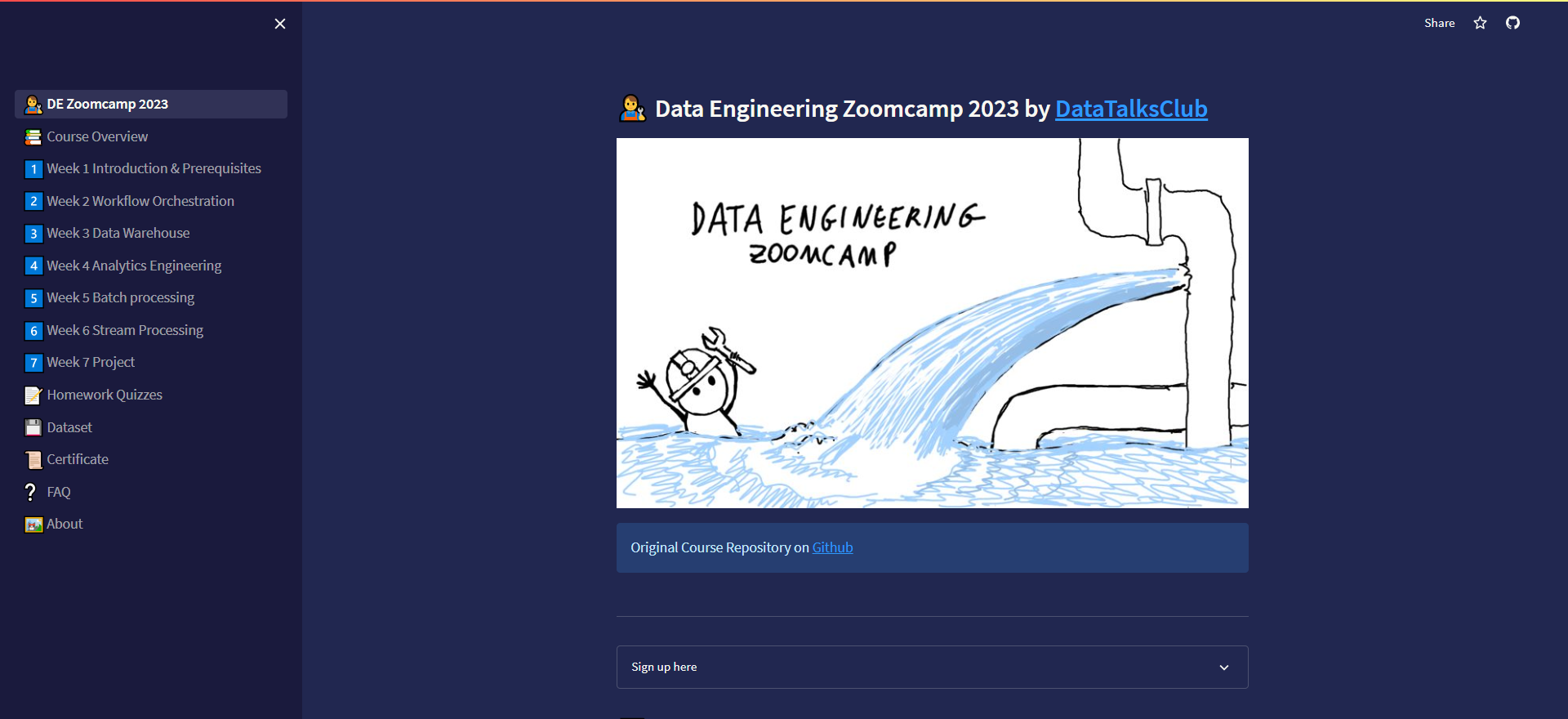
Alternatively, you can access this course using the provided UI app, the app provides a user-friendly interface for navigating through the course material.
|
||||
|
||||
* Visit the following link: [DE Zoomcamp UI](https://dezoomcamp.streamlit.app/)
|
||||
|
||||
|
||||
|
||||
### Asking for help in Slack
|
||||
|
||||
The best way to get support is to use [DataTalks.Club's Slack](https://datatalks.club/slack.html). Join the [`#course-data-engineering`](https://app.slack.com/client/T01ATQK62F8/C01FABYF2RG) channel.
|
||||
|
||||
To make discussions in Slack more organized:
|
||||
|
||||
* Follow [these recommendations](asking-questions.md) when asking for help
|
||||
* Read the [DataTalks.Club community guidelines](https://datatalks.club/slack/guidelines.html)
|
||||
|
||||
## Overview
|
||||
|
||||
<img src="images/architecture/arch_v3_workshops.jpg" />
|
||||
### Architecture diagram
|
||||
<img src="images/architecture/arch_2.png"/>
|
||||
|
||||
### Technologies
|
||||
* *Google Cloud Platform (GCP)*: Cloud-based auto-scaling platform by Google
|
||||
* *Google Cloud Storage (GCS)*: Data Lake
|
||||
* *BigQuery*: Data Warehouse
|
||||
* *Terraform*: Infrastructure-as-Code (IaC)
|
||||
* *Docker*: Containerization
|
||||
* *SQL*: Data Analysis & Exploration
|
||||
* *Mage*: Workflow Orchestration
|
||||
* *dbt*: Data Transformation
|
||||
* *Spark*: Distributed Processing
|
||||
* *Kafka*: Streaming
|
||||
|
||||
|
||||
### Prerequisites
|
||||
|
||||
@ -166,32 +177,18 @@ Prior experience with data engineering is not required.
|
||||
- [Ankush Khanna](https://linkedin.com/in/ankushkhanna2)
|
||||
- [Victoria Perez Mola](https://www.linkedin.com/in/victoriaperezmola/)
|
||||
- [Alexey Grigorev](https://linkedin.com/in/agrigorev)
|
||||
- [Matt Palmer](https://www.linkedin.com/in/matt-palmer/)
|
||||
- [Luis Oliveira](https://www.linkedin.com/in/lgsoliveira/)
|
||||
- [Michael Shoemaker](https://www.linkedin.com/in/michaelshoemaker1/)
|
||||
|
||||
Past instructors:
|
||||
## Tools
|
||||
|
||||
- [Sejal Vaidya](https://www.linkedin.com/in/vaidyasejal/)
|
||||
- [Irem Erturk](https://www.linkedin.com/in/iremerturk/)
|
||||
For this course, you'll need to have the following software installed on your computer:
|
||||
|
||||
## Course UI
|
||||
* Docker and Docker-Compose
|
||||
* Python 3 (e.g. via [Anaconda](https://www.anaconda.com/products/individual))
|
||||
* Google Cloud SDK
|
||||
* Terraform
|
||||
|
||||
Alternatively, you can access this course using the provided UI app, the app provides a user-friendly interface for navigating through the course material.
|
||||
See [Module 1](week_1_basics_n_setup) for more details about installing these tools
|
||||
|
||||
* Visit the following link: [DE Zoomcamp UI](https://dezoomcamp.streamlit.app/)
|
||||
|
||||

|
||||
|
||||
|
||||
## Asking for help in Slack
|
||||
|
||||
The best way to get support is to use [DataTalks.Club's Slack](https://datatalks.club/slack.html). Join the [`#course-data-engineering`](https://app.slack.com/client/T01ATQK62F8/C01FABYF2RG) channel.
|
||||
|
||||
To make discussions in Slack more organized:
|
||||
|
||||
* Follow [these recommendations](asking-questions.md) when asking for help
|
||||
* Read the [DataTalks.Club community guidelines](https://datatalks.club/slack/guidelines.html)
|
||||
|
||||
|
||||
|
||||
@ -201,7 +198,7 @@ Thanks to the course sponsors for making it possible to run this course
|
||||
|
||||
<p align="center">
|
||||
<a href="https://mage.ai/">
|
||||
<img height="120" src="images/mage.svg">
|
||||
<img height="150" src="images/mage.svg">
|
||||
</a>
|
||||
</p>
|
||||
|
||||
@ -212,14 +209,6 @@ Thanks to the course sponsors for making it possible to run this course
|
||||
</a>
|
||||
</p>
|
||||
|
||||
<p align="center">
|
||||
<a href="https://risingwave.com/">
|
||||
<img height="90" src="images/rising-wave.png">
|
||||
</a>
|
||||
</p>
|
||||
|
||||
Do you want to support our course and our community? Please reach out to [alexey@datatalks.club](alexey@datatalks.club)
|
||||
|
||||
## Star History
|
||||
|
||||
[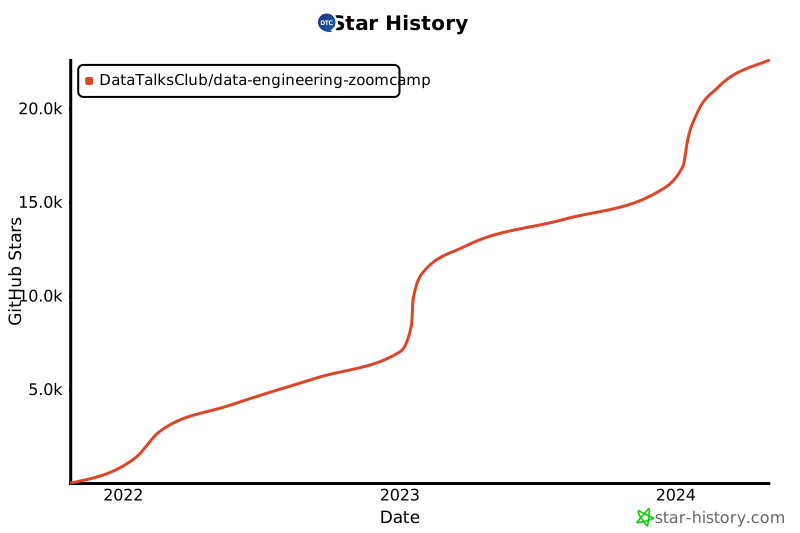](https://star-history.com/#DataTalksClub/data-engineering-zoomcamp&Date)
|
||||
|
||||
2
arch_diagram.md
Normal file
2
arch_diagram.md
Normal file
@ -0,0 +1,2 @@
|
||||
|
||||

|
||||
@ -7,14 +7,11 @@ To keep our discussion in Slack more organized, we ask you to follow these sugge
|
||||
|
||||
* First, review How to troubleshoot issues listed below.
|
||||
* Before asking a question, check the [FAQ](https://docs.google.com/document/d/19bnYs80DwuUimHM65UV3sylsCn2j1vziPOwzBwQrebw/edit).
|
||||
* Before asking a question review the [Slack Guidelines](#Ask-in-Slack).
|
||||
* Before asking a question review the [Slack Guidlines](#Ask-in-Slack).
|
||||
* If somebody helped you with your problem and it's not in [FAQ](https://docs.google.com/document/d/19bnYs80DwuUimHM65UV3sylsCn2j1vziPOwzBwQrebw/edit), please add it there.
|
||||
It'll help other students.
|
||||
* Zed Shaw (of the Learn the Hard Way series) has [a great post on how to help others help you](https://learncodethehardway.com/blog/03-how-to-ask-for-help/)
|
||||
* Check [Stackoverflow guide on asking](https://stackoverflow.com/help/how-to-ask)
|
||||
|
||||
### How to troubleshoot issues
|
||||
|
||||
The first step is to try to solve the issue on you own; get use to solving problems. This will be a real life skill you need when employeed.
|
||||
|
||||
1. What does the error say? There will often be a description of the error or instructions on what is needed, I have even seen a link to the solution. Does it reference a specific line of your code?
|
||||
@ -24,21 +21,21 @@ The first step is to try to solve the issue on you own; get use to solving probl
|
||||
4. Check the tech’s documentation. Use its search if available or use the browsers search function.
|
||||
5. Try uninstall (this may remove the bad actor) and reinstall of application or reimplementation of action. Don’t forget to restart the server/pc for reinstalls.
|
||||
* Sometimes reinstalling fails to resolve the issue but works if you uninstall first.
|
||||
6. Ask in Slack
|
||||
7. Take a break and come back to it later. You will be amazed at how often you figure out the solution after letting your brain rest. Get some fresh air, workout, play a video game, watch a tv show, whatever allows your brain to not think about it for a little while or even until the next day.
|
||||
8. Remember technology issues in real life sometimes take days or even weeks to resolve
|
||||
|
||||
### Asking in Slack
|
||||
|
||||
* Before asking a question, check the [FAQ](https://docs.google.com/document/d/19bnYs80DwuUimHM65UV3sylsCn2j1vziPOwzBwQrebw/edit).
|
||||
* DO NOT use screenshots, especially don’t take pictures from a phone.
|
||||
* DO NOT tag instructors, it may discourage others from helping you.
|
||||
* Copy and past errors; if it’s long, just post it in a reply to your thread.
|
||||
* Use ``` for formatting your code.
|
||||
* Use the same thread for the conversation (that means reply to your own thread).
|
||||
* DO NOT create multiple posts to discus the issue.
|
||||
* You may create a new post if the issue reemerges down the road. Be sure to describe what has changed in the environment.
|
||||
* Provide addition information in the same thread of the steps you have taken for resolution.
|
||||
|
||||
6. Post your question to Stackoverflow. Be sure to read the Stackoverflow guide on posting good questions.
|
||||
* [Stackoverflow How To Ask Guide](https://stackoverflow.com/help/how-to-ask).
|
||||
* This will be your real life ask an expert in the future (in addition to coworkers).
|
||||
7. ##### Ask in Slack
|
||||
* Before asking a question, check the [FAQ](https://docs.google.com/document/d/19bnYs80DwuUimHM65UV3sylsCn2j1vziPOwzBwQrebw/edit).
|
||||
* DO NOT use screenshots, especially don’t take pictures from a phone.
|
||||
* DO NOT tag instructors, it may discourage others from helping you.
|
||||
* Copy and past errors; if it’s long, just post it in a reply to your thread.
|
||||
* Use ``` for formatting your code.
|
||||
* Use the same thread for the conversation (that means reply to your own thread).
|
||||
* DO NOT create multiple posts to discus the issue.
|
||||
* You may create a new post if the issue reemerges down the road. Be sure to describe what has changed in the environment.
|
||||
* Provide addition information in the same thread of the steps you have taken for resolution.
|
||||
8. Take a break and come back to it later. You will be amazed at how often you figure out the solution after letting your brain rest. Get some fresh air, workout, play a video game, watch a tv show, whatever allows your brain to not think about it for a little while or even until the next day.
|
||||
9. Remember technology issues in real life sometimes take days or even weeks to resolve.
|
||||
|
||||
|
||||
|
||||
|
||||
@ -68,5 +68,4 @@ Did you take notes? You can share them here.
|
||||
* [Blog post by Isaac Kargar](https://kargarisaac.github.io/blog/data%20engineering/jupyter/2022/01/25/data-engineering-w2.html)
|
||||
* [Blog, notes, walkthroughs by Sandy Behrens](https://learningdataengineering540969211.wordpress.com/2022/01/30/week-2-de-zoomcamp-2-3-2-ingesting-data-to-gcp-with-airflow/)
|
||||
* [Notes from Apurva Hegde](https://github.com/apuhegde/Airflow-LocalExecutor-In-Docker#readme)
|
||||
* [Notes from Vincenzo Galante](https://binchentso.notion.site/Data-Talks-Club-Data-Engineering-Zoomcamp-8699af8e7ff94ec49e6f9bdec8eb69fd)
|
||||
* Add your notes here (above this line)
|
||||
|
||||
@ -1,103 +0,0 @@
|
||||
## Week 2: Workflow Orchestration
|
||||
|
||||
Python code from videos is linked [below](#code-repository).
|
||||
|
||||
Also, if you find the commands too small to view in Kalise's videos, here's the [transcript with code for the second Prefect video](https://github.com/discdiver/prefect-zoomcamp/tree/main/flows/01_start) and the [fifth Prefect video](https://github.com/discdiver/prefect-zoomcamp/tree/main/flows/03_deployments).
|
||||
|
||||
### Data Lake (GCS)
|
||||
|
||||
* What is a Data Lake
|
||||
* ELT vs. ETL
|
||||
* Alternatives to components (S3/HDFS, Redshift, Snowflake etc.)
|
||||
* [Video](https://www.youtube.com/watch?v=W3Zm6rjOq70&list=PL3MmuxUbc_hJed7dXYoJw8DoCuVHhGEQb)
|
||||
* [Slides](https://docs.google.com/presentation/d/1RkH-YhBz2apIjYZAxUz2Uks4Pt51-fVWVN9CcH9ckyY/edit?usp=sharing)
|
||||
|
||||
|
||||
### 1. Introduction to Workflow orchestration
|
||||
|
||||
* What is orchestration?
|
||||
* Workflow orchestrators vs. other types of orchestrators
|
||||
* Core features of a workflow orchestration tool
|
||||
* Different types of workflow orchestration tools that currently exist
|
||||
|
||||
:movie_camera: [Video](https://www.youtube.com/watch?v=8oLs6pzHp68&list=PL3MmuxUbc_hJed7dXYoJw8DoCuVHhGEQb)
|
||||
|
||||
|
||||
### 2. Introduction to Prefect concepts
|
||||
|
||||
* What is Prefect?
|
||||
* Installing Prefect
|
||||
* Prefect flow
|
||||
* Creating an ETL
|
||||
* Prefect task
|
||||
* Blocks and collections
|
||||
* Orion UI
|
||||
|
||||
:movie_camera: [Video](https://www.youtube.com/watch?v=cdtN6dhp708&list=PL3MmuxUbc_hJed7dXYoJw8DoCuVHhGEQb)
|
||||
|
||||
### 3. ETL with GCP & Prefect
|
||||
|
||||
* Flow 1: Putting data to Google Cloud Storage
|
||||
|
||||
:movie_camera: [Video](https://www.youtube.com/watch?v=W-rMz_2GwqQ&list=PL3MmuxUbc_hJed7dXYoJw8DoCuVHhGEQb)
|
||||
|
||||
|
||||
### 4. From Google Cloud Storage to Big Query
|
||||
|
||||
* Flow 2: From GCS to BigQuery
|
||||
|
||||
:movie_camera: [Video](https://www.youtube.com/watch?v=Cx5jt-V5sgE&list=PL3MmuxUbc_hJed7dXYoJw8DoCuVHhGEQb)
|
||||
|
||||
### 5. Parametrizing Flow & Deployments
|
||||
|
||||
* Parametrizing the script from your flow
|
||||
* Parameter validation with Pydantic
|
||||
* Creating a deployment locally
|
||||
* Setting up Prefect Agent
|
||||
* Running the flow
|
||||
* Notifications
|
||||
|
||||
:movie_camera: [Video](https://www.youtube.com/watch?v=QrDxPjX10iw&list=PL3MmuxUbc_hJed7dXYoJw8DoCuVHhGEQb)
|
||||
|
||||
### 6. Schedules & Docker Storage with Infrastructure
|
||||
|
||||
* Scheduling a deployment
|
||||
* Flow code storage
|
||||
* Running tasks in Docker
|
||||
|
||||
:movie_camera: [Video](https://www.youtube.com/watch?v=psNSzqTsi-s&list=PL3MmuxUbc_hJed7dXYoJw8DoCuVHhGEQb)
|
||||
|
||||
### 7. Prefect Cloud and Additional Resources
|
||||
|
||||
|
||||
* Using Prefect Cloud instead of local Prefect
|
||||
* Workspaces
|
||||
* Running flows on GCP
|
||||
|
||||
:movie_camera: [Video](https://www.youtube.com/watch?v=gGC23ZK7lr8&list=PL3MmuxUbc_hJed7dXYoJw8DoCuVHhGEQb)
|
||||
|
||||
* [Prefect docs](https://docs.prefect.io/)
|
||||
* [Pefect Discourse](https://discourse.prefect.io/)
|
||||
* [Prefect Cloud](https://app.prefect.cloud/)
|
||||
* [Prefect Slack](https://prefect-community.slack.com)
|
||||
|
||||
### Code repository
|
||||
|
||||
[Code from videos](https://github.com/discdiver/prefect-zoomcamp) (with a few minor enhancements)
|
||||
|
||||
### Homework
|
||||
Homework can be found [here](./homework.md).
|
||||
|
||||
## Community notes
|
||||
|
||||
Did you take notes? You can share them here.
|
||||
|
||||
* [Blog by Marcos Torregrosa (Prefect)](https://www.n4gash.com/2023/data-engineering-zoomcamp-semana-2/)
|
||||
* [Notes from Victor Padilha](https://github.com/padilha/de-zoomcamp/tree/master/week2)
|
||||
* [Notes by Alain Boisvert](https://github.com/boisalai/de-zoomcamp-2023/blob/main/week2.md)
|
||||
* [Notes by Candace Williams](https://github.com/teacherc/de_zoomcamp_candace2023/blob/main/week_2/week2_notes.md)
|
||||
* [Notes from Xia He-Bleinagel](https://xiahe-bleinagel.com/2023/02/week-2-data-engineering-zoomcamp-notes-prefect/)
|
||||
* [Notes from froukje](https://github.com/froukje/de-zoomcamp/blob/main/week_2_workflow_orchestration/notes/notes_week_02.md)
|
||||
* [Notes from Balaji](https://github.com/Balajirvp/DE-Zoomcamp/blob/main/Week%202/Detailed%20Week%202%20Notes.ipynb)
|
||||
* More on [Pandas vs SQL, Prefect capabilities, and testing your data](https://medium.com/@verazabeida/zoomcamp-2023-week-3-7f27bb8c483f), by Vera
|
||||
* Add your notes here (above this line)
|
||||
@ -1,98 +0,0 @@
|
||||
## Week 2 Homework
|
||||
|
||||
ATTENTION: At the end of the submission form, you will be required to include a link to your GitHub repository or other public code-hosting site. This repository should contain your code for solving the homework. If your solution includes code that is not in file format, please include these directly in the README file of your repository.
|
||||
|
||||
> In case you don't get one option exactly, select the closest one
|
||||
|
||||
For the homework, we'll be working with the _green_ taxi dataset located here:
|
||||
|
||||
`https://github.com/DataTalksClub/nyc-tlc-data/releases/tag/green/download`
|
||||
|
||||
You may need to reference the link below to download via Python in Mage:
|
||||
|
||||
`https://github.com/DataTalksClub/nyc-tlc-data/releases/download/green/`
|
||||
|
||||
### Assignment
|
||||
|
||||
The goal will be to construct an ETL pipeline that loads the data, performs some transformations, and writes the data to a database (and Google Cloud!).
|
||||
|
||||
- Create a new pipeline, call it `green_taxi_etl`
|
||||
- Add a data loader block and use Pandas to read data for the final quarter of 2020 (months `10`, `11`, `12`).
|
||||
- You can use the same datatypes and date parsing methods shown in the course.
|
||||
- `BONUS`: load the final three months using a for loop and `pd.concat`
|
||||
- Add a transformer block and perform the following:
|
||||
- Remove rows where the passenger count is equal to 0 _or_ the trip distance is equal to zero.
|
||||
- Create a new column `lpep_pickup_date` by converting `lpep_pickup_datetime` to a date.
|
||||
- Rename columns in Camel Case to Snake Case, e.g. `VendorID` to `vendor_id`.
|
||||
- Add three assertions:
|
||||
- `vendor_id` is one of the existing values in the column (currently)
|
||||
- `passenger_count` is greater than 0
|
||||
- `trip_distance` is greater than 0
|
||||
- Using a Postgres data exporter (SQL or Python), write the dataset to a table called `green_taxi` in a schema `mage`. Replace the table if it already exists.
|
||||
- Write your data as Parquet files to a bucket in GCP, partioned by `lpep_pickup_date`. Use the `pyarrow` library!
|
||||
- Schedule your pipeline to run daily at 5AM UTC.
|
||||
|
||||
### Questions
|
||||
|
||||
## Question 1. Data Loading
|
||||
|
||||
Once the dataset is loaded, what's the shape of the data?
|
||||
|
||||
* 266,855 rows x 20 columns
|
||||
* 544,898 rows x 18 columns
|
||||
* 544,898 rows x 20 columns
|
||||
* 133,744 rows x 20 columns
|
||||
|
||||
## Question 2. Data Transformation
|
||||
|
||||
Upon filtering the dataset where the passenger count is greater than 0 _and_ the trip distance is greater than zero, how many rows are left?
|
||||
|
||||
* 544,897 rows
|
||||
* 266,855 rows
|
||||
* 139,370 rows
|
||||
* 266,856 rows
|
||||
|
||||
## Question 3. Data Transformation
|
||||
|
||||
Which of the following creates a new column `lpep_pickup_date` by converting `lpep_pickup_datetime` to a date?
|
||||
|
||||
* `data = data['lpep_pickup_datetime'].date`
|
||||
* `data('lpep_pickup_date') = data['lpep_pickup_datetime'].date`
|
||||
* `data['lpep_pickup_date'] = data['lpep_pickup_datetime'].dt.date`
|
||||
* `data['lpep_pickup_date'] = data['lpep_pickup_datetime'].dt().date()`
|
||||
|
||||
## Question 4. Data Transformation
|
||||
|
||||
What are the existing values of `VendorID` in the dataset?
|
||||
|
||||
* 1, 2, or 3
|
||||
* 1 or 2
|
||||
* 1, 2, 3, 4
|
||||
* 1
|
||||
|
||||
## Question 5. Data Transformation
|
||||
|
||||
How many columns need to be renamed to snake case?
|
||||
|
||||
* 3
|
||||
* 6
|
||||
* 2
|
||||
* 4
|
||||
|
||||
## Question 6. Data Exporting
|
||||
|
||||
Once exported, how many partitions (folders) are present in Google Cloud?
|
||||
|
||||
* 96
|
||||
* 56
|
||||
* 67
|
||||
* 108
|
||||
|
||||
## Submitting the solutions
|
||||
|
||||
* Form for submitting: https://courses.datatalks.club/de-zoomcamp-2024/homework/hw2
|
||||
* Check the link above to see the due date
|
||||
|
||||
## Solution
|
||||
|
||||
Will be added after the due date
|
||||
@ -1,86 +0,0 @@
|
||||
## Week 3 Homework
|
||||
ATTENTION: At the end of the submission form, you will be required to include a link to your GitHub repository or other public code-hosting site. This repository should contain your code for solving the homework. If your solution includes code that is not in file format (such as SQL queries or shell commands), please include these directly in the README file of your repository.
|
||||
|
||||
<b><u>Important Note:</b></u> <p> For this homework we will be using the 2022 Green Taxi Trip Record Parquet Files from the New York
|
||||
City Taxi Data found here: </br> https://www.nyc.gov/site/tlc/about/tlc-trip-record-data.page </br>
|
||||
If you are using orchestration such as Mage, Airflow or Prefect do not load the data into Big Query using the orchestrator.</br>
|
||||
Stop with loading the files into a bucket. </br></br>
|
||||
<u>NOTE:</u> You will need to use the PARQUET option files when creating an External Table</br>
|
||||
|
||||
<b>SETUP:</b></br>
|
||||
Create an external table using the Green Taxi Trip Records Data for 2022. </br>
|
||||
Create a table in BQ using the Green Taxi Trip Records for 2022 (do not partition or cluster this table). </br>
|
||||
</p>
|
||||
|
||||
## Question 1:
|
||||
Question 1: What is count of records for the 2022 Green Taxi Data??
|
||||
- 65,623,481
|
||||
- 840,402
|
||||
- 1,936,423
|
||||
- 253,647
|
||||
|
||||
## Question 2:
|
||||
Write a query to count the distinct number of PULocationIDs for the entire dataset on both the tables.</br>
|
||||
What is the estimated amount of data that will be read when this query is executed on the External Table and the Table?
|
||||
|
||||
- 0 MB for the External Table and 6.41MB for the Materialized Table
|
||||
- 18.82 MB for the External Table and 47.60 MB for the Materialized Table
|
||||
- 0 MB for the External Table and 0MB for the Materialized Table
|
||||
- 2.14 MB for the External Table and 0MB for the Materialized Table
|
||||
|
||||
|
||||
## Question 3:
|
||||
How many records have a fare_amount of 0?
|
||||
- 12,488
|
||||
- 128,219
|
||||
- 112
|
||||
- 1,622
|
||||
|
||||
## Question 4:
|
||||
What is the best strategy to make an optimized table in Big Query if your query will always order the results by PUlocationID and filter based on lpep_pickup_datetime? (Create a new table with this strategy)
|
||||
- Cluster on lpep_pickup_datetime Partition by PUlocationID
|
||||
- Partition by lpep_pickup_datetime Cluster on PUlocationID
|
||||
- Partition by lpep_pickup_datetime and Partition by PUlocationID
|
||||
- Cluster on by lpep_pickup_datetime and Cluster on PUlocationID
|
||||
|
||||
## Question 5:
|
||||
Write a query to retrieve the distinct PULocationID between lpep_pickup_datetime
|
||||
06/01/2022 and 06/30/2022 (inclusive)</br>
|
||||
|
||||
Use the materialized table you created earlier in your from clause and note the estimated bytes. Now change the table in the from clause to the partitioned table you created for question 4 and note the estimated bytes processed. What are these values? </br>
|
||||
|
||||
Choose the answer which most closely matches.</br>
|
||||
|
||||
- 22.82 MB for non-partitioned table and 647.87 MB for the partitioned table
|
||||
- 12.82 MB for non-partitioned table and 1.12 MB for the partitioned table
|
||||
- 5.63 MB for non-partitioned table and 0 MB for the partitioned table
|
||||
- 10.31 MB for non-partitioned table and 10.31 MB for the partitioned table
|
||||
|
||||
|
||||
## Question 6:
|
||||
Where is the data stored in the External Table you created?
|
||||
|
||||
- Big Query
|
||||
- GCP Bucket
|
||||
- Big Table
|
||||
- Container Registry
|
||||
|
||||
|
||||
## Question 7:
|
||||
It is best practice in Big Query to always cluster your data:
|
||||
- True
|
||||
- False
|
||||
|
||||
|
||||
## (Bonus: Not worth points) Question 8:
|
||||
No Points: Write a SELECT count(*) query FROM the materialized table you created. How many bytes does it estimate will be read? Why?
|
||||
|
||||
|
||||
## Submitting the solutions
|
||||
|
||||
* Form for submitting: TBD
|
||||
* You can submit your homework multiple times. In this case, only the last submission will be used.
|
||||
|
||||
Deadline: TBD
|
||||
|
||||
|
||||
@ -1,49 +1,48 @@
|
||||
## Data Engineering Zoomcamp 2024 Cohort
|
||||
|
||||
* [Pre-launch Q&A stream](https://www.youtube.com/watch?v=91b8u9GmqB4)
|
||||
* [Launch stream with course overview](https://www.youtube.com/live/AtRhA-NfS24?si=5JzA_E8BmJjiLi8l)
|
||||
* Launch stream with course overview (TODO)
|
||||
* [Deadline calendar](https://docs.google.com/spreadsheets/d/e/2PACX-1vQACMLuutV5rvXg5qICuJGL-yZqIV0FBD84CxPdC5eZHf8TfzB-CJT_3Mo7U7oGVTXmSihPgQxuuoku/pubhtml)
|
||||
* [Course Google calendar](https://calendar.google.com/calendar/?cid=ZXIxcjA1M3ZlYjJpcXU0dTFmaG02MzVxMG9AZ3JvdXAuY2FsZW5kYXIuZ29vZ2xlLmNvbQ)
|
||||
* [FAQ](https://docs.google.com/document/d/19bnYs80DwuUimHM65UV3sylsCn2j1vziPOwzBwQrebw/edit?usp=sharing)
|
||||
* Course Playlist: Only 2024 Live videos & homeworks (TODO)
|
||||
|
||||
|
||||
[**Module 1: Introduction & Prerequisites**](01-docker-terraform/)
|
||||
[**Module 1: Introduction & Prerequisites**](01_docker_sql/)
|
||||
|
||||
* [Homework](01-docker-terraform/homework.md)
|
||||
* [Homework SQL](01_docker_sql/homework.md)
|
||||
* [Homework Terraform](01_terraform/homework.md)
|
||||
|
||||
[**Module 2: Workflow Orchestration**](02_workflow_orchestration)
|
||||
|
||||
[**Module 2: Workflow Orchestration**](02-workflow-orchestration)
|
||||
|
||||
* [Homework](02-workflow-orchestration/homework.md)
|
||||
* [Homework](02_workflow_orchestration/homework.md)
|
||||
* Office hours
|
||||
|
||||
[**Workshop 1: Data Ingestion**](workshops/dlt.md)
|
||||
[**Workshop: Data Loading**]
|
||||
|
||||
* Workshop with dlt
|
||||
* [Homework](workshops/dlt.md)
|
||||
Workshop with dlt (TBA)
|
||||
|
||||
|
||||
[**Module 3: Data Warehouse**](03-data-warehouse)
|
||||
[**Module 3: Data Warehouse**](03_data_warehouse)
|
||||
|
||||
* [Homework](03-data-warehouse/homework.md)
|
||||
* [Homework](03_data_warehouse/homework.md)
|
||||
|
||||
|
||||
[**Module 4: Analytics Engineering**](04-analytics-engineering/)
|
||||
[**Module 4: Analytics Engineering**](04_analytics_engineering/)
|
||||
|
||||
* [Homework](04-analytics-engineering/homework.md)
|
||||
* [Homework](04_analytics_engineering/homework.md)
|
||||
|
||||
|
||||
[**Module 5: Batch processing**](05-batch/)
|
||||
[**Module 5: Batch processing**](05_batch_processing/)
|
||||
|
||||
* [Homework](05-batch/homework.md)
|
||||
* [Homework](05_batch_processing/homework.md)
|
||||
|
||||
|
||||
[**Module 6: Stream Processing**](06-streaming)
|
||||
[**Module 6: Stream Processing**](06_stream_processing)
|
||||
|
||||
* [Homework](06-streaming/homework.md)
|
||||
* [Homework](06_stream_processing/homework.md)
|
||||
|
||||
|
||||
[**Project**](project.md)
|
||||
[**Module 7, 8 & 9: Project**](project.md)
|
||||
|
||||
More information [here](project.md)
|
||||
|
||||
@ -58,7 +58,7 @@ Project feedback: TBA ("project-02" sheet)
|
||||
|
||||
### Evaluation criteria
|
||||
|
||||
See [here](../../projects/README.md)
|
||||
See [here](../../week_7_project/README.md)
|
||||
|
||||
|
||||
### Misc
|
||||
|
||||
@ -1,7 +1,5 @@
|
||||
## Module 1 Homework
|
||||
|
||||
ATTENTION: At the very end of the submission form, you will be required to include a link to your GitHub repository or other public code-hosting site. This repository should contain your code for solving the homework. If your solution includes code that is not in file format (such as SQL queries or shell commands), please include these directly in the README file of your repository.
|
||||
|
||||
## Docker & SQL
|
||||
|
||||
In this homework we'll prepare the environment
|
||||
@ -68,20 +66,18 @@ Remember that `lpep_pickup_datetime` and `lpep_dropoff_datetime` columns are in
|
||||
- 15859
|
||||
- 89009
|
||||
|
||||
## Question 4. Longest trip for each day
|
||||
## Question 4. Largest trip for each day
|
||||
|
||||
Which was the pick up day with the longest trip distance?
|
||||
Which was the pick up day with the largest trip distance
|
||||
Use the pick up time for your calculations.
|
||||
|
||||
Tip: For every trip on a single day, we only care about the trip with the longest distance.
|
||||
|
||||
- 2019-09-18
|
||||
- 2019-09-16
|
||||
- 2019-09-26
|
||||
- 2019-09-21
|
||||
|
||||
|
||||
## Question 5. Three biggest pick up Boroughs
|
||||
## Question 5. The number of passengers
|
||||
|
||||
Consider lpep_pickup_datetime in '2019-09-18' and ignoring Borough has Unknown
|
||||
|
||||
@ -113,7 +109,7 @@ In this section homework we'll prepare the environment by creating resources in
|
||||
|
||||
In your VM on GCP/Laptop/GitHub Codespace install Terraform.
|
||||
Copy the files from the course repo
|
||||
[here](https://github.com/DataTalksClub/data-engineering-zoomcamp/tree/main/01-docker-terraform/1_terraform_gcp/terraform) to your VM/Laptop/GitHub Codespace.
|
||||
[here](https://github.com/DataTalksClub/data-engineering-zoomcamp/tree/main/week_1_basics_n_setup/1_terraform_gcp/terraform) to your VM/Laptop/GitHub Codespace.
|
||||
|
||||
Modify the files as necessary to create a GCP Bucket and Big Query Dataset.
|
||||
|
||||
@ -131,7 +127,7 @@ Paste the output of this command into the homework submission form.
|
||||
|
||||
## Submitting the solutions
|
||||
|
||||
* Form for submitting: https://courses.datatalks.club/de-zoomcamp-2024/homework/hw01
|
||||
* Form for submitting:
|
||||
* You can submit your homework multiple times. In this case, only the last submission will be used.
|
||||
|
||||
Deadline: 29 January, 23:00 CET
|
||||
Deadline:
|
||||
@ -1,133 +0,0 @@
|
||||
# Data ingestion with dlt
|
||||
|
||||
In this hands-on workshop, we’ll learn how to build data ingestion pipelines.
|
||||
|
||||
We’ll cover the following steps:
|
||||
|
||||
* Extracting data from APIs, or files.
|
||||
* Normalizing and loading data
|
||||
* Incremental loading
|
||||
|
||||
By the end of this workshop, you’ll be able to write data pipelines like a senior data engineer: Quickly, concisely, scalable, and self-maintaining.
|
||||
|
||||
If you don't follow the course and only want to attend the workshop, sign up here: https://lu.ma/wupfy6dd
|
||||
|
||||
|
||||
---
|
||||
|
||||
# Navigation
|
||||
|
||||
* [Workshop content](dlt_resources/data_ingestion_workshop.md)
|
||||
* [Workshop notebook](dlt_resources/workshop.ipynb)
|
||||
* [Homework starter notebook](dlt_resources/homework_starter.ipynb)
|
||||
|
||||
# Resources
|
||||
|
||||
- Website and community: Visit our [docs](https://dlthub.com/docs/intro), discuss on our slack (Link at top of docs).
|
||||
- Course colab: [Notebook](https://colab.research.google.com/drive/1kLyD3AL-tYf_HqCXYnA3ZLwHGpzbLmoj#scrollTo=5aPjk0O3S_Ag&forceEdit=true&sandboxMode=true).
|
||||
- dlthub [community Slack](https://dlthub.com/community).
|
||||
|
||||
---
|
||||
|
||||
# Teacher
|
||||
|
||||
Welcome to the data talks club data engineering zoomcamp, the data ingestion workshop.
|
||||
|
||||
- My name is [Adrian](https://www.linkedin.com/in/data-team/), and I work in the data field since 2012
|
||||
- I built many data warehouses some lakes, and a few data teams
|
||||
- 10 years into my career I started working on dlt “data load tool”, which is an open source library to enable data engineers to build faster and better.
|
||||
- I started working on dlt because data engineering is one of the few areas of software engineering where we do not have developer tools to do our work.
|
||||
- Building better pipelines would require more code re-use - we cannot all just build perfect pipelines from scratch every time.
|
||||
- And so dlt was born, a library that automates the tedious part of data ingestion: Loading, schema management, data type detection, scalability, self healing, scalable extraction… you get the idea - essentially a data engineer’s “one stop shop” for best practice data pipelining.
|
||||
- Due to its **simplicity** of use, dlt enables **laymen** to
|
||||
- Build pipelines 5-10x faster than without it
|
||||
- Build self healing, self maintaining pipelines with all the best practices of data engineers. Automating schema changes removes the bulk of maintenance efforts.
|
||||
- Govern your pipelines with schema evolution alerts and data contracts.
|
||||
- and generally develop pipelines like a senior, commercial data engineer.
|
||||
|
||||
---
|
||||
|
||||
# Course
|
||||
You can find the course file [here](./dlt_resources/data_ingestion_workshop.md)
|
||||
The course has 3 parts
|
||||
- [Extraction Section](./dlt_resources/data_ingestion_workshop.md#extracting-data): In this section we will learn about scalable extraction
|
||||
- [Normalisation Section](./dlt_resources/data_ingestion_workshop.md#normalisation): In this section we will learn to prepare data for loading
|
||||
- [Loading Section](./dlt_resources/data_ingestion_workshop.md#incremental-loading)): Here we will learn about incremental loading modes
|
||||
|
||||
---
|
||||
|
||||
# Homework
|
||||
|
||||
The [linked colab notebook](https://colab.research.google.com/drive/1Te-AT0lfh0GpChg1Rbd0ByEKOHYtWXfm#scrollTo=wLF4iXf-NR7t&forceEdit=true&sandboxMode=true) offers a few exercises to practice what you learned today.
|
||||
|
||||
|
||||
#### Question 1: What is the sum of the outputs of the generator for limit = 5?
|
||||
- **A**: 10.23433234744176
|
||||
- **B**: 7.892332347441762
|
||||
- **C**: 8.382332347441762
|
||||
- **D**: 9.123332347441762
|
||||
|
||||
#### Question 2: What is the 13th number yielded by the generator?
|
||||
- **A**: 4.236551275463989
|
||||
- **B**: 3.605551275463989
|
||||
- **C**: 2.345551275463989
|
||||
- **D**: 5.678551275463989
|
||||
|
||||
#### Question 3: Append the 2 generators. After correctly appending the data, calculate the sum of all ages of people.
|
||||
- **A**: 353
|
||||
- **B**: 365
|
||||
- **C**: 378
|
||||
- **D**: 390
|
||||
|
||||
#### Question 4: Merge the 2 generators using the ID column. Calculate the sum of ages of all the people loaded as described above.
|
||||
- **A**: 205
|
||||
- **B**: 213
|
||||
- **C**: 221
|
||||
- **D**: 230
|
||||
|
||||
Submit the solution here: https://courses.datatalks.club/de-zoomcamp-2024/homework/workshop1
|
||||
|
||||
---
|
||||
# Next steps
|
||||
|
||||
As you are learning the various concepts of data engineering,
|
||||
consider creating a portfolio project that will further your own knowledge.
|
||||
|
||||
By demonstrating the ability to deliver end to end, you will have an easier time finding your first role.
|
||||
This will help regardless of whether your hiring manager reviews your project, largely because you will have a better
|
||||
understanding and will be able to talk the talk.
|
||||
|
||||
Here are some example projects that others did with dlt:
|
||||
- Serverless dlt-dbt on cloud functions: [Article](https://docs.getdbt.com/blog/serverless-dlt-dbt-stack)
|
||||
- Bird finder: [Part 1](https://publish.obsidian.md/lough-on-data/blogs/bird-finder-via-dlt-i), [Part 2](https://publish.obsidian.md/lough-on-data/blogs/bird-finder-via-dlt-ii)
|
||||
- Event ingestion on GCP: [Article and repo](https://dlthub.com/docs/blog/streaming-pubsub-json-gcp)
|
||||
- Event ingestion on AWS: [Article and repo](https://dlthub.com/docs/blog/dlt-aws-taktile-blog)
|
||||
- Or see one of the many demos created by our working students: [Hacker news](https://dlthub.com/docs/blog/hacker-news-gpt-4-dashboard-demo),
|
||||
[GA4 events](https://dlthub.com/docs/blog/ga4-internal-dashboard-demo),
|
||||
[an E-Commerce](https://dlthub.com/docs/blog/postgresql-bigquery-metabase-demo),
|
||||
[google sheets](https://dlthub.com/docs/blog/google-sheets-to-data-warehouse-pipeline),
|
||||
[Motherduck](https://dlthub.com/docs/blog/dlt-motherduck-demo),
|
||||
[MongoDB + Holistics](https://dlthub.com/docs/blog/MongoDB-dlt-Holistics),
|
||||
[Deepnote](https://dlthub.com/docs/blog/deepnote-women-wellness-violence-tends),
|
||||
[Prefect](https://dlthub.com/docs/blog/dlt-prefect),
|
||||
[PowerBI vs GoodData vs Metabase](https://dlthub.com/docs/blog/semantic-modeling-tools-comparison),
|
||||
[Dagster](https://dlthub.com/docs/blog/dlt-dagster),
|
||||
[Ingesting events via gcp webhooks](https://dlthub.com/docs/blog/dlt-webhooks-on-cloud-functions-for-event-capture),
|
||||
[SAP to snowflake replication](https://dlthub.com/docs/blog/sap-hana-to-snowflake-demo-blog),
|
||||
[Read emails and send sumamry to slack with AI and Kestra](https://dlthub.com/docs/blog/dlt-kestra-demo-blog),
|
||||
[Mode +dlt capabilities](https://dlthub.com/docs/blog/dlt-mode-blog),
|
||||
[dbt on cloud functions](https://dlthub.com/docs/blog/dlt-dbt-runner-on-cloud-functions)
|
||||
|
||||
|
||||
If you create a personal project, consider submitting it to our blog - we will be happy to showcase it. Just drop us a line in the dlt slack.
|
||||
|
||||
|
||||
|
||||
**And don't forget, if you like dlt**
|
||||
- **Give us a [GitHub Star!](https://github.com/dlt-hub/dlt)**
|
||||
- **Join our [Slack community](https://dlthub.com/community)**
|
||||
|
||||
|
||||
# Notes
|
||||
|
||||
* Add your notes here
|
||||
@ -1,582 +0,0 @@
|
||||
# Intro
|
||||
|
||||
What is data loading, or data ingestion?
|
||||
|
||||
Data ingestion is the process of extracting data from a producer, transporting it to a convenient environment, and preparing it for usage by normalising it, sometimes cleaning, and adding metadata.
|
||||
|
||||
### “A wild dataset magically appears!”
|
||||
|
||||
In many data science teams, data magically appears - because the engineer loads it.
|
||||
|
||||
- Sometimes the format in which it appears is structured, and with explicit schema
|
||||
- In that case, they can go straight to using it; Examples: Parquet, Avro, or table in a db,
|
||||
- Sometimes the format is weakly typed and without explicit schema, such as csv, json
|
||||
- in which case some extra normalisation or cleaning might be needed before usage
|
||||
|
||||
> 💡 **What is a schema?** The schema specifies the expected format and structure of data within a document or data store, defining the allowed keys, their data types, and any constraints or relationships.
|
||||
|
||||
|
||||
### Be the magician! 😎
|
||||
|
||||
Since you are here to learn about data engineering, you will be the one making datasets magically appear.
|
||||
|
||||
Here’s what you need to learn to build pipelines
|
||||
|
||||
- Extracting data
|
||||
- Normalising, cleaning, adding metadata such as schema and types
|
||||
- and Incremental loading, which is vital for fast, cost effective data refreshes.
|
||||
|
||||
### What else does a data engineer do? What are we not learning, and what are we learning?
|
||||
|
||||
- It might seem simplistic, but in fact a data engineer’s main goal is to ensure data flows from source systems to analytical destinations.
|
||||
- So besides building pipelines, running pipelines and fixing pipelines, a data engineer may also focus on optimising data storage, ensuring data quality and integrity, implementing effective data governance practices, and continuously refining data architecture to meet the evolving needs of the organisation.
|
||||
- Ultimately, a data engineer's role extends beyond the mechanical aspects of pipeline development, encompassing the strategic management and enhancement of the entire data lifecycle.
|
||||
- This workshop focuses on building robust, scalable, self maintaining pipelines, with built in governance - in other words, best practices applied.
|
||||
|
||||
# Extracting data
|
||||
|
||||
### The considerations of extracting data
|
||||
|
||||
In this section we will learn about extracting data from source systems, and what to care about when doing so.
|
||||
|
||||
Most data is stored behind an API
|
||||
|
||||
- Sometimes that’s a RESTful api for some business application, returning records of data.
|
||||
- Sometimes the API returns a secure file path to something like a json or parquet file in a bucket that enables you to grab the data in bulk,
|
||||
- Sometimes the API is something else (mongo, sql, other databases or applications) and will generally return records as JSON - the most common interchange format.
|
||||
|
||||
As an engineer, you will need to build pipelines that “just work”.
|
||||
|
||||
So here’s what you need to consider on extraction, to prevent the pipelines from breaking, and to keep them running smoothly.
|
||||
|
||||
- Hardware limits: During this course we will cover how to navigate the challenges of managing memory.
|
||||
- Network limits: Sometimes networks can fail. We can’t fix what could go wrong but we can retry network jobs until they succeed. For example, dlt library offers a requests “replacement” that has built in retries. [Docs](https://dlthub.com/docs/reference/performance#using-the-built-in-requests-client). We won’t focus on this during the course but you can read the docs on your own.
|
||||
- Source api limits: Each source might have some limits such as how many requests you can do per second. We would call these “rate limits”. Read each source’s docs carefully to understand how to navigate these obstacles. You can find some examples of how to wait for rate limits in our verified sources repositories
|
||||
- examples: [Zendesk](https://developer.zendesk.com/api-reference/introduction/rate-limits/), [Shopify](https://shopify.dev/docs/api/usage/rate-limits)
|
||||
|
||||
### Extracting data without hitting hardware limits
|
||||
|
||||
What kind of limits could you hit on your machine? In the case of data extraction, the only limits are memory and storage. This refers to the RAM or virtual memory, and the disk, or physical storage.
|
||||
|
||||
### **Managing memory.**
|
||||
|
||||
- Many data pipelines run on serverless functions or on orchestrators that delegate the workloads to clusters of small workers.
|
||||
- These systems have a small memory or share it between multiple workers - so filling the memory is BAAAD: It might lead to not only your pipeline crashing, but crashing the entire container or machine that might be shared with other worker processes, taking them down too.
|
||||
- The same can be said about disk - in most cases your disk is sufficient, but in some cases it’s not. For those cases, mounting an external drive mapped to a storage bucket is the way to go. Airflow for example supports a “data” folder that is used just like a local folder but can be mapped to a bucket for unlimited capacity.
|
||||
|
||||
### So how do we avoid filling the memory?
|
||||
|
||||
- We often do not know the volume of data upfront
|
||||
- And we cannot scale dynamically or infinitely on hardware during runtime
|
||||
- So the answer is: Control the max memory you use
|
||||
|
||||
### Control the max memory used by streaming the data
|
||||
|
||||
Streaming here refers to processing the data event by event or chunk by chunk instead of doing bulk operations.
|
||||
|
||||
Let’s look at some classic examples of streaming where data is transferred chunk by chunk or event by event
|
||||
|
||||
- Between an audio broadcaster and an in-browser audio player
|
||||
- Between a server and a local video player
|
||||
- Between a smart home device or IoT device and your phone
|
||||
- between google maps and your navigation app
|
||||
- Between instagram live and your followers
|
||||
|
||||
What do data engineers do? We usually stream the data between buffers, such as
|
||||
|
||||
- from API to local file
|
||||
- from webhooks to event queues
|
||||
- from event queue (Kafka, SQS) to Bucket
|
||||
|
||||
### Streaming in python via generators
|
||||
|
||||
Let’s focus on how we build most data pipelines:
|
||||
|
||||
- To process data in a stream in python, we use generators, which are functions that can return multiple times - by allowing multiple returns, the data can be released as it’s produced, as stream, instead of returning it all at once as a batch.
|
||||
|
||||
Take the following theoretical example:
|
||||
|
||||
- We search twitter for “cat pictures”. We do not know how many pictures will be returned - maybe 10, maybe 10.000.000. Will they fit in memory? Who knows.
|
||||
- So to grab this data without running out of memory, we would use a python generator.
|
||||
- What’s a generator? In simple words, it’s a function that can return multiple times. Here’s an example of a regular function, and how that function looks if written as a generator.
|
||||
|
||||
### Generator examples:
|
||||
|
||||
Let’s look at a regular returning function, and how we can re-write it as a generator.
|
||||
|
||||
**Regular function collects data in memory.** Here you can see how data is collected row by row in a list called `data`before it is returned. This will break if we have more data than memory.
|
||||
|
||||
```python
|
||||
def search_twitter(query):
|
||||
data = []
|
||||
for row in paginated_get(query):
|
||||
data.append(row)
|
||||
return data
|
||||
|
||||
# Collect all the cat picture data
|
||||
for row in search_twitter("cat pictures"):
|
||||
# Once collected,
|
||||
# print row by row
|
||||
print(row)
|
||||
```
|
||||
|
||||
When calling `for row in search_twitter("cat pictures"):` all the data must first be downloaded before the first record is returned
|
||||
|
||||
Let’s see how we could rewrite this as a generator.
|
||||
|
||||
**Generator for streaming the data.** The memory usage here is minimal.
|
||||
|
||||
As you can see, in the modified function, we yield each row as we get the data, without collecting it into memory. We can then run this generator and handle the data item by item.
|
||||
|
||||
```python
|
||||
def search_twitter(query):
|
||||
for row in paginated_get(query):
|
||||
yield row
|
||||
|
||||
# Get one row at a time
|
||||
for row in extract_data("cat pictures"):
|
||||
# print the row
|
||||
print(row)
|
||||
# do something with the row such as cleaning it and writing it to a buffer
|
||||
# continue requesting and printing data
|
||||
```
|
||||
|
||||
When calling `for row in extract_data("cat pictures"):` the function only runs until the first data item is yielded, before printing - so we do not need to wait long for the first value. It will then continue until there is no more data to get.
|
||||
|
||||
If we wanted to get all the values at once from a generator instead of one by one, we would need to first “run” the generator and collect the data. For example, if we wanted to get all the data in memory we could do `data = list(extract_data("cat pictures"))` which would run the generator and collect all the data in a list before continuing.
|
||||
|
||||
## 3 Extraction examples:
|
||||
|
||||
### Example 1: Grabbing data from an api
|
||||
|
||||
> 💡 This is the bread and butter of data engineers pulling data, so follow along in the colab or in your local setup.
|
||||
|
||||
|
||||
For these purposes we created an api that can serve the data you are already familiar with, the NYC taxi dataset.
|
||||
|
||||
The api documentation is as follows:
|
||||
|
||||
- There are a limited nr of records behind the api
|
||||
- The data can be requested page by page, each page containing 1000 records
|
||||
- If we request a page with no data, we will get a successful response with no data
|
||||
- so this means that when we get an empty page, we know there is no more data and we can stop requesting pages - this is a common way to paginate but not the only one - each api may be different.
|
||||
- details:
|
||||
- method: get
|
||||
- url: `https://us-central1-dlthub-analytics.cloudfunctions.net/data_engineering_zoomcamp_api`
|
||||
- parameters: `page` integer. Represents the page number you are requesting. Defaults to 1.
|
||||
|
||||
|
||||
So how do we design our requester?
|
||||
|
||||
- We need to request page by page until we get no more data. At this point, we do not know how much data is behind the api.
|
||||
- It could be 1000 records or it could be 10GB of records. So let’s grab the data with a generator to avoid having to fit an undetermined amount of data into ram.
|
||||
|
||||
In this approach to grabbing data from apis, we have pros and cons:
|
||||
|
||||
- Pros: **Easy memory management** thanks to api returning events/pages
|
||||
- Cons: **Low throughput**, due to the data transfer being constrained via an API.
|
||||
|
||||
```bash
|
||||
import requests
|
||||
|
||||
BASE_API_URL = "https://us-central1-dlthub-analytics.cloudfunctions.net/data_engineering_zoomcamp_api"
|
||||
|
||||
# I call this a paginated getter
|
||||
# as it's a function that gets data
|
||||
# and also paginates until there is no more data
|
||||
# by yielding pages, we "microbatch", which speeds up downstream processing
|
||||
|
||||
def paginated_getter():
|
||||
page_number = 1
|
||||
|
||||
while True:
|
||||
# Set the query parameters
|
||||
params = {'page': page_number}
|
||||
|
||||
# Make the GET request to the API
|
||||
response = requests.get(BASE_API_URL, params=params)
|
||||
response.raise_for_status() # Raise an HTTPError for bad responses
|
||||
page_json = response.json()
|
||||
print(f'got page number {page_number} with {len(page_json)} records')
|
||||
|
||||
# if the page has no records, stop iterating
|
||||
if page_json:
|
||||
yield page_json
|
||||
page_number += 1
|
||||
else:
|
||||
# No more data, break the loop
|
||||
break
|
||||
|
||||
if __name__ == '__main__':
|
||||
# Use the generator to iterate over pages
|
||||
for page_data in paginated_getter():
|
||||
# Process each page as needed
|
||||
print(page_data)
|
||||
```
|
||||
|
||||
### Example 2: Grabbing the same data from file - simple download
|
||||
|
||||
|
||||
> 💡 This part is demonstrative, so you do not need to follow along; just pay attention.
|
||||
|
||||
|
||||
- Why am I showing you this? so when you do this in the future, you will remember there is a best practice you can apply for scalability.
|
||||
|
||||
Some apis respond with files instead of pages of data. The reason for this is simple: Throughput and cost. A restful api that returns data has to read the data from storage and process and return it to you by some logic - If this data is large, this costs time, money and creates a bottleneck.
|
||||
|
||||
A better way is to offer the data as files that someone can download from storage directly, without going through the restful api layer. This is common for apis that offer large volumes of data, such as ad impressions data.
|
||||
|
||||
In this example, we grab exactly the same data as we did in the API example above, but now we get it from the underlying file instead of going through the API.
|
||||
|
||||
- Pros: **High throughput**
|
||||
- Cons: **Memory** is used to hold all the data
|
||||
|
||||
This is how the code could look. As you can see in this case our `data`and `parsed_data` variables hold the entire file data in memory before returning it. Not great.
|
||||
|
||||
```python
|
||||
import requests
|
||||
import json
|
||||
|
||||
url = "https://storage.googleapis.com/dtc_zoomcamp_api/yellow_tripdata_2009-06.jsonl"
|
||||
|
||||
def download_and_read_jsonl(url):
|
||||
response = requests.get(url)
|
||||
response.raise_for_status() # Raise an HTTPError for bad responses
|
||||
data = response.text.splitlines()
|
||||
parsed_data = [json.loads(line) for line in data]
|
||||
return parsed_data
|
||||
|
||||
|
||||
downloaded_data = download_and_read_jsonl(url)
|
||||
|
||||
if downloaded_data:
|
||||
# Process or print the downloaded data as needed
|
||||
print(downloaded_data[:5]) # Print the first 5 entries as an example
|
||||
```
|
||||
|
||||
### Example 3: Same file, streaming download
|
||||
|
||||
|
||||
> 💡 This is the bread and butter of data engineers pulling data, so follow along in the colab
|
||||
|
||||
Ok, downloading files is simple, but what if we want to do a stream download?
|
||||
|
||||
That’s possible too - in effect giving us the best of both worlds. In this case we prepared a jsonl file which is already split into lines making our code simple. But json (not jsonl) files could also be downloaded in this fashion, for example using the `ijson` library.
|
||||
|
||||
What are the pros and cons of this method of grabbing data?
|
||||
|
||||
Pros: **High throughput, easy memory management,** because we are downloading a file
|
||||
|
||||
Cons: **Difficult to do for columnar file formats**, as entire blocks need to be downloaded before they can be deserialised to rows. Sometimes, the code is complex too.
|
||||
|
||||
Here’s what the code looks like - in a jsonl file each line is a json document, or a “row” of data, so we yield them as they get downloaded. This allows us to download one row and process it before getting the next row.
|
||||
|
||||
```bash
|
||||
import requests
|
||||
import json
|
||||
|
||||
def download_and_yield_rows(url):
|
||||
response = requests.get(url, stream=True)
|
||||
response.raise_for_status() # Raise an HTTPError for bad responses
|
||||
|
||||
for line in response.iter_lines():
|
||||
if line:
|
||||
yield json.loads(line)
|
||||
|
||||
# Replace the URL with your actual URL
|
||||
url = "https://storage.googleapis.com/dtc_zoomcamp_api/yellow_tripdata_2009-06.jsonl"
|
||||
|
||||
# Use the generator to iterate over rows with minimal memory usage
|
||||
for row in download_and_yield_rows(url):
|
||||
# Process each row as needed
|
||||
print(row)
|
||||
```
|
||||
|
||||
In the colab notebook you can also find a code snippet to load the data - but we will load some data later in the course and you can explore the colab on your own after the course.
|
||||
|
||||
What is worth keeping in mind at this point is that our loader library that we will use later, `dlt`or data load tool, will respect the streaming concept of the generator and will process it in an efficient way keeping memory usage low and using parallelism where possible.
|
||||
|
||||
Let’s move over to the Colab notebook and run examples 2 and 3, compare them, and finally load examples 1 and 3 to DuckDB
|
||||
|
||||
# Normalising data
|
||||
|
||||
You often hear that data people spend most of their time “cleaning” data. What does this mean?
|
||||
|
||||
Let’s look granularly into what people consider data cleaning.
|
||||
|
||||
Usually we have 2 parts:
|
||||
|
||||
- Normalising data without changing its meaning,
|
||||
- and filtering data for a use case, which changes its meaning.
|
||||
|
||||
### Part of what we often call data cleaning is just metadata work:
|
||||
|
||||
- Add types (string to number, string to timestamp, etc)
|
||||
- Rename columns: Ensure column names follow a supported standard downstream - such as no strange characters in the names.
|
||||
- Flatten nested dictionaries: Bring nested dictionary values into the top dictionary row
|
||||
- Unnest lists or arrays into child tables: Arrays or lists cannot be flattened into their parent record, so if we want flat data we need to break them out into separate tables.
|
||||
- We will look at a practical example next, as these concepts can be difficult to visualise from text.
|
||||
|
||||
### **Why prepare data? why not use json as is?**
|
||||
|
||||
- We do not easily know what is inside a json document due to lack of schema
|
||||
- Types are not enforced between rows of json - we could have one record where age is `25`and another where age is `twenty five` , and another where it’s `25.00`. Or in some systems, you might have a dictionary for a single record, but a list of dicts for multiple records. This could easily lead to applications downstream breaking.
|
||||
- We cannot just use json data easily, for example we would need to convert strings to time if we want to do a daily aggregation.
|
||||
- Reading json loads more data into memory, as the whole document is scanned - while in parquet or databases we can scan a single column of a document. This causes costs and slowness.
|
||||
- Json is not fast to aggregate - columnar formats are.
|
||||
- Json is not fast to search.
|
||||
- Basically json is designed as a "lowest common denominator format" for "interchange" / data transfer and is unsuitable for direct analytical usage.
|
||||
|
||||
### Practical example
|
||||
|
||||
|
||||
> 💡 This is the bread and butter of data engineers pulling data, so follow along in the colab notebook.
|
||||
|
||||
In the case of the NY taxi rides data, the dataset is quite clean - so let’s instead use a small example of more complex data. Let’s assume we know some information about passengers and stops.
|
||||
|
||||
For this example we modified the dataset as follows
|
||||
|
||||
- We added nested dictionaries
|
||||
|
||||
```json
|
||||
"coordinates": {
|
||||
"start": {
|
||||
"lon": -73.787442,
|
||||
"lat": 40.641525
|
||||
},
|
||||
```
|
||||
|
||||
- We added nested lists
|
||||
|
||||
```json
|
||||
"passengers": [
|
||||
{"name": "John", "rating": 4.9},
|
||||
{"name": "Jack", "rating": 3.9}
|
||||
],
|
||||
```
|
||||
|
||||
- We added a record hash that gives us an unique id for the record, for easy identification
|
||||
|
||||
```json
|
||||
"record_hash": "b00361a396177a9cb410ff61f20015ad",
|
||||
```
|
||||
|
||||
|
||||
We want to load this data to a database. How do we want to clean the data?
|
||||
|
||||
- We want to flatten dictionaries into the base row
|
||||
- We want to flatten lists into a separate table
|
||||
- We want to convert time strings into time type
|
||||
|
||||
```python
|
||||
data = [
|
||||
{
|
||||
"vendor_name": "VTS",
|
||||
"record_hash": "b00361a396177a9cb410ff61f20015ad",
|
||||
"time": {
|
||||
"pickup": "2009-06-14 23:23:00",
|
||||
"dropoff": "2009-06-14 23:48:00"
|
||||
},
|
||||
"Trip_Distance": 17.52,
|
||||
"coordinates": {
|
||||
"start": {
|
||||
"lon": -73.787442,
|
||||
"lat": 40.641525
|
||||
},
|
||||
"end": {
|
||||
"lon": -73.980072,
|
||||
"lat": 40.742963
|
||||
}
|
||||
},
|
||||
"Rate_Code": None,
|
||||
"store_and_forward": None,
|
||||
"Payment": {
|
||||
"type": "Credit",
|
||||
"amt": 20.5,
|
||||
"surcharge": 0,
|
||||
"mta_tax": None,
|
||||
"tip": 9,
|
||||
"tolls": 4.15,
|
||||
"status": "booked"
|
||||
},
|
||||
"Passenger_Count": 2,
|
||||
"passengers": [
|
||||
{"name": "John", "rating": 4.9},
|
||||
{"name": "Jack", "rating": 3.9}
|
||||
],
|
||||
"Stops": [
|
||||
{"lon": -73.6, "lat": 40.6},
|
||||
{"lon": -73.5, "lat": 40.5}
|
||||
]
|
||||
},
|
||||
]
|
||||
```
|
||||
|
||||
Now let’s normalise this data.
|
||||
|
||||
## Introducing dlt
|
||||
|
||||
dlt is a python library created for the purpose of assisting data engineers to build simpler, faster and more robust pipelines with minimal effort.
|
||||
|
||||
You can think of dlt as a loading tool that implements the best practices of data pipelines enabling you to just “use” those best practices in your own pipelines, in a declarative way.
|
||||
|
||||
This enables you to stop reinventing the flat tyre, and leverage dlt to build pipelines much faster than if you did everything from scratch.
|
||||
|
||||
dlt automates much of the tedious work a data engineer would do, and does it in a way that is robust. dlt can handle things like:
|
||||
|
||||
- Schema: Inferring and evolving schema, alerting changes, using schemas as data contracts.
|
||||
- Typing data, flattening structures, renaming columns to fit database standards. In our example we will pass the “data” you can see above and see it normalised.
|
||||
- Processing a stream of events/rows without filling memory. This includes extraction from generators.
|
||||
- Loading to a variety of dbs or file formats.
|
||||
|
||||
Let’s use it to load our nested json to duckdb:
|
||||
|
||||
Here’s how you would do that on your local machine. I will walk you through before showing you in colab as well.
|
||||
|
||||
First, install dlt
|
||||
|
||||
```bash
|
||||
# Make sure you are using Python 3.8-3.11 and have pip installed
|
||||
# spin up a venv
|
||||
python -m venv ./env
|
||||
source ./env/bin/activate
|
||||
# pip install
|
||||
pip install dlt[duckdb]
|
||||
```
|
||||
|
||||
Next, grab your data from above and run this snippet
|
||||
|
||||
- here we define a pipeline, which is a connection to a destination
|
||||
- and we run the pipeline, printing the outcome
|
||||
|
||||
```python
|
||||
# define the connection to load to.
|
||||
# We now use duckdb, but you can switch to Bigquery later
|
||||
pipeline = dlt.pipeline(pipeline_name="taxi_data",
|
||||
destination='duckdb',
|
||||
dataset_name='taxi_rides')
|
||||
|
||||
# run the pipeline with default settings, and capture the outcome
|
||||
info = pipeline.run(data,
|
||||
table_name="users",
|
||||
write_disposition="replace")
|
||||
|
||||
# show the outcome
|
||||
print(info)
|
||||
```
|
||||
|
||||
If you are running dlt locally you can use the built in streamlit app by running the cli command with the pipeline name we chose above.
|
||||
|
||||
```bash
|
||||
dlt pipeline taxi_data show
|
||||
```
|
||||
|
||||
Or explore the data in the linked colab notebook. I’ll switch to it now to show you the data.
|
||||
|
||||
# Incremental loading
|
||||
|
||||
Incremental loading means that as we update our datasets with the new data, we would only load the new data, as opposed to making a full copy of a source’s data all over again and replacing the old version.
|
||||
|
||||
By loading incrementally, our pipelines run faster and cheaper.
|
||||
|
||||
- Incremental loading goes hand in hand with incremental extraction and state, two concepts which we will not delve into during this workshop
|
||||
- `State` is information that keeps track of what was loaded, to know what else remains to be loaded. dlt stores the state at the destination in a separate table.
|
||||
- Incremental extraction refers to only requesting the increment of data that we need, and not more. This is tightly connected to the state to determine the exact chunk that needs to be extracted and loaded.
|
||||
- You can learn more about incremental extraction and state by reading the dlt docs on how to do it.
|
||||
|
||||
### dlt currently supports 2 ways of loading incrementally:
|
||||
|
||||
1. Append:
|
||||
- We can use this for immutable or stateless events (data that doesn’t change), such as taxi rides - For example, every day there are new rides, and we could load the new ones only instead of the entire history.
|
||||
- We could also use this to load different versions of stateful data, for example for creating a “slowly changing dimension” table for auditing changes. For example, if we load a list of cars and their colors every day, and one day one car changes color, we need both sets of data to be able to discern that a change happened.
|
||||
2. Merge:
|
||||
- We can use this to update data that changes.
|
||||
- For example, a taxi ride could have a payment status, which is originally “booked” but could later be changed into “paid”, “rejected” or “cancelled”
|
||||
|
||||
Here is how you can think about which method to use:
|
||||
|
||||

|
||||
|
||||
* If you want to keep track of when changes occur in stateful data (slowly changing dimension) then you will need to append the data
|
||||
|
||||
### Let’s do a merge example together:
|
||||
|
||||
|
||||
> 💡 This is the bread and butter of data engineers pulling data, so follow along.
|
||||
|
||||
|
||||
- In our previous example, the payment status changed from "booked" to “cancelled”. Perhaps Jack likes to fraud taxis and that explains his low rating. Besides the ride status change, he also got his rating lowered further.
|
||||
- The merge operation replaces an old record with a new one based on a key. The key could consist of multiple fields or a single unique id. We will use record hash that we created for simplicity. If you do not have a unique key, you could create one deterministically out of several fields, such as by concatenating the data and hashing it.
|
||||
- A merge operation replaces rows, it does not update them. If you want to update only parts of a row, you would have to load the new data by appending it and doing a custom transformation to combine the old and new data.
|
||||
|
||||
In this example, the score of the 2 drivers got lowered and we need to update the values. We do it by using merge write disposition, replacing the records identified by `record hash` present in the new data.
|
||||
|
||||
```python
|
||||
data = [
|
||||
{
|
||||
"vendor_name": "VTS",
|
||||
"record_hash": "b00361a396177a9cb410ff61f20015ad",
|
||||
"time": {
|
||||
"pickup": "2009-06-14 23:23:00",
|
||||
"dropoff": "2009-06-14 23:48:00"
|
||||
},
|
||||
"Trip_Distance": 17.52,
|
||||
"coordinates": {
|
||||
"start": {
|
||||
"lon": -73.787442,
|
||||
"lat": 40.641525
|
||||
},
|
||||
"end": {
|
||||
"lon": -73.980072,
|
||||
"lat": 40.742963
|
||||
}
|
||||
},
|
||||
"Rate_Code": None,
|
||||
"store_and_forward": None,
|
||||
"Payment": {
|
||||
"type": "Credit",
|
||||
"amt": 20.5,
|
||||
"surcharge": 0,
|
||||
"mta_tax": None,
|
||||
"tip": 9,
|
||||
"tolls": 4.15,
|
||||
"status": "cancelled"
|
||||
},
|
||||
"Passenger_Count": 2,
|
||||
"passengers": [
|
||||
{"name": "John", "rating": 4.4},
|
||||
{"name": "Jack", "rating": 3.6}
|
||||
],
|
||||
"Stops": [
|
||||
{"lon": -73.6, "lat": 40.6},
|
||||
{"lon": -73.5, "lat": 40.5}
|
||||
]
|
||||
},
|
||||
]
|
||||
|
||||
# define the connection to load to.
|
||||
# We now use duckdb, but you can switch to Bigquery later
|
||||
pipeline = dlt.pipeline(destination='duckdb', dataset_name='taxi_rides')
|
||||
|
||||
# run the pipeline with default settings, and capture the outcome
|
||||
info = pipeline.run(data,
|
||||
table_name="users",
|
||||
write_disposition="merge",
|
||||
merge_key="record_hash")
|
||||
|
||||
# show the outcome
|
||||
print(info)
|
||||
```
|
||||
|
||||
As you can see in your notebook, the payment status and Jack’s rating were updated after running the code.
|
||||
|
||||
### What’s next?
|
||||
|
||||
- You could change the destination to parquet + local file system or storage bucket. See the colab bonus section.
|
||||
- You could change the destination to BigQuery. Destination & credential setup docs: https://dlthub.com/docs/dlt-ecosystem/destinations/, https://dlthub.com/docs/walkthroughs/add_credentials
|
||||
or See the colab bonus section.
|
||||
- You could use a decorator to convert the generator into a customised dlt resource: https://dlthub.com/docs/general-usage/resource
|
||||
- You can deep dive into building more complex pipelines by following the guides:
|
||||
- https://dlthub.com/docs/walkthroughs
|
||||
- https://dlthub.com/docs/build-a-pipeline-tutorial
|
||||
- You can join our [Slack community](https://dlthub.com/community) and engage with us there.
|
||||
@ -1,233 +0,0 @@
|
||||
{
|
||||
"nbformat": 4,
|
||||
"nbformat_minor": 0,
|
||||
"metadata": {
|
||||
"colab": {
|
||||
"provenance": []
|
||||
},
|
||||
"kernelspec": {
|
||||
"name": "python3",
|
||||
"display_name": "Python 3"
|
||||
},
|
||||
"language_info": {
|
||||
"name": "python"
|
||||
}
|
||||
},
|
||||
"cells": [
|
||||
{
|
||||
"cell_type": "markdown",
|
||||
"source": [
|
||||
"# **Homework**: Data talks club data engineering zoomcamp Data loading workshop\n",
|
||||
"\n",
|
||||
"Hello folks, let's practice what we learned - Loading data with the best practices of data engineering.\n",
|
||||
"\n",
|
||||
"Here are the exercises we will do\n",
|
||||
"\n",
|
||||
"\n"
|
||||
],
|
||||
"metadata": {
|
||||
"id": "mrTFv5nPClXh"
|
||||
}
|
||||
},
|
||||
{
|
||||
"cell_type": "markdown",
|
||||
"source": [
|
||||
"# 1. Use a generator\n",
|
||||
"\n",
|
||||
"Remember the concept of generator? Let's practice using them to futher our understanding of how they work.\n",
|
||||
"\n",
|
||||
"Let's define a generator and then run it as practice.\n",
|
||||
"\n",
|
||||
"**Answer the following questions:**\n",
|
||||
"\n",
|
||||
"- **Question 1: What is the sum of the outputs of the generator for limit = 5?**\n",
|
||||
"- **Question 2: What is the 13th number yielded**\n",
|
||||
"\n",
|
||||
"I suggest practicing these questions without GPT as the purpose is to further your learning."
|
||||
],
|
||||
"metadata": {
|
||||
"id": "wLF4iXf-NR7t"
|
||||
}
|
||||
},
|
||||
{
|
||||
"cell_type": "code",
|
||||
"source": [
|
||||
"def square_root_generator(limit):\n",
|
||||
" n = 1\n",
|
||||
" while n <= limit:\n",
|
||||
" yield n ** 0.5\n",
|
||||
" n += 1\n",
|
||||
"\n",
|
||||
"# Example usage:\n",
|
||||
"limit = 5\n",
|
||||
"generator = square_root_generator(limit)\n",
|
||||
"\n",
|
||||
"for sqrt_value in generator:\n",
|
||||
" print(sqrt_value)\n"
|
||||
],
|
||||
"metadata": {
|
||||
"colab": {
|
||||
"base_uri": "https://localhost:8080/"
|
||||
},
|
||||
"id": "wLng-bDJN4jf",
|
||||
"outputId": "547683cb-5f56-4815-a903-d0d9578eb1f9"
|
||||
},
|
||||
"execution_count": null,
|
||||
"outputs": [
|
||||
{
|
||||
"output_type": "stream",
|
||||
"name": "stdout",
|
||||
"text": [
|
||||
"1.0\n",
|
||||
"1.4142135623730951\n",
|
||||
"1.7320508075688772\n",
|
||||
"2.0\n",
|
||||
"2.23606797749979\n"
|
||||
]
|
||||
}
|
||||
]
|
||||
},
|
||||
{
|
||||
"cell_type": "markdown",
|
||||
"source": [],
|
||||
"metadata": {
|
||||
"id": "xbe3q55zN43j"
|
||||
}
|
||||
},
|
||||
{
|
||||
"cell_type": "markdown",
|
||||
"source": [
|
||||
"# 2. Append a generator to a table with existing data\n",
|
||||
"\n",
|
||||
"\n",
|
||||
"Below you have 2 generators. You will be tasked to load them to duckdb and answer some questions from the data\n",
|
||||
"\n",
|
||||
"1. Load the first generator and calculate the sum of ages of all people. Make sure to only load it once.\n",
|
||||
"2. Append the second generator to the same table as the first.\n",
|
||||
"3. **After correctly appending the data, calculate the sum of all ages of people.**\n",
|
||||
"\n",
|
||||
"\n"
|
||||
],
|
||||
"metadata": {
|
||||
"id": "vjWhILzGJMpK"
|
||||
}
|
||||
},
|
||||
{
|
||||
"cell_type": "code",
|
||||
"execution_count": null,
|
||||
"metadata": {
|
||||
"colab": {
|
||||
"base_uri": "https://localhost:8080/"
|
||||
},
|
||||
"id": "2MoaQcdLBEk6",
|
||||
"outputId": "d2b93dc1-d83f-44ea-aeff-fdf51d75f7aa"
|
||||
},
|
||||
"outputs": [
|
||||
{
|
||||
"output_type": "stream",
|
||||
"name": "stdout",
|
||||
"text": [
|
||||
"{'ID': 1, 'Name': 'Person_1', 'Age': 26, 'City': 'City_A'}\n",
|
||||
"{'ID': 2, 'Name': 'Person_2', 'Age': 27, 'City': 'City_A'}\n",
|
||||
"{'ID': 3, 'Name': 'Person_3', 'Age': 28, 'City': 'City_A'}\n",
|
||||
"{'ID': 4, 'Name': 'Person_4', 'Age': 29, 'City': 'City_A'}\n",
|
||||
"{'ID': 5, 'Name': 'Person_5', 'Age': 30, 'City': 'City_A'}\n",
|
||||
"{'ID': 3, 'Name': 'Person_3', 'Age': 33, 'City': 'City_B', 'Occupation': 'Job_3'}\n",
|
||||
"{'ID': 4, 'Name': 'Person_4', 'Age': 34, 'City': 'City_B', 'Occupation': 'Job_4'}\n",
|
||||
"{'ID': 5, 'Name': 'Person_5', 'Age': 35, 'City': 'City_B', 'Occupation': 'Job_5'}\n",
|
||||
"{'ID': 6, 'Name': 'Person_6', 'Age': 36, 'City': 'City_B', 'Occupation': 'Job_6'}\n",
|
||||
"{'ID': 7, 'Name': 'Person_7', 'Age': 37, 'City': 'City_B', 'Occupation': 'Job_7'}\n",
|
||||
"{'ID': 8, 'Name': 'Person_8', 'Age': 38, 'City': 'City_B', 'Occupation': 'Job_8'}\n"
|
||||
]
|
||||
}
|
||||
],
|
||||
"source": [
|
||||
"def people_1():\n",
|
||||
" for i in range(1, 6):\n",
|
||||
" yield {\"ID\": i, \"Name\": f\"Person_{i}\", \"Age\": 25 + i, \"City\": \"City_A\"}\n",
|
||||
"\n",
|
||||
"for person in people_1():\n",
|
||||
" print(person)\n",
|
||||
"\n",
|
||||
"\n",
|
||||
"def people_2():\n",
|
||||
" for i in range(3, 9):\n",
|
||||
" yield {\"ID\": i, \"Name\": f\"Person_{i}\", \"Age\": 30 + i, \"City\": \"City_B\", \"Occupation\": f\"Job_{i}\"}\n",
|
||||
"\n",
|
||||
"\n",
|
||||
"for person in people_2():\n",
|
||||
" print(person)\n"
|
||||
]
|
||||
},
|
||||
{
|
||||
"cell_type": "markdown",
|
||||
"source": [],
|
||||
"metadata": {
|
||||
"id": "vtdTIm4fvQCN"
|
||||
}
|
||||
},
|
||||
{
|
||||
"cell_type": "markdown",
|
||||
"source": [
|
||||
"# 3. Merge a generator\n",
|
||||
"\n",
|
||||
"Re-use the generators from Exercise 2.\n",
|
||||
"\n",
|
||||
"A table's primary key needs to be created from the start, so load your data to a new table with primary key ID.\n",
|
||||
"\n",
|
||||
"Load your first generator first, and then load the second one with merge. Since they have overlapping IDs, some of the records from the first load should be replaced by the ones from the second load.\n",
|
||||
"\n",
|
||||
"After loading, you should have a total of 8 records, and ID 3 should have age 33.\n",
|
||||
"\n",
|
||||
"Question: **Calculate the sum of ages of all the people loaded as described above.**\n"
|
||||
],
|
||||
"metadata": {
|
||||
"id": "pY4cFAWOSwN1"
|
||||
}
|
||||
},
|
||||
{
|
||||
"cell_type": "markdown",
|
||||
"source": [
|
||||
"# Solution: First make sure that the following modules are installed:"
|
||||
],
|
||||
"metadata": {
|
||||
"id": "kKB2GTB9oVjr"
|
||||
}
|
||||
},
|
||||
{
|
||||
"cell_type": "code",
|
||||
"source": [
|
||||
"#Install the dependencies\n",
|
||||
"%%capture\n",
|
||||
"!pip install dlt[duckdb]"
|
||||
],
|
||||
"metadata": {
|
||||
"id": "xTVvtyqrfVNq"
|
||||
},
|
||||
"execution_count": null,
|
||||
"outputs": []
|
||||
},
|
||||
{
|
||||
"cell_type": "code",
|
||||
"source": [
|
||||
"# to do: homework :)"
|
||||
],
|
||||
"metadata": {
|
||||
"id": "a2-PRBAkGC2K"
|
||||
},
|
||||
"execution_count": null,
|
||||
"outputs": []
|
||||
},
|
||||
{
|
||||
"cell_type": "markdown",
|
||||
"source": [
|
||||
"Questions? difficulties? We are here to help.\n",
|
||||
"- DTC data engineering course channel: https://datatalks-club.slack.com/archives/C01FABYF2RG\n",
|
||||
"- dlt's DTC cohort channel: https://dlthub-community.slack.com/archives/C06GAEX2VNX"
|
||||
],
|
||||
"metadata": {
|
||||
"id": "PoTJu4kbGG0z"
|
||||
}
|
||||
}
|
||||
]
|
||||
}
|
||||

Binary file not shown.
|
Before Width: | Height: | Size: 26 KiB |
File diff suppressed because one or more lines are too long
@ -1,187 +0,0 @@
|
||||
<p align="center">
|
||||
<picture>
|
||||
<source srcset="https://github.com/risingwavelabs/risingwave/blob/main/.github/RisingWave-logo-dark.svg" width="500px" media="(prefers-color-scheme: dark)">
|
||||
<img src="https://github.com/risingwavelabs/risingwave/blob/main/.github/RisingWave-logo-light.svg" width="500px">
|
||||
</picture>
|
||||
</p>
|
||||
|
||||
|
||||
</div>
|
||||
|
||||
<p align="center">
|
||||
<a
|
||||
href="https://docs.risingwave.com/"
|
||||
target="_blank"
|
||||
><b>Documentation</b></a> 📑
|
||||
<a
|
||||
href="https://tutorials.risingwave.com/"
|
||||
target="_blank"
|
||||
><b>Hands-on Tutorials</b></a> 🎯
|
||||
<a
|
||||
href="https://cloud.risingwave.com/"
|
||||
target="_blank"
|
||||
><b>RisingWave Cloud</b></a> 🚀
|
||||
<a
|
||||
href="https://risingwave.com/slack"
|
||||
target="_blank"
|
||||
>
|
||||
<b>Get Instant Help</b>
|
||||
</a>
|
||||
</p>
|
||||
<div align="center">
|
||||
<a
|
||||
href="https://risingwave.com/slack"
|
||||
target="_blank"
|
||||
>
|
||||
<img alt="Slack" src="https://badgen.net/badge/Slack/Join%20RisingWave/0abd59?icon=slack" />
|
||||
</a>
|
||||
<a
|
||||
href="https://twitter.com/risingwavelabs"
|
||||
target="_blank"
|
||||
>
|
||||
<img alt="X" src="https://img.shields.io/twitter/follow/risingwavelabs" />
|
||||
</a>
|
||||
<a
|
||||
href="https://www.youtube.com/@risingwave-labs"
|
||||
target="_blank"
|
||||
>
|
||||
<img alt="YouTube" src="https://img.shields.io/youtube/channel/views/UCsHwdyBRxBpmkA5RRd0YNEA" />
|
||||
</a>
|
||||
</div>
|
||||
|
||||
## Stream processing with RisingWave
|
||||
|
||||
In this hands-on workshop, we’ll learn how to process real-time streaming data using SQL in RisingWave. The system we’ll use is [RisingWave](https://github.com/risingwavelabs/risingwave), an open-source SQL database for processing and managing streaming data. You may not feel unfamiliar with RisingWave’s user experience, as it’s fully wire compatible with PostgreSQL.
|
||||
|
||||
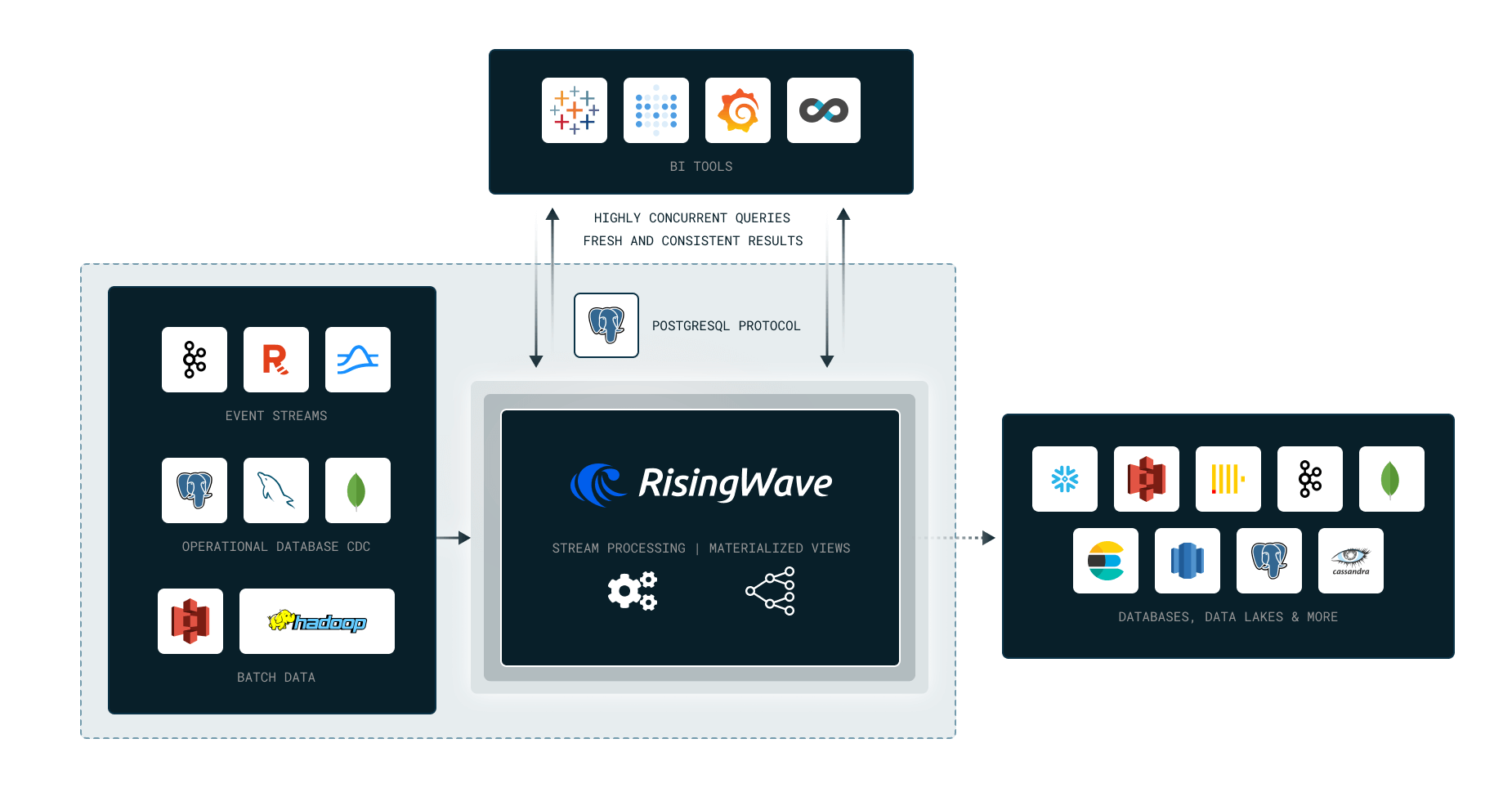
|
||||
|
||||
We’ll cover the following topics in this Workshop:
|
||||
|
||||
- Why Stream Processing?
|
||||
- Stateless computation (Filters, Projections)
|
||||
- Stateful Computation (Aggregations, Joins)
|
||||
- Time windowing
|
||||
- Watermark
|
||||
- Data Ingestion and Delivery
|
||||
|
||||
RisingWave in 10 Minutes:
|
||||
https://tutorials.risingwave.com/docs/intro
|
||||
|
||||
## Homework
|
||||
|
||||
The contents below will be covered during the workshop.
|
||||
|
||||
### Question 1
|
||||
|
||||
What is RisingWave meant to be used for?
|
||||
|
||||
1. OLTP workloads.
|
||||
2. Adhoc
|
||||
OLAP Workloads.
|
||||
3. Stream Processing.
|
||||
|
||||
### Question 2
|
||||
|
||||
What is the interface which RisingWave supports?
|
||||
|
||||
1. Java SDK.
|
||||
2. PostgreSQL like interface.
|
||||
3. Rust SDK.
|
||||
4. Python SDK.
|
||||
|
||||
### Question 3
|
||||
|
||||
What if I want to run a custom function which RisingWave does not
|
||||
support?
|
||||
|
||||
1. Sink the data out, run the function, and sink it back in.
|
||||
2. Write a Python / Java / WASM / JS UDF.
|
||||
|
||||
### Question 4
|
||||
|
||||
Is this statement True or False?
|
||||
> I cannot create materialized views
|
||||
on top of other materialized views.
|
||||
|
||||
1. True
|
||||
|
||||
2. False
|
||||
|
||||
### Question 5
|
||||
|
||||
How does RisingWave process ingested data?
|
||||
|
||||
1. Incrementally, only on
|
||||
checkpoints.
|
||||
2. In batch, each time a user queries a materialized view.
|
||||
3. In batch, at fixed intervals.
|
||||
4. Incrementally, as new records are
|
||||
ingested.
|
||||
|
||||
### Question 6
|
||||
|
||||
Is the following Statement True or False:
|
||||
|
||||
RisingWave is only for Stream Processing, it cannot serve any select requests from applications.
|
||||
|
||||
1. True
|
||||
2. False
|
||||
|
||||
### Question 7
|
||||
|
||||
Why can’t we use cross joins in RisingWave Materialized Views?
|
||||
|
||||
1. Because they are not supported by the SQL standard.
|
||||
2. Because they are not supported by the Incremental View Maintenance algorithm.
|
||||
3. Because they are not supported by the PostgreSQL planner.
|
||||
4. Because they are too expensive, so it is banned in RisingWave’s stream engine.
|
||||
|
||||
### Question 8
|
||||
|
||||
What is the recommended way to view the progress of long-running SQL
|
||||
statements like `CREATE MATERIALIZED VIEW` in RisingWave?
|
||||
|
||||
1. Using the
|
||||
EXPLAIN ANALYZE statement.
|
||||
2. Querying the `rw_catalog.rw_ddl_progress` table.
|
||||
3. Checking the RisingWave logs.
|
||||
4. It is not possible to view the progress of such statements.
|
||||
|
||||
### Question 9
|
||||
|
||||
How do I view the execution plan of my SQL query?
|
||||
|
||||
1. `SHOW <query>`
|
||||
2. `EXPLAIN <query>`
|
||||
3. `DROP <query>`
|
||||
4. `VIEW <query>`
|
||||
|
||||
### Question 10
|
||||
|
||||
Which is used to ingest data from external systems?
|
||||
|
||||
1.`CREATE SOURCE <...>`
|
||||
|
||||
2.`CREATE SINK <...>`
|
||||
|
||||
### Question 11
|
||||
|
||||
What is the purpose of a watermark?
|
||||
|
||||
1. To specify the time at which a
|
||||
record was ingested.
|
||||
2. To specify the time at which a record was
|
||||
updated.
|
||||
3. To specify the time at which a record was deleted.
|
||||
4. To specify the time at which a record is considered stale, and can be
|
||||
deleted.
|
||||
|
||||
## Submitting the solutions
|
||||
|
||||
- Form for submitting: TBA
|
||||
- You can submit your homework multiple times. In this case, only the
|
||||
last submission will be used.
|
||||
|
||||
Deadline: TBA
|
||||
|
||||
## Solution
|
||||
BIN
images/architecture/arch_2.png
Normal file
BIN
images/architecture/arch_2.png
Normal file

Binary file not shown.
|
After Width: | Height: | Size: 163 KiB |

Binary file not shown.
|
Before Width: | Height: | Size: 309 KiB |

Binary file not shown.
|
Before Width: | Height: | Size: 66 KiB |

Binary file not shown.
|
Before Width: | Height: | Size: 30 KiB |
127
week_1_basics_n_setup/README.md
Normal file
127
week_1_basics_n_setup/README.md
Normal file
@ -0,0 +1,127 @@
|
||||
### Introduction
|
||||
|
||||
* [Video](https://www.youtube.com/watch?v=-zpVha7bw5A)
|
||||
* [Slides](https://www.slideshare.net/AlexeyGrigorev/data-engineering-zoomcamp-introduction)
|
||||
* Overview of [Architecture](https://github.com/DataTalksClub/data-engineering-zoomcamp#overview), [Technologies](https://github.com/DataTalksClub/data-engineering-zoomcamp#technologies) & [Pre-Requisites](https://github.com/DataTalksClub/data-engineering-zoomcamp#prerequisites)
|
||||
|
||||
|
||||
We suggest watching videos in the same order as in this document.
|
||||
|
||||
The last video (setting up the environment) is optional, but you can check it earlier
|
||||
if you have troubles setting up the environment and following along with the videos.
|
||||
|
||||
|
||||
### Docker + Postgres
|
||||
|
||||
[Code](2_docker_sql)
|
||||
|
||||
* [Introduction to Docker](https://www.youtube.com/watch?v=EYNwNlOrpr0&list=PL3MmuxUbc_hJed7dXYoJw8DoCuVHhGEQb)
|
||||
* Why do we need Docker
|
||||
* Creating a simple "data pipeline" in Docker
|
||||
* [Ingesting NY Taxi Data to Postgres](https://www.youtube.com/watch?v=2JM-ziJt0WI&list=PL3MmuxUbc_hJed7dXYoJw8DoCuVHhGEQb)
|
||||
* Running Postgres locally with Docker
|
||||
* Using `pgcli` for connecting to the database
|
||||
* Exploring the NY Taxi dataset
|
||||
* Ingesting the data into the database
|
||||
* **Note** if you have problems with `pgcli`, check [this video](https://www.youtube.com/watch?v=3IkfkTwqHx4&list=PL3MmuxUbc_hJed7dXYoJw8DoCuVHhGEQb)
|
||||
for an alternative way to connect to your database
|
||||
* [Connecting pgAdmin and Postgres](https://www.youtube.com/watch?v=hCAIVe9N0ow&list=PL3MmuxUbc_hJed7dXYoJw8DoCuVHhGEQb)
|
||||
* The pgAdmin tool
|
||||
* Docker networks
|
||||
* [Putting the ingestion script into Docker](https://www.youtube.com/watch?v=B1WwATwf-vY&list=PL3MmuxUbc_hJed7dXYoJw8DoCuVHhGEQb)
|
||||
* Converting the Jupyter notebook to a Python script
|
||||
* Parametrizing the script with argparse
|
||||
* Dockerizing the ingestion script
|
||||
* [Running Postgres and pgAdmin with Docker-Compose](https://www.youtube.com/watch?v=hKI6PkPhpa0&list=PL3MmuxUbc_hJed7dXYoJw8DoCuVHhGEQb)
|
||||
* Why do we need Docker-compose
|
||||
* Docker-compose YAML file
|
||||
* Running multiple containers with `docker-compose up`
|
||||
* [SQL refresher](https://www.youtube.com/watch?v=QEcps_iskgg&list=PL3MmuxUbc_hJed7dXYoJw8DoCuVHhGEQb)
|
||||
* Adding the Zones table
|
||||
* Inner joins
|
||||
* Basic data quality checks
|
||||
* Left, Right and Outer joins
|
||||
* Group by
|
||||
* Optional: If you have some problems with docker networking, check [Port Mapping and Networks in Docker](https://www.youtube.com/watch?v=tOr4hTsHOzU&list=PL3MmuxUbc_hJed7dXYoJw8DoCuVHhGEQb)
|
||||
* Docker networks
|
||||
* Port forwarding to the host environment
|
||||
* Communicating between containers in the network
|
||||
* `.dockerignore` file
|
||||
* Optional: If you are willing to do the steps from "Ingesting NY Taxi Data to Postgres" till "Running Postgres and pgAdmin with Docker-Compose" with Windows Subsystem Linux please check [Docker Module Walk-Through on WSL](https://www.youtube.com/watch?v=Mv4zFm2AwzQ)
|
||||
|
||||
|
||||
### GCP + Terraform
|
||||
|
||||
[Code](1_terraform_gcp)
|
||||
|
||||
* Introduction to GCP (Google Cloud Platform)
|
||||
* [Video](https://www.youtube.com/watch?v=18jIzE41fJ4&list=PL3MmuxUbc_hJed7dXYoJw8DoCuVHhGEQb)
|
||||
* Introduction to Terraform Concepts - Overview
|
||||
* [Video](https://youtu.be/s2bOYDCKl_M)
|
||||
* [Companion Notes](1_terraform_gcp)
|
||||
* Terraform Basice - Simple one file Terraform Deployment
|
||||
* [Video](https://youtu.be/Y2ux7gq3Z0o)
|
||||
* [Companion Notes](1_terraform_gcp)
|
||||
* Terraform Continued - Terraform Deployment with a Variables File
|
||||
* [Video](https://youtu.be/PBi0hHjLftk)
|
||||
* [Companion Notes](1_terraform_gcp)
|
||||
* Configuring terraform and GCP SDK on Windows
|
||||
* [Instructions](1_terraform_gcp/windows.md)
|
||||
|
||||
|
||||
### Environment setup
|
||||
|
||||
For the course you'll need:
|
||||
|
||||
* Python 3 (e.g. installed with Anaconda)
|
||||
* Google Cloud SDK
|
||||
* Docker with docker-compose
|
||||
* Terraform
|
||||
|
||||
If you have problems setting up the env, you can check this video:
|
||||
|
||||
* [Setting up the environment on cloud VM](https://www.youtube.com/watch?v=ae-CV2KfoN0&list=PL3MmuxUbc_hJed7dXYoJw8DoCuVHhGEQb)
|
||||
* Generating SSH keys
|
||||
* Creating a virtual machine on GCP
|
||||
* Connecting to the VM with SSH
|
||||
* Installing Anaconda
|
||||
* Installing Docker
|
||||
* Creating SSH `config` file
|
||||
* Accessing the remote machine with VS Code and SSH remote
|
||||
* Installing docker-compose
|
||||
* Installing pgcli
|
||||
* Port-forwarding with VS code: connecting to pgAdmin and Jupyter from the local computer
|
||||
* Installing Terraform
|
||||
* Using `sftp` for putting the credentials to the remote machine
|
||||
* Shutting down and removing the instance
|
||||
|
||||
### Homework
|
||||
|
||||
* [Homework](../cohorts/2023/week_1_docker_sql/homework.md)
|
||||
* [Homework-PartB](../cohorts/2023/week_1_terraform/homework.md)
|
||||
|
||||
|
||||
## Community notes
|
||||
|
||||
Did you take notes? You can share them here
|
||||
|
||||
* [Notes from Alvaro Navas](https://github.com/ziritrion/dataeng-zoomcamp/blob/main/notes/1_intro.md)
|
||||
* [Notes from Abd](https://itnadigital.notion.site/Week-1-Introduction-f18de7e69eb4453594175d0b1334b2f4)
|
||||
* [Notes from Aaron](https://github.com/ABZ-Aaron/DataEngineerZoomCamp/blob/master/week_1_basics_n_setup/README.md)
|
||||
* [Notes from Faisal](https://github.com/FaisalMohd/data-engineering-zoomcamp/blob/main/week_1_basics_n_setup/Notes/DE%20Zoomcamp%20Week-1.pdf)
|
||||
* [Michael Harty's Notes](https://github.com/mharty3/data_engineering_zoomcamp_2022/tree/main/week01)
|
||||
* [Blog post from Isaac Kargar](https://kargarisaac.github.io/blog/data%20engineering/jupyter/2022/01/18/data-engineering-w1.html)
|
||||
* [Handwritten Notes By Mahmoud Zaher](https://github.com/zaherweb/DataEngineering/blob/master/week%201.pdf)
|
||||
* [Notes from Candace Williams](https://teacherc.github.io/data-engineering/2023/01/18/zoomcamp1.html)
|
||||
* [Notes from Marcos Torregrosa](https://www.n4gash.com/2023/data-engineering-zoomcamp-semana-1/)
|
||||
* [Notes from Vincenzo Galante](https://binchentso.notion.site/Data-Talks-Club-Data-Engineering-Zoomcamp-8699af8e7ff94ec49e6f9bdec8eb69fd)
|
||||
* [Notes from Victor Padilha](https://github.com/padilha/de-zoomcamp/tree/master/week1)
|
||||
* [Notes from froukje](https://github.com/froukje/de-zoomcamp/blob/main/week_1_basics_n_setup/notes/notes_week_01.md)
|
||||
* [Notes from adamiaonr](https://github.com/adamiaonr/data-engineering-zoomcamp/blob/main/week_1_basics_n_setup/2_docker_sql/NOTES.md)
|
||||
* [Notes from Xia He-Bleinagel](https://xiahe-bleinagel.com/2023/01/week-1-data-engineering-zoomcamp-notes/)
|
||||
* [Notes from Balaji](https://github.com/Balajirvp/DE-Zoomcamp/blob/main/Week%201/Detailed%20Week%201%20Notes.ipynb)
|
||||
* [Notes from Erik](https://twitter.com/ehub96/status/1621351266281730049)
|
||||
* [Notes by Alain Boisvert](https://github.com/boisalai/de-zoomcamp-2023/blob/main/week1.md)
|
||||
* Notes on [Docker, Docker Compose, and setting up a proper Python environment](https://medium.com/@verazabeida/zoomcamp-2023-week-1-f4f94cb360ae), by Vera
|
||||
* [Setting up the development environment on Google Virtual Machine](https://itsadityagupta.hashnode.dev/setting-up-the-development-environment-on-google-virtual-machine), blog post by Aditya Gupta
|
||||
* Add your notes here
|
||||
56
week_2_workflow_orchestration/README.md
Normal file
56
week_2_workflow_orchestration/README.md
Normal file
@ -0,0 +1,56 @@
|
||||
## Week 2: Workflow Orchestration
|
||||
|
||||
> If you're looking for Airflow videos from the 2022 edition,
|
||||
> check the [2022 cohort folder](../cohorts/2022/week_2_data_ingestion/).
|
||||
|
||||
Python code from videos is linked [below](#code-repository).
|
||||
|
||||
Also, if you find the commands too small to view in Kalise's videos, here's the [transcript with code for the second Prefect video](https://github.com/discdiver/prefect-zoomcamp/tree/main/flows/01_start) and the [fifth Prefect video](https://github.com/discdiver/prefect-zoomcamp/tree/main/flows/03_deployments).
|
||||
|
||||
### Data Lake (GCS)
|
||||
|
||||
* What is a Data Lake
|
||||
* ELT vs. ETL
|
||||
* Alternatives to components (S3/HDFS, Redshift, Snowflake etc.)
|
||||
* [Video](https://www.youtube.com/watch?v=W3Zm6rjOq70&list=PL3MmuxUbc_hJed7dXYoJw8DoCuVHhGEQb)
|
||||
* [Slides](https://docs.google.com/presentation/d/1RkH-YhBz2apIjYZAxUz2Uks4Pt51-fVWVN9CcH9ckyY/edit?usp=sharing)
|
||||
|
||||
### Workflow Orchestration
|
||||
|
||||
Mage videos coming soon
|
||||
|
||||
### Code repository
|
||||
|
||||
[Code from videos](https://github.com/discdiver/prefect-zoomcamp) (with a few minor enhancements)
|
||||
|
||||
### Homework
|
||||
Homework can be found [here](../cohorts/2023/week_2_workflow_orchestration/homework.md).
|
||||
|
||||
## Community notes
|
||||
|
||||
Did you take notes? You can share them here.
|
||||
|
||||
* Add your notes here (above this line)
|
||||
|
||||
### 2023 notes
|
||||
|
||||
* [Blog by Marcos Torregrosa (Prefect)](https://www.n4gash.com/2023/data-engineering-zoomcamp-semana-2/)
|
||||
* [Notes from Victor Padilha](https://github.com/padilha/de-zoomcamp/tree/master/week2)
|
||||
* [Notes by Alain Boisvert](https://github.com/boisalai/de-zoomcamp-2023/blob/main/week2.md)
|
||||
* [Notes by Candace Williams](https://github.com/teacherc/de_zoomcamp_candace2023/blob/main/week_2/week2_notes.md)
|
||||
* [Notes from Xia He-Bleinagel](https://xiahe-bleinagel.com/2023/02/week-2-data-engineering-zoomcamp-notes-prefect/)
|
||||
* [Notes from froukje](https://github.com/froukje/de-zoomcamp/blob/main/week_2_workflow_orchestration/notes/notes_week_02.md)
|
||||
* [Notes from Balaji](https://github.com/Balajirvp/DE-Zoomcamp/blob/main/Week%202/Detailed%20Week%202%20Notes.ipynb)
|
||||
|
||||
|
||||
### 2022 notes
|
||||
|
||||
Most of these notes are about Airflow, but you might find them useful.
|
||||
|
||||
* [Notes from Alvaro Navas](https://github.com/ziritrion/dataeng-zoomcamp/blob/main/notes/2_data_ingestion.md)
|
||||
* [Notes from Aaron Wright](https://github.com/ABZ-Aaron/DataEngineerZoomCamp/blob/master/week_2_data_ingestion/README.md)
|
||||
* [Notes from Abd](https://itnadigital.notion.site/Week-2-Data-Ingestion-ec2d0d36c0664bc4b8be6a554b2765fd)
|
||||
* [Blog post by Isaac Kargar](https://kargarisaac.github.io/blog/data%20engineering/jupyter/2022/01/25/data-engineering-w2.html)
|
||||
* [Blog, notes, walkthroughs by Sandy Behrens](https://learningdataengineering540969211.wordpress.com/2022/01/30/week-2-de-zoomcamp-2-3-2-ingesting-data-to-gcp-with-airflow/)
|
||||
* [Notes from Vincenzo Galante](https://binchentso.notion.site/Data-Talks-Club-Data-Engineering-Zoomcamp-8699af8e7ff94ec49e6f9bdec8eb69fd)
|
||||
* More on [Pandas vs SQL, Prefect capabilities, and testing your data](https://medium.com/@verazabeida/zoomcamp-2023-week-3-7f27bb8c483f), by Vera
|
||||
@ -1,54 +1,51 @@
|
||||
# Data Warehouse and BigQuery
|
||||
## Data Warehouse and BigQuery
|
||||
|
||||
- [Slides](https://docs.google.com/presentation/d/1a3ZoBAXFk8-EhUsd7rAZd-5p_HpltkzSeujjRGB2TAI/edit?usp=sharing)
|
||||
- [Big Query basic SQL](big_query.sql)
|
||||
|
||||
# Videos
|
||||
|
||||
## Data Warehouse
|
||||
### Data Warehouse
|
||||
|
||||
- [Data Warehouse and BigQuery](https://www.youtube.com/watch?v=jrHljAoD6nM&list=PL3MmuxUbc_hJed7dXYoJw8DoCuVHhGEQb)
|
||||
- [Data Warehouse and BigQuery](https://youtu.be/jrHljAoD6nM)
|
||||
|
||||
## :movie_camera: Partitoning and clustering
|
||||
### Partitoning and clustering
|
||||
|
||||
- [Partioning and Clustering](https://www.youtube.com/watch?v=jrHljAoD6nM&list=PL3MmuxUbc_hJed7dXYoJw8DoCuVHhGEQb)
|
||||
- [Partioning vs Clustering](https://www.youtube.com/watch?v=-CqXf7vhhDs&list=PL3MmuxUbc_hJed7dXYoJw8DoCuVHhGEQb)
|
||||
- [Partioning and Clustering](https://youtu.be/jrHljAoD6nM?t=726)
|
||||
- [Partioning vs Clustering](https://youtu.be/-CqXf7vhhDs)
|
||||
|
||||
## :movie_camera: Best practices
|
||||
### Best practices
|
||||
|
||||
- [BigQuery Best Practices](https://www.youtube.com/watch?v=k81mLJVX08w&list=PL3MmuxUbc_hJed7dXYoJw8DoCuVHhGEQb)
|
||||
- [BigQuery Best Practices](https://youtu.be/k81mLJVX08w)
|
||||
|
||||
## :movie_camera: Internals of BigQuery
|
||||
### Internals of BigQuery
|
||||
|
||||
- [Internals of Big Query](https://www.youtube.com/watch?v=eduHi1inM4s&list=PL3MmuxUbc_hJed7dXYoJw8DoCuVHhGEQb)
|
||||
- [Internals of Big Query](https://youtu.be/eduHi1inM4s)
|
||||
|
||||
## Advanced topics
|
||||
### Advanced
|
||||
|
||||
### :movie_camera: Machine Learning in Big Query
|
||||
|
||||
* [BigQuery Machine Learning](https://www.youtube.com/watch?v=B-WtpB0PuG4&list=PL3MmuxUbc_hJed7dXYoJw8DoCuVHhGEQb)
|
||||
* [SQL for ML in BigQuery](big_query_ml.sql)
|
||||
#### ML
|
||||
[BigQuery Machine Learning](https://youtu.be/B-WtpB0PuG4)
|
||||
[SQL for ML in BigQuery](big_query_ml.sql)
|
||||
|
||||
**Important links**
|
||||
|
||||
- [BigQuery ML Tutorials](https://cloud.google.com/bigquery-ml/docs/tutorials)
|
||||
- [BigQuery ML Reference Parameter](https://cloud.google.com/bigquery-ml/docs/analytics-reference-patterns)
|
||||
- [Hyper Parameter tuning](https://cloud.google.com/bigquery-ml/docs/reference/standard-sql/bigqueryml-syntax-create-glm)
|
||||
- [Feature preprocessing](https://cloud.google.com/bigquery-ml/docs/reference/standard-sql/bigqueryml-syntax-preprocess-overview)
|
||||
|
||||
### :movie_camera: Deploying ML model
|
||||
##### Deploying ML model
|
||||
|
||||
- [BigQuery Machine Learning Deployment](https://www.youtube.com/watch?v=BjARzEWaznU&list=PL3MmuxUbc_hJed7dXYoJw8DoCuVHhGEQb)
|
||||
- [BigQuery Machine Learning Deployment](https://youtu.be/BjARzEWaznU)
|
||||
- [Steps to extract and deploy model with docker](extract_model.md)
|
||||
|
||||
|
||||
|
||||
# Homework
|
||||
### Homework
|
||||
|
||||
* [2024 Homework](../cohorts/2024/03-data-warehouse/homework.md)
|
||||
* [Homework](../cohorts/2023/week_3_data_warehouse/homework.md)
|
||||
|
||||
|
||||
# Community notes
|
||||
## Community notes
|
||||
|
||||
Did you take notes? You can share them here.
|
||||
|
||||
@ -61,6 +58,4 @@ Did you take notes? You can share them here.
|
||||
* [Notes by froukje](https://github.com/froukje/de-zoomcamp/blob/main/week_3_data_warehouse/notes/notes_week_03.md)
|
||||
* [Notes by Alain Boisvert](https://github.com/boisalai/de-zoomcamp-2023/blob/main/week3.md)
|
||||
* [Notes from Vincenzo Galante](https://binchentso.notion.site/Data-Talks-Club-Data-Engineering-Zoomcamp-8699af8e7ff94ec49e6f9bdec8eb69fd)
|
||||
* [2024 videos transcript week3](https://drive.google.com/drive/folders/1quIiwWO-tJCruqvtlqe_Olw8nvYSmmDJ?usp=sharing) by Maria Fisher
|
||||
* [Notes by Linda](https://github.com/inner-outer-space/de-zoomcamp-2024/blob/main/3-data-warehouse/readme.md)
|
||||
* Add your notes here (above this line)
|
||||
136
week_4_analytics_engineering/README.md
Normal file
136
week_4_analytics_engineering/README.md
Normal file
@ -0,0 +1,136 @@
|
||||
# Week 4: Analytics Engineering
|
||||
Goal: Transforming the data loaded in DWH to Analytical Views developing a [dbt project](taxi_rides_ny/README.md).
|
||||
[Slides](https://docs.google.com/presentation/d/1xSll_jv0T8JF4rYZvLHfkJXYqUjPtThA/edit?usp=sharing&ouid=114544032874539580154&rtpof=true&sd=true)
|
||||
|
||||
## Prerequisites
|
||||
We will build a project using dbt and a running data warehouse.
|
||||
By this stage of the course you should have already:
|
||||
- A running warehouse (BigQuery or postgres)
|
||||
- A set of running pipelines ingesting the project dataset (week 3 completed): [Datasets list](https://github.com/DataTalksClub/nyc-tlc-data/)
|
||||
* Yellow taxi data - Years 2019 and 2020
|
||||
* Green taxi data - Years 2019 and 2020
|
||||
* fhv data - Year 2019.
|
||||
|
||||
_Note:_
|
||||
* _A quick hack has been shared to load that data quicker, check instructions in [week3/extras](https://github.com/DataTalksClub/data-engineering-zoomcamp/tree/main/week_3_data_warehouse/extras)_
|
||||
* _If you recieve an error stating "Permission denied while globbing file pattern." when attemting to run fact_trips.sql this video may be helpful in resolving the issue_
|
||||
|
||||
:movie_camera: [Video](https://www.youtube.com/watch?v=kL3ZVNL9Y4A)
|
||||
|
||||
### Setting up dbt for using BigQuery (Alternative A - preferred)
|
||||
You will need to create a dbt cloud account using [this link](https://www.getdbt.com/signup/) and connect to your warehouse [following these instructions](https://docs.getdbt.com/docs/dbt-cloud/cloud-configuring-dbt-cloud/cloud-setting-up-bigquery-oauth). More detailed instructions in [dbt_cloud_setup.md](dbt_cloud_setup.md)
|
||||
|
||||
_Optional_: If you feel more comfortable developing locally you could use a local installation of dbt as well. You can follow the [official dbt documentation](https://docs.getdbt.com/dbt-cli/installation) or follow the [dbt with BigQuery on Docker](docker_setup/README.md) guide to setup dbt locally on docker. You will need to install the latest version (1.0) with the BigQuery adapter (dbt-bigquery).
|
||||
|
||||
### Setting up dbt for using Postgres locally (Alternative B)
|
||||
As an alternative to the cloud, that require to have a cloud database, you will be able to run the project installing dbt locally.
|
||||
You can follow the [official dbt documentation](https://docs.getdbt.com/dbt-cli/installation) or use a docker image from oficial [dbt repo](https://github.com/dbt-labs/dbt/). You will need to install the latest version (1.0) with the postgres adapter (dbt-postgres).
|
||||
After local installation you will have to set up the connection to PG in the `profiles.yml`, you can find the templates [here](https://docs.getdbt.com/reference/warehouse-profiles/postgres-profile)
|
||||
## Content
|
||||
### Introduction to analytics engineering
|
||||
* What is analytics engineering?
|
||||
* ETL vs ELT
|
||||
* Data modeling concepts (fact and dim tables)
|
||||
|
||||
:movie_camera: [Video](https://www.youtube.com/watch?v=uF76d5EmdtU&list=PL3MmuxUbc_hJed7dXYoJw8DoCuVHhGEQb&index=32)
|
||||
|
||||
### What is dbt?
|
||||
* Intro to dbt
|
||||
|
||||
:movie_camera: [Video](https://www.youtube.com/watch?v=4eCouvVOJUw&list=PL3MmuxUbc_hJed7dXYoJw8DoCuVHhGEQb&index=33)
|
||||
### Starting a dbt project
|
||||
#### Alternative a: Using BigQuery + dbt cloud
|
||||
* Starting a new project with dbt init (dbt cloud and core)
|
||||
* dbt cloud setup
|
||||
* project.yml
|
||||
|
||||
:movie_camera: [Video](https://www.youtube.com/watch?v=iMxh6s_wL4Q&list=PL3MmuxUbc_hJed7dXYoJw8DoCuVHhGEQb&index=34)
|
||||
|
||||
#### Alternative b: Using Postgres + dbt core (locally)
|
||||
* Starting a new project with dbt init (dbt cloud and core)
|
||||
* dbt core local setup
|
||||
* profiles.yml
|
||||
* project.yml
|
||||
|
||||
:movie_camera: [Video](https://www.youtube.com/watch?v=1HmL63e-vRs&list=PL3MmuxUbc_hJed7dXYoJw8DoCuVHhGEQb&index=35)
|
||||
### Development of dbt models
|
||||
* Anatomy of a dbt model: written code vs compiled Sources
|
||||
* Materialisations: table, view, incremental, ephemeral
|
||||
* Seeds, sources and ref
|
||||
* Jinja and Macros
|
||||
* Packages
|
||||
* Variables
|
||||
|
||||
:movie_camera: [Video](https://www.youtube.com/watch?v=UVI30Vxzd6c&list=PL3MmuxUbc_hJed7dXYoJw8DoCuVHhGEQb&index=36)
|
||||
|
||||
_Note: This video is shown entirely on dbt cloud IDE but the same steps can be followed locally on the IDE of your choice_
|
||||
|
||||
### Testing and documenting dbt models
|
||||
* Tests
|
||||
* Documentation
|
||||
|
||||
:movie_camera: [Video](https://www.youtube.com/watch?v=UishFmq1hLM&list=PL3MmuxUbc_hJed7dXYoJw8DoCuVHhGEQb&index=37)
|
||||
|
||||
_Note: This video is shown entirely on dbt cloud IDE but the same steps can be followed locally on the IDE of your choice_
|
||||
|
||||
### Deploying a dbt project
|
||||
#### Alternative a: Using BigQuery + dbt cloud
|
||||
* Deployment: development environment vs production
|
||||
* dbt cloud: scheduler, sources and hosted documentation
|
||||
|
||||
:movie_camera: [Video](https://www.youtube.com/watch?v=rjf6yZNGX8I&list=PL3MmuxUbc_hJed7dXYoJw8DoCuVHhGEQb&index=38)
|
||||
|
||||
#### Alternative b: Using Postgres + dbt core (locally)
|
||||
* Deployment: development environment vs production
|
||||
* dbt cloud: scheduler, sources and hosted documentation
|
||||
|
||||
:movie_camera: [Video](https://www.youtube.com/watch?v=Cs9Od1pcrzM&list=PL3MmuxUbc_hJed7dXYoJw8DoCuVHhGEQb&index=39)
|
||||
|
||||
### Visualising the transformed data
|
||||
* Google data studio
|
||||
* [Metabase (local installation)](https://www.metabase.com/)
|
||||
|
||||
:movie_camera: [Google data studio Video](https://www.youtube.com/watch?v=39nLTs74A3E&list=PL3MmuxUbc_hJed7dXYoJw8DoCuVHhGEQb&index=42)
|
||||
|
||||
:movie_camera: [Metabase Video](https://www.youtube.com/watch?v=BnLkrA7a6gM&list=PL3MmuxUbc_hJed7dXYoJw8DoCuVHhGEQb&index=43)
|
||||
|
||||
|
||||
### Advanced knowledge:
|
||||
* [Make a model Incremental](https://docs.getdbt.com/docs/building-a-dbt-project/building-models/configuring-incremental-models)
|
||||
* [Use of tags](https://docs.getdbt.com/reference/resource-configs/tags)
|
||||
* [Hooks](https://docs.getdbt.com/docs/building-a-dbt-project/hooks-operations)
|
||||
* [Analysis](https://docs.getdbt.com/docs/building-a-dbt-project/analyses)
|
||||
* [Snapshots](https://docs.getdbt.com/docs/building-a-dbt-project/snapshots)
|
||||
* [Exposure](https://docs.getdbt.com/docs/building-a-dbt-project/exposures)
|
||||
* [Metrics](https://docs.getdbt.com/docs/building-a-dbt-project/metrics)
|
||||
|
||||
|
||||
## Workshop: Maximizing Confidence in Your Data Model Changes with dbt and PipeRider
|
||||
|
||||
To learn how to use PipeRider together with dbt for detecting changes in model and data, sign up for a workshop [here](https://www.eventbrite.com/e/maximizing-confidence-in-your-data-model-changes-with-dbt-and-piperider-tickets-535584366257)
|
||||
|
||||
[More details](../cohorts/2023/workshops/piperider.md)
|
||||
|
||||
|
||||
## Community notes
|
||||
|
||||
Did you take notes? You can share them here.
|
||||
|
||||
* [Notes by Alvaro Navas](https://github.com/ziritrion/dataeng-zoomcamp/blob/main/notes/4_analytics.md)
|
||||
* [Sandy's DE learning blog](https://learningdataengineering540969211.wordpress.com/2022/02/17/week-4-setting-up-dbt-cloud-with-bigquery/)
|
||||
* [Notes by Victor Padilha](https://github.com/padilha/de-zoomcamp/tree/master/week4)
|
||||
* [Marcos Torregrosa's blog (spanish)](https://www.n4gash.com/2023/data-engineering-zoomcamp-semana-4/)
|
||||
* [Notes by froukje](https://github.com/froukje/de-zoomcamp/blob/main/week_4_analytics_engineering/notes/notes_week_04.md)
|
||||
* [Notes by Alain Boisvert](https://github.com/boisalai/de-zoomcamp-2023/blob/main/week4.md)
|
||||
* [Setting up Prefect with dbt by Vera](https://medium.com/@verazabeida/zoomcamp-week-5-5b6a9d53a3a0)
|
||||
* [Blog by Xia He-Bleinagel](https://xiahe-bleinagel.com/2023/02/week-4-data-engineering-zoomcamp-notes-analytics-engineering-and-dbt/)
|
||||
* [Setting up DBT with BigQuery by Tofag](https://medium.com/@fagbuyit/setting-up-your-dbt-cloud-dej-9-d18e5b7c96ba)
|
||||
* [Blog post by Dewi Oktaviani](https://medium.com/@oktavianidewi/de-zoomcamp-2023-learning-week-4-analytics-engineering-with-dbt-53f781803d3e)
|
||||
* [Notes from Vincenzo Galante](https://binchentso.notion.site/Data-Talks-Club-Data-Engineering-Zoomcamp-8699af8e7ff94ec49e6f9bdec8eb69fd)
|
||||
* [Notes from Balaji](https://github.com/Balajirvp/DE-Zoomcamp/blob/main/Week%204/Data%20Engineering%20Zoomcamp%20Week%204.ipynb)
|
||||
* Add your notes here (above this line)
|
||||
|
||||
## Useful links
|
||||
|
||||
- [Visualizing data with Metabase course](https://www.metabase.com/learn/visualization/)
|
||||
|
||||
5
week_4_analytics_engineering/taxi_rides_ny/.gitignore
vendored
Normal file
5
week_4_analytics_engineering/taxi_rides_ny/.gitignore
vendored
Normal file
@ -0,0 +1,5 @@
|
||||
|
||||
target/
|
||||
dbt_modules/
|
||||
logs/
|
||||
dbt_packages/
|
||||
@ -35,4 +35,4 @@ _Alternative: use `$ dbt build` to execute with one command the 3 steps above to
|
||||
- Check out [Discourse](https://discourse.getdbt.com/) for commonly asked questions and answers
|
||||
- Join the [chat](http://slack.getdbt.com/) on Slack for live discussions and support
|
||||
- Find [dbt events](https://events.getdbt.com) near you
|
||||
- Check out [the blog](https://blog.getdbt.com/) for the latest news on dbt's development and best practices
|
||||
- Check out [the blog](https://blog.getdbt.com/) for the latest news on dbt's development and best practices
|
||||
@ -6,4 +6,5 @@ seeds:
|
||||
Taxi Zones roughly based on NYC Department of City Planning's Neighborhood
|
||||
Tabulation Areas (NTAs) and are meant to approximate neighborhoods, so you can see which
|
||||
neighborhood a passenger was picked up in, and which neighborhood they were dropped off in.
|
||||
Includes associated service_zone (EWR, Boro Zone, Yellow Zone)
|
||||
Includes associated service_zone (EWR, Boro Zone, Yellow Zone)
|
||||
|
||||
@ -1,266 +1,266 @@
|
||||
"locationid","borough","zone","service_zone"
|
||||
1,"EWR","Newark Airport","EWR"
|
||||
2,"Queens","Jamaica Bay","Boro Zone"
|
||||
3,"Bronx","Allerton/Pelham Gardens","Boro Zone"
|
||||
4,"Manhattan","Alphabet City","Yellow Zone"
|
||||
5,"Staten Island","Arden Heights","Boro Zone"
|
||||
6,"Staten Island","Arrochar/Fort Wadsworth","Boro Zone"
|
||||
7,"Queens","Astoria","Boro Zone"
|
||||
8,"Queens","Astoria Park","Boro Zone"
|
||||
9,"Queens","Auburndale","Boro Zone"
|
||||
10,"Queens","Baisley Park","Boro Zone"
|
||||
11,"Brooklyn","Bath Beach","Boro Zone"
|
||||
12,"Manhattan","Battery Park","Yellow Zone"
|
||||
13,"Manhattan","Battery Park City","Yellow Zone"
|
||||
14,"Brooklyn","Bay Ridge","Boro Zone"
|
||||
15,"Queens","Bay Terrace/Fort Totten","Boro Zone"
|
||||
16,"Queens","Bayside","Boro Zone"
|
||||
17,"Brooklyn","Bedford","Boro Zone"
|
||||
18,"Bronx","Bedford Park","Boro Zone"
|
||||
19,"Queens","Bellerose","Boro Zone"
|
||||
20,"Bronx","Belmont","Boro Zone"
|
||||
21,"Brooklyn","Bensonhurst East","Boro Zone"
|
||||
22,"Brooklyn","Bensonhurst West","Boro Zone"
|
||||
23,"Staten Island","Bloomfield/Emerson Hill","Boro Zone"
|
||||
24,"Manhattan","Bloomingdale","Yellow Zone"
|
||||
25,"Brooklyn","Boerum Hill","Boro Zone"
|
||||
26,"Brooklyn","Borough Park","Boro Zone"
|
||||
27,"Queens","Breezy Point/Fort Tilden/Riis Beach","Boro Zone"
|
||||
28,"Queens","Briarwood/Jamaica Hills","Boro Zone"
|
||||
29,"Brooklyn","Brighton Beach","Boro Zone"
|
||||
30,"Queens","Broad Channel","Boro Zone"
|
||||
31,"Bronx","Bronx Park","Boro Zone"
|
||||
32,"Bronx","Bronxdale","Boro Zone"
|
||||
33,"Brooklyn","Brooklyn Heights","Boro Zone"
|
||||
34,"Brooklyn","Brooklyn Navy Yard","Boro Zone"
|
||||
35,"Brooklyn","Brownsville","Boro Zone"
|
||||
36,"Brooklyn","Bushwick North","Boro Zone"
|
||||
37,"Brooklyn","Bushwick South","Boro Zone"
|
||||
38,"Queens","Cambria Heights","Boro Zone"
|
||||
39,"Brooklyn","Canarsie","Boro Zone"
|
||||
40,"Brooklyn","Carroll Gardens","Boro Zone"
|
||||
41,"Manhattan","Central Harlem","Boro Zone"
|
||||
42,"Manhattan","Central Harlem North","Boro Zone"
|
||||
43,"Manhattan","Central Park","Yellow Zone"
|
||||
44,"Staten Island","Charleston/Tottenville","Boro Zone"
|
||||
45,"Manhattan","Chinatown","Yellow Zone"
|
||||
46,"Bronx","City Island","Boro Zone"
|
||||
47,"Bronx","Claremont/Bathgate","Boro Zone"
|
||||
48,"Manhattan","Clinton East","Yellow Zone"
|
||||
49,"Brooklyn","Clinton Hill","Boro Zone"
|
||||
50,"Manhattan","Clinton West","Yellow Zone"
|
||||
51,"Bronx","Co-Op City","Boro Zone"
|
||||
52,"Brooklyn","Cobble Hill","Boro Zone"
|
||||
53,"Queens","College Point","Boro Zone"
|
||||
54,"Brooklyn","Columbia Street","Boro Zone"
|
||||
55,"Brooklyn","Coney Island","Boro Zone"
|
||||
56,"Queens","Corona","Boro Zone"
|
||||
57,"Queens","Corona","Boro Zone"
|
||||
58,"Bronx","Country Club","Boro Zone"
|
||||
59,"Bronx","Crotona Park","Boro Zone"
|
||||
60,"Bronx","Crotona Park East","Boro Zone"
|
||||
61,"Brooklyn","Crown Heights North","Boro Zone"
|
||||
62,"Brooklyn","Crown Heights South","Boro Zone"
|
||||
63,"Brooklyn","Cypress Hills","Boro Zone"
|
||||
64,"Queens","Douglaston","Boro Zone"
|
||||
65,"Brooklyn","Downtown Brooklyn/MetroTech","Boro Zone"
|
||||
66,"Brooklyn","DUMBO/Vinegar Hill","Boro Zone"
|
||||
67,"Brooklyn","Dyker Heights","Boro Zone"
|
||||
68,"Manhattan","East Chelsea","Yellow Zone"
|
||||
69,"Bronx","East Concourse/Concourse Village","Boro Zone"
|
||||
70,"Queens","East Elmhurst","Boro Zone"
|
||||
71,"Brooklyn","East Flatbush/Farragut","Boro Zone"
|
||||
72,"Brooklyn","East Flatbush/Remsen Village","Boro Zone"
|
||||
73,"Queens","East Flushing","Boro Zone"
|
||||
74,"Manhattan","East Harlem North","Boro Zone"
|
||||
75,"Manhattan","East Harlem South","Boro Zone"
|
||||
76,"Brooklyn","East New York","Boro Zone"
|
||||
77,"Brooklyn","East New York/Pennsylvania Avenue","Boro Zone"
|
||||
78,"Bronx","East Tremont","Boro Zone"
|
||||
79,"Manhattan","East Village","Yellow Zone"
|
||||
80,"Brooklyn","East Williamsburg","Boro Zone"
|
||||
81,"Bronx","Eastchester","Boro Zone"
|
||||
82,"Queens","Elmhurst","Boro Zone"
|
||||
83,"Queens","Elmhurst/Maspeth","Boro Zone"
|
||||
84,"Staten Island","Eltingville/Annadale/Prince's Bay","Boro Zone"
|
||||
85,"Brooklyn","Erasmus","Boro Zone"
|
||||
86,"Queens","Far Rockaway","Boro Zone"
|
||||
87,"Manhattan","Financial District North","Yellow Zone"
|
||||
88,"Manhattan","Financial District South","Yellow Zone"
|
||||
89,"Brooklyn","Flatbush/Ditmas Park","Boro Zone"
|
||||
90,"Manhattan","Flatiron","Yellow Zone"
|
||||
91,"Brooklyn","Flatlands","Boro Zone"
|
||||
92,"Queens","Flushing","Boro Zone"
|
||||
93,"Queens","Flushing Meadows-Corona Park","Boro Zone"
|
||||
94,"Bronx","Fordham South","Boro Zone"
|
||||
95,"Queens","Forest Hills","Boro Zone"
|
||||
96,"Queens","Forest Park/Highland Park","Boro Zone"
|
||||
97,"Brooklyn","Fort Greene","Boro Zone"
|
||||
98,"Queens","Fresh Meadows","Boro Zone"
|
||||
99,"Staten Island","Freshkills Park","Boro Zone"
|
||||
100,"Manhattan","Garment District","Yellow Zone"
|
||||
101,"Queens","Glen Oaks","Boro Zone"
|
||||
102,"Queens","Glendale","Boro Zone"
|
||||
103,"Manhattan","Governor's Island/Ellis Island/Liberty Island","Yellow Zone"
|
||||
104,"Manhattan","Governor's Island/Ellis Island/Liberty Island","Yellow Zone"
|
||||
105,"Manhattan","Governor's Island/Ellis Island/Liberty Island","Yellow Zone"
|
||||
106,"Brooklyn","Gowanus","Boro Zone"
|
||||
107,"Manhattan","Gramercy","Yellow Zone"
|
||||
108,"Brooklyn","Gravesend","Boro Zone"
|
||||
109,"Staten Island","Great Kills","Boro Zone"
|
||||
110,"Staten Island","Great Kills Park","Boro Zone"
|
||||
111,"Brooklyn","Green-Wood Cemetery","Boro Zone"
|
||||
112,"Brooklyn","Greenpoint","Boro Zone"
|
||||
113,"Manhattan","Greenwich Village North","Yellow Zone"
|
||||
114,"Manhattan","Greenwich Village South","Yellow Zone"
|
||||
115,"Staten Island","Grymes Hill/Clifton","Boro Zone"
|
||||
116,"Manhattan","Hamilton Heights","Boro Zone"
|
||||
117,"Queens","Hammels/Arverne","Boro Zone"
|
||||
118,"Staten Island","Heartland Village/Todt Hill","Boro Zone"
|
||||
119,"Bronx","Highbridge","Boro Zone"
|
||||
120,"Manhattan","Highbridge Park","Boro Zone"
|
||||
121,"Queens","Hillcrest/Pomonok","Boro Zone"
|
||||
122,"Queens","Hollis","Boro Zone"
|
||||
123,"Brooklyn","Homecrest","Boro Zone"
|
||||
124,"Queens","Howard Beach","Boro Zone"
|
||||
125,"Manhattan","Hudson Sq","Yellow Zone"
|
||||
126,"Bronx","Hunts Point","Boro Zone"
|
||||
127,"Manhattan","Inwood","Boro Zone"
|
||||
128,"Manhattan","Inwood Hill Park","Boro Zone"
|
||||
129,"Queens","Jackson Heights","Boro Zone"
|
||||
130,"Queens","Jamaica","Boro Zone"
|
||||
131,"Queens","Jamaica Estates","Boro Zone"
|
||||
132,"Queens","JFK Airport","Airports"
|
||||
133,"Brooklyn","Kensington","Boro Zone"
|
||||
134,"Queens","Kew Gardens","Boro Zone"
|
||||
135,"Queens","Kew Gardens Hills","Boro Zone"
|
||||
136,"Bronx","Kingsbridge Heights","Boro Zone"
|
||||
137,"Manhattan","Kips Bay","Yellow Zone"
|
||||
138,"Queens","LaGuardia Airport","Airports"
|
||||
139,"Queens","Laurelton","Boro Zone"
|
||||
140,"Manhattan","Lenox Hill East","Yellow Zone"
|
||||
141,"Manhattan","Lenox Hill West","Yellow Zone"
|
||||
142,"Manhattan","Lincoln Square East","Yellow Zone"
|
||||
143,"Manhattan","Lincoln Square West","Yellow Zone"
|
||||
144,"Manhattan","Little Italy/NoLiTa","Yellow Zone"
|
||||
145,"Queens","Long Island City/Hunters Point","Boro Zone"
|
||||
146,"Queens","Long Island City/Queens Plaza","Boro Zone"
|
||||
147,"Bronx","Longwood","Boro Zone"
|
||||
148,"Manhattan","Lower East Side","Yellow Zone"
|
||||
149,"Brooklyn","Madison","Boro Zone"
|
||||
150,"Brooklyn","Manhattan Beach","Boro Zone"
|
||||
151,"Manhattan","Manhattan Valley","Yellow Zone"
|
||||
152,"Manhattan","Manhattanville","Boro Zone"
|
||||
153,"Manhattan","Marble Hill","Boro Zone"
|
||||
154,"Brooklyn","Marine Park/Floyd Bennett Field","Boro Zone"
|
||||
155,"Brooklyn","Marine Park/Mill Basin","Boro Zone"
|
||||
156,"Staten Island","Mariners Harbor","Boro Zone"
|
||||
157,"Queens","Maspeth","Boro Zone"
|
||||
158,"Manhattan","Meatpacking/West Village West","Yellow Zone"
|
||||
159,"Bronx","Melrose South","Boro Zone"
|
||||
160,"Queens","Middle Village","Boro Zone"
|
||||
161,"Manhattan","Midtown Center","Yellow Zone"
|
||||
162,"Manhattan","Midtown East","Yellow Zone"
|
||||
163,"Manhattan","Midtown North","Yellow Zone"
|
||||
164,"Manhattan","Midtown South","Yellow Zone"
|
||||
165,"Brooklyn","Midwood","Boro Zone"
|
||||
166,"Manhattan","Morningside Heights","Boro Zone"
|
||||
167,"Bronx","Morrisania/Melrose","Boro Zone"
|
||||
168,"Bronx","Mott Haven/Port Morris","Boro Zone"
|
||||
169,"Bronx","Mount Hope","Boro Zone"
|
||||
170,"Manhattan","Murray Hill","Yellow Zone"
|
||||
171,"Queens","Murray Hill-Queens","Boro Zone"
|
||||
172,"Staten Island","New Dorp/Midland Beach","Boro Zone"
|
||||
173,"Queens","North Corona","Boro Zone"
|
||||
174,"Bronx","Norwood","Boro Zone"
|
||||
175,"Queens","Oakland Gardens","Boro Zone"
|
||||
176,"Staten Island","Oakwood","Boro Zone"
|
||||
177,"Brooklyn","Ocean Hill","Boro Zone"
|
||||
178,"Brooklyn","Ocean Parkway South","Boro Zone"
|
||||
179,"Queens","Old Astoria","Boro Zone"
|
||||
180,"Queens","Ozone Park","Boro Zone"
|
||||
181,"Brooklyn","Park Slope","Boro Zone"
|
||||
182,"Bronx","Parkchester","Boro Zone"
|
||||
183,"Bronx","Pelham Bay","Boro Zone"
|
||||
184,"Bronx","Pelham Bay Park","Boro Zone"
|
||||
185,"Bronx","Pelham Parkway","Boro Zone"
|
||||
186,"Manhattan","Penn Station/Madison Sq West","Yellow Zone"
|
||||
187,"Staten Island","Port Richmond","Boro Zone"
|
||||
188,"Brooklyn","Prospect-Lefferts Gardens","Boro Zone"
|
||||
189,"Brooklyn","Prospect Heights","Boro Zone"
|
||||
190,"Brooklyn","Prospect Park","Boro Zone"
|
||||
191,"Queens","Queens Village","Boro Zone"
|
||||
192,"Queens","Queensboro Hill","Boro Zone"
|
||||
193,"Queens","Queensbridge/Ravenswood","Boro Zone"
|
||||
194,"Manhattan","Randalls Island","Yellow Zone"
|
||||
195,"Brooklyn","Red Hook","Boro Zone"
|
||||
196,"Queens","Rego Park","Boro Zone"
|
||||
197,"Queens","Richmond Hill","Boro Zone"
|
||||
198,"Queens","Ridgewood","Boro Zone"
|
||||
199,"Bronx","Rikers Island","Boro Zone"
|
||||
200,"Bronx","Riverdale/North Riverdale/Fieldston","Boro Zone"
|
||||
201,"Queens","Rockaway Park","Boro Zone"
|
||||
202,"Manhattan","Roosevelt Island","Boro Zone"
|
||||
203,"Queens","Rosedale","Boro Zone"
|
||||
204,"Staten Island","Rossville/Woodrow","Boro Zone"
|
||||
205,"Queens","Saint Albans","Boro Zone"
|
||||
206,"Staten Island","Saint George/New Brighton","Boro Zone"
|
||||
207,"Queens","Saint Michaels Cemetery/Woodside","Boro Zone"
|
||||
208,"Bronx","Schuylerville/Edgewater Park","Boro Zone"
|
||||
209,"Manhattan","Seaport","Yellow Zone"
|
||||
210,"Brooklyn","Sheepshead Bay","Boro Zone"
|
||||
211,"Manhattan","SoHo","Yellow Zone"
|
||||
212,"Bronx","Soundview/Bruckner","Boro Zone"
|
||||
213,"Bronx","Soundview/Castle Hill","Boro Zone"
|
||||
214,"Staten Island","South Beach/Dongan Hills","Boro Zone"
|
||||
215,"Queens","South Jamaica","Boro Zone"
|
||||
216,"Queens","South Ozone Park","Boro Zone"
|
||||
217,"Brooklyn","South Williamsburg","Boro Zone"
|
||||
218,"Queens","Springfield Gardens North","Boro Zone"
|
||||
219,"Queens","Springfield Gardens South","Boro Zone"
|
||||
220,"Bronx","Spuyten Duyvil/Kingsbridge","Boro Zone"
|
||||
221,"Staten Island","Stapleton","Boro Zone"
|
||||
222,"Brooklyn","Starrett City","Boro Zone"
|
||||
223,"Queens","Steinway","Boro Zone"
|
||||
224,"Manhattan","Stuy Town/Peter Cooper Village","Yellow Zone"
|
||||
225,"Brooklyn","Stuyvesant Heights","Boro Zone"
|
||||
226,"Queens","Sunnyside","Boro Zone"
|
||||
227,"Brooklyn","Sunset Park East","Boro Zone"
|
||||
228,"Brooklyn","Sunset Park West","Boro Zone"
|
||||
229,"Manhattan","Sutton Place/Turtle Bay North","Yellow Zone"
|
||||
230,"Manhattan","Times Sq/Theatre District","Yellow Zone"
|
||||
231,"Manhattan","TriBeCa/Civic Center","Yellow Zone"
|
||||
232,"Manhattan","Two Bridges/Seward Park","Yellow Zone"
|
||||
233,"Manhattan","UN/Turtle Bay South","Yellow Zone"
|
||||
234,"Manhattan","Union Sq","Yellow Zone"
|
||||
235,"Bronx","University Heights/Morris Heights","Boro Zone"
|
||||
236,"Manhattan","Upper East Side North","Yellow Zone"
|
||||
237,"Manhattan","Upper East Side South","Yellow Zone"
|
||||
238,"Manhattan","Upper West Side North","Yellow Zone"
|
||||
239,"Manhattan","Upper West Side South","Yellow Zone"
|
||||
240,"Bronx","Van Cortlandt Park","Boro Zone"
|
||||
241,"Bronx","Van Cortlandt Village","Boro Zone"
|
||||
242,"Bronx","Van Nest/Morris Park","Boro Zone"
|
||||
243,"Manhattan","Washington Heights North","Boro Zone"
|
||||
244,"Manhattan","Washington Heights South","Boro Zone"
|
||||
245,"Staten Island","West Brighton","Boro Zone"
|
||||
246,"Manhattan","West Chelsea/Hudson Yards","Yellow Zone"
|
||||
247,"Bronx","West Concourse","Boro Zone"
|
||||
248,"Bronx","West Farms/Bronx River","Boro Zone"
|
||||
249,"Manhattan","West Village","Yellow Zone"
|
||||
250,"Bronx","Westchester Village/Unionport","Boro Zone"
|
||||
251,"Staten Island","Westerleigh","Boro Zone"
|
||||
252,"Queens","Whitestone","Boro Zone"
|
||||
253,"Queens","Willets Point","Boro Zone"
|
||||
254,"Bronx","Williamsbridge/Olinville","Boro Zone"
|
||||
255,"Brooklyn","Williamsburg (North Side)","Boro Zone"
|
||||
256,"Brooklyn","Williamsburg (South Side)","Boro Zone"
|
||||
257,"Brooklyn","Windsor Terrace","Boro Zone"
|
||||
258,"Queens","Woodhaven","Boro Zone"
|
||||
259,"Bronx","Woodlawn/Wakefield","Boro Zone"
|
||||
260,"Queens","Woodside","Boro Zone"
|
||||
261,"Manhattan","World Trade Center","Yellow Zone"
|
||||
262,"Manhattan","Yorkville East","Yellow Zone"
|
||||
263,"Manhattan","Yorkville West","Yellow Zone"
|
||||
264,"Unknown","NV","N/A"
|
||||
265,"Unknown","NA","N/A"
|
||||
"locationid","borough","zone","service_zone"
|
||||
1,"EWR","Newark Airport","EWR"
|
||||
2,"Queens","Jamaica Bay","Boro Zone"
|
||||
3,"Bronx","Allerton/Pelham Gardens","Boro Zone"
|
||||
4,"Manhattan","Alphabet City","Yellow Zone"
|
||||
5,"Staten Island","Arden Heights","Boro Zone"
|
||||
6,"Staten Island","Arrochar/Fort Wadsworth","Boro Zone"
|
||||
7,"Queens","Astoria","Boro Zone"
|
||||
8,"Queens","Astoria Park","Boro Zone"
|
||||
9,"Queens","Auburndale","Boro Zone"
|
||||
10,"Queens","Baisley Park","Boro Zone"
|
||||
11,"Brooklyn","Bath Beach","Boro Zone"
|
||||
12,"Manhattan","Battery Park","Yellow Zone"
|
||||
13,"Manhattan","Battery Park City","Yellow Zone"
|
||||
14,"Brooklyn","Bay Ridge","Boro Zone"
|
||||
15,"Queens","Bay Terrace/Fort Totten","Boro Zone"
|
||||
16,"Queens","Bayside","Boro Zone"
|
||||
17,"Brooklyn","Bedford","Boro Zone"
|
||||
18,"Bronx","Bedford Park","Boro Zone"
|
||||
19,"Queens","Bellerose","Boro Zone"
|
||||
20,"Bronx","Belmont","Boro Zone"
|
||||
21,"Brooklyn","Bensonhurst East","Boro Zone"
|
||||
22,"Brooklyn","Bensonhurst West","Boro Zone"
|
||||
23,"Staten Island","Bloomfield/Emerson Hill","Boro Zone"
|
||||
24,"Manhattan","Bloomingdale","Yellow Zone"
|
||||
25,"Brooklyn","Boerum Hill","Boro Zone"
|
||||
26,"Brooklyn","Borough Park","Boro Zone"
|
||||
27,"Queens","Breezy Point/Fort Tilden/Riis Beach","Boro Zone"
|
||||
28,"Queens","Briarwood/Jamaica Hills","Boro Zone"
|
||||
29,"Brooklyn","Brighton Beach","Boro Zone"
|
||||
30,"Queens","Broad Channel","Boro Zone"
|
||||
31,"Bronx","Bronx Park","Boro Zone"
|
||||
32,"Bronx","Bronxdale","Boro Zone"
|
||||
33,"Brooklyn","Brooklyn Heights","Boro Zone"
|
||||
34,"Brooklyn","Brooklyn Navy Yard","Boro Zone"
|
||||
35,"Brooklyn","Brownsville","Boro Zone"
|
||||
36,"Brooklyn","Bushwick North","Boro Zone"
|
||||
37,"Brooklyn","Bushwick South","Boro Zone"
|
||||
38,"Queens","Cambria Heights","Boro Zone"
|
||||
39,"Brooklyn","Canarsie","Boro Zone"
|
||||
40,"Brooklyn","Carroll Gardens","Boro Zone"
|
||||
41,"Manhattan","Central Harlem","Boro Zone"
|
||||
42,"Manhattan","Central Harlem North","Boro Zone"
|
||||
43,"Manhattan","Central Park","Yellow Zone"
|
||||
44,"Staten Island","Charleston/Tottenville","Boro Zone"
|
||||
45,"Manhattan","Chinatown","Yellow Zone"
|
||||
46,"Bronx","City Island","Boro Zone"
|
||||
47,"Bronx","Claremont/Bathgate","Boro Zone"
|
||||
48,"Manhattan","Clinton East","Yellow Zone"
|
||||
49,"Brooklyn","Clinton Hill","Boro Zone"
|
||||
50,"Manhattan","Clinton West","Yellow Zone"
|
||||
51,"Bronx","Co-Op City","Boro Zone"
|
||||
52,"Brooklyn","Cobble Hill","Boro Zone"
|
||||
53,"Queens","College Point","Boro Zone"
|
||||
54,"Brooklyn","Columbia Street","Boro Zone"
|
||||
55,"Brooklyn","Coney Island","Boro Zone"
|
||||
56,"Queens","Corona","Boro Zone"
|
||||
57,"Queens","Corona","Boro Zone"
|
||||
58,"Bronx","Country Club","Boro Zone"
|
||||
59,"Bronx","Crotona Park","Boro Zone"
|
||||
60,"Bronx","Crotona Park East","Boro Zone"
|
||||
61,"Brooklyn","Crown Heights North","Boro Zone"
|
||||
62,"Brooklyn","Crown Heights South","Boro Zone"
|
||||
63,"Brooklyn","Cypress Hills","Boro Zone"
|
||||
64,"Queens","Douglaston","Boro Zone"
|
||||
65,"Brooklyn","Downtown Brooklyn/MetroTech","Boro Zone"
|
||||
66,"Brooklyn","DUMBO/Vinegar Hill","Boro Zone"
|
||||
67,"Brooklyn","Dyker Heights","Boro Zone"
|
||||
68,"Manhattan","East Chelsea","Yellow Zone"
|
||||
69,"Bronx","East Concourse/Concourse Village","Boro Zone"
|
||||
70,"Queens","East Elmhurst","Boro Zone"
|
||||
71,"Brooklyn","East Flatbush/Farragut","Boro Zone"
|
||||
72,"Brooklyn","East Flatbush/Remsen Village","Boro Zone"
|
||||
73,"Queens","East Flushing","Boro Zone"
|
||||
74,"Manhattan","East Harlem North","Boro Zone"
|
||||
75,"Manhattan","East Harlem South","Boro Zone"
|
||||
76,"Brooklyn","East New York","Boro Zone"
|
||||
77,"Brooklyn","East New York/Pennsylvania Avenue","Boro Zone"
|
||||
78,"Bronx","East Tremont","Boro Zone"
|
||||
79,"Manhattan","East Village","Yellow Zone"
|
||||
80,"Brooklyn","East Williamsburg","Boro Zone"
|
||||
81,"Bronx","Eastchester","Boro Zone"
|
||||
82,"Queens","Elmhurst","Boro Zone"
|
||||
83,"Queens","Elmhurst/Maspeth","Boro Zone"
|
||||
84,"Staten Island","Eltingville/Annadale/Prince's Bay","Boro Zone"
|
||||
85,"Brooklyn","Erasmus","Boro Zone"
|
||||
86,"Queens","Far Rockaway","Boro Zone"
|
||||
87,"Manhattan","Financial District North","Yellow Zone"
|
||||
88,"Manhattan","Financial District South","Yellow Zone"
|
||||
89,"Brooklyn","Flatbush/Ditmas Park","Boro Zone"
|
||||
90,"Manhattan","Flatiron","Yellow Zone"
|
||||
91,"Brooklyn","Flatlands","Boro Zone"
|
||||
92,"Queens","Flushing","Boro Zone"
|
||||
93,"Queens","Flushing Meadows-Corona Park","Boro Zone"
|
||||
94,"Bronx","Fordham South","Boro Zone"
|
||||
95,"Queens","Forest Hills","Boro Zone"
|
||||
96,"Queens","Forest Park/Highland Park","Boro Zone"
|
||||
97,"Brooklyn","Fort Greene","Boro Zone"
|
||||
98,"Queens","Fresh Meadows","Boro Zone"
|
||||
99,"Staten Island","Freshkills Park","Boro Zone"
|
||||
100,"Manhattan","Garment District","Yellow Zone"
|
||||
101,"Queens","Glen Oaks","Boro Zone"
|
||||
102,"Queens","Glendale","Boro Zone"
|
||||
103,"Manhattan","Governor's Island/Ellis Island/Liberty Island","Yellow Zone"
|
||||
104,"Manhattan","Governor's Island/Ellis Island/Liberty Island","Yellow Zone"
|
||||
105,"Manhattan","Governor's Island/Ellis Island/Liberty Island","Yellow Zone"
|
||||
106,"Brooklyn","Gowanus","Boro Zone"
|
||||
107,"Manhattan","Gramercy","Yellow Zone"
|
||||
108,"Brooklyn","Gravesend","Boro Zone"
|
||||
109,"Staten Island","Great Kills","Boro Zone"
|
||||
110,"Staten Island","Great Kills Park","Boro Zone"
|
||||
111,"Brooklyn","Green-Wood Cemetery","Boro Zone"
|
||||
112,"Brooklyn","Greenpoint","Boro Zone"
|
||||
113,"Manhattan","Greenwich Village North","Yellow Zone"
|
||||
114,"Manhattan","Greenwich Village South","Yellow Zone"
|
||||
115,"Staten Island","Grymes Hill/Clifton","Boro Zone"
|
||||
116,"Manhattan","Hamilton Heights","Boro Zone"
|
||||
117,"Queens","Hammels/Arverne","Boro Zone"
|
||||
118,"Staten Island","Heartland Village/Todt Hill","Boro Zone"
|
||||
119,"Bronx","Highbridge","Boro Zone"
|
||||
120,"Manhattan","Highbridge Park","Boro Zone"
|
||||
121,"Queens","Hillcrest/Pomonok","Boro Zone"
|
||||
122,"Queens","Hollis","Boro Zone"
|
||||
123,"Brooklyn","Homecrest","Boro Zone"
|
||||
124,"Queens","Howard Beach","Boro Zone"
|
||||
125,"Manhattan","Hudson Sq","Yellow Zone"
|
||||
126,"Bronx","Hunts Point","Boro Zone"
|
||||
127,"Manhattan","Inwood","Boro Zone"
|
||||
128,"Manhattan","Inwood Hill Park","Boro Zone"
|
||||
129,"Queens","Jackson Heights","Boro Zone"
|
||||
130,"Queens","Jamaica","Boro Zone"
|
||||
131,"Queens","Jamaica Estates","Boro Zone"
|
||||
132,"Queens","JFK Airport","Airports"
|
||||
133,"Brooklyn","Kensington","Boro Zone"
|
||||
134,"Queens","Kew Gardens","Boro Zone"
|
||||
135,"Queens","Kew Gardens Hills","Boro Zone"
|
||||
136,"Bronx","Kingsbridge Heights","Boro Zone"
|
||||
137,"Manhattan","Kips Bay","Yellow Zone"
|
||||
138,"Queens","LaGuardia Airport","Airports"
|
||||
139,"Queens","Laurelton","Boro Zone"
|
||||
140,"Manhattan","Lenox Hill East","Yellow Zone"
|
||||
141,"Manhattan","Lenox Hill West","Yellow Zone"
|
||||
142,"Manhattan","Lincoln Square East","Yellow Zone"
|
||||
143,"Manhattan","Lincoln Square West","Yellow Zone"
|
||||
144,"Manhattan","Little Italy/NoLiTa","Yellow Zone"
|
||||
145,"Queens","Long Island City/Hunters Point","Boro Zone"
|
||||
146,"Queens","Long Island City/Queens Plaza","Boro Zone"
|
||||
147,"Bronx","Longwood","Boro Zone"
|
||||
148,"Manhattan","Lower East Side","Yellow Zone"
|
||||
149,"Brooklyn","Madison","Boro Zone"
|
||||
150,"Brooklyn","Manhattan Beach","Boro Zone"
|
||||
151,"Manhattan","Manhattan Valley","Yellow Zone"
|
||||
152,"Manhattan","Manhattanville","Boro Zone"
|
||||
153,"Manhattan","Marble Hill","Boro Zone"
|
||||
154,"Brooklyn","Marine Park/Floyd Bennett Field","Boro Zone"
|
||||
155,"Brooklyn","Marine Park/Mill Basin","Boro Zone"
|
||||
156,"Staten Island","Mariners Harbor","Boro Zone"
|
||||
157,"Queens","Maspeth","Boro Zone"
|
||||
158,"Manhattan","Meatpacking/West Village West","Yellow Zone"
|
||||
159,"Bronx","Melrose South","Boro Zone"
|
||||
160,"Queens","Middle Village","Boro Zone"
|
||||
161,"Manhattan","Midtown Center","Yellow Zone"
|
||||
162,"Manhattan","Midtown East","Yellow Zone"
|
||||
163,"Manhattan","Midtown North","Yellow Zone"
|
||||
164,"Manhattan","Midtown South","Yellow Zone"
|
||||
165,"Brooklyn","Midwood","Boro Zone"
|
||||
166,"Manhattan","Morningside Heights","Boro Zone"
|
||||
167,"Bronx","Morrisania/Melrose","Boro Zone"
|
||||
168,"Bronx","Mott Haven/Port Morris","Boro Zone"
|
||||
169,"Bronx","Mount Hope","Boro Zone"
|
||||
170,"Manhattan","Murray Hill","Yellow Zone"
|
||||
171,"Queens","Murray Hill-Queens","Boro Zone"
|
||||
172,"Staten Island","New Dorp/Midland Beach","Boro Zone"
|
||||
173,"Queens","North Corona","Boro Zone"
|
||||
174,"Bronx","Norwood","Boro Zone"
|
||||
175,"Queens","Oakland Gardens","Boro Zone"
|
||||
176,"Staten Island","Oakwood","Boro Zone"
|
||||
177,"Brooklyn","Ocean Hill","Boro Zone"
|
||||
178,"Brooklyn","Ocean Parkway South","Boro Zone"
|
||||
179,"Queens","Old Astoria","Boro Zone"
|
||||
180,"Queens","Ozone Park","Boro Zone"
|
||||
181,"Brooklyn","Park Slope","Boro Zone"
|
||||
182,"Bronx","Parkchester","Boro Zone"
|
||||
183,"Bronx","Pelham Bay","Boro Zone"
|
||||
184,"Bronx","Pelham Bay Park","Boro Zone"
|
||||
185,"Bronx","Pelham Parkway","Boro Zone"
|
||||
186,"Manhattan","Penn Station/Madison Sq West","Yellow Zone"
|
||||
187,"Staten Island","Port Richmond","Boro Zone"
|
||||
188,"Brooklyn","Prospect-Lefferts Gardens","Boro Zone"
|
||||
189,"Brooklyn","Prospect Heights","Boro Zone"
|
||||
190,"Brooklyn","Prospect Park","Boro Zone"
|
||||
191,"Queens","Queens Village","Boro Zone"
|
||||
192,"Queens","Queensboro Hill","Boro Zone"
|
||||
193,"Queens","Queensbridge/Ravenswood","Boro Zone"
|
||||
194,"Manhattan","Randalls Island","Yellow Zone"
|
||||
195,"Brooklyn","Red Hook","Boro Zone"
|
||||
196,"Queens","Rego Park","Boro Zone"
|
||||
197,"Queens","Richmond Hill","Boro Zone"
|
||||
198,"Queens","Ridgewood","Boro Zone"
|
||||
199,"Bronx","Rikers Island","Boro Zone"
|
||||
200,"Bronx","Riverdale/North Riverdale/Fieldston","Boro Zone"
|
||||
201,"Queens","Rockaway Park","Boro Zone"
|
||||
202,"Manhattan","Roosevelt Island","Boro Zone"
|
||||
203,"Queens","Rosedale","Boro Zone"
|
||||
204,"Staten Island","Rossville/Woodrow","Boro Zone"
|
||||
205,"Queens","Saint Albans","Boro Zone"
|
||||
206,"Staten Island","Saint George/New Brighton","Boro Zone"
|
||||
207,"Queens","Saint Michaels Cemetery/Woodside","Boro Zone"
|
||||
208,"Bronx","Schuylerville/Edgewater Park","Boro Zone"
|
||||
209,"Manhattan","Seaport","Yellow Zone"
|
||||
210,"Brooklyn","Sheepshead Bay","Boro Zone"
|
||||
211,"Manhattan","SoHo","Yellow Zone"
|
||||
212,"Bronx","Soundview/Bruckner","Boro Zone"
|
||||
213,"Bronx","Soundview/Castle Hill","Boro Zone"
|
||||
214,"Staten Island","South Beach/Dongan Hills","Boro Zone"
|
||||
215,"Queens","South Jamaica","Boro Zone"
|
||||
216,"Queens","South Ozone Park","Boro Zone"
|
||||
217,"Brooklyn","South Williamsburg","Boro Zone"
|
||||
218,"Queens","Springfield Gardens North","Boro Zone"
|
||||
219,"Queens","Springfield Gardens South","Boro Zone"
|
||||
220,"Bronx","Spuyten Duyvil/Kingsbridge","Boro Zone"
|
||||
221,"Staten Island","Stapleton","Boro Zone"
|
||||
222,"Brooklyn","Starrett City","Boro Zone"
|
||||
223,"Queens","Steinway","Boro Zone"
|
||||
224,"Manhattan","Stuy Town/Peter Cooper Village","Yellow Zone"
|
||||
225,"Brooklyn","Stuyvesant Heights","Boro Zone"
|
||||
226,"Queens","Sunnyside","Boro Zone"
|
||||
227,"Brooklyn","Sunset Park East","Boro Zone"
|
||||
228,"Brooklyn","Sunset Park West","Boro Zone"
|
||||
229,"Manhattan","Sutton Place/Turtle Bay North","Yellow Zone"
|
||||
230,"Manhattan","Times Sq/Theatre District","Yellow Zone"
|
||||
231,"Manhattan","TriBeCa/Civic Center","Yellow Zone"
|
||||
232,"Manhattan","Two Bridges/Seward Park","Yellow Zone"
|
||||
233,"Manhattan","UN/Turtle Bay South","Yellow Zone"
|
||||
234,"Manhattan","Union Sq","Yellow Zone"
|
||||
235,"Bronx","University Heights/Morris Heights","Boro Zone"
|
||||
236,"Manhattan","Upper East Side North","Yellow Zone"
|
||||
237,"Manhattan","Upper East Side South","Yellow Zone"
|
||||
238,"Manhattan","Upper West Side North","Yellow Zone"
|
||||
239,"Manhattan","Upper West Side South","Yellow Zone"
|
||||
240,"Bronx","Van Cortlandt Park","Boro Zone"
|
||||
241,"Bronx","Van Cortlandt Village","Boro Zone"
|
||||
242,"Bronx","Van Nest/Morris Park","Boro Zone"
|
||||
243,"Manhattan","Washington Heights North","Boro Zone"
|
||||
244,"Manhattan","Washington Heights South","Boro Zone"
|
||||
245,"Staten Island","West Brighton","Boro Zone"
|
||||
246,"Manhattan","West Chelsea/Hudson Yards","Yellow Zone"
|
||||
247,"Bronx","West Concourse","Boro Zone"
|
||||
248,"Bronx","West Farms/Bronx River","Boro Zone"
|
||||
249,"Manhattan","West Village","Yellow Zone"
|
||||
250,"Bronx","Westchester Village/Unionport","Boro Zone"
|
||||
251,"Staten Island","Westerleigh","Boro Zone"
|
||||
252,"Queens","Whitestone","Boro Zone"
|
||||
253,"Queens","Willets Point","Boro Zone"
|
||||
254,"Bronx","Williamsbridge/Olinville","Boro Zone"
|
||||
255,"Brooklyn","Williamsburg (North Side)","Boro Zone"
|
||||
256,"Brooklyn","Williamsburg (South Side)","Boro Zone"
|
||||
257,"Brooklyn","Windsor Terrace","Boro Zone"
|
||||
258,"Queens","Woodhaven","Boro Zone"
|
||||
259,"Bronx","Woodlawn/Wakefield","Boro Zone"
|
||||
260,"Queens","Woodside","Boro Zone"
|
||||
261,"Manhattan","World Trade Center","Yellow Zone"
|
||||
262,"Manhattan","Yorkville East","Yellow Zone"
|
||||
263,"Manhattan","Yorkville West","Yellow Zone"
|
||||
264,"Unknown","NV","N/A"
|
||||
265,"Unknown","NA","N/A"
|
||||
|
@ -7,13 +7,13 @@ version: '1.0.0'
|
||||
config-version: 2
|
||||
|
||||
# This setting configures which "profile" dbt uses for this project.
|
||||
profile: 'default'
|
||||
profile: 'pg-dbt-workshop'
|
||||
|
||||
# These configurations specify where dbt should look for different types of files.
|
||||
# The `model-paths` config, for example, states that models in this project can be
|
||||
# The `source-paths` config, for example, states that models in this project can be
|
||||
# found in the "models/" directory. You probably won't need to change these!
|
||||
model-paths: ["models"]
|
||||
analysis-paths: ["analyses"]
|
||||
analysis-paths: ["analysis"]
|
||||
test-paths: ["tests"]
|
||||
seed-paths: ["seeds"]
|
||||
macro-paths: ["macros"]
|
||||
@ -21,20 +21,17 @@ snapshot-paths: ["snapshots"]
|
||||
|
||||
target-path: "target" # directory which will store compiled SQL files
|
||||
clean-targets: # directories to be removed by `dbt clean`
|
||||
- "target"
|
||||
- "dbt_packages"
|
||||
- "target"
|
||||
- "dbt_packages"
|
||||
- "dbt_modules"
|
||||
|
||||
|
||||
# Configuring models
|
||||
# Full documentation: https://docs.getdbt.com/docs/configuring-models
|
||||
|
||||
# In dbt, the default materialization for a model is a view. This means, when you run
|
||||
# dbt run or dbt build, all of your models will be built as a view in your data platform.
|
||||
# The configuration below will override this setting for models in the example folder to
|
||||
# instead be materialized as tables. Any models you add to the root of the models folder will
|
||||
# continue to be built as views. These settings can be overridden in the individual model files
|
||||
# In this example config, we tell dbt to build all models in the example/ directory
|
||||
# as tables. These settings can be overridden in the individual model files
|
||||
# using the `{{ config(...) }}` macro.
|
||||
|
||||
models:
|
||||
taxi_rides_ny:
|
||||
# Applies to all files under models/.../
|
||||
@ -49,4 +46,4 @@ seeds:
|
||||
taxi_rides_ny:
|
||||
taxi_zone_lookup:
|
||||
+column_types:
|
||||
locationid: numeric
|
||||
locationid: numeric
|
||||
@ -1,17 +1,18 @@
|
||||
{#
|
||||
{#
|
||||
This macro returns the description of the payment_type
|
||||
#}
|
||||
|
||||
{% macro get_payment_type_description(payment_type) -%}
|
||||
|
||||
case {{ dbt.safe_cast("payment_type", api.Column.translate_type("integer")) }}
|
||||
case {{ payment_type }}
|
||||
when 1 then 'Credit card'
|
||||
when 2 then 'Cash'
|
||||
when 3 then 'No charge'
|
||||
when 4 then 'Dispute'
|
||||
when 5 then 'Unknown'
|
||||
when 6 then 'Voided trip'
|
||||
else 'EMPTY'
|
||||
end
|
||||
|
||||
{%- endmacro %}
|
||||
{%- endmacro %}
|
||||
|
||||
|
||||
@ -1,8 +1,9 @@
|
||||
{{ config(materialized='table') }}
|
||||
|
||||
|
||||
select
|
||||
locationid,
|
||||
borough,
|
||||
zone,
|
||||
replace(service_zone,'Boro','Green') as service_zone
|
||||
replace(service_zone,'Boro','Green') as service_zone
|
||||
from {{ ref('taxi_zone_lookup') }}
|
||||
@ -6,7 +6,8 @@ with trips_data as (
|
||||
select
|
||||
-- Reveneue grouping
|
||||
pickup_zone as revenue_zone,
|
||||
{{ dbt.date_trunc("month", "pickup_datetime") }} as revenue_month,
|
||||
date_trunc('month', pickup_datetime) as revenue_month,
|
||||
--Note: For BQ use instead: date_trunc(pickup_datetime, month) as revenue_month,
|
||||
|
||||
service_type,
|
||||
|
||||
@ -19,6 +20,7 @@ with trips_data as (
|
||||
sum(ehail_fee) as revenue_monthly_ehail_fee,
|
||||
sum(improvement_surcharge) as revenue_monthly_improvement_surcharge,
|
||||
sum(total_amount) as revenue_monthly_total_amount,
|
||||
sum(congestion_surcharge) as revenue_monthly_congestion_surcharge,
|
||||
|
||||
-- Additional calculations
|
||||
count(tripid) as total_monthly_trips,
|
||||
@ -26,4 +28,4 @@ with trips_data as (
|
||||
avg(trip_distance) as avg_montly_trip_distance
|
||||
|
||||
from trips_data
|
||||
group by 1,2,3
|
||||
group by 1,2,3
|
||||
@ -1,29 +1,29 @@
|
||||
{{
|
||||
config(
|
||||
materialized='table'
|
||||
)
|
||||
}}
|
||||
{{ config(materialized='table') }}
|
||||
|
||||
with green_tripdata as (
|
||||
with green_data as (
|
||||
select *,
|
||||
'Green' as service_type
|
||||
'Green' as service_type
|
||||
from {{ ref('stg_green_tripdata') }}
|
||||
),
|
||||
yellow_tripdata as (
|
||||
|
||||
yellow_data as (
|
||||
select *,
|
||||
'Yellow' as service_type
|
||||
from {{ ref('stg_yellow_tripdata') }}
|
||||
),
|
||||
|
||||
trips_unioned as (
|
||||
select * from green_tripdata
|
||||
union all
|
||||
select * from yellow_tripdata
|
||||
select * from green_data
|
||||
union all
|
||||
select * from yellow_data
|
||||
),
|
||||
|
||||
dim_zones as (
|
||||
select * from {{ ref('dim_zones') }}
|
||||
where borough != 'Unknown'
|
||||
)
|
||||
select trips_unioned.tripid,
|
||||
select
|
||||
trips_unioned.tripid,
|
||||
trips_unioned.vendorid,
|
||||
trips_unioned.service_type,
|
||||
trips_unioned.ratecodeid,
|
||||
@ -48,9 +48,10 @@ select trips_unioned.tripid,
|
||||
trips_unioned.improvement_surcharge,
|
||||
trips_unioned.total_amount,
|
||||
trips_unioned.payment_type,
|
||||
trips_unioned.payment_type_description
|
||||
trips_unioned.payment_type_description,
|
||||
trips_unioned.congestion_surcharge
|
||||
from trips_unioned
|
||||
inner join dim_zones as pickup_zone
|
||||
on trips_unioned.pickup_locationid = pickup_zone.locationid
|
||||
inner join dim_zones as dropoff_zone
|
||||
on trips_unioned.dropoff_locationid = dropoff_zone.locationid
|
||||
on trips_unioned.dropoff_locationid = dropoff_zone.locationid
|
||||
@ -0,0 +1,26 @@
|
||||
version: 2
|
||||
|
||||
models:
|
||||
- name: dim_zones
|
||||
description: >
|
||||
List of unique zones idefied by locationid.
|
||||
Includes the service zone they correspond to (Green or yellow).
|
||||
- name: fact_trips
|
||||
description: >
|
||||
Taxi trips corresponding to both service zones (Green and yellow).
|
||||
The table contains records where both pickup and dropoff locations are valid and known zones.
|
||||
Each record corresponds to a trip uniquely identified by tripid.
|
||||
|
||||
- name: dm_monthly_zone_revenue
|
||||
description: >
|
||||
Aggregated table of all taxi trips corresponding to both service zones (Green and yellow) per pickup zone, month and service.
|
||||
The table contains monthly sums of the fare elements used to calculate the monthly revenue.
|
||||
The table contains also monthly indicators like number of trips, and average trip distance.
|
||||
columns:
|
||||
- name: revenue_monthly_total_amount
|
||||
description: Monthly sum of the the total_amount of the fare charged for the trip per pickup zone, month and service.
|
||||
tests:
|
||||
- not_null:
|
||||
severity: error
|
||||
|
||||
|
||||
@ -1,16 +1,20 @@
|
||||
|
||||
version: 2
|
||||
|
||||
sources:
|
||||
- name: staging
|
||||
database: taxi-rides-ny-339813-412521
|
||||
# For postgres:
|
||||
#database: production
|
||||
schema: trips_data_all
|
||||
- name: staging
|
||||
#For bigquery:
|
||||
#database: taxi-rides-ny-339813
|
||||
|
||||
# For postgres:
|
||||
database: production
|
||||
|
||||
schema: trips_data_all
|
||||
|
||||
# loaded_at_field: record_loaded_at
|
||||
tables:
|
||||
- name: green_tripdata
|
||||
- name: yellow_tripdata
|
||||
tables:
|
||||
- name: green_tripdata
|
||||
- name: yellow_tripdata
|
||||
# freshness:
|
||||
# error_after: {count: 6, period: hour}
|
||||
|
||||
@ -71,7 +75,7 @@ models:
|
||||
memory before sending to the vendor, aka “store and forward,”
|
||||
because the vehicle did not have a connection to the server.
|
||||
Y= store and forward trip
|
||||
N = not a store and forward trip
|
||||
N= not a store and forward trip
|
||||
- name: Dropoff_longitude
|
||||
description: Longitude where the meter was disengaged.
|
||||
- name: Dropoff_latitude
|
||||
@ -196,4 +200,4 @@ models:
|
||||
- name: Tolls_amount
|
||||
description: Total amount of all tolls paid in trip.
|
||||
- name: Total_amount
|
||||
description: The total amount charged to passengers. Does not include cash tips.
|
||||
description: The total amount charged to passengers. Does not include cash tips.
|
||||
@ -0,0 +1,49 @@
|
||||
{{ config(materialized='view') }}
|
||||
|
||||
with tripdata as
|
||||
(
|
||||
select *,
|
||||
row_number() over(partition by vendorid, lpep_pickup_datetime) as rn
|
||||
from {{ source('staging','green_tripdata') }}
|
||||
where vendorid is not null
|
||||
)
|
||||
select
|
||||
-- identifiers
|
||||
{{ dbt_utils.surrogate_key(['vendorid', 'lpep_pickup_datetime']) }} as tripid,
|
||||
cast(vendorid as integer) as vendorid,
|
||||
cast(ratecodeid as integer) as ratecodeid,
|
||||
cast(pulocationid as integer) as pickup_locationid,
|
||||
cast(dolocationid as integer) as dropoff_locationid,
|
||||
|
||||
-- timestamps
|
||||
cast(lpep_pickup_datetime as timestamp) as pickup_datetime,
|
||||
cast(lpep_dropoff_datetime as timestamp) as dropoff_datetime,
|
||||
|
||||
-- trip info
|
||||
store_and_fwd_flag,
|
||||
cast(passenger_count as integer) as passenger_count,
|
||||
cast(trip_distance as numeric) as trip_distance,
|
||||
cast(trip_type as integer) as trip_type,
|
||||
|
||||
-- payment info
|
||||
cast(fare_amount as numeric) as fare_amount,
|
||||
cast(extra as numeric) as extra,
|
||||
cast(mta_tax as numeric) as mta_tax,
|
||||
cast(tip_amount as numeric) as tip_amount,
|
||||
cast(tolls_amount as numeric) as tolls_amount,
|
||||
cast(ehail_fee as numeric) as ehail_fee,
|
||||
cast(improvement_surcharge as numeric) as improvement_surcharge,
|
||||
cast(total_amount as numeric) as total_amount,
|
||||
cast(payment_type as integer) as payment_type,
|
||||
{{ get_payment_type_description('payment_type') }} as payment_type_description,
|
||||
cast(congestion_surcharge as numeric) as congestion_surcharge
|
||||
from tripdata
|
||||
where rn = 1
|
||||
|
||||
|
||||
-- dbt build --m <model.sql> --var 'is_test_run: false'
|
||||
{% if var('is_test_run', default=true) %}
|
||||
|
||||
limit 100
|
||||
|
||||
{% endif %}
|
||||
@ -9,19 +9,19 @@ with tripdata as
|
||||
)
|
||||
select
|
||||
-- identifiers
|
||||
{{ dbt_utils.generate_surrogate_key(['vendorid', 'tpep_pickup_datetime']) }} as tripid,
|
||||
{{ dbt.safe_cast("vendorid", api.Column.translate_type("integer")) }} as vendorid,
|
||||
{{ dbt.safe_cast("ratecodeid", api.Column.translate_type("integer")) }} as ratecodeid,
|
||||
{{ dbt.safe_cast("pulocationid", api.Column.translate_type("integer")) }} as pickup_locationid,
|
||||
{{ dbt.safe_cast("dolocationid", api.Column.translate_type("integer")) }} as dropoff_locationid,
|
||||
|
||||
{{ dbt_utils.surrogate_key(['vendorid', 'tpep_pickup_datetime']) }} as tripid,
|
||||
cast(vendorid as integer) as vendorid,
|
||||
cast(ratecodeid as integer) as ratecodeid,
|
||||
cast(pulocationid as integer) as pickup_locationid,
|
||||
cast(dolocationid as integer) as dropoff_locationid,
|
||||
|
||||
-- timestamps
|
||||
cast(tpep_pickup_datetime as timestamp) as pickup_datetime,
|
||||
cast(tpep_dropoff_datetime as timestamp) as dropoff_datetime,
|
||||
|
||||
-- trip info
|
||||
store_and_fwd_flag,
|
||||
{{ dbt.safe_cast("passenger_count", api.Column.translate_type("integer")) }} as passenger_count,
|
||||
cast(passenger_count as integer) as passenger_count,
|
||||
cast(trip_distance as numeric) as trip_distance,
|
||||
-- yellow cabs are always street-hail
|
||||
1 as trip_type,
|
||||
@ -35,14 +35,16 @@ select
|
||||
cast(0 as numeric) as ehail_fee,
|
||||
cast(improvement_surcharge as numeric) as improvement_surcharge,
|
||||
cast(total_amount as numeric) as total_amount,
|
||||
coalesce({{ dbt.safe_cast("payment_type", api.Column.translate_type("integer")) }},0) as payment_type,
|
||||
{{ get_payment_type_description('payment_type') }} as payment_type_description
|
||||
cast(payment_type as integer) as payment_type,
|
||||
{{ get_payment_type_description('payment_type') }} as payment_type_description,
|
||||
cast(congestion_surcharge as numeric) as congestion_surcharge
|
||||
from tripdata
|
||||
where rn = 1
|
||||
|
||||
-- dbt build --select <model.sql> --vars '{'is_test_run: false}'
|
||||
-- dbt build --m <model.sql> --var 'is_test_run: false'
|
||||
{% if var('is_test_run', default=true) %}
|
||||
|
||||
limit 100
|
||||
|
||||
{% endif %}
|
||||
{% endif %}
|
||||
|
||||
3
week_4_analytics_engineering/taxi_rides_ny/packages.yml
Normal file
3
week_4_analytics_engineering/taxi_rides_ny/packages.yml
Normal file
@ -0,0 +1,3 @@
|
||||
packages:
|
||||
- package: dbt-labs/dbt_utils
|
||||
version: 0.8.0
|
||||
@ -1,12 +1,12 @@
|
||||
# Week 5: Batch Processing
|
||||
## Week 5: Batch Processing
|
||||
|
||||
## 5.1 Introduction
|
||||
### 5.1 Introduction
|
||||
|
||||
* :movie_camera: 5.1.1 [Introduction to Batch Processing](https://youtu.be/dcHe5Fl3MF8?list=PL3MmuxUbc_hJed7dXYoJw8DoCuVHhGEQb)
|
||||
* :movie_camera: 5.1.2 [Introduction to Spark](https://youtu.be/FhaqbEOuQ8U?list=PL3MmuxUbc_hJed7dXYoJw8DoCuVHhGEQb)
|
||||
|
||||
|
||||
## 5.2 Installation
|
||||
### 5.2 Installation
|
||||
|
||||
Follow [these intructions](setup/) to install Spark:
|
||||
|
||||
@ -19,7 +19,7 @@ And follow [this](setup/pyspark.md) to run PySpark in Jupyter
|
||||
* :movie_camera: 5.2.1 [(Optional) Installing Spark (Linux)](https://youtu.be/hqUbB9c8sKg?list=PL3MmuxUbc_hJed7dXYoJw8DoCuVHhGEQb)
|
||||
|
||||
|
||||
## 5.3 Spark SQL and DataFrames
|
||||
### 5.3 Spark SQL and DataFrames
|
||||
|
||||
* :movie_camera: 5.3.1 [First Look at Spark/PySpark](https://youtu.be/r_Sf6fCB40c?list=PL3MmuxUbc_hJed7dXYoJw8DoCuVHhGEQb)
|
||||
* :movie_camera: 5.3.2 [Spark Dataframes](https://youtu.be/ti3aC1m3rE8?list=PL3MmuxUbc_hJed7dXYoJw8DoCuVHhGEQb)
|
||||
@ -32,19 +32,19 @@ Script to prepare the Dataset [download_data.sh](code/download_data.sh)
|
||||
* :movie_camera: 5.3.4 [SQL with Spark](https://www.youtube.com/watch?v=uAlp2VuZZPY&list=PL3MmuxUbc_hJed7dXYoJw8DoCuVHhGEQb)
|
||||
|
||||
|
||||
## 5.4 Spark Internals
|
||||
### 5.4 Spark Internals
|
||||
|
||||
* :movie_camera: 5.4.1 [Anatomy of a Spark Cluster](https://youtu.be/68CipcZt7ZA&list=PL3MmuxUbc_hJed7dXYoJw8DoCuVHhGEQb)
|
||||
* :movie_camera: 5.4.2 [GroupBy in Spark](https://youtu.be/9qrDsY_2COo&list=PL3MmuxUbc_hJed7dXYoJw8DoCuVHhGEQb)
|
||||
* :movie_camera: 5.4.3 [Joins in Spark](https://youtu.be/lu7TrqAWuH4&list=PL3MmuxUbc_hJed7dXYoJw8DoCuVHhGEQb)
|
||||
|
||||
## 5.5 (Optional) Resilient Distributed Datasets
|
||||
### 5.5 (Optional) Resilient Distributed Datasets
|
||||
|
||||
* :movie_camera: 5.5.1 [Operations on Spark RDDs](https://youtu.be/Bdu-xIrF3OM&list=PL3MmuxUbc_hJed7dXYoJw8DoCuVHhGEQb)
|
||||
* :movie_camera: 5.5.2 [Spark RDD mapPartition](https://youtu.be/k3uB2K99roI&list=PL3MmuxUbc_hJed7dXYoJw8DoCuVHhGEQb)
|
||||
|
||||
|
||||
## 5.6 Running Spark in the Cloud
|
||||
### 5.6 Running Spark in the Cloud
|
||||
|
||||
* :movie_camera: 5.6.1 [Connecting to Google Cloud Storage ](https://youtu.be/Yyz293hBVcQ&list=PL3MmuxUbc_hJed7dXYoJw8DoCuVHhGEQb)
|
||||
* :movie_camera: 5.6.2 [Creating a Local Spark Cluster](https://youtu.be/HXBwSlXo5IA&list=PL3MmuxUbc_hJed7dXYoJw8DoCuVHhGEQb)
|
||||
@ -52,13 +52,13 @@ Script to prepare the Dataset [download_data.sh](code/download_data.sh)
|
||||
* :movie_camera: 5.6.4 [Connecting Spark to Big Query](https://youtu.be/HIm2BOj8C0Q&list=PL3MmuxUbc_hJed7dXYoJw8DoCuVHhGEQb)
|
||||
|
||||
|
||||
# Homework
|
||||
### Homework
|
||||
|
||||
|
||||
* [2024 Homework](../cohorts/2024)
|
||||
* [Homework](../cohorts/2023/week_5_batch_processing/homework.md)
|
||||
|
||||
|
||||
# Community notes
|
||||
## Community notes
|
||||
|
||||
Did you take notes? You can share them here.
|
||||
|
||||
@ -68,5 +68,4 @@ Did you take notes? You can share them here.
|
||||
* [Alternative : Using docker-compose to launch spark by rafik](https://gist.github.com/rafik-rahoui/f98df941c4ccced9c46e9ccbdef63a03)
|
||||
* [Marcos Torregrosa's blog (spanish)](https://www.n4gash.com/2023/data-engineering-zoomcamp-semana-5-batch-spark)
|
||||
* [Notes by Victor Padilha](https://github.com/padilha/de-zoomcamp/tree/master/week5)
|
||||
* [Notes by Oscar Garcia](https://github.com/ozkary/Data-Engineering-Bootcamp/tree/main/Step5-Batch-Processing)
|
||||
* Add your notes here (above this line)
|
||||
@ -10,7 +10,7 @@ for other MacOS versions as well
|
||||
Ensure Brew and Java installed in your system:
|
||||
|
||||
```bash
|
||||
xcode-select --install
|
||||
xcode-select –install
|
||||
/bin/bash -c "$(curl -fsSL https://raw.githubusercontent.com/Homebrew/install/master/install.sh)"
|
||||
brew install java
|
||||
```
|
||||
Some files were not shown because too many files have changed in this diff Show More
Reference in New Issue
Block a user