Compare commits
| Author | SHA1 | Date | |
|---|---|---|---|
 Luis Oliveira Luis Oliveira
|
c7068244ba | ||
|
Luis Oliveira
|
36f0cd6bd1 | ||
|
Luis Oliveira
|
af0223054c |
@@ -0,0 +1,93 @@
|
||||
# See here for image contents: https://github.com/microsoft/vscode-dev-containers/tree/v0.177.0/containers/go/.devcontainer/base.Dockerfile
|
||||
|
||||
# [Choice] Go version (use -bullseye variants on local arm64/Apple Silicon): 1, 1.16, 1.17, 1-bullseye, 1.16-bullseye, 1.17-bullseye, 1-buster, 1.16-buster, 1.17-buster
|
||||
ARG VARIANT=1-bullseye
|
||||
FROM mcr.microsoft.com/vscode/devcontainers/go:0-${VARIANT}
|
||||
|
||||
# [Choice] Node.js version: none, lts/*, 16, 14, 12, 10
|
||||
ARG NODE_VERSION="none"
|
||||
RUN if [ "${NODE_VERSION}" != "none" ]; then su vscode -c "umask 0002 && . /usr/local/share/nvm/nvm.sh && nvm install ${NODE_VERSION} 2>&1"; fi
|
||||
|
||||
# Install powershell
|
||||
ARG PS_VERSION="7.2.1"
|
||||
# powershell-7.3.0-linux-x64.tar.gz
|
||||
# powershell-7.3.0-linux-arm64.tar.gz
|
||||
RUN ARCH="$(dpkg --print-architecture)"; \
|
||||
if [ "${ARCH}" = "amd64" ]; then \
|
||||
PS_BIN="v$PS_VERSION/powershell-$PS_VERSION-linux-x64.tar.gz"; \
|
||||
elif [ "${ARCH}" = "arm64" ]; then \
|
||||
PS_BIN="v$PS_VERSION/powershell-$PS_VERSION-linux-arm64.tar.gz"; \
|
||||
elif [ "${ARCH}" = "armhf" ]; then \
|
||||
PS_BIN="v$PS_VERSION/powershell-$PS_VERSION-linux-arm32.tar.gz"; \
|
||||
fi; \
|
||||
wget https://github.com/PowerShell/PowerShell/releases/download/$PS_BIN -O pwsh.tar.gz; \
|
||||
mkdir /usr/local/pwsh && \
|
||||
tar Cxvfz /usr/local/pwsh pwsh.tar.gz && \
|
||||
rm pwsh.tar.gz
|
||||
|
||||
ENV PATH=$PATH:/usr/local/pwsh
|
||||
|
||||
RUN echo 'deb http://download.opensuse.org/repositories/shells:/fish:/release:/3/Debian_11/ /' | tee /etc/apt/sources.list.d/shells:fish:release:3.list; \
|
||||
curl -fsSL https://download.opensuse.org/repositories/shells:fish:release:3/Debian_11/Release.key | gpg --dearmor | tee /etc/apt/trusted.gpg.d/shells_fish_release_3.gpg > /dev/null; \
|
||||
apt-get update && export DEBIAN_FRONTEND=noninteractive \
|
||||
&& apt-get install -y --no-install-recommends \
|
||||
fish \
|
||||
tmux \
|
||||
fzf \
|
||||
&& apt-get clean
|
||||
|
||||
ARG USERNAME=vscode
|
||||
|
||||
# Download the oh-my-posh binary
|
||||
RUN mkdir /home/${USERNAME}/bin; \
|
||||
wget https://github.com/JanDeDobbeleer/oh-my-posh/releases/latest/download/posh-linux-$(dpkg --print-architecture) -O /home/${USERNAME}/bin/oh-my-posh; \
|
||||
chmod +x /home/${USERNAME}/bin/oh-my-posh; \
|
||||
chown ${USERNAME}: /home/${USERNAME}/bin;
|
||||
|
||||
# NOTE: devcontainers are Linux-only at this time but when
|
||||
# Windows or Darwin is supported someone will need to improve
|
||||
# the code logic above.
|
||||
|
||||
# Setup a neat little PowerShell experience
|
||||
RUN pwsh -Command Install-Module posh-git -Scope AllUsers -Force; \
|
||||
pwsh -Command Install-Module z -Scope AllUsers -Force; \
|
||||
pwsh -Command Install-Module PSFzf -Scope AllUsers -Force; \
|
||||
pwsh -Command Install-Module Terminal-Icons -Scope AllUsers -Force;
|
||||
|
||||
# add the oh-my-posh path to the PATH variable
|
||||
ENV PATH "$PATH:/home/${USERNAME}/bin"
|
||||
|
||||
# Can be used to override the devcontainer prompt default theme:
|
||||
ENV POSH_THEME="https://raw.githubusercontent.com/JanDeDobbeleer/oh-my-posh/main/themes/clean-detailed.omp.json"
|
||||
|
||||
# Deploy oh-my-posh prompt to Powershell:
|
||||
COPY Microsoft.PowerShell_profile.ps1 /home/${USERNAME}/.config/powershell/Microsoft.PowerShell_profile.ps1
|
||||
|
||||
# Deploy oh-my-posh prompt to Fish:
|
||||
COPY config.fish /home/${USERNAME}/.config/fish/config.fish
|
||||
|
||||
# Everything runs as root during build time, so we want
|
||||
# to make sure the vscode user can edit these paths too:
|
||||
RUN chmod 777 -R /home/${USERNAME}/.config
|
||||
|
||||
# Override vscode's own Bash prompt with oh-my-posh:
|
||||
RUN sed -i 's/^__bash_prompt$/#&/' /home/${USERNAME}/.bashrc && \
|
||||
echo "eval \"\$(oh-my-posh init bash --config $POSH_THEME)\"" >> /home/${USERNAME}/.bashrc
|
||||
|
||||
# Override vscode's own ZSH prompt with oh-my-posh:
|
||||
RUN echo "eval \"\$(oh-my-posh init zsh --config $POSH_THEME)\"" >> /home/${USERNAME}/.zshrc
|
||||
|
||||
# Set container timezone:
|
||||
ARG TZ="UTC"
|
||||
RUN ln -sf /usr/share/zoneinfo/${TZ} /etc/localtime
|
||||
|
||||
# Required for Python - Confluent Kafka on M1 Silicon
|
||||
RUN apt update && apt -y install software-properties-common gcc
|
||||
RUN git clone https://github.com/edenhill/librdkafka
|
||||
RUN cd librdkafka && ./configure && make && make install && ldconfig
|
||||
|
||||
# [Optional] Uncomment the next line to use go get to install anything else you need
|
||||
# RUN go get -x github.com/JanDeDobbeleer/battery
|
||||
|
||||
# [Optional] Uncomment this line to install global node packages.
|
||||
# RUN su vscode -c "source /usr/local/share/nvm/nvm.sh && npm install -g <your-package-here>" 2>&1
|
||||
@@ -0,0 +1,14 @@
|
||||
Import-Module posh-git
|
||||
Import-Module PSFzf -ArgumentList 'Ctrl+t', 'Ctrl+r'
|
||||
Import-Module z
|
||||
Import-Module Terminal-Icons
|
||||
|
||||
Set-PSReadlineKeyHandler -Key Tab -Function MenuComplete
|
||||
|
||||
$env:POSH_GIT_ENABLED=$true
|
||||
oh-my-posh init pwsh --config $env:POSH_THEME | Invoke-Expression
|
||||
|
||||
# NOTE: You can override the above env var from the devcontainer.json "args" under the "build" key.
|
||||
|
||||
# Aliases
|
||||
Set-Alias -Name ac -Value Add-Content
|
||||
@@ -0,0 +1,58 @@
|
||||
# Devcontainer for DataTalksClub Data Engineering Zoomcamp
|
||||
This devcontainer sets up a development environment for this class. This can be used with both VS Code and GitHub Codespaces.
|
||||
|
||||
## Getting Started
|
||||
To continue, make sure you have [Visual Studio Code](https://code.visualstudio.com/) and [Docker Desktop](https://www.docker.com/products/docker-desktop/) installed OR use [GitHub Codespaces](https://github.com/features/codespaces).
|
||||
|
||||
**Option 1: Local VS Code**
|
||||
|
||||
1. Clone the repo and connect to it in VS Code:
|
||||
|
||||
```bash
|
||||
$ cd your/desired/repo/location
|
||||
$ git clone https://github.com/DataTalksClub/data-engineering-zoomcamp.git
|
||||
```
|
||||
|
||||
1. Download the [`Dev Containers`](https://marketplace.visualstudio.com/items?itemName=ms-vscode-remote.remote-containers) extension from the VS Code marketplace. Full docs on devcontainers [here](https://marketplace.visualstudio.com/items?itemName=ms-vscode-remote.remote-containers)
|
||||
|
||||
2. Press Cmd + Shift + P (Mac) or Ctrl + Shift + P (Windows) to open the Command Pallette. Type in `Dev Containers: Open Folder in Container` and select the repo directory
|
||||
|
||||
3. Wait for the container to build and the dependencies to install
|
||||
|
||||
**Option 2: GitHub Codespaces**
|
||||
|
||||
1. Fork this repo
|
||||
|
||||
2. From the repo page in GitHub, select the green `<> Code` button and choose Codespaces
|
||||
|
||||
3. Click `Create Codespace on Main`, or checkout a branch if you prefer
|
||||
|
||||
4. Wait for the container to build and the dependencies to install
|
||||
|
||||
5. Start developing!
|
||||
|
||||
|
||||
## Included Tools and Languages:
|
||||
|
||||
* `Python 3.9`
|
||||
- `Pandas`
|
||||
- `SQLAlchemy`
|
||||
- `PySpark`
|
||||
- `PyArrow`
|
||||
- `Polars`
|
||||
- `Prefect 2.7.7` and all required Python dependencies
|
||||
- `confluent-kafka`
|
||||
* `Google Cloud SDK`
|
||||
* `dbt-core`
|
||||
- `dbt-postgres`
|
||||
- `dbt-bigquery`
|
||||
* `Terraform`
|
||||
* `Jupyter Notebooks for VS Code`
|
||||
* `Docker`
|
||||
* `Spark`
|
||||
* `JDK` version 11
|
||||
* [`Oh-My-Posh Powershell themes`](https://github.com/JanDeDobbeleer/oh-my-posh)
|
||||
* Popular VS Code themes (GitHub, Atom One, Material Icons etc.)
|
||||
|
||||
## Customization
|
||||
Feel free to modify the `Dockerfile`, `devcontainer.json` or `requirements.txt` file to include any other tools or packages that you need for your development environment. In the Dockerfile, you can customize the `POSH_THEME` environment variable with a theme of your choosing from [here](https://ohmyposh.dev/docs/themes)
|
||||
@@ -0,0 +1,4 @@
|
||||
# Activate oh-my-posh prompt:
|
||||
oh-my-posh init fish --config $POSH_THEME | source
|
||||
|
||||
# NOTE: You can override the above env vars from the devcontainer.json "args" under the "build" key.
|
||||
@@ -0,0 +1,117 @@
|
||||
// For format details, see https://aka.ms/devcontainer.json. For config options, see the README at:
|
||||
// https://github.com/microsoft/vscode-dev-containers/tree/v0.177.0/containers/go
|
||||
{
|
||||
"name": "oh-my-posh",
|
||||
"build": {
|
||||
"dockerfile": "Dockerfile",
|
||||
"args": {
|
||||
// Update the VARIANT arg to pick a version of Go: 1, 1.16, 1.17
|
||||
// Append -bullseye or -buster to pin to an OS version.
|
||||
// Use -bullseye variants on local arm64/Apple Silicon.
|
||||
"VARIANT": "1.19-bullseye",
|
||||
// Options:
|
||||
|
||||
"POSH_THEME": "https://raw.githubusercontent.com/JanDeDobbeleer/oh-my-posh/main/themes/clean-detailed.omp.json",
|
||||
|
||||
// Override me with your own timezone:
|
||||
"TZ": "America/Moncton",
|
||||
// Use one of the "TZ database name" entries from:
|
||||
// https://en.wikipedia.org/wiki/List_of_tz_database_time_zones
|
||||
|
||||
"NODE_VERSION": "lts/*",
|
||||
//Powershell version
|
||||
"PS_VERSION": "7.2.7"
|
||||
}
|
||||
},
|
||||
"runArgs": ["--cap-add=SYS_PTRACE", "--security-opt", "seccomp=unconfined"],
|
||||
|
||||
"features": {
|
||||
"ghcr.io/devcontainers/features/azure-cli:1": {
|
||||
"version": "latest"
|
||||
},
|
||||
"ghcr.io/devcontainers/features/python:1": {
|
||||
"version": "3.9"
|
||||
},
|
||||
"ghcr.io/devcontainers-contrib/features/curl-apt-get:1": {},
|
||||
"ghcr.io/devcontainers-contrib/features/terraform-asdf:2": {},
|
||||
"ghcr.io/devcontainers-contrib/features/yamllint:2": {},
|
||||
"ghcr.io/devcontainers/features/docker-in-docker:2": {},
|
||||
"ghcr.io/devcontainers/features/docker-outside-of-docker:1": {},
|
||||
"ghcr.io/devcontainers/features/github-cli:1": {},
|
||||
"ghcr.io/devcontainers-contrib/features/spark-sdkman:2": {
|
||||
"jdkVersion": "11"
|
||||
},
|
||||
"ghcr.io/dhoeric/features/google-cloud-cli:1": {
|
||||
"version": "latest"
|
||||
}
|
||||
},
|
||||
|
||||
// Set *default* container specific settings.json values on container create.
|
||||
"customizations": {
|
||||
"vscode": {
|
||||
"settings": {
|
||||
"go.toolsManagement.checkForUpdates": "local",
|
||||
"go.useLanguageServer": true,
|
||||
"go.gopath": "/go",
|
||||
"go.goroot": "/usr/local/go",
|
||||
"terminal.integrated.profiles.linux": {
|
||||
"bash": {
|
||||
"path": "bash"
|
||||
},
|
||||
"zsh": {
|
||||
"path": "zsh"
|
||||
},
|
||||
"fish": {
|
||||
"path": "fish"
|
||||
},
|
||||
"tmux": {
|
||||
"path": "tmux",
|
||||
"icon": "terminal-tmux"
|
||||
},
|
||||
"pwsh": {
|
||||
"path": "pwsh",
|
||||
"icon": "terminal-powershell"
|
||||
}
|
||||
},
|
||||
"terminal.integrated.defaultProfile.linux": "pwsh",
|
||||
"terminal.integrated.defaultProfile.windows": "pwsh",
|
||||
"terminal.integrated.defaultProfile.osx": "pwsh",
|
||||
"tasks.statusbar.default.hide": true,
|
||||
"terminal.integrated.tabs.defaultIcon": "terminal-powershell",
|
||||
"terminal.integrated.tabs.defaultColor": "terminal.ansiBlue",
|
||||
"workbench.colorTheme": "GitHub Dark Dimmed",
|
||||
"workbench.iconTheme": "material-icon-theme"
|
||||
},
|
||||
|
||||
// Add the IDs of extensions you want installed when the container is created.
|
||||
"extensions": [
|
||||
"actboy168.tasks",
|
||||
"eamodio.gitlens",
|
||||
"davidanson.vscode-markdownlint",
|
||||
"editorconfig.editorconfig",
|
||||
"esbenp.prettier-vscode",
|
||||
"github.vscode-pull-request-github",
|
||||
"golang.go",
|
||||
"ms-vscode.powershell",
|
||||
"redhat.vscode-yaml",
|
||||
"yzhang.markdown-all-in-one",
|
||||
"ms-python.python",
|
||||
"ms-python.vscode-pylance",
|
||||
"ms-toolsai.jupyter",
|
||||
"akamud.vscode-theme-onedark",
|
||||
"ms-vscode-remote.remote-containers",
|
||||
"PKief.material-icon-theme",
|
||||
"GitHub.github-vscode-theme"
|
||||
]
|
||||
}
|
||||
},
|
||||
|
||||
// Use 'forwardPorts' to make a list of ports inside the container available locally.
|
||||
// "forwardPorts": [3000],
|
||||
|
||||
// Use 'postCreateCommand' to run commands after the container is created.
|
||||
"postCreateCommand": "pip3 install --user -r .devcontainer/requirements.txt --use-pep517",
|
||||
|
||||
// Comment out connect as root instead. More info: https://aka.ms/vscode-remote/containers/non-root.
|
||||
"remoteUser": "vscode"
|
||||
}
|
||||
@@ -0,0 +1,16 @@
|
||||
pandas==1.5.2
|
||||
prefect==2.7.7
|
||||
prefect-sqlalchemy==0.2.2
|
||||
prefect-gcp[cloud_storage]==0.2.4
|
||||
protobuf
|
||||
pyarrow==10.0.1
|
||||
pandas-gbq==0.18.1
|
||||
psycopg2-binary==2.9.5
|
||||
sqlalchemy==1.4.46
|
||||
ipykernel
|
||||
polars
|
||||
dbt-core
|
||||
dbt-bigquery
|
||||
dbt-postgres
|
||||
pyspark
|
||||
confluent-kafka==1.9.2
|
||||
@@ -1,938 +0,0 @@
|
||||
{
|
||||
"cells": [
|
||||
{
|
||||
"cell_type": "markdown",
|
||||
"id": "52bad16a",
|
||||
"metadata": {},
|
||||
"source": [
|
||||
"# Data loading \n",
|
||||
"\n",
|
||||
"Here we will be using the ```.paraquet``` file we downloaded and do the following:\n",
|
||||
" - Check metadata and table datatypes of the paraquet file/table\n",
|
||||
" - Convert the paraquet file to pandas dataframe and check the datatypes. Additionally check the data dictionary to make sure you have the right datatypes in pandas, as pandas will automatically create the table in our database.\n",
|
||||
" - Generate the DDL CREATE statement from pandas for a sanity check.\n",
|
||||
" - Create a connection to our database using SQLAlchemy\n",
|
||||
" - Convert our huge paraquet file into a iterable that has batches of 100,000 rows and load it into our database."
|
||||
]
|
||||
},
|
||||
{
|
||||
"cell_type": "code",
|
||||
"execution_count": null,
|
||||
"id": "afef2456",
|
||||
"metadata": {
|
||||
"ExecuteTime": {
|
||||
"end_time": "2023-12-03T23:55:14.141738Z",
|
||||
"start_time": "2023-12-03T23:55:14.124217Z"
|
||||
}
|
||||
},
|
||||
"outputs": [],
|
||||
"source": [
|
||||
"import pandas as pd \n",
|
||||
"import pyarrow.parquet as pq\n",
|
||||
"from time import time"
|
||||
]
|
||||
},
|
||||
{
|
||||
"cell_type": "code",
|
||||
"execution_count": null,
|
||||
"id": "c750d1d4",
|
||||
"metadata": {
|
||||
"ExecuteTime": {
|
||||
"end_time": "2023-12-03T02:54:01.925350Z",
|
||||
"start_time": "2023-12-03T02:54:01.661119Z"
|
||||
}
|
||||
},
|
||||
"outputs": [
|
||||
{
|
||||
"data": {
|
||||
"text/plain": [
|
||||
"<pyarrow._parquet.FileMetaData object at 0x7fed89ffa540>\n",
|
||||
" created_by: parquet-cpp-arrow version 13.0.0\n",
|
||||
" num_columns: 19\n",
|
||||
" num_rows: 2846722\n",
|
||||
" num_row_groups: 3\n",
|
||||
" format_version: 2.6\n",
|
||||
" serialized_size: 6357"
|
||||
]
|
||||
},
|
||||
"execution_count": 7,
|
||||
"metadata": {},
|
||||
"output_type": "execute_result"
|
||||
}
|
||||
],
|
||||
"source": [
|
||||
"# Read metadata \n",
|
||||
"pq.read_metadata('yellow_tripdata_2023-09.parquet')"
|
||||
]
|
||||
},
|
||||
{
|
||||
"cell_type": "code",
|
||||
"execution_count": null,
|
||||
"id": "a970fcf0",
|
||||
"metadata": {
|
||||
"ExecuteTime": {
|
||||
"end_time": "2023-12-03T23:28:08.411945Z",
|
||||
"start_time": "2023-12-03T23:28:08.177693Z"
|
||||
}
|
||||
},
|
||||
"outputs": [
|
||||
{
|
||||
"data": {
|
||||
"text/plain": [
|
||||
"VendorID: int32\n",
|
||||
"tpep_pickup_datetime: timestamp[us]\n",
|
||||
"tpep_dropoff_datetime: timestamp[us]\n",
|
||||
"passenger_count: int64\n",
|
||||
"trip_distance: double\n",
|
||||
"RatecodeID: int64\n",
|
||||
"store_and_fwd_flag: large_string\n",
|
||||
"PULocationID: int32\n",
|
||||
"DOLocationID: int32\n",
|
||||
"payment_type: int64\n",
|
||||
"fare_amount: double\n",
|
||||
"extra: double\n",
|
||||
"mta_tax: double\n",
|
||||
"tip_amount: double\n",
|
||||
"tolls_amount: double\n",
|
||||
"improvement_surcharge: double\n",
|
||||
"total_amount: double\n",
|
||||
"congestion_surcharge: double\n",
|
||||
"Airport_fee: double"
|
||||
]
|
||||
},
|
||||
"execution_count": 41,
|
||||
"metadata": {},
|
||||
"output_type": "execute_result"
|
||||
}
|
||||
],
|
||||
"source": [
|
||||
"# Read file, read the table from file and check schema\n",
|
||||
"file = pq.ParquetFile('yellow_tripdata_2023-09.parquet')\n",
|
||||
"table = file.read()\n",
|
||||
"table.schema"
|
||||
]
|
||||
},
|
||||
{
|
||||
"cell_type": "code",
|
||||
"execution_count": null,
|
||||
"id": "43f6ea7e",
|
||||
"metadata": {
|
||||
"ExecuteTime": {
|
||||
"end_time": "2023-12-03T23:28:22.870376Z",
|
||||
"start_time": "2023-12-03T23:28:22.563414Z"
|
||||
}
|
||||
},
|
||||
"outputs": [
|
||||
{
|
||||
"name": "stdout",
|
||||
"output_type": "stream",
|
||||
"text": [
|
||||
"<class 'pandas.core.frame.DataFrame'>\n",
|
||||
"RangeIndex: 2846722 entries, 0 to 2846721\n",
|
||||
"Data columns (total 19 columns):\n",
|
||||
" # Column Dtype \n",
|
||||
"--- ------ ----- \n",
|
||||
" 0 VendorID int32 \n",
|
||||
" 1 tpep_pickup_datetime datetime64[ns]\n",
|
||||
" 2 tpep_dropoff_datetime datetime64[ns]\n",
|
||||
" 3 passenger_count float64 \n",
|
||||
" 4 trip_distance float64 \n",
|
||||
" 5 RatecodeID float64 \n",
|
||||
" 6 store_and_fwd_flag object \n",
|
||||
" 7 PULocationID int32 \n",
|
||||
" 8 DOLocationID int32 \n",
|
||||
" 9 payment_type int64 \n",
|
||||
" 10 fare_amount float64 \n",
|
||||
" 11 extra float64 \n",
|
||||
" 12 mta_tax float64 \n",
|
||||
" 13 tip_amount float64 \n",
|
||||
" 14 tolls_amount float64 \n",
|
||||
" 15 improvement_surcharge float64 \n",
|
||||
" 16 total_amount float64 \n",
|
||||
" 17 congestion_surcharge float64 \n",
|
||||
" 18 Airport_fee float64 \n",
|
||||
"dtypes: datetime64[ns](2), float64(12), int32(3), int64(1), object(1)\n",
|
||||
"memory usage: 380.1+ MB\n"
|
||||
]
|
||||
}
|
||||
],
|
||||
"source": [
|
||||
"# Convert to pandas and check data \n",
|
||||
"df = table.to_pandas()\n",
|
||||
"df.info()"
|
||||
]
|
||||
},
|
||||
{
|
||||
"cell_type": "markdown",
|
||||
"id": "ccf039a0",
|
||||
"metadata": {},
|
||||
"source": [
|
||||
"We need to first create the connection to our postgres database. We can feed the connection information to generate the CREATE SQL query for the specific server. SQLAlchemy supports a variety of servers."
|
||||
]
|
||||
},
|
||||
{
|
||||
"cell_type": "code",
|
||||
"execution_count": null,
|
||||
"id": "44e701ae",
|
||||
"metadata": {
|
||||
"ExecuteTime": {
|
||||
"end_time": "2023-12-03T22:50:25.811951Z",
|
||||
"start_time": "2023-12-03T22:50:25.393987Z"
|
||||
}
|
||||
},
|
||||
"outputs": [
|
||||
{
|
||||
"data": {
|
||||
"text/plain": [
|
||||
"<sqlalchemy.engine.base.Connection at 0x7fed98ea3190>"
|
||||
]
|
||||
},
|
||||
"execution_count": 28,
|
||||
"metadata": {},
|
||||
"output_type": "execute_result"
|
||||
}
|
||||
],
|
||||
"source": [
|
||||
"# Create an open SQL database connection object or a SQLAlchemy connectable\n",
|
||||
"from sqlalchemy import create_engine\n",
|
||||
"\n",
|
||||
"engine = create_engine('postgresql://root:root@localhost:5432/ny_taxi')\n",
|
||||
"engine.connect()"
|
||||
]
|
||||
},
|
||||
{
|
||||
"cell_type": "code",
|
||||
"execution_count": null,
|
||||
"id": "c96a1075",
|
||||
"metadata": {
|
||||
"ExecuteTime": {
|
||||
"end_time": "2023-12-03T22:50:43.628727Z",
|
||||
"start_time": "2023-12-03T22:50:43.442337Z"
|
||||
}
|
||||
},
|
||||
"outputs": [
|
||||
{
|
||||
"name": "stdout",
|
||||
"output_type": "stream",
|
||||
"text": [
|
||||
"\n",
|
||||
"CREATE TABLE yellow_taxi_data (\n",
|
||||
"\t\"VendorID\" INTEGER, \n",
|
||||
"\ttpep_pickup_datetime TIMESTAMP WITHOUT TIME ZONE, \n",
|
||||
"\ttpep_dropoff_datetime TIMESTAMP WITHOUT TIME ZONE, \n",
|
||||
"\tpassenger_count FLOAT(53), \n",
|
||||
"\ttrip_distance FLOAT(53), \n",
|
||||
"\t\"RatecodeID\" FLOAT(53), \n",
|
||||
"\tstore_and_fwd_flag TEXT, \n",
|
||||
"\t\"PULocationID\" INTEGER, \n",
|
||||
"\t\"DOLocationID\" INTEGER, \n",
|
||||
"\tpayment_type BIGINT, \n",
|
||||
"\tfare_amount FLOAT(53), \n",
|
||||
"\textra FLOAT(53), \n",
|
||||
"\tmta_tax FLOAT(53), \n",
|
||||
"\ttip_amount FLOAT(53), \n",
|
||||
"\ttolls_amount FLOAT(53), \n",
|
||||
"\timprovement_surcharge FLOAT(53), \n",
|
||||
"\ttotal_amount FLOAT(53), \n",
|
||||
"\tcongestion_surcharge FLOAT(53), \n",
|
||||
"\t\"Airport_fee\" FLOAT(53)\n",
|
||||
")\n",
|
||||
"\n",
|
||||
"\n"
|
||||
]
|
||||
}
|
||||
],
|
||||
"source": [
|
||||
"# Generate CREATE SQL statement from schema for validation\n",
|
||||
"print(pd.io.sql.get_schema(df, name='yellow_taxi_data', con=engine))"
|
||||
]
|
||||
},
|
||||
{
|
||||
"cell_type": "markdown",
|
||||
"id": "eca7f32d",
|
||||
"metadata": {},
|
||||
"source": [
|
||||
"Datatypes for the table looks good! Since we used paraquet file the datasets seem to have been preserved. You may have to convert some datatypes so it is always good to do this check."
|
||||
]
|
||||
},
|
||||
{
|
||||
"cell_type": "markdown",
|
||||
"id": "51a751ed",
|
||||
"metadata": {},
|
||||
"source": [
|
||||
"## Finally inserting data\n",
|
||||
"\n",
|
||||
"There are 2,846,722 rows in our dataset. We are going to use the ```parquet_file.iter_batches()``` function to create batches of 100,000, convert them into pandas and then load it into the postgres database."
|
||||
]
|
||||
},
|
||||
{
|
||||
"cell_type": "code",
|
||||
"execution_count": null,
|
||||
"id": "e20cec73",
|
||||
"metadata": {
|
||||
"ExecuteTime": {
|
||||
"end_time": "2023-12-03T23:49:28.768786Z",
|
||||
"start_time": "2023-12-03T23:49:28.689732Z"
|
||||
},
|
||||
"scrolled": true
|
||||
},
|
||||
"outputs": [
|
||||
{
|
||||
"data": {
|
||||
"text/html": [
|
||||
"<div>\n",
|
||||
"<style scoped>\n",
|
||||
" .dataframe tbody tr th:only-of-type {\n",
|
||||
" vertical-align: middle;\n",
|
||||
" }\n",
|
||||
"\n",
|
||||
" .dataframe tbody tr th {\n",
|
||||
" vertical-align: top;\n",
|
||||
" }\n",
|
||||
"\n",
|
||||
" .dataframe thead th {\n",
|
||||
" text-align: right;\n",
|
||||
" }\n",
|
||||
"</style>\n",
|
||||
"<table border=\"1\" class=\"dataframe\">\n",
|
||||
" <thead>\n",
|
||||
" <tr style=\"text-align: right;\">\n",
|
||||
" <th></th>\n",
|
||||
" <th>VendorID</th>\n",
|
||||
" <th>tpep_pickup_datetime</th>\n",
|
||||
" <th>tpep_dropoff_datetime</th>\n",
|
||||
" <th>passenger_count</th>\n",
|
||||
" <th>trip_distance</th>\n",
|
||||
" <th>RatecodeID</th>\n",
|
||||
" <th>store_and_fwd_flag</th>\n",
|
||||
" <th>PULocationID</th>\n",
|
||||
" <th>DOLocationID</th>\n",
|
||||
" <th>payment_type</th>\n",
|
||||
" <th>fare_amount</th>\n",
|
||||
" <th>extra</th>\n",
|
||||
" <th>mta_tax</th>\n",
|
||||
" <th>tip_amount</th>\n",
|
||||
" <th>tolls_amount</th>\n",
|
||||
" <th>improvement_surcharge</th>\n",
|
||||
" <th>total_amount</th>\n",
|
||||
" <th>congestion_surcharge</th>\n",
|
||||
" <th>Airport_fee</th>\n",
|
||||
" </tr>\n",
|
||||
" </thead>\n",
|
||||
" <tbody>\n",
|
||||
" <tr>\n",
|
||||
" <th>0</th>\n",
|
||||
" <td>1</td>\n",
|
||||
" <td>2023-09-01 00:15:37</td>\n",
|
||||
" <td>2023-09-01 00:20:21</td>\n",
|
||||
" <td>1</td>\n",
|
||||
" <td>0.80</td>\n",
|
||||
" <td>1</td>\n",
|
||||
" <td>N</td>\n",
|
||||
" <td>163</td>\n",
|
||||
" <td>230</td>\n",
|
||||
" <td>2</td>\n",
|
||||
" <td>6.5</td>\n",
|
||||
" <td>3.5</td>\n",
|
||||
" <td>0.5</td>\n",
|
||||
" <td>0.00</td>\n",
|
||||
" <td>0.00</td>\n",
|
||||
" <td>1.0</td>\n",
|
||||
" <td>11.50</td>\n",
|
||||
" <td>2.5</td>\n",
|
||||
" <td>0.00</td>\n",
|
||||
" </tr>\n",
|
||||
" <tr>\n",
|
||||
" <th>1</th>\n",
|
||||
" <td>2</td>\n",
|
||||
" <td>2023-09-01 00:18:40</td>\n",
|
||||
" <td>2023-09-01 00:30:28</td>\n",
|
||||
" <td>2</td>\n",
|
||||
" <td>2.34</td>\n",
|
||||
" <td>1</td>\n",
|
||||
" <td>N</td>\n",
|
||||
" <td>236</td>\n",
|
||||
" <td>233</td>\n",
|
||||
" <td>1</td>\n",
|
||||
" <td>14.2</td>\n",
|
||||
" <td>1.0</td>\n",
|
||||
" <td>0.5</td>\n",
|
||||
" <td>2.00</td>\n",
|
||||
" <td>0.00</td>\n",
|
||||
" <td>1.0</td>\n",
|
||||
" <td>21.20</td>\n",
|
||||
" <td>2.5</td>\n",
|
||||
" <td>0.00</td>\n",
|
||||
" </tr>\n",
|
||||
" <tr>\n",
|
||||
" <th>2</th>\n",
|
||||
" <td>2</td>\n",
|
||||
" <td>2023-09-01 00:35:01</td>\n",
|
||||
" <td>2023-09-01 00:39:04</td>\n",
|
||||
" <td>1</td>\n",
|
||||
" <td>1.62</td>\n",
|
||||
" <td>1</td>\n",
|
||||
" <td>N</td>\n",
|
||||
" <td>162</td>\n",
|
||||
" <td>236</td>\n",
|
||||
" <td>1</td>\n",
|
||||
" <td>8.6</td>\n",
|
||||
" <td>1.0</td>\n",
|
||||
" <td>0.5</td>\n",
|
||||
" <td>2.00</td>\n",
|
||||
" <td>0.00</td>\n",
|
||||
" <td>1.0</td>\n",
|
||||
" <td>15.60</td>\n",
|
||||
" <td>2.5</td>\n",
|
||||
" <td>0.00</td>\n",
|
||||
" </tr>\n",
|
||||
" <tr>\n",
|
||||
" <th>3</th>\n",
|
||||
" <td>2</td>\n",
|
||||
" <td>2023-09-01 00:45:45</td>\n",
|
||||
" <td>2023-09-01 00:47:37</td>\n",
|
||||
" <td>1</td>\n",
|
||||
" <td>0.74</td>\n",
|
||||
" <td>1</td>\n",
|
||||
" <td>N</td>\n",
|
||||
" <td>141</td>\n",
|
||||
" <td>229</td>\n",
|
||||
" <td>1</td>\n",
|
||||
" <td>5.1</td>\n",
|
||||
" <td>1.0</td>\n",
|
||||
" <td>0.5</td>\n",
|
||||
" <td>1.00</td>\n",
|
||||
" <td>0.00</td>\n",
|
||||
" <td>1.0</td>\n",
|
||||
" <td>11.10</td>\n",
|
||||
" <td>2.5</td>\n",
|
||||
" <td>0.00</td>\n",
|
||||
" </tr>\n",
|
||||
" <tr>\n",
|
||||
" <th>4</th>\n",
|
||||
" <td>2</td>\n",
|
||||
" <td>2023-09-01 00:01:23</td>\n",
|
||||
" <td>2023-09-01 00:38:05</td>\n",
|
||||
" <td>1</td>\n",
|
||||
" <td>9.85</td>\n",
|
||||
" <td>1</td>\n",
|
||||
" <td>N</td>\n",
|
||||
" <td>138</td>\n",
|
||||
" <td>230</td>\n",
|
||||
" <td>1</td>\n",
|
||||
" <td>45.0</td>\n",
|
||||
" <td>6.0</td>\n",
|
||||
" <td>0.5</td>\n",
|
||||
" <td>17.02</td>\n",
|
||||
" <td>0.00</td>\n",
|
||||
" <td>1.0</td>\n",
|
||||
" <td>73.77</td>\n",
|
||||
" <td>2.5</td>\n",
|
||||
" <td>1.75</td>\n",
|
||||
" </tr>\n",
|
||||
" <tr>\n",
|
||||
" <th>...</th>\n",
|
||||
" <td>...</td>\n",
|
||||
" <td>...</td>\n",
|
||||
" <td>...</td>\n",
|
||||
" <td>...</td>\n",
|
||||
" <td>...</td>\n",
|
||||
" <td>...</td>\n",
|
||||
" <td>...</td>\n",
|
||||
" <td>...</td>\n",
|
||||
" <td>...</td>\n",
|
||||
" <td>...</td>\n",
|
||||
" <td>...</td>\n",
|
||||
" <td>...</td>\n",
|
||||
" <td>...</td>\n",
|
||||
" <td>...</td>\n",
|
||||
" <td>...</td>\n",
|
||||
" <td>...</td>\n",
|
||||
" <td>...</td>\n",
|
||||
" <td>...</td>\n",
|
||||
" <td>...</td>\n",
|
||||
" </tr>\n",
|
||||
" <tr>\n",
|
||||
" <th>99995</th>\n",
|
||||
" <td>2</td>\n",
|
||||
" <td>2023-09-02 09:55:17</td>\n",
|
||||
" <td>2023-09-02 10:01:45</td>\n",
|
||||
" <td>2</td>\n",
|
||||
" <td>1.48</td>\n",
|
||||
" <td>1</td>\n",
|
||||
" <td>N</td>\n",
|
||||
" <td>163</td>\n",
|
||||
" <td>164</td>\n",
|
||||
" <td>1</td>\n",
|
||||
" <td>9.3</td>\n",
|
||||
" <td>0.0</td>\n",
|
||||
" <td>0.5</td>\n",
|
||||
" <td>2.66</td>\n",
|
||||
" <td>0.00</td>\n",
|
||||
" <td>1.0</td>\n",
|
||||
" <td>15.96</td>\n",
|
||||
" <td>2.5</td>\n",
|
||||
" <td>0.00</td>\n",
|
||||
" </tr>\n",
|
||||
" <tr>\n",
|
||||
" <th>99996</th>\n",
|
||||
" <td>2</td>\n",
|
||||
" <td>2023-09-02 09:25:34</td>\n",
|
||||
" <td>2023-09-02 09:55:20</td>\n",
|
||||
" <td>3</td>\n",
|
||||
" <td>17.49</td>\n",
|
||||
" <td>2</td>\n",
|
||||
" <td>N</td>\n",
|
||||
" <td>132</td>\n",
|
||||
" <td>164</td>\n",
|
||||
" <td>1</td>\n",
|
||||
" <td>70.0</td>\n",
|
||||
" <td>0.0</td>\n",
|
||||
" <td>0.5</td>\n",
|
||||
" <td>24.28</td>\n",
|
||||
" <td>6.94</td>\n",
|
||||
" <td>1.0</td>\n",
|
||||
" <td>106.97</td>\n",
|
||||
" <td>2.5</td>\n",
|
||||
" <td>1.75</td>\n",
|
||||
" </tr>\n",
|
||||
" <tr>\n",
|
||||
" <th>99997</th>\n",
|
||||
" <td>2</td>\n",
|
||||
" <td>2023-09-02 09:57:55</td>\n",
|
||||
" <td>2023-09-02 10:04:52</td>\n",
|
||||
" <td>1</td>\n",
|
||||
" <td>1.73</td>\n",
|
||||
" <td>1</td>\n",
|
||||
" <td>N</td>\n",
|
||||
" <td>164</td>\n",
|
||||
" <td>249</td>\n",
|
||||
" <td>1</td>\n",
|
||||
" <td>10.0</td>\n",
|
||||
" <td>0.0</td>\n",
|
||||
" <td>0.5</td>\n",
|
||||
" <td>2.80</td>\n",
|
||||
" <td>0.00</td>\n",
|
||||
" <td>1.0</td>\n",
|
||||
" <td>16.80</td>\n",
|
||||
" <td>2.5</td>\n",
|
||||
" <td>0.00</td>\n",
|
||||
" </tr>\n",
|
||||
" <tr>\n",
|
||||
" <th>99998</th>\n",
|
||||
" <td>2</td>\n",
|
||||
" <td>2023-09-02 09:35:02</td>\n",
|
||||
" <td>2023-09-02 09:43:28</td>\n",
|
||||
" <td>1</td>\n",
|
||||
" <td>1.32</td>\n",
|
||||
" <td>1</td>\n",
|
||||
" <td>N</td>\n",
|
||||
" <td>113</td>\n",
|
||||
" <td>170</td>\n",
|
||||
" <td>1</td>\n",
|
||||
" <td>10.0</td>\n",
|
||||
" <td>0.0</td>\n",
|
||||
" <td>0.5</td>\n",
|
||||
" <td>4.20</td>\n",
|
||||
" <td>0.00</td>\n",
|
||||
" <td>1.0</td>\n",
|
||||
" <td>18.20</td>\n",
|
||||
" <td>2.5</td>\n",
|
||||
" <td>0.00</td>\n",
|
||||
" </tr>\n",
|
||||
" <tr>\n",
|
||||
" <th>99999</th>\n",
|
||||
" <td>2</td>\n",
|
||||
" <td>2023-09-02 09:46:09</td>\n",
|
||||
" <td>2023-09-02 10:03:58</td>\n",
|
||||
" <td>1</td>\n",
|
||||
" <td>8.79</td>\n",
|
||||
" <td>1</td>\n",
|
||||
" <td>N</td>\n",
|
||||
" <td>138</td>\n",
|
||||
" <td>170</td>\n",
|
||||
" <td>1</td>\n",
|
||||
" <td>35.9</td>\n",
|
||||
" <td>5.0</td>\n",
|
||||
" <td>0.5</td>\n",
|
||||
" <td>10.37</td>\n",
|
||||
" <td>6.94</td>\n",
|
||||
" <td>1.0</td>\n",
|
||||
" <td>63.96</td>\n",
|
||||
" <td>2.5</td>\n",
|
||||
" <td>1.75</td>\n",
|
||||
" </tr>\n",
|
||||
" </tbody>\n",
|
||||
"</table>\n",
|
||||
"<p>100000 rows × 19 columns</p>\n",
|
||||
"</div>"
|
||||
],
|
||||
"text/plain": [
|
||||
" VendorID tpep_pickup_datetime tpep_dropoff_datetime passenger_count \\\n",
|
||||
"0 1 2023-09-01 00:15:37 2023-09-01 00:20:21 1 \n",
|
||||
"1 2 2023-09-01 00:18:40 2023-09-01 00:30:28 2 \n",
|
||||
"2 2 2023-09-01 00:35:01 2023-09-01 00:39:04 1 \n",
|
||||
"3 2 2023-09-01 00:45:45 2023-09-01 00:47:37 1 \n",
|
||||
"4 2 2023-09-01 00:01:23 2023-09-01 00:38:05 1 \n",
|
||||
"... ... ... ... ... \n",
|
||||
"99995 2 2023-09-02 09:55:17 2023-09-02 10:01:45 2 \n",
|
||||
"99996 2 2023-09-02 09:25:34 2023-09-02 09:55:20 3 \n",
|
||||
"99997 2 2023-09-02 09:57:55 2023-09-02 10:04:52 1 \n",
|
||||
"99998 2 2023-09-02 09:35:02 2023-09-02 09:43:28 1 \n",
|
||||
"99999 2 2023-09-02 09:46:09 2023-09-02 10:03:58 1 \n",
|
||||
"\n",
|
||||
" trip_distance RatecodeID store_and_fwd_flag PULocationID \\\n",
|
||||
"0 0.80 1 N 163 \n",
|
||||
"1 2.34 1 N 236 \n",
|
||||
"2 1.62 1 N 162 \n",
|
||||
"3 0.74 1 N 141 \n",
|
||||
"4 9.85 1 N 138 \n",
|
||||
"... ... ... ... ... \n",
|
||||
"99995 1.48 1 N 163 \n",
|
||||
"99996 17.49 2 N 132 \n",
|
||||
"99997 1.73 1 N 164 \n",
|
||||
"99998 1.32 1 N 113 \n",
|
||||
"99999 8.79 1 N 138 \n",
|
||||
"\n",
|
||||
" DOLocationID payment_type fare_amount extra mta_tax tip_amount \\\n",
|
||||
"0 230 2 6.5 3.5 0.5 0.00 \n",
|
||||
"1 233 1 14.2 1.0 0.5 2.00 \n",
|
||||
"2 236 1 8.6 1.0 0.5 2.00 \n",
|
||||
"3 229 1 5.1 1.0 0.5 1.00 \n",
|
||||
"4 230 1 45.0 6.0 0.5 17.02 \n",
|
||||
"... ... ... ... ... ... ... \n",
|
||||
"99995 164 1 9.3 0.0 0.5 2.66 \n",
|
||||
"99996 164 1 70.0 0.0 0.5 24.28 \n",
|
||||
"99997 249 1 10.0 0.0 0.5 2.80 \n",
|
||||
"99998 170 1 10.0 0.0 0.5 4.20 \n",
|
||||
"99999 170 1 35.9 5.0 0.5 10.37 \n",
|
||||
"\n",
|
||||
" tolls_amount improvement_surcharge total_amount \\\n",
|
||||
"0 0.00 1.0 11.50 \n",
|
||||
"1 0.00 1.0 21.20 \n",
|
||||
"2 0.00 1.0 15.60 \n",
|
||||
"3 0.00 1.0 11.10 \n",
|
||||
"4 0.00 1.0 73.77 \n",
|
||||
"... ... ... ... \n",
|
||||
"99995 0.00 1.0 15.96 \n",
|
||||
"99996 6.94 1.0 106.97 \n",
|
||||
"99997 0.00 1.0 16.80 \n",
|
||||
"99998 0.00 1.0 18.20 \n",
|
||||
"99999 6.94 1.0 63.96 \n",
|
||||
"\n",
|
||||
" congestion_surcharge Airport_fee \n",
|
||||
"0 2.5 0.00 \n",
|
||||
"1 2.5 0.00 \n",
|
||||
"2 2.5 0.00 \n",
|
||||
"3 2.5 0.00 \n",
|
||||
"4 2.5 1.75 \n",
|
||||
"... ... ... \n",
|
||||
"99995 2.5 0.00 \n",
|
||||
"99996 2.5 1.75 \n",
|
||||
"99997 2.5 0.00 \n",
|
||||
"99998 2.5 0.00 \n",
|
||||
"99999 2.5 1.75 \n",
|
||||
"\n",
|
||||
"[100000 rows x 19 columns]"
|
||||
]
|
||||
},
|
||||
"execution_count": 66,
|
||||
"metadata": {},
|
||||
"output_type": "execute_result"
|
||||
}
|
||||
],
|
||||
"source": [
|
||||
"#This part is for testing\n",
|
||||
"\n",
|
||||
"\n",
|
||||
"# Creating batches of 100,000 for the paraquet file\n",
|
||||
"batches_iter = file.iter_batches(batch_size=100000)\n",
|
||||
"batches_iter\n",
|
||||
"\n",
|
||||
"# Take the first batch for testing\n",
|
||||
"df = next(batches_iter).to_pandas()\n",
|
||||
"df\n",
|
||||
"\n",
|
||||
"# Creating just the table in postgres\n",
|
||||
"#df.head(0).to_sql(name='ny_taxi_data',con=engine, if_exists='replace')"
|
||||
]
|
||||
},
|
||||
{
|
||||
"cell_type": "code",
|
||||
"execution_count": null,
|
||||
"id": "7fdda025",
|
||||
"metadata": {
|
||||
"ExecuteTime": {
|
||||
"end_time": "2023-12-04T00:08:07.651559Z",
|
||||
"start_time": "2023-12-04T00:02:35.940526Z"
|
||||
}
|
||||
},
|
||||
"outputs": [
|
||||
{
|
||||
"name": "stdout",
|
||||
"output_type": "stream",
|
||||
"text": [
|
||||
"inserting batch 1...\n",
|
||||
"inserted! time taken 12.916 seconds.\n",
|
||||
"\n",
|
||||
"inserting batch 2...\n",
|
||||
"inserted! time taken 11.782 seconds.\n",
|
||||
"\n",
|
||||
"inserting batch 3...\n",
|
||||
"inserted! time taken 11.854 seconds.\n",
|
||||
"\n",
|
||||
"inserting batch 4...\n",
|
||||
"inserted! time taken 11.753 seconds.\n",
|
||||
"\n",
|
||||
"inserting batch 5...\n",
|
||||
"inserted! time taken 12.034 seconds.\n",
|
||||
"\n",
|
||||
"inserting batch 6...\n",
|
||||
"inserted! time taken 11.742 seconds.\n",
|
||||
"\n",
|
||||
"inserting batch 7...\n",
|
||||
"inserted! time taken 12.351 seconds.\n",
|
||||
"\n",
|
||||
"inserting batch 8...\n",
|
||||
"inserted! time taken 11.052 seconds.\n",
|
||||
"\n",
|
||||
"inserting batch 9...\n",
|
||||
"inserted! time taken 12.167 seconds.\n",
|
||||
"\n",
|
||||
"inserting batch 10...\n",
|
||||
"inserted! time taken 12.335 seconds.\n",
|
||||
"\n",
|
||||
"inserting batch 11...\n",
|
||||
"inserted! time taken 11.375 seconds.\n",
|
||||
"\n",
|
||||
"inserting batch 12...\n",
|
||||
"inserted! time taken 10.937 seconds.\n",
|
||||
"\n",
|
||||
"inserting batch 13...\n",
|
||||
"inserted! time taken 12.208 seconds.\n",
|
||||
"\n",
|
||||
"inserting batch 14...\n",
|
||||
"inserted! time taken 11.542 seconds.\n",
|
||||
"\n",
|
||||
"inserting batch 15...\n",
|
||||
"inserted! time taken 11.460 seconds.\n",
|
||||
"\n",
|
||||
"inserting batch 16...\n",
|
||||
"inserted! time taken 11.868 seconds.\n",
|
||||
"\n",
|
||||
"inserting batch 17...\n",
|
||||
"inserted! time taken 11.162 seconds.\n",
|
||||
"\n",
|
||||
"inserting batch 18...\n",
|
||||
"inserted! time taken 11.774 seconds.\n",
|
||||
"\n",
|
||||
"inserting batch 19...\n",
|
||||
"inserted! time taken 11.772 seconds.\n",
|
||||
"\n",
|
||||
"inserting batch 20...\n",
|
||||
"inserted! time taken 10.971 seconds.\n",
|
||||
"\n",
|
||||
"inserting batch 21...\n",
|
||||
"inserted! time taken 11.483 seconds.\n",
|
||||
"\n",
|
||||
"inserting batch 22...\n",
|
||||
"inserted! time taken 11.718 seconds.\n",
|
||||
"\n",
|
||||
"inserting batch 23...\n",
|
||||
"inserted! time taken 11.628 seconds.\n",
|
||||
"\n",
|
||||
"inserting batch 24...\n",
|
||||
"inserted! time taken 11.622 seconds.\n",
|
||||
"\n",
|
||||
"inserting batch 25...\n",
|
||||
"inserted! time taken 11.236 seconds.\n",
|
||||
"\n",
|
||||
"inserting batch 26...\n",
|
||||
"inserted! time taken 11.258 seconds.\n",
|
||||
"\n",
|
||||
"inserting batch 27...\n",
|
||||
"inserted! time taken 11.746 seconds.\n",
|
||||
"\n",
|
||||
"inserting batch 28...\n",
|
||||
"inserted! time taken 10.031 seconds.\n",
|
||||
"\n",
|
||||
"inserting batch 29...\n",
|
||||
"inserted! time taken 5.077 seconds.\n",
|
||||
"\n",
|
||||
"Completed! Total time taken was 331.674 seconds for 29 batches.\n"
|
||||
]
|
||||
}
|
||||
],
|
||||
"source": [
|
||||
"# Insert values into the table \n",
|
||||
"t_start = time()\n",
|
||||
"count = 0\n",
|
||||
"for batch in file.iter_batches(batch_size=100000):\n",
|
||||
" count+=1\n",
|
||||
" batch_df = batch.to_pandas()\n",
|
||||
" print(f'inserting batch {count}...')\n",
|
||||
" b_start = time()\n",
|
||||
" \n",
|
||||
" batch_df.to_sql(name='ny_taxi_data',con=engine, if_exists='append')\n",
|
||||
" b_end = time()\n",
|
||||
" print(f'inserted! time taken {b_end-b_start:10.3f} seconds.\\n')\n",
|
||||
" \n",
|
||||
"t_end = time() \n",
|
||||
"print(f'Completed! Total time taken was {t_end-t_start:10.3f} seconds for {count} batches.') "
|
||||
]
|
||||
},
|
||||
{
|
||||
"cell_type": "markdown",
|
||||
"id": "a7c102be",
|
||||
"metadata": {},
|
||||
"source": [
|
||||
"## Extra bit\n",
|
||||
"\n",
|
||||
"While trying to do the SQL Refresher, there was a need to add a lookup zones table but the file is in ```.csv``` format. \n",
|
||||
"\n",
|
||||
"Let's code to handle both ```.csv``` and ```.paraquet``` files!"
|
||||
]
|
||||
},
|
||||
{
|
||||
"cell_type": "code",
|
||||
"execution_count": null,
|
||||
"id": "a643d171",
|
||||
"metadata": {
|
||||
"ExecuteTime": {
|
||||
"end_time": "2023-12-05T20:59:29.236458Z",
|
||||
"start_time": "2023-12-05T20:59:28.551221Z"
|
||||
}
|
||||
},
|
||||
"outputs": [],
|
||||
"source": [
|
||||
"from time import time\n",
|
||||
"import pandas as pd \n",
|
||||
"import pyarrow.parquet as pq\n",
|
||||
"from sqlalchemy import create_engine"
|
||||
]
|
||||
},
|
||||
{
|
||||
"cell_type": "code",
|
||||
"execution_count": null,
|
||||
"id": "62c9040a",
|
||||
"metadata": {
|
||||
"ExecuteTime": {
|
||||
"end_time": "2023-12-05T21:18:11.346552Z",
|
||||
"start_time": "2023-12-05T21:18:11.337475Z"
|
||||
}
|
||||
},
|
||||
"outputs": [
|
||||
{
|
||||
"data": {
|
||||
"text/plain": [
|
||||
"'yellow_tripdata_2023-09.parquet'"
|
||||
]
|
||||
},
|
||||
"execution_count": 7,
|
||||
"metadata": {},
|
||||
"output_type": "execute_result"
|
||||
}
|
||||
],
|
||||
"source": [
|
||||
"url = 'https://d37ci6vzurychx.cloudfront.net/misc/taxi+_zone_lookup.csv'\n",
|
||||
"url = 'https://d37ci6vzurychx.cloudfront.net/trip-data/yellow_tripdata_2023-09.parquet'\n",
|
||||
"\n",
|
||||
"file_name = url.rsplit('/', 1)[-1].strip()\n",
|
||||
"file_name"
|
||||
]
|
||||
},
|
||||
{
|
||||
"cell_type": "code",
|
||||
"execution_count": null,
|
||||
"id": "e495fa96",
|
||||
"metadata": {
|
||||
"ExecuteTime": {
|
||||
"end_time": "2023-12-05T21:18:33.001561Z",
|
||||
"start_time": "2023-12-05T21:18:32.844872Z"
|
||||
}
|
||||
},
|
||||
"outputs": [
|
||||
{
|
||||
"name": "stdout",
|
||||
"output_type": "stream",
|
||||
"text": [
|
||||
"oh yea\n"
|
||||
]
|
||||
}
|
||||
],
|
||||
"source": [
|
||||
"if '.csv' in file_name:\n",
|
||||
" print('yay') \n",
|
||||
" df = pd.read_csv(file_name, nrows=10)\n",
|
||||
" df_iter = pd.read_csv(file_name, iterator=True, chunksize=100000)\n",
|
||||
"elif '.parquet' in file_name:\n",
|
||||
" print('oh yea')\n",
|
||||
" file = pq.ParquetFile(file_name)\n",
|
||||
" df = next(file.iter_batches(batch_size=10)).to_pandas()\n",
|
||||
" df_iter = file.iter_batches(batch_size=100000)\n",
|
||||
"else: \n",
|
||||
" print('Error. Only .csv or .parquet files allowed.')\n",
|
||||
" sys.exit() "
|
||||
]
|
||||
},
|
||||
{
|
||||
"cell_type": "markdown",
|
||||
"id": "7556748f",
|
||||
"metadata": {},
|
||||
"source": [
|
||||
"This code is a rough code and seems to be working. The cleaned up version will be in `data-loading-parquet.py` file."
|
||||
]
|
||||
}
|
||||
],
|
||||
"metadata": {
|
||||
"hide_input": false,
|
||||
"kernelspec": {
|
||||
"display_name": "Python 3",
|
||||
"language": "python",
|
||||
"name": "python3"
|
||||
},
|
||||
"language_info": {
|
||||
"codemirror_mode": {
|
||||
"name": "ipython",
|
||||
"version": 3
|
||||
},
|
||||
"file_extension": ".py",
|
||||
"mimetype": "text/x-python",
|
||||
"name": "python",
|
||||
"nbconvert_exporter": "python",
|
||||
"pygments_lexer": "ipython3",
|
||||
"version": "3.9.5"
|
||||
},
|
||||
"varInspector": {
|
||||
"cols": {
|
||||
"lenName": 16,
|
||||
"lenType": 16,
|
||||
"lenVar": 40
|
||||
},
|
||||
"kernels_config": {
|
||||
"python": {
|
||||
"delete_cmd_postfix": "",
|
||||
"delete_cmd_prefix": "del ",
|
||||
"library": "var_list.py",
|
||||
"varRefreshCmd": "print(var_dic_list())"
|
||||
},
|
||||
"r": {
|
||||
"delete_cmd_postfix": ") ",
|
||||
"delete_cmd_prefix": "rm(",
|
||||
"library": "var_list.r",
|
||||
"varRefreshCmd": "cat(var_dic_list()) "
|
||||
}
|
||||
},
|
||||
"types_to_exclude": [
|
||||
"module",
|
||||
"function",
|
||||
"builtin_function_or_method",
|
||||
"instance",
|
||||
"_Feature"
|
||||
],
|
||||
"window_display": false
|
||||
}
|
||||
},
|
||||
"nbformat": 4,
|
||||
"nbformat_minor": 5
|
||||
}
|
||||
@@ -1,86 +0,0 @@
|
||||
#Cleaned up version of data-loading.ipynb
|
||||
import argparse, os, sys
|
||||
from time import time
|
||||
import pandas as pd
|
||||
import pyarrow.parquet as pq
|
||||
from sqlalchemy import create_engine
|
||||
|
||||
|
||||
def main(params):
|
||||
user = params.user
|
||||
password = params.password
|
||||
host = params.host
|
||||
port = params.port
|
||||
db = params.db
|
||||
tb = params.tb
|
||||
url = params.url
|
||||
|
||||
# Get the name of the file from url
|
||||
file_name = url.rsplit('/', 1)[-1].strip()
|
||||
print(f'Downloading {file_name} ...')
|
||||
# Download file from url
|
||||
os.system(f'curl {url.strip()} -o {file_name}')
|
||||
print('\n')
|
||||
|
||||
# Create SQL engine
|
||||
engine = create_engine(f'postgresql://{user}:{password}@{host}:{port}/{db}')
|
||||
|
||||
# Read file based on csv or parquet
|
||||
if '.csv' in file_name:
|
||||
df = pd.read_csv(file_name, nrows=10)
|
||||
df_iter = pd.read_csv(file_name, iterator=True, chunksize=100000)
|
||||
elif '.parquet' in file_name:
|
||||
file = pq.ParquetFile(file_name)
|
||||
df = next(file.iter_batches(batch_size=10)).to_pandas()
|
||||
df_iter = file.iter_batches(batch_size=100000)
|
||||
else:
|
||||
print('Error. Only .csv or .parquet files allowed.')
|
||||
sys.exit()
|
||||
|
||||
|
||||
# Create the table
|
||||
df.head(0).to_sql(name=tb, con=engine, if_exists='replace')
|
||||
|
||||
|
||||
# Insert values
|
||||
t_start = time()
|
||||
count = 0
|
||||
for batch in df_iter:
|
||||
count+=1
|
||||
|
||||
if '.parquet' in file_name:
|
||||
batch_df = batch.to_pandas()
|
||||
else:
|
||||
batch_df = batch
|
||||
|
||||
print(f'inserting batch {count}...')
|
||||
|
||||
b_start = time()
|
||||
batch_df.to_sql(name=tb, con=engine, if_exists='append')
|
||||
b_end = time()
|
||||
|
||||
print(f'inserted! time taken {b_end-b_start:10.3f} seconds.\n')
|
||||
|
||||
t_end = time()
|
||||
print(f'Completed! Total time taken was {t_end-t_start:10.3f} seconds for {count} batches.')
|
||||
|
||||
|
||||
|
||||
if __name__ == '__main__':
|
||||
#Parsing arguments
|
||||
parser = argparse.ArgumentParser(description='Loading data from .paraquet file link to a Postgres datebase.')
|
||||
|
||||
parser.add_argument('--user', help='Username for Postgres.')
|
||||
parser.add_argument('--password', help='Password to the username for Postgres.')
|
||||
parser.add_argument('--host', help='Hostname for Postgres.')
|
||||
parser.add_argument('--port', help='Port for Postgres connection.')
|
||||
parser.add_argument('--db', help='Databse name for Postgres')
|
||||
parser.add_argument('--tb', help='Destination table name for Postgres.')
|
||||
parser.add_argument('--url', help='URL for .paraquet file.')
|
||||
|
||||
args = parser.parse_args()
|
||||
main(args)
|
||||
|
||||
|
||||
|
||||
|
||||
@@ -1,215 +0,0 @@
|
||||
# Introduction
|
||||
|
||||
* [](https://www.youtube.com/watch?v=AtRhA-NfS24&list=PL3MmuxUbc_hKihpnNQ9qtTmWYy26bPrSb&index=3)
|
||||
* [Slides](https://www.slideshare.net/AlexeyGrigorev/data-engineering-zoomcamp-introduction)
|
||||
* Overview of [Architecture](https://github.com/DataTalksClub/data-engineering-zoomcamp#overview), [Technologies](https://github.com/DataTalksClub/data-engineering-zoomcamp#technologies) & [Pre-Requisites](https://github.com/DataTalksClub/data-engineering-zoomcamp#prerequisites)
|
||||
|
||||
|
||||
We suggest watching videos in the same order as in this document.
|
||||
|
||||
The last video (setting up the environment) is optional, but you can check it earlier
|
||||
if you have troubles setting up the environment and following along with the videos.
|
||||
|
||||
|
||||
# Docker + Postgres
|
||||
|
||||
[Code](2_docker_sql)
|
||||
|
||||
## :movie_camera: Introduction to Docker
|
||||
|
||||
[](https://youtu.be/EYNwNlOrpr0&list=PL3MmuxUbc_hJed7dXYoJw8DoCuVHhGEQb&index=4)
|
||||
|
||||
* Why do we need Docker
|
||||
* Creating a simple "data pipeline" in Docker
|
||||
|
||||
|
||||
## :movie_camera: Ingesting NY Taxi Data to Postgres
|
||||
|
||||
[](https://youtu.be/2JM-ziJt0WI&list=PL3MmuxUbc_hJed7dXYoJw8DoCuVHhGEQb&index=5)
|
||||
|
||||
* Running Postgres locally with Docker
|
||||
* Using `pgcli` for connecting to the database
|
||||
* Exploring the NY Taxi dataset
|
||||
* Ingesting the data into the database
|
||||
|
||||
> [!TIP]
|
||||
>if you have problems with `pgcli`, check this video for an alternative way to connect to your database in jupyter notebook and pandas.
|
||||
>
|
||||
> [](https://youtu.be/3IkfkTwqHx4&list=PL3MmuxUbc_hJed7dXYoJw8DoCuVHhGEQb&index=6)
|
||||
|
||||
|
||||
## :movie_camera: Connecting pgAdmin and Postgres
|
||||
|
||||
[](https://youtu.be/hCAIVe9N0ow&list=PL3MmuxUbc_hJed7dXYoJw8DoCuVHhGEQb&index=7)
|
||||
|
||||
* The pgAdmin tool
|
||||
* Docker networks
|
||||
|
||||
|
||||
> [!IMPORTANT]
|
||||
>The UI for PgAdmin 4 has changed, please follow the below steps for creating a server:
|
||||
>
|
||||
>* After login to PgAdmin, right click Servers in the left sidebar.
|
||||
>* Click on Register.
|
||||
>* Click on Server.
|
||||
>* The remaining steps to create a server are the same as in the videos.
|
||||
|
||||
|
||||
## :movie_camera: Putting the ingestion script into Docker
|
||||
|
||||
[](https://youtu.be/B1WwATwf-vY&list=PL3MmuxUbc_hJed7dXYoJw8DoCuVHhGEQb&index=8)
|
||||
|
||||
* Converting the Jupyter notebook to a Python script
|
||||
* Parametrizing the script with argparse
|
||||
* Dockerizing the ingestion script
|
||||
|
||||
## :movie_camera: Running Postgres and pgAdmin with Docker-Compose
|
||||
|
||||
[](https://youtu.be/hKI6PkPhpa0&list=PL3MmuxUbc_hJed7dXYoJw8DoCuVHhGEQb&index=9)
|
||||
|
||||
* Why do we need Docker-compose
|
||||
* Docker-compose YAML file
|
||||
* Running multiple containers with `docker-compose up`
|
||||
|
||||
## :movie_camera: SQL refresher
|
||||
|
||||
[](https://youtu.be/QEcps_iskgg&list=PL3MmuxUbc_hJed7dXYoJw8DoCuVHhGEQb&index=10)
|
||||
|
||||
* Adding the Zones table
|
||||
* Inner joins
|
||||
* Basic data quality checks
|
||||
* Left, Right and Outer joins
|
||||
* Group by
|
||||
|
||||
## :movie_camera: Optional: Docker Networking and Port Mapping
|
||||
|
||||
> [!TIP]
|
||||
> Optional: If you have some problems with docker networking, check **Port Mapping and Networks in Docker video**.
|
||||
|
||||
[](https://youtu.be/tOr4hTsHOzU&list=PL3MmuxUbc_hJed7dXYoJw8DoCuVHhGEQb&index=5)
|
||||
|
||||
* Docker networks
|
||||
* Port forwarding to the host environment
|
||||
* Communicating between containers in the network
|
||||
* `.dockerignore` file
|
||||
|
||||
## :movie_camera: Optional: Walk-Through on WSL
|
||||
|
||||
> [!TIP]
|
||||
> Optional: If you are willing to do the steps from "Ingesting NY Taxi Data to Postgres" till "Running Postgres and pgAdmin with Docker-Compose" with Windows Subsystem Linux please check **Docker Module Walk-Through on WSL**.
|
||||
|
||||
[](https://youtu.be/Mv4zFm2AwzQ&list=PL3MmuxUbc_hJed7dXYoJw8DoCuVHhGEQb&index=33)
|
||||
|
||||
|
||||
# GCP
|
||||
|
||||
## :movie_camera: Introduction to GCP (Google Cloud Platform)
|
||||
|
||||
[](https://youtu.be/18jIzE41fJ4&list=PL3MmuxUbc_hJed7dXYoJw8DoCuVHhGEQb&index=3)
|
||||
|
||||
# Terraform
|
||||
|
||||
[Code](1_terraform_gcp)
|
||||
|
||||
## :movie_camera: Introduction Terraform: Concepts and Overview, a primer
|
||||
|
||||
[](https://youtu.be/s2bOYDCKl_M&list=PL3MmuxUbc_hJed7dXYoJw8DoCuVHhGEQb&index=11)
|
||||
|
||||
* [Companion Notes](1_terraform_gcp)
|
||||
|
||||
## :movie_camera: Terraform Basics: Simple one file Terraform Deployment
|
||||
|
||||
[](https://youtu.be/Y2ux7gq3Z0o&list=PL3MmuxUbc_hJed7dXYoJw8DoCuVHhGEQb&index=12)
|
||||
|
||||
* [Companion Notes](1_terraform_gcp)
|
||||
|
||||
## :movie_camera: Deployment with a Variables File
|
||||
|
||||
[](https://youtu.be/PBi0hHjLftk&list=PL3MmuxUbc_hJed7dXYoJw8DoCuVHhGEQb&index=13)
|
||||
|
||||
* [Companion Notes](1_terraform_gcp)
|
||||
|
||||
## Configuring terraform and GCP SDK on Windows
|
||||
|
||||
* [Instructions](1_terraform_gcp/windows.md)
|
||||
|
||||
|
||||
# Environment setup
|
||||
|
||||
For the course you'll need:
|
||||
|
||||
* Python 3 (e.g. installed with Anaconda)
|
||||
* Google Cloud SDK
|
||||
* Docker with docker-compose
|
||||
* Terraform
|
||||
* Git account
|
||||
|
||||
> [!NOTE]
|
||||
>If you have problems setting up the environment, you can check these videos.
|
||||
>
|
||||
>If you already have a working coding environment on local machine, these are optional. And only need to select one method. But if you have time to learn it now, these would be helpful if the local environment suddenly do not work one day.
|
||||
|
||||
## :movie_camera: GCP Cloud VM
|
||||
|
||||
### Setting up the environment on cloud VM
|
||||
[](https://youtu.be/ae-CV2KfoN0&list=PL3MmuxUbc_hJed7dXYoJw8DoCuVHhGEQb&index=14)
|
||||
|
||||
* Generating SSH keys
|
||||
* Creating a virtual machine on GCP
|
||||
* Connecting to the VM with SSH
|
||||
* Installing Anaconda
|
||||
* Installing Docker
|
||||
* Creating SSH `config` file
|
||||
* Accessing the remote machine with VS Code and SSH remote
|
||||
* Installing docker-compose
|
||||
* Installing pgcli
|
||||
* Port-forwarding with VS code: connecting to pgAdmin and Jupyter from the local computer
|
||||
* Installing Terraform
|
||||
* Using `sftp` for putting the credentials to the remote machine
|
||||
* Shutting down and removing the instance
|
||||
|
||||
## :movie_camera: GitHub Codespaces
|
||||
|
||||
### Preparing the environment with GitHub Codespaces
|
||||
|
||||
[](https://youtu.be/XOSUt8Ih3zA&list=PL3MmuxUbc_hJed7dXYoJw8DoCuVHhGEQb&index=15)
|
||||
|
||||
# Homework
|
||||
|
||||
* [Homework](../cohorts/2024/01-docker-terraform/homework.md)
|
||||
|
||||
|
||||
# Community notes
|
||||
|
||||
Did you take notes? You can share them here
|
||||
|
||||
* [Notes from Alvaro Navas](https://github.com/ziritrion/dataeng-zoomcamp/blob/main/notes/1_intro.md)
|
||||
* [Notes from Abd](https://itnadigital.notion.site/Week-1-Introduction-f18de7e69eb4453594175d0b1334b2f4)
|
||||
* [Notes from Aaron](https://github.com/ABZ-Aaron/DataEngineerZoomCamp/blob/master/week_1_basics_n_setup/README.md)
|
||||
* [Notes from Faisal](https://github.com/FaisalMohd/data-engineering-zoomcamp/blob/main/week_1_basics_n_setup/Notes/DE%20Zoomcamp%20Week-1.pdf)
|
||||
* [Michael Harty's Notes](https://github.com/mharty3/data_engineering_zoomcamp_2022/tree/main/week01)
|
||||
* [Blog post from Isaac Kargar](https://kargarisaac.github.io/blog/data%20engineering/jupyter/2022/01/18/data-engineering-w1.html)
|
||||
* [Handwritten Notes By Mahmoud Zaher](https://github.com/zaherweb/DataEngineering/blob/master/week%201.pdf)
|
||||
* [Notes from Candace Williams](https://teacherc.github.io/data-engineering/2023/01/18/zoomcamp1.html)
|
||||
* [Notes from Marcos Torregrosa](https://www.n4gash.com/2023/data-engineering-zoomcamp-semana-1/)
|
||||
* [Notes from Vincenzo Galante](https://binchentso.notion.site/Data-Talks-Club-Data-Engineering-Zoomcamp-8699af8e7ff94ec49e6f9bdec8eb69fd)
|
||||
* [Notes from Victor Padilha](https://github.com/padilha/de-zoomcamp/tree/master/week1)
|
||||
* [Notes from froukje](https://github.com/froukje/de-zoomcamp/blob/main/week_1_basics_n_setup/notes/notes_week_01.md)
|
||||
* [Notes from adamiaonr](https://github.com/adamiaonr/data-engineering-zoomcamp/blob/main/week_1_basics_n_setup/2_docker_sql/NOTES.md)
|
||||
* [Notes from Xia He-Bleinagel](https://xiahe-bleinagel.com/2023/01/week-1-data-engineering-zoomcamp-notes/)
|
||||
* [Notes from Balaji](https://github.com/Balajirvp/DE-Zoomcamp/blob/main/Week%201/Detailed%20Week%201%20Notes.ipynb)
|
||||
* [Notes from Erik](https://twitter.com/ehub96/status/1621351266281730049)
|
||||
* [Notes by Alain Boisvert](https://github.com/boisalai/de-zoomcamp-2023/blob/main/week1.md)
|
||||
* Notes on [Docker, Docker Compose, and setting up a proper Python environment](https://medium.com/@verazabeida/zoomcamp-2023-week-1-f4f94cb360ae), by Vera
|
||||
* [Setting up the development environment on Google Virtual Machine](https://itsadityagupta.hashnode.dev/setting-up-the-development-environment-on-google-virtual-machine), blog post by Aditya Gupta
|
||||
* [Notes from Zharko Cekovski](https://www.zharconsulting.com/contents/data/data-engineering-bootcamp-2024/week-1-postgres-docker-and-ingestion-scripts/)
|
||||
* [2024 Module-01 Walkthough video by ellacharmed on youtube](https://youtu.be/VUZshlVAnk4)
|
||||
* [2024 Companion Module Walkthough slides by ellacharmed](https://github.com/ellacharmed/data-engineering-zoomcamp/blob/ella2024/cohorts/2024/01-docker-terraform/walkthrough-01.pdf)
|
||||
* [2024 Module-01 Environment setup video by ellacharmed on youtube](https://youtu.be/Zce_Hd37NGs)
|
||||
* [Docker Notes by Linda](https://github.com/inner-outer-space/de-zoomcamp-2024/blob/main/1a-docker_sql/readme.md) • [Terraform Notes by Linda](https://github.com/inner-outer-space/de-zoomcamp-2024/blob/main/1b-terraform_gcp/readme.md)
|
||||
* [Notes from Hammad Tariq](https://github.com/hamad-tariq/HammadTariq-ZoomCamp2024/blob/9c8b4908416eb8cade3d7ec220e7664c003e9b11/week_1_basics_n_setup/README.md)
|
||||
* [Hung's Notes](https://hung.bearblog.dev/docker/) & [Docker Cheatsheet](https://github.com/HangenYuu/docker-cheatsheet)
|
||||
* [Kemal's Notes](https://github.com/kemaldahha/data-engineering-course/blob/main/week_1_notes.md)
|
||||
* [Notes from Manuel Guerra (Windows+WSL2 Environment)](https://github.com/ManuelGuerra1987/data-engineering-zoomcamp-notes/blob/main/1_Containerization-and-Infrastructure-as-Code/README.md)
|
||||
* [Notes from Horeb SEIDOU](https://www.notion.so/Week-1-Containerization-and-Infrastructure-as-Code-15729780dc4a80a08288e497ba937a37?pvs=4)
|
||||
* Add your notes above this line
|
||||
@@ -1,306 +0,0 @@
|
||||
# Week 2: Workflow Orchestration
|
||||
|
||||
Welcome to Week 2 of the Data Engineering Zoomcamp! This week, we’ll dive into workflow orchestration using [Kestra](https://go.kestra.io/de-zoomcamp/github).
|
||||
|
||||
Kestra is an open-source, event-driven orchestration platform that simplifies building both scheduled and event-driven workflows. By adopting Infrastructure as Code practices for data and process orchestration, Kestra enables you to build reliable workflows with just a few lines of YAML.
|
||||
|
||||
> [!NOTE]
|
||||
>You can find all videos for this week in this [YouTube Playlist](https://go.kestra.io/de-zoomcamp/yt-playlist).
|
||||
|
||||
---
|
||||
|
||||
# Course Structure
|
||||
|
||||
## 1. Conceptual Material: Introduction to Orchestration and Kestra
|
||||
|
||||
In this section, you’ll learn the foundations of workflow orchestration, its importance, and how Kestra fits into the orchestration landscape.
|
||||
|
||||
### Videos
|
||||
- **2.2.1 - Introduction to Workflow Orchestration**
|
||||
[](https://youtu.be/Np6QmmcgLCs)
|
||||
|
||||
- **2.2.2 - Learn the Concepts of Kestra**
|
||||
[](https://youtu.be/o79n-EVpics)
|
||||
|
||||
### Resources
|
||||
- [Quickstart Guide](https://go.kestra.io/de-zoomcamp/quickstart)
|
||||
- [Install Kestra with Docker Compose](https://go.kestra.io/de-zoomcamp/docker-compose)
|
||||
- [Tutorial](https://go.kestra.io/de-zoomcamp/tutorial)
|
||||
- [What is an Orchestrator?](https://go.kestra.io/de-zoomcamp/what-is-an-orchestrator)
|
||||
|
||||
---
|
||||
|
||||
## 2. Hands-On Coding Project: Build Data Pipelines with Kestra
|
||||
|
||||
This week, we're gonna build ETL pipelines for Yellow and Green Taxi data from NYC’s Taxi and Limousine Commission (TLC). You will:
|
||||
1. Extract data from [CSV files](https://github.com/DataTalksClub/nyc-tlc-data/releases).
|
||||
2. Load it into Postgres or Google Cloud (GCS + BigQuery).
|
||||
3. Explore scheduling and backfilling workflows.
|
||||
|
||||
### File Structure
|
||||
|
||||
The project is organized as follows:
|
||||
```
|
||||
.
|
||||
├── flows/
|
||||
│ ├── 01_getting_started_data_pipeline.yaml
|
||||
│ ├── 02_postgres_taxi.yaml
|
||||
│ ├── 02_postgres_taxi_scheduled.yaml
|
||||
│ ├── 03_postgres_dbt.yaml
|
||||
│ ├── 04_gcp_kv.yaml
|
||||
│ ├── 05_gcp_setup.yaml
|
||||
│ ├── 06_gcp_taxi.yaml
|
||||
│ ├── 06_gcp_taxi_scheduled.yaml
|
||||
│ └── 07_gcp_dbt.yaml
|
||||
```
|
||||
|
||||
### Setup Kestra
|
||||
|
||||
We'll set up Kestra using Docker Compose containing one container for the Kestra server and another for the Postgres database:
|
||||
|
||||
```bash
|
||||
cd 02-workflow-orchestration/
|
||||
docker compose up -d
|
||||
```
|
||||
|
||||
Once the container starts, you can access the Kestra UI at [http://localhost:8080](http://localhost:8080).
|
||||
|
||||
If you prefer to add flows programmatically using Kestra's API, run the following commands:
|
||||
|
||||
```bash
|
||||
curl -X POST http://localhost:8080/api/v1/flows/import -F fileUpload=@flows/01_getting_started_data_pipeline.yaml
|
||||
curl -X POST http://localhost:8080/api/v1/flows/import -F fileUpload=@flows/02_postgres_taxi.yaml
|
||||
curl -X POST http://localhost:8080/api/v1/flows/import -F fileUpload=@flows/02_postgres_taxi_scheduled.yaml
|
||||
curl -X POST http://localhost:8080/api/v1/flows/import -F fileUpload=@flows/03_postgres_dbt.yaml
|
||||
curl -X POST http://localhost:8080/api/v1/flows/import -F fileUpload=@flows/04_gcp_kv.yaml
|
||||
curl -X POST http://localhost:8080/api/v1/flows/import -F fileUpload=@flows/05_gcp_setup.yaml
|
||||
curl -X POST http://localhost:8080/api/v1/flows/import -F fileUpload=@flows/06_gcp_taxi.yaml
|
||||
curl -X POST http://localhost:8080/api/v1/flows/import -F fileUpload=@flows/06_gcp_taxi_scheduled.yaml
|
||||
curl -X POST http://localhost:8080/api/v1/flows/import -F fileUpload=@flows/07_gcp_dbt.yaml
|
||||
```
|
||||
|
||||
---
|
||||
|
||||
## 3. ETL Pipelines in Kestra: Detailed Walkthrough
|
||||
|
||||
### Getting Started Pipeline
|
||||
|
||||
This introductory flow is added just to demonstrate a simple data pipeline which extracts data via HTTP REST API, transforms that data in Python and then queries it using DuckDB.
|
||||
|
||||
### Videos
|
||||
|
||||
- **2.2.3 - Create an ETL Pipeline with Postgres in Kestra**
|
||||
[](https://youtu.be/OkfLX28Ecjg?si=vKbIyWo1TtjpNnvt)
|
||||
- **2.2.4 - Manage Scheduling and Backfills using Postgres in Kestra**
|
||||
[](https://youtu.be/_-li_z97zog?si=G6jZbkfJb3GAyqrd)
|
||||
- **2.2.5 - Transform Data with dbt and Postgres in Kestra**
|
||||
[](https://youtu.be/ZLp2N6p2JjE?si=tWhcvq5w4lO8v1_p)
|
||||
|
||||
|
||||
```mermaid
|
||||
graph LR
|
||||
Extract[Extract Data via HTTP REST API] --> Transform[Transform Data in Python]
|
||||
Transform --> Query[Query Data with DuckDB]
|
||||
```
|
||||
|
||||
Add the flow [`01_getting_started_data_pipeline.yaml`](flows/01_getting_started_data_pipeline.yaml) from the UI if you haven't already and execute it to see the results. Inspect the Gantt and Logs tabs to understand the flow execution.
|
||||
|
||||
### Local DB: Load Taxi Data to Postgres
|
||||
|
||||
Before we start loading data to GCP, we'll first play with the Yellow and Green Taxi data using a local Postgres database running in a Docker container. We'll create a new Postgres database for these examples using this [Docker Compose file](postgres/docker-compose.yml). Download it into a new directory, navigate to it and run the following command to start it:
|
||||
|
||||
```bash
|
||||
docker compose up -d
|
||||
```
|
||||
|
||||
The flow will extract CSV data partitioned by year and month, create tables, load data to the monthly table, and finally merge the data to the final destination table.
|
||||
|
||||
```mermaid
|
||||
graph LR
|
||||
Start[Select Year & Month] --> SetLabel[Set Labels]
|
||||
SetLabel --> Extract[Extract CSV Data]
|
||||
Extract -->|Taxi=Yellow| YellowFinalTable[Create Yellow Final Table]:::yellow
|
||||
Extract -->|Taxi=Green| GreenFinalTable[Create Green Final Table]:::green
|
||||
YellowFinalTable --> YellowMonthlyTable[Create Yellow Monthly Table]:::yellow
|
||||
GreenFinalTable --> GreenMonthlyTable[Create Green Monthly Table]:::green
|
||||
YellowMonthlyTable --> YellowCopyIn[Load Data to Monthly Table]:::yellow
|
||||
GreenMonthlyTable --> GreenCopyIn[Load Data to Monthly Table]:::green
|
||||
YellowCopyIn --> YellowMerge[Merge Yellow Data]:::yellow
|
||||
GreenCopyIn --> GreenMerge[Merge Green Data]:::green
|
||||
|
||||
classDef yellow fill:#FFD700,stroke:#000,stroke-width:1px;
|
||||
classDef green fill:#32CD32,stroke:#000,stroke-width:1px;
|
||||
```
|
||||
|
||||
The flow code: [`02_postgres_taxi.yaml`](flows/02_postgres_taxi.yaml).
|
||||
|
||||
|
||||
> [!NOTE]
|
||||
> The NYC Taxi and Limousine Commission (TLC) Trip Record Data provided on the [nyc.gov](https://www.nyc.gov/site/tlc/about/tlc-trip-record-data.page) website is currently available only in a Parquet format, but this is NOT the dataset we're going to use in this course. For the purpose of this course, we'll use the **CSV files** available [here on GitHub](https://github.com/DataTalksClub/nyc-tlc-data/releases). This is because the Parquet format can be challenging to understand by newcomers, and we want to make the course as accessible as possible — the CSV format can be easily introspected using tools like Excel or Google Sheets, or even a simple text editor.
|
||||
|
||||
### Local DB: Learn Scheduling and Backfills
|
||||
|
||||
We can now schedule the same pipeline shown above to run daily at 9 AM UTC. We'll also demonstrate how to backfill the data pipeline to run on historical data.
|
||||
|
||||
Note: given the large dataset, we'll backfill only data for the green taxi dataset for the year 2019.
|
||||
|
||||
The flow code: [`02_postgres_taxi_scheduled.yaml`](flows/02_postgres_taxi_scheduled.yaml).
|
||||
|
||||
### Local DB: Orchestrate dbt Models
|
||||
|
||||
Now that we have raw data ingested into a local Postgres database, we can use dbt to transform the data into meaningful insights. The flow will sync the dbt models from Git to Kestra and run the `dbt build` command to build the models.
|
||||
|
||||
```mermaid
|
||||
graph LR
|
||||
Start[Select dbt command] --> Sync[Sync Namespace Files]
|
||||
Sync --> DbtBuild[Run dbt CLI]
|
||||
```
|
||||
|
||||
The flow code: [`03_postgres_dbt.yaml`](flows/03_postgres_dbt.yaml).
|
||||
|
||||
### Resources
|
||||
- [pgAdmin Download](https://www.pgadmin.org/download/)
|
||||
- [Postgres DB Docker Compose](postgres/docker-compose.yml)
|
||||
|
||||
---
|
||||
|
||||
## 4. ETL Pipelines in Kestra: Google Cloud Platform
|
||||
|
||||
Now that you've learned how to build ETL pipelines locally using Postgres, we are ready to move to the cloud. In this section, we'll load the same Yellow and Green Taxi data to Google Cloud Platform (GCP) using:
|
||||
1. Google Cloud Storage (GCS) as a data lake
|
||||
2. BigQuery as a data warehouse.
|
||||
|
||||
### Videos
|
||||
|
||||
- **2.2.6 - Create an ETL Pipeline with GCS and BigQuery in Kestra**
|
||||
[](https://youtu.be/nKqjjLJ7YXs)
|
||||
- **2.2.7 - Manage Scheduling and Backfills using BigQuery in Kestra**
|
||||
[](https://youtu.be/DoaZ5JWEkH0)
|
||||
- **2.2.8 - Transform Data with dbt and BigQuery in Kestra**
|
||||
[](https://youtu.be/eF_EdV4A1Wk)
|
||||
|
||||
### Setup Google Cloud Platform (GCP)
|
||||
|
||||
Before we start loading data to GCP, we need to set up the Google Cloud Platform.
|
||||
|
||||
First, adjust the following flow [`04_gcp_kv.yaml`](flows/04_gcp_kv.yaml) to include your service account, GCP project ID, BigQuery dataset and GCS bucket name (_along with their location_) as KV Store values:
|
||||
- GCP_CREDS
|
||||
- GCP_PROJECT_ID
|
||||
- GCP_LOCATION
|
||||
- GCP_BUCKET_NAME
|
||||
- GCP_DATASET.
|
||||
|
||||
|
||||
> [!WARNING]
|
||||
> The `GCP_CREDS` service account contains sensitive information. Ensure you keep it secure and do not commit it to Git. Keep it as secure as your passwords.
|
||||
|
||||
### Create GCP Resources
|
||||
|
||||
If you haven't already created the GCS bucket and BigQuery dataset in the first week of the course, you can use this flow to create them: [`05_gcp_setup.yaml`](flows/05_gcp_setup.yaml).
|
||||
|
||||
|
||||
### GCP Workflow: Load Taxi Data to BigQuery
|
||||
|
||||
```mermaid
|
||||
graph LR
|
||||
SetLabel[Set Labels] --> Extract[Extract CSV Data]
|
||||
Extract --> UploadToGCS[Upload Data to GCS]
|
||||
UploadToGCS -->|Taxi=Yellow| BQYellowTripdata[Main Yellow Tripdata Table]:::yellow
|
||||
UploadToGCS -->|Taxi=Green| BQGreenTripdata[Main Green Tripdata Table]:::green
|
||||
BQYellowTripdata --> BQYellowTableExt[External Table]:::yellow
|
||||
BQGreenTripdata --> BQGreenTableExt[External Table]:::green
|
||||
BQYellowTableExt --> BQYellowTableTmp[Monthly Table]:::yellow
|
||||
BQGreenTableExt --> BQGreenTableTmp[Monthly Table]:::green
|
||||
BQYellowTableTmp --> BQYellowMerge[Merge to Main Table]:::yellow
|
||||
BQGreenTableTmp --> BQGreenMerge[Merge to Main Table]:::green
|
||||
BQYellowMerge --> PurgeFiles[Purge Files]
|
||||
BQGreenMerge --> PurgeFiles[Purge Files]
|
||||
|
||||
classDef yellow fill:#FFD700,stroke:#000,stroke-width:1px;
|
||||
classDef green fill:#32CD32,stroke:#000,stroke-width:1px;
|
||||
```
|
||||
|
||||
The flow code: [`06_gcp_taxi.yaml`](flows/06_gcp_taxi.yaml).
|
||||
|
||||
### GCP Workflow: Schedule and Backfill Full Dataset
|
||||
|
||||
We can now schedule the same pipeline shown above to run daily at 9 AM UTC for the green dataset and at 10 AM UTC for the yellow dataset. You can backfill historical data directly from the Kestra UI.
|
||||
|
||||
Since we now process data in a cloud environment with infinitely scalable storage and compute, we can backfill the entire dataset for both the yellow and green taxi data without the risk of running out of resources on our local machine.
|
||||
|
||||
The flow code: [`06_gcp_taxi_scheduled.yaml`](flows/06_gcp_taxi_scheduled.yaml).
|
||||
|
||||
### GCP Workflow: Orchestrate dbt Models
|
||||
|
||||
Now that we have raw data ingested into BigQuery, we can use dbt to transform that data. The flow will sync the dbt models from Git to Kestra and run the `dbt build` command to build the models:
|
||||
|
||||
```mermaid
|
||||
graph LR
|
||||
Start[Select dbt command] --> Sync[Sync Namespace Files]
|
||||
Sync --> Build[Run dbt Build Command]
|
||||
```
|
||||
|
||||
The flow code: [`07_gcp_dbt.yaml`](flows/07_gcp_dbt.yaml).
|
||||
|
||||
---
|
||||
|
||||
## 5. Bonus: Deploy to the Cloud
|
||||
|
||||
Now that we've got our ETL pipeline working both locally and in the cloud, we can deploy Kestra to the cloud so it can continue to orchestrate our ETL pipelines monthly with our configured schedules, We'll cover how you can install Kestra on Google Cloud in Production, and automatically sync and deploy your workflows from a Git repository.
|
||||
|
||||
### Videos
|
||||
|
||||
- **2.2.9 - Deploy Workflows to the Cloud with Git**
|
||||
[](https://youtu.be/l-wC71tI3co)
|
||||
|
||||
Resources
|
||||
|
||||
- [Install Kestra on Google Cloud](https://go.kestra.io/de-zoomcamp/gcp-install)
|
||||
- [Moving from Development to Production](https://go.kestra.io/de-zoomcamp/dev-to-prod)
|
||||
- [Using Git in Kestra](https://go.kestra.io/de-zoomcamp/git)
|
||||
- [Deploy Flows with GitHub Actions](https://go.kestra.io/de-zoomcamp/deploy-github-actions)
|
||||
|
||||
## 6. Additional Resources 📚
|
||||
|
||||
- Check [Kestra Docs](https://go.kestra.io/de-zoomcamp/docs)
|
||||
- Explore our [Blueprints](https://go.kestra.io/de-zoomcamp/blueprints) library
|
||||
- Browse over 600 [plugins](https://go.kestra.io/de-zoomcamp/plugins) available in Kestra
|
||||
- Give us a star on [GitHub](https://go.kestra.io/de-zoomcamp/github)
|
||||
- Join our [Slack community](https://go.kestra.io/de-zoomcamp/slack) if you have any questions
|
||||
- Find all the videos in this [YouTube Playlist](https://go.kestra.io/de-zoomcamp/yt-playlist)
|
||||
|
||||
|
||||
### Troubleshooting tips
|
||||
|
||||
If you encounter similar errors to:
|
||||
|
||||
```
|
||||
BigQueryError{reason=invalid, location=null,
|
||||
message=Error while reading table: kestra-sandbox.zooomcamp.yellow_tripdata_2020_01,
|
||||
error message: CSV table references column position 17, but line contains only 14 columns.;
|
||||
line_number: 2103925 byte_offset_to_start_of_line: 194863028
|
||||
column_index: 17 column_name: "congestion_surcharge" column_type: NUMERIC
|
||||
File: gs://anna-geller/yellow_tripdata_2020-01.csv}
|
||||
```
|
||||
|
||||
It means that the CSV file you're trying to load into BigQuery has a mismatch in the number of columns between the external source table (i.e. file in GCS) and the destination table in BigQuery. This can happen when for due to network/transfer issues, the file is not fully downloaded from GitHub or not correctly uploaded to GCS. The error suggests schema issues but that's not the case. Simply rerun the entire execution including redownloading the CSV file and reuploading it to GCS. This should resolve the issue.
|
||||
|
||||
|
||||
---
|
||||
|
||||
# Community notes
|
||||
|
||||
Did you take notes? You can share them by creating a PR to this file!
|
||||
|
||||
* [Notes from Manuel Guerra)](https://github.com/ManuelGuerra1987/data-engineering-zoomcamp-notes/blob/main/2_Workflow-Orchestration-(Kestra)/README.md)
|
||||
* [Notes from Horeb Seidou](https://www.notion.so/Week-2-Workflow-Orchestration-17129780dc4a80148debf61e6453fffe?pvs=4)
|
||||
* Add your notes above this line
|
||||
|
||||
---
|
||||
|
||||
# Previous Cohorts
|
||||
|
||||
* 2022: [notes](../../2022/week_2_data_ingestion#community-notes) and [videos](../../2022/week_2_data_ingestion/)
|
||||
* 2023: [notes](../../2023/week_2_workflow_orchestration#community-notes) and [videos](../../2023/week_2_workflow_orchestration/)
|
||||
* 2024: [notes](../../2024/02-workflow-orchestration#community-notes) and [videos](../../2024/02-workflow-orchestration/)
|
||||
|
||||
@@ -1,62 +0,0 @@
|
||||
volumes:
|
||||
postgres-data:
|
||||
driver: local
|
||||
kestra-data:
|
||||
driver: local
|
||||
|
||||
services:
|
||||
postgres:
|
||||
image: postgres
|
||||
volumes:
|
||||
- postgres-data:/var/lib/postgresql/data
|
||||
environment:
|
||||
POSTGRES_DB: kestra
|
||||
POSTGRES_USER: kestra
|
||||
POSTGRES_PASSWORD: k3str4
|
||||
healthcheck:
|
||||
test: ["CMD-SHELL", "pg_isready -d $${POSTGRES_DB} -U $${POSTGRES_USER}"]
|
||||
interval: 30s
|
||||
timeout: 10s
|
||||
retries: 10
|
||||
|
||||
kestra:
|
||||
image: kestra/kestra:develop
|
||||
pull_policy: always
|
||||
user: "root"
|
||||
command: server standalone
|
||||
volumes:
|
||||
- kestra-data:/app/storage
|
||||
- /var/run/docker.sock:/var/run/docker.sock
|
||||
- /tmp/kestra-wd:/tmp/kestra-wd
|
||||
environment:
|
||||
KESTRA_CONFIGURATION: |
|
||||
datasources:
|
||||
postgres:
|
||||
url: jdbc:postgresql://postgres:5432/kestra
|
||||
driverClassName: org.postgresql.Driver
|
||||
username: kestra
|
||||
password: k3str4
|
||||
kestra:
|
||||
server:
|
||||
basicAuth:
|
||||
enabled: false
|
||||
username: "admin@kestra.io" # it must be a valid email address
|
||||
password: kestra
|
||||
repository:
|
||||
type: postgres
|
||||
storage:
|
||||
type: local
|
||||
local:
|
||||
basePath: "/app/storage"
|
||||
queue:
|
||||
type: postgres
|
||||
tasks:
|
||||
tmpDir:
|
||||
path: /tmp/kestra-wd/tmp
|
||||
url: http://localhost:8080/
|
||||
ports:
|
||||
- "8080:8080"
|
||||
- "8081:8081"
|
||||
depends_on:
|
||||
postgres:
|
||||
condition: service_started
|
||||
@@ -1,55 +0,0 @@
|
||||
id: 01_getting_started_data_pipeline
|
||||
namespace: zoomcamp
|
||||
|
||||
inputs:
|
||||
- id: columns_to_keep
|
||||
type: ARRAY
|
||||
itemType: STRING
|
||||
defaults:
|
||||
- brand
|
||||
- price
|
||||
|
||||
tasks:
|
||||
- id: extract
|
||||
type: io.kestra.plugin.core.http.Download
|
||||
uri: https://dummyjson.com/products
|
||||
|
||||
- id: transform
|
||||
type: io.kestra.plugin.scripts.python.Script
|
||||
containerImage: python:3.11-alpine
|
||||
inputFiles:
|
||||
data.json: "{{outputs.extract.uri}}"
|
||||
outputFiles:
|
||||
- "*.json"
|
||||
env:
|
||||
COLUMNS_TO_KEEP: "{{inputs.columns_to_keep}}"
|
||||
script: |
|
||||
import json
|
||||
import os
|
||||
|
||||
columns_to_keep_str = os.getenv("COLUMNS_TO_KEEP")
|
||||
columns_to_keep = json.loads(columns_to_keep_str)
|
||||
|
||||
with open("data.json", "r") as file:
|
||||
data = json.load(file)
|
||||
|
||||
filtered_data = [
|
||||
{column: product.get(column, "N/A") for column in columns_to_keep}
|
||||
for product in data["products"]
|
||||
]
|
||||
|
||||
with open("products.json", "w") as file:
|
||||
json.dump(filtered_data, file, indent=4)
|
||||
|
||||
- id: query
|
||||
type: io.kestra.plugin.jdbc.duckdb.Query
|
||||
inputFiles:
|
||||
products.json: "{{outputs.transform.outputFiles['products.json']}}"
|
||||
sql: |
|
||||
INSTALL json;
|
||||
LOAD json;
|
||||
SELECT brand, round(avg(price), 2) as avg_price
|
||||
FROM read_json_auto('{{workingDir}}/products.json')
|
||||
GROUP BY brand
|
||||
ORDER BY avg_price DESC;
|
||||
fetchType: STORE
|
||||
@@ -1,270 +0,0 @@
|
||||
id: 02_postgres_taxi
|
||||
namespace: zoomcamp
|
||||
description: |
|
||||
The CSV Data used in the course: https://github.com/DataTalksClub/nyc-tlc-data/releases
|
||||
|
||||
inputs:
|
||||
- id: taxi
|
||||
type: SELECT
|
||||
displayName: Select taxi type
|
||||
values: [yellow, green]
|
||||
defaults: yellow
|
||||
|
||||
- id: year
|
||||
type: SELECT
|
||||
displayName: Select year
|
||||
values: ["2019", "2020"]
|
||||
defaults: "2019"
|
||||
|
||||
- id: month
|
||||
type: SELECT
|
||||
displayName: Select month
|
||||
values: ["01", "02", "03", "04", "05", "06", "07", "08", "09", "10", "11", "12"]
|
||||
defaults: "01"
|
||||
|
||||
variables:
|
||||
file: "{{inputs.taxi}}_tripdata_{{inputs.year}}-{{inputs.month}}.csv"
|
||||
staging_table: "public.{{inputs.taxi}}_tripdata_staging"
|
||||
table: "public.{{inputs.taxi}}_tripdata"
|
||||
data: "{{outputs.extract.outputFiles[inputs.taxi ~ '_tripdata_' ~ inputs.year ~ '-' ~ inputs.month ~ '.csv']}}"
|
||||
|
||||
tasks:
|
||||
- id: set_label
|
||||
type: io.kestra.plugin.core.execution.Labels
|
||||
labels:
|
||||
file: "{{render(vars.file)}}"
|
||||
taxi: "{{inputs.taxi}}"
|
||||
|
||||
- id: extract
|
||||
type: io.kestra.plugin.scripts.shell.Commands
|
||||
outputFiles:
|
||||
- "*.csv"
|
||||
taskRunner:
|
||||
type: io.kestra.plugin.core.runner.Process
|
||||
commands:
|
||||
- wget -qO- https://github.com/DataTalksClub/nyc-tlc-data/releases/download/{{inputs.taxi}}/{{render(vars.file)}}.gz | gunzip > {{render(vars.file)}}
|
||||
|
||||
- id: if_yellow_taxi
|
||||
type: io.kestra.plugin.core.flow.If
|
||||
condition: "{{inputs.taxi == 'yellow'}}"
|
||||
then:
|
||||
- id: yellow_create_table
|
||||
type: io.kestra.plugin.jdbc.postgresql.Queries
|
||||
sql: |
|
||||
CREATE TABLE IF NOT EXISTS {{render(vars.table)}} (
|
||||
unique_row_id text,
|
||||
filename text,
|
||||
VendorID text,
|
||||
tpep_pickup_datetime timestamp,
|
||||
tpep_dropoff_datetime timestamp,
|
||||
passenger_count integer,
|
||||
trip_distance double precision,
|
||||
RatecodeID text,
|
||||
store_and_fwd_flag text,
|
||||
PULocationID text,
|
||||
DOLocationID text,
|
||||
payment_type integer,
|
||||
fare_amount double precision,
|
||||
extra double precision,
|
||||
mta_tax double precision,
|
||||
tip_amount double precision,
|
||||
tolls_amount double precision,
|
||||
improvement_surcharge double precision,
|
||||
total_amount double precision,
|
||||
congestion_surcharge double precision
|
||||
);
|
||||
|
||||
- id: yellow_create_staging_table
|
||||
type: io.kestra.plugin.jdbc.postgresql.Queries
|
||||
sql: |
|
||||
CREATE TABLE IF NOT EXISTS {{render(vars.staging_table)}} (
|
||||
unique_row_id text,
|
||||
filename text,
|
||||
VendorID text,
|
||||
tpep_pickup_datetime timestamp,
|
||||
tpep_dropoff_datetime timestamp,
|
||||
passenger_count integer,
|
||||
trip_distance double precision,
|
||||
RatecodeID text,
|
||||
store_and_fwd_flag text,
|
||||
PULocationID text,
|
||||
DOLocationID text,
|
||||
payment_type integer,
|
||||
fare_amount double precision,
|
||||
extra double precision,
|
||||
mta_tax double precision,
|
||||
tip_amount double precision,
|
||||
tolls_amount double precision,
|
||||
improvement_surcharge double precision,
|
||||
total_amount double precision,
|
||||
congestion_surcharge double precision
|
||||
);
|
||||
|
||||
- id: yellow_truncate_staging_table
|
||||
type: io.kestra.plugin.jdbc.postgresql.Queries
|
||||
sql: |
|
||||
TRUNCATE TABLE {{render(vars.staging_table)}};
|
||||
|
||||
- id: yellow_copy_in_to_staging_table
|
||||
type: io.kestra.plugin.jdbc.postgresql.CopyIn
|
||||
format: CSV
|
||||
from: "{{render(vars.data)}}"
|
||||
table: "{{render(vars.staging_table)}}"
|
||||
header: true
|
||||
columns: [VendorID,tpep_pickup_datetime,tpep_dropoff_datetime,passenger_count,trip_distance,RatecodeID,store_and_fwd_flag,PULocationID,DOLocationID,payment_type,fare_amount,extra,mta_tax,tip_amount,tolls_amount,improvement_surcharge,total_amount,congestion_surcharge]
|
||||
|
||||
- id: yellow_add_unique_id_and_filename
|
||||
type: io.kestra.plugin.jdbc.postgresql.Queries
|
||||
sql: |
|
||||
UPDATE {{render(vars.staging_table)}}
|
||||
SET
|
||||
unique_row_id = md5(
|
||||
COALESCE(CAST(VendorID AS text), '') ||
|
||||
COALESCE(CAST(tpep_pickup_datetime AS text), '') ||
|
||||
COALESCE(CAST(tpep_dropoff_datetime AS text), '') ||
|
||||
COALESCE(PULocationID, '') ||
|
||||
COALESCE(DOLocationID, '') ||
|
||||
COALESCE(CAST(fare_amount AS text), '') ||
|
||||
COALESCE(CAST(trip_distance AS text), '')
|
||||
),
|
||||
filename = '{{render(vars.file)}}';
|
||||
|
||||
- id: yellow_merge_data
|
||||
type: io.kestra.plugin.jdbc.postgresql.Queries
|
||||
sql: |
|
||||
MERGE INTO {{render(vars.table)}} AS T
|
||||
USING {{render(vars.staging_table)}} AS S
|
||||
ON T.unique_row_id = S.unique_row_id
|
||||
WHEN NOT MATCHED THEN
|
||||
INSERT (
|
||||
unique_row_id, filename, VendorID, tpep_pickup_datetime, tpep_dropoff_datetime,
|
||||
passenger_count, trip_distance, RatecodeID, store_and_fwd_flag, PULocationID,
|
||||
DOLocationID, payment_type, fare_amount, extra, mta_tax, tip_amount, tolls_amount,
|
||||
improvement_surcharge, total_amount, congestion_surcharge
|
||||
)
|
||||
VALUES (
|
||||
S.unique_row_id, S.filename, S.VendorID, S.tpep_pickup_datetime, S.tpep_dropoff_datetime,
|
||||
S.passenger_count, S.trip_distance, S.RatecodeID, S.store_and_fwd_flag, S.PULocationID,
|
||||
S.DOLocationID, S.payment_type, S.fare_amount, S.extra, S.mta_tax, S.tip_amount, S.tolls_amount,
|
||||
S.improvement_surcharge, S.total_amount, S.congestion_surcharge
|
||||
);
|
||||
|
||||
- id: if_green_taxi
|
||||
type: io.kestra.plugin.core.flow.If
|
||||
condition: "{{inputs.taxi == 'green'}}"
|
||||
then:
|
||||
- id: green_create_table
|
||||
type: io.kestra.plugin.jdbc.postgresql.Queries
|
||||
sql: |
|
||||
CREATE TABLE IF NOT EXISTS {{render(vars.table)}} (
|
||||
unique_row_id text,
|
||||
filename text,
|
||||
VendorID text,
|
||||
lpep_pickup_datetime timestamp,
|
||||
lpep_dropoff_datetime timestamp,
|
||||
store_and_fwd_flag text,
|
||||
RatecodeID text,
|
||||
PULocationID text,
|
||||
DOLocationID text,
|
||||
passenger_count integer,
|
||||
trip_distance double precision,
|
||||
fare_amount double precision,
|
||||
extra double precision,
|
||||
mta_tax double precision,
|
||||
tip_amount double precision,
|
||||
tolls_amount double precision,
|
||||
ehail_fee double precision,
|
||||
improvement_surcharge double precision,
|
||||
total_amount double precision,
|
||||
payment_type integer,
|
||||
trip_type integer,
|
||||
congestion_surcharge double precision
|
||||
);
|
||||
|
||||
- id: green_create_staging_table
|
||||
type: io.kestra.plugin.jdbc.postgresql.Queries
|
||||
sql: |
|
||||
CREATE TABLE IF NOT EXISTS {{render(vars.staging_table)}} (
|
||||
unique_row_id text,
|
||||
filename text,
|
||||
VendorID text,
|
||||
lpep_pickup_datetime timestamp,
|
||||
lpep_dropoff_datetime timestamp,
|
||||
store_and_fwd_flag text,
|
||||
RatecodeID text,
|
||||
PULocationID text,
|
||||
DOLocationID text,
|
||||
passenger_count integer,
|
||||
trip_distance double precision,
|
||||
fare_amount double precision,
|
||||
extra double precision,
|
||||
mta_tax double precision,
|
||||
tip_amount double precision,
|
||||
tolls_amount double precision,
|
||||
ehail_fee double precision,
|
||||
improvement_surcharge double precision,
|
||||
total_amount double precision,
|
||||
payment_type integer,
|
||||
trip_type integer,
|
||||
congestion_surcharge double precision
|
||||
);
|
||||
|
||||
- id: green_truncate_staging_table
|
||||
type: io.kestra.plugin.jdbc.postgresql.Queries
|
||||
sql: |
|
||||
TRUNCATE TABLE {{render(vars.staging_table)}};
|
||||
|
||||
- id: green_copy_in_to_staging_table
|
||||
type: io.kestra.plugin.jdbc.postgresql.CopyIn
|
||||
format: CSV
|
||||
from: "{{render(vars.data)}}"
|
||||
table: "{{render(vars.staging_table)}}"
|
||||
header: true
|
||||
columns: [VendorID,lpep_pickup_datetime,lpep_dropoff_datetime,store_and_fwd_flag,RatecodeID,PULocationID,DOLocationID,passenger_count,trip_distance,fare_amount,extra,mta_tax,tip_amount,tolls_amount,ehail_fee,improvement_surcharge,total_amount,payment_type,trip_type,congestion_surcharge]
|
||||
|
||||
- id: green_add_unique_id_and_filename
|
||||
type: io.kestra.plugin.jdbc.postgresql.Queries
|
||||
sql: |
|
||||
UPDATE {{render(vars.staging_table)}}
|
||||
SET
|
||||
unique_row_id = md5(
|
||||
COALESCE(CAST(VendorID AS text), '') ||
|
||||
COALESCE(CAST(lpep_pickup_datetime AS text), '') ||
|
||||
COALESCE(CAST(lpep_dropoff_datetime AS text), '') ||
|
||||
COALESCE(PULocationID, '') ||
|
||||
COALESCE(DOLocationID, '') ||
|
||||
COALESCE(CAST(fare_amount AS text), '') ||
|
||||
COALESCE(CAST(trip_distance AS text), '')
|
||||
),
|
||||
filename = '{{render(vars.file)}}';
|
||||
|
||||
- id: green_merge_data
|
||||
type: io.kestra.plugin.jdbc.postgresql.Queries
|
||||
sql: |
|
||||
MERGE INTO {{render(vars.table)}} AS T
|
||||
USING {{render(vars.staging_table)}} AS S
|
||||
ON T.unique_row_id = S.unique_row_id
|
||||
WHEN NOT MATCHED THEN
|
||||
INSERT (
|
||||
unique_row_id, filename, VendorID, lpep_pickup_datetime, lpep_dropoff_datetime,
|
||||
store_and_fwd_flag, RatecodeID, PULocationID, DOLocationID, passenger_count,
|
||||
trip_distance, fare_amount, extra, mta_tax, tip_amount, tolls_amount, ehail_fee,
|
||||
improvement_surcharge, total_amount, payment_type, trip_type, congestion_surcharge
|
||||
)
|
||||
VALUES (
|
||||
S.unique_row_id, S.filename, S.VendorID, S.lpep_pickup_datetime, S.lpep_dropoff_datetime,
|
||||
S.store_and_fwd_flag, S.RatecodeID, S.PULocationID, S.DOLocationID, S.passenger_count,
|
||||
S.trip_distance, S.fare_amount, S.extra, S.mta_tax, S.tip_amount, S.tolls_amount, S.ehail_fee,
|
||||
S.improvement_surcharge, S.total_amount, S.payment_type, S.trip_type, S.congestion_surcharge
|
||||
);
|
||||
|
||||
- id: purge_files
|
||||
type: io.kestra.plugin.core.storage.PurgeCurrentExecutionFiles
|
||||
description: This will remove output files. If you'd like to explore Kestra outputs, disable it.
|
||||
|
||||
pluginDefaults:
|
||||
- type: io.kestra.plugin.jdbc.postgresql
|
||||
values:
|
||||
url: jdbc:postgresql://host.docker.internal:5432/postgres-zoomcamp
|
||||
username: kestra
|
||||
password: k3str4
|
||||
@@ -1,275 +0,0 @@
|
||||
id: 02_postgres_taxi_scheduled
|
||||
namespace: zoomcamp
|
||||
description: |
|
||||
Best to add a label `backfill:true` from the UI to track executions created via a backfill.
|
||||
CSV data used here comes from: https://github.com/DataTalksClub/nyc-tlc-data/releases
|
||||
|
||||
concurrency:
|
||||
limit: 1
|
||||
|
||||
inputs:
|
||||
- id: taxi
|
||||
type: SELECT
|
||||
displayName: Select taxi type
|
||||
values: [yellow, green]
|
||||
defaults: yellow
|
||||
|
||||
variables:
|
||||
file: "{{inputs.taxi}}_tripdata_{{trigger.date | date('yyyy-MM')}}.csv"
|
||||
staging_table: "public.{{inputs.taxi}}_tripdata_staging"
|
||||
table: "public.{{inputs.taxi}}_tripdata"
|
||||
data: "{{outputs.extract.outputFiles[inputs.taxi ~ '_tripdata_' ~ (trigger.date | date('yyyy-MM')) ~ '.csv']}}"
|
||||
|
||||
tasks:
|
||||
- id: set_label
|
||||
type: io.kestra.plugin.core.execution.Labels
|
||||
labels:
|
||||
file: "{{render(vars.file)}}"
|
||||
taxi: "{{inputs.taxi}}"
|
||||
|
||||
- id: extract
|
||||
type: io.kestra.plugin.scripts.shell.Commands
|
||||
outputFiles:
|
||||
- "*.csv"
|
||||
taskRunner:
|
||||
type: io.kestra.plugin.core.runner.Process
|
||||
commands:
|
||||
- wget -qO- https://github.com/DataTalksClub/nyc-tlc-data/releases/download/{{inputs.taxi}}/{{render(vars.file)}}.gz | gunzip > {{render(vars.file)}}
|
||||
|
||||
- id: if_yellow_taxi
|
||||
type: io.kestra.plugin.core.flow.If
|
||||
condition: "{{inputs.taxi == 'yellow'}}"
|
||||
then:
|
||||
- id: yellow_create_table
|
||||
type: io.kestra.plugin.jdbc.postgresql.Queries
|
||||
sql: |
|
||||
CREATE TABLE IF NOT EXISTS {{render(vars.table)}} (
|
||||
unique_row_id text,
|
||||
filename text,
|
||||
VendorID text,
|
||||
tpep_pickup_datetime timestamp,
|
||||
tpep_dropoff_datetime timestamp,
|
||||
passenger_count integer,
|
||||
trip_distance double precision,
|
||||
RatecodeID text,
|
||||
store_and_fwd_flag text,
|
||||
PULocationID text,
|
||||
DOLocationID text,
|
||||
payment_type integer,
|
||||
fare_amount double precision,
|
||||
extra double precision,
|
||||
mta_tax double precision,
|
||||
tip_amount double precision,
|
||||
tolls_amount double precision,
|
||||
improvement_surcharge double precision,
|
||||
total_amount double precision,
|
||||
congestion_surcharge double precision
|
||||
);
|
||||
|
||||
- id: yellow_create_staging_table
|
||||
type: io.kestra.plugin.jdbc.postgresql.Queries
|
||||
sql: |
|
||||
CREATE TABLE IF NOT EXISTS {{render(vars.staging_table)}} (
|
||||
unique_row_id text,
|
||||
filename text,
|
||||
VendorID text,
|
||||
tpep_pickup_datetime timestamp,
|
||||
tpep_dropoff_datetime timestamp,
|
||||
passenger_count integer,
|
||||
trip_distance double precision,
|
||||
RatecodeID text,
|
||||
store_and_fwd_flag text,
|
||||
PULocationID text,
|
||||
DOLocationID text,
|
||||
payment_type integer,
|
||||
fare_amount double precision,
|
||||
extra double precision,
|
||||
mta_tax double precision,
|
||||
tip_amount double precision,
|
||||
tolls_amount double precision,
|
||||
improvement_surcharge double precision,
|
||||
total_amount double precision,
|
||||
congestion_surcharge double precision
|
||||
);
|
||||
|
||||
- id: yellow_truncate_staging_table
|
||||
type: io.kestra.plugin.jdbc.postgresql.Queries
|
||||
sql: |
|
||||
TRUNCATE TABLE {{render(vars.staging_table)}};
|
||||
|
||||
- id: yellow_copy_in_to_staging_table
|
||||
type: io.kestra.plugin.jdbc.postgresql.CopyIn
|
||||
format: CSV
|
||||
from: "{{render(vars.data)}}"
|
||||
table: "{{render(vars.staging_table)}}"
|
||||
header: true
|
||||
columns: [VendorID,tpep_pickup_datetime,tpep_dropoff_datetime,passenger_count,trip_distance,RatecodeID,store_and_fwd_flag,PULocationID,DOLocationID,payment_type,fare_amount,extra,mta_tax,tip_amount,tolls_amount,improvement_surcharge,total_amount,congestion_surcharge]
|
||||
|
||||
- id: yellow_add_unique_id_and_filename
|
||||
type: io.kestra.plugin.jdbc.postgresql.Queries
|
||||
sql: |
|
||||
UPDATE {{render(vars.staging_table)}}
|
||||
SET
|
||||
unique_row_id = md5(
|
||||
COALESCE(CAST(VendorID AS text), '') ||
|
||||
COALESCE(CAST(tpep_pickup_datetime AS text), '') ||
|
||||
COALESCE(CAST(tpep_dropoff_datetime AS text), '') ||
|
||||
COALESCE(PULocationID, '') ||
|
||||
COALESCE(DOLocationID, '') ||
|
||||
COALESCE(CAST(fare_amount AS text), '') ||
|
||||
COALESCE(CAST(trip_distance AS text), '')
|
||||
),
|
||||
filename = '{{render(vars.file)}}';
|
||||
|
||||
- id: yellow_merge_data
|
||||
type: io.kestra.plugin.jdbc.postgresql.Queries
|
||||
sql: |
|
||||
MERGE INTO {{render(vars.table)}} AS T
|
||||
USING {{render(vars.staging_table)}} AS S
|
||||
ON T.unique_row_id = S.unique_row_id
|
||||
WHEN NOT MATCHED THEN
|
||||
INSERT (
|
||||
unique_row_id, filename, VendorID, tpep_pickup_datetime, tpep_dropoff_datetime,
|
||||
passenger_count, trip_distance, RatecodeID, store_and_fwd_flag, PULocationID,
|
||||
DOLocationID, payment_type, fare_amount, extra, mta_tax, tip_amount, tolls_amount,
|
||||
improvement_surcharge, total_amount, congestion_surcharge
|
||||
)
|
||||
VALUES (
|
||||
S.unique_row_id, S.filename, S.VendorID, S.tpep_pickup_datetime, S.tpep_dropoff_datetime,
|
||||
S.passenger_count, S.trip_distance, S.RatecodeID, S.store_and_fwd_flag, S.PULocationID,
|
||||
S.DOLocationID, S.payment_type, S.fare_amount, S.extra, S.mta_tax, S.tip_amount, S.tolls_amount,
|
||||
S.improvement_surcharge, S.total_amount, S.congestion_surcharge
|
||||
);
|
||||
|
||||
- id: if_green_taxi
|
||||
type: io.kestra.plugin.core.flow.If
|
||||
condition: "{{inputs.taxi == 'green'}}"
|
||||
then:
|
||||
- id: green_create_table
|
||||
type: io.kestra.plugin.jdbc.postgresql.Queries
|
||||
sql: |
|
||||
CREATE TABLE IF NOT EXISTS {{render(vars.table)}} (
|
||||
unique_row_id text,
|
||||
filename text,
|
||||
VendorID text,
|
||||
lpep_pickup_datetime timestamp,
|
||||
lpep_dropoff_datetime timestamp,
|
||||
store_and_fwd_flag text,
|
||||
RatecodeID text,
|
||||
PULocationID text,
|
||||
DOLocationID text,
|
||||
passenger_count integer,
|
||||
trip_distance double precision,
|
||||
fare_amount double precision,
|
||||
extra double precision,
|
||||
mta_tax double precision,
|
||||
tip_amount double precision,
|
||||
tolls_amount double precision,
|
||||
ehail_fee double precision,
|
||||
improvement_surcharge double precision,
|
||||
total_amount double precision,
|
||||
payment_type integer,
|
||||
trip_type integer,
|
||||
congestion_surcharge double precision
|
||||
);
|
||||
|
||||
- id: green_create_staging_table
|
||||
type: io.kestra.plugin.jdbc.postgresql.Queries
|
||||
sql: |
|
||||
CREATE TABLE IF NOT EXISTS {{render(vars.staging_table)}} (
|
||||
unique_row_id text,
|
||||
filename text,
|
||||
VendorID text,
|
||||
lpep_pickup_datetime timestamp,
|
||||
lpep_dropoff_datetime timestamp,
|
||||
store_and_fwd_flag text,
|
||||
RatecodeID text,
|
||||
PULocationID text,
|
||||
DOLocationID text,
|
||||
passenger_count integer,
|
||||
trip_distance double precision,
|
||||
fare_amount double precision,
|
||||
extra double precision,
|
||||
mta_tax double precision,
|
||||
tip_amount double precision,
|
||||
tolls_amount double precision,
|
||||
ehail_fee double precision,
|
||||
improvement_surcharge double precision,
|
||||
total_amount double precision,
|
||||
payment_type integer,
|
||||
trip_type integer,
|
||||
congestion_surcharge double precision
|
||||
);
|
||||
|
||||
- id: green_truncate_staging_table
|
||||
type: io.kestra.plugin.jdbc.postgresql.Queries
|
||||
sql: |
|
||||
TRUNCATE TABLE {{render(vars.staging_table)}};
|
||||
|
||||
- id: green_copy_in_to_staging_table
|
||||
type: io.kestra.plugin.jdbc.postgresql.CopyIn
|
||||
format: CSV
|
||||
from: "{{render(vars.data)}}"
|
||||
table: "{{render(vars.staging_table)}}"
|
||||
header: true
|
||||
columns: [VendorID,lpep_pickup_datetime,lpep_dropoff_datetime,store_and_fwd_flag,RatecodeID,PULocationID,DOLocationID,passenger_count,trip_distance,fare_amount,extra,mta_tax,tip_amount,tolls_amount,ehail_fee,improvement_surcharge,total_amount,payment_type,trip_type,congestion_surcharge]
|
||||
|
||||
- id: green_add_unique_id_and_filename
|
||||
type: io.kestra.plugin.jdbc.postgresql.Queries
|
||||
sql: |
|
||||
UPDATE {{render(vars.staging_table)}}
|
||||
SET
|
||||
unique_row_id = md5(
|
||||
COALESCE(CAST(VendorID AS text), '') ||
|
||||
COALESCE(CAST(lpep_pickup_datetime AS text), '') ||
|
||||
COALESCE(CAST(lpep_dropoff_datetime AS text), '') ||
|
||||
COALESCE(PULocationID, '') ||
|
||||
COALESCE(DOLocationID, '') ||
|
||||
COALESCE(CAST(fare_amount AS text), '') ||
|
||||
COALESCE(CAST(trip_distance AS text), '')
|
||||
),
|
||||
filename = '{{render(vars.file)}}';
|
||||
|
||||
- id: green_merge_data
|
||||
type: io.kestra.plugin.jdbc.postgresql.Queries
|
||||
sql: |
|
||||
MERGE INTO {{render(vars.table)}} AS T
|
||||
USING {{render(vars.staging_table)}} AS S
|
||||
ON T.unique_row_id = S.unique_row_id
|
||||
WHEN NOT MATCHED THEN
|
||||
INSERT (
|
||||
unique_row_id, filename, VendorID, lpep_pickup_datetime, lpep_dropoff_datetime,
|
||||
store_and_fwd_flag, RatecodeID, PULocationID, DOLocationID, passenger_count,
|
||||
trip_distance, fare_amount, extra, mta_tax, tip_amount, tolls_amount, ehail_fee,
|
||||
improvement_surcharge, total_amount, payment_type, trip_type, congestion_surcharge
|
||||
)
|
||||
VALUES (
|
||||
S.unique_row_id, S.filename, S.VendorID, S.lpep_pickup_datetime, S.lpep_dropoff_datetime,
|
||||
S.store_and_fwd_flag, S.RatecodeID, S.PULocationID, S.DOLocationID, S.passenger_count,
|
||||
S.trip_distance, S.fare_amount, S.extra, S.mta_tax, S.tip_amount, S.tolls_amount, S.ehail_fee,
|
||||
S.improvement_surcharge, S.total_amount, S.payment_type, S.trip_type, S.congestion_surcharge
|
||||
);
|
||||
|
||||
- id: purge_files
|
||||
type: io.kestra.plugin.core.storage.PurgeCurrentExecutionFiles
|
||||
description: To avoid cluttering your storage, we will remove the downloaded files
|
||||
|
||||
pluginDefaults:
|
||||
- type: io.kestra.plugin.jdbc.postgresql
|
||||
values:
|
||||
url: jdbc:postgresql://host.docker.internal:5432/postgres-zoomcamp
|
||||
username: kestra
|
||||
password: k3str4
|
||||
|
||||
triggers:
|
||||
- id: green_schedule
|
||||
type: io.kestra.plugin.core.trigger.Schedule
|
||||
cron: "0 9 1 * *"
|
||||
inputs:
|
||||
taxi: green
|
||||
|
||||
- id: yellow_schedule
|
||||
type: io.kestra.plugin.core.trigger.Schedule
|
||||
cron: "0 10 1 * *"
|
||||
inputs:
|
||||
taxi: yellow
|
||||
@@ -1,59 +0,0 @@
|
||||
id: 03_postgres_dbt
|
||||
namespace: zoomcamp
|
||||
inputs:
|
||||
- id: dbt_command
|
||||
type: SELECT
|
||||
allowCustomValue: true
|
||||
defaults: dbt build
|
||||
values:
|
||||
- dbt build
|
||||
- dbt debug # use when running the first time to validate DB connection
|
||||
tasks:
|
||||
- id: sync
|
||||
type: io.kestra.plugin.git.SyncNamespaceFiles
|
||||
url: https://github.com/DataTalksClub/data-engineering-zoomcamp
|
||||
branch: main
|
||||
namespace: "{{ flow.namespace }}"
|
||||
gitDirectory: 04-analytics-engineering/taxi_rides_ny
|
||||
dryRun: false
|
||||
# disabled: true # this Git Sync is needed only when running it the first time, afterwards the task can be disabled
|
||||
|
||||
- id: dbt-build
|
||||
type: io.kestra.plugin.dbt.cli.DbtCLI
|
||||
env:
|
||||
DBT_DATABASE: postgres-zoomcamp
|
||||
DBT_SCHEMA: public
|
||||
namespaceFiles:
|
||||
enabled: true
|
||||
containerImage: ghcr.io/kestra-io/dbt-postgres:latest
|
||||
taskRunner:
|
||||
type: io.kestra.plugin.scripts.runner.docker.Docker
|
||||
commands:
|
||||
- dbt deps
|
||||
- "{{ inputs.dbt_command }}"
|
||||
storeManifest:
|
||||
key: manifest.json
|
||||
namespace: "{{ flow.namespace }}"
|
||||
profiles: |
|
||||
default:
|
||||
outputs:
|
||||
dev:
|
||||
type: postgres
|
||||
host: host.docker.internal
|
||||
user: kestra
|
||||
password: k3str4
|
||||
port: 5432
|
||||
dbname: postgres-zoomcamp
|
||||
schema: public
|
||||
threads: 8
|
||||
connect_timeout: 10
|
||||
priority: interactive
|
||||
target: dev
|
||||
description: |
|
||||
Note that you need to adjust the models/staging/schema.yml file to match your database and schema. Select and edit that Namespace File from the UI. Save and run this flow. Once https://github.com/DataTalksClub/data-engineering-zoomcamp/pull/565/files is merged, you can ignore this note as it will be dynamically adjusted based on env variables.
|
||||
```yaml
|
||||
sources:
|
||||
- name: staging
|
||||
database: postgres-zoomcamp
|
||||
schema: public
|
||||
```
|
||||
@@ -1,37 +0,0 @@
|
||||
id: 04_gcp_kv
|
||||
namespace: zoomcamp
|
||||
|
||||
tasks:
|
||||
- id: gcp_creds
|
||||
type: io.kestra.plugin.core.kv.Set
|
||||
key: GCP_CREDS
|
||||
kvType: JSON
|
||||
value: |
|
||||
{
|
||||
"type": "service_account",
|
||||
"project_id": "...",
|
||||
}
|
||||
|
||||
- id: gcp_project_id
|
||||
type: io.kestra.plugin.core.kv.Set
|
||||
key: GCP_PROJECT_ID
|
||||
kvType: STRING
|
||||
value: kestra-sandbox # TODO replace with your project id
|
||||
|
||||
- id: gcp_location
|
||||
type: io.kestra.plugin.core.kv.Set
|
||||
key: GCP_LOCATION
|
||||
kvType: STRING
|
||||
value: europe-west2
|
||||
|
||||
- id: gcp_bucket_name
|
||||
type: io.kestra.plugin.core.kv.Set
|
||||
key: GCP_BUCKET_NAME
|
||||
kvType: STRING
|
||||
value: your-name-kestra # TODO make sure it's globally unique!
|
||||
|
||||
- id: gcp_dataset
|
||||
type: io.kestra.plugin.core.kv.Set
|
||||
key: GCP_DATASET
|
||||
kvType: STRING
|
||||
value: zoomcamp
|
||||
@@ -1,22 +0,0 @@
|
||||
id: 05_gcp_setup
|
||||
namespace: zoomcamp
|
||||
|
||||
tasks:
|
||||
- id: create_gcs_bucket
|
||||
type: io.kestra.plugin.gcp.gcs.CreateBucket
|
||||
ifExists: SKIP
|
||||
storageClass: REGIONAL
|
||||
name: "{{kv('GCP_BUCKET_NAME')}}" # make sure it's globally unique!
|
||||
|
||||
- id: create_bq_dataset
|
||||
type: io.kestra.plugin.gcp.bigquery.CreateDataset
|
||||
name: "{{kv('GCP_DATASET')}}"
|
||||
ifExists: SKIP
|
||||
|
||||
pluginDefaults:
|
||||
- type: io.kestra.plugin.gcp
|
||||
values:
|
||||
serviceAccount: "{{kv('GCP_CREDS')}}"
|
||||
projectId: "{{kv('GCP_PROJECT_ID')}}"
|
||||
location: "{{kv('GCP_LOCATION')}}"
|
||||
bucket: "{{kv('GCP_BUCKET_NAME')}}"
|
||||
@@ -1,248 +0,0 @@
|
||||
id: 06_gcp_taxi
|
||||
namespace: zoomcamp
|
||||
description: |
|
||||
The CSV Data used in the course: https://github.com/DataTalksClub/nyc-tlc-data/releases
|
||||
|
||||
inputs:
|
||||
- id: taxi
|
||||
type: SELECT
|
||||
displayName: Select taxi type
|
||||
values: [yellow, green]
|
||||
defaults: green
|
||||
|
||||
- id: year
|
||||
type: SELECT
|
||||
displayName: Select year
|
||||
values: ["2019", "2020"]
|
||||
defaults: "2019"
|
||||
allowCustomValue: true # allows you to type 2021 from the UI for the homework 🤗
|
||||
|
||||
- id: month
|
||||
type: SELECT
|
||||
displayName: Select month
|
||||
values: ["01", "02", "03", "04", "05", "06", "07", "08", "09", "10", "11", "12"]
|
||||
defaults: "01"
|
||||
|
||||
variables:
|
||||
file: "{{inputs.taxi}}_tripdata_{{inputs.year}}-{{inputs.month}}.csv"
|
||||
gcs_file: "gs://{{kv('GCP_BUCKET_NAME')}}/{{vars.file}}"
|
||||
table: "{{kv('GCP_DATASET')}}.{{inputs.taxi}}_tripdata_{{inputs.year}}_{{inputs.month}}"
|
||||
data: "{{outputs.extract.outputFiles[inputs.taxi ~ '_tripdata_' ~ inputs.year ~ '-' ~ inputs.month ~ '.csv']}}"
|
||||
|
||||
tasks:
|
||||
- id: set_label
|
||||
type: io.kestra.plugin.core.execution.Labels
|
||||
labels:
|
||||
file: "{{render(vars.file)}}"
|
||||
taxi: "{{inputs.taxi}}"
|
||||
|
||||
- id: extract
|
||||
type: io.kestra.plugin.scripts.shell.Commands
|
||||
outputFiles:
|
||||
- "*.csv"
|
||||
taskRunner:
|
||||
type: io.kestra.plugin.core.runner.Process
|
||||
commands:
|
||||
- wget -qO- https://github.com/DataTalksClub/nyc-tlc-data/releases/download/{{inputs.taxi}}/{{render(vars.file)}}.gz | gunzip > {{render(vars.file)}}
|
||||
|
||||
- id: upload_to_gcs
|
||||
type: io.kestra.plugin.gcp.gcs.Upload
|
||||
from: "{{render(vars.data)}}"
|
||||
to: "{{render(vars.gcs_file)}}"
|
||||
|
||||
- id: if_yellow_taxi
|
||||
type: io.kestra.plugin.core.flow.If
|
||||
condition: "{{inputs.taxi == 'yellow'}}"
|
||||
then:
|
||||
- id: bq_yellow_tripdata
|
||||
type: io.kestra.plugin.gcp.bigquery.Query
|
||||
sql: |
|
||||
CREATE TABLE IF NOT EXISTS `{{kv('GCP_PROJECT_ID')}}.{{kv('GCP_DATASET')}}.yellow_tripdata`
|
||||
(
|
||||
unique_row_id BYTES OPTIONS (description = 'A unique identifier for the trip, generated by hashing key trip attributes.'),
|
||||
filename STRING OPTIONS (description = 'The source filename from which the trip data was loaded.'),
|
||||
VendorID STRING OPTIONS (description = 'A code indicating the LPEP provider that provided the record. 1= Creative Mobile Technologies, LLC; 2= VeriFone Inc.'),
|
||||
tpep_pickup_datetime TIMESTAMP OPTIONS (description = 'The date and time when the meter was engaged'),
|
||||
tpep_dropoff_datetime TIMESTAMP OPTIONS (description = 'The date and time when the meter was disengaged'),
|
||||
passenger_count INTEGER OPTIONS (description = 'The number of passengers in the vehicle. This is a driver-entered value.'),
|
||||
trip_distance NUMERIC OPTIONS (description = 'The elapsed trip distance in miles reported by the taximeter.'),
|
||||
RatecodeID STRING OPTIONS (description = 'The final rate code in effect at the end of the trip. 1= Standard rate 2=JFK 3=Newark 4=Nassau or Westchester 5=Negotiated fare 6=Group ride'),
|
||||
store_and_fwd_flag STRING OPTIONS (description = 'This flag indicates whether the trip record was held in vehicle memory before sending to the vendor, aka "store and forward," because the vehicle did not have a connection to the server. TRUE = store and forward trip, FALSE = not a store and forward trip'),
|
||||
PULocationID STRING OPTIONS (description = 'TLC Taxi Zone in which the taximeter was engaged'),
|
||||
DOLocationID STRING OPTIONS (description = 'TLC Taxi Zone in which the taximeter was disengaged'),
|
||||
payment_type INTEGER OPTIONS (description = 'A numeric code signifying how the passenger paid for the trip. 1= Credit card 2= Cash 3= No charge 4= Dispute 5= Unknown 6= Voided trip'),
|
||||
fare_amount NUMERIC OPTIONS (description = 'The time-and-distance fare calculated by the meter'),
|
||||
extra NUMERIC OPTIONS (description = 'Miscellaneous extras and surcharges. Currently, this only includes the $0.50 and $1 rush hour and overnight charges'),
|
||||
mta_tax NUMERIC OPTIONS (description = '$0.50 MTA tax that is automatically triggered based on the metered rate in use'),
|
||||
tip_amount NUMERIC OPTIONS (description = 'Tip amount. This field is automatically populated for credit card tips. Cash tips are not included.'),
|
||||
tolls_amount NUMERIC OPTIONS (description = 'Total amount of all tolls paid in trip.'),
|
||||
improvement_surcharge NUMERIC OPTIONS (description = '$0.30 improvement surcharge assessed on hailed trips at the flag drop. The improvement surcharge began being levied in 2015.'),
|
||||
total_amount NUMERIC OPTIONS (description = 'The total amount charged to passengers. Does not include cash tips.'),
|
||||
congestion_surcharge NUMERIC OPTIONS (description = 'Congestion surcharge applied to trips in congested zones')
|
||||
)
|
||||
PARTITION BY DATE(tpep_pickup_datetime);
|
||||
|
||||
- id: bq_yellow_table_ext
|
||||
type: io.kestra.plugin.gcp.bigquery.Query
|
||||
sql: |
|
||||
CREATE OR REPLACE EXTERNAL TABLE `{{kv('GCP_PROJECT_ID')}}.{{render(vars.table)}}_ext`
|
||||
(
|
||||
VendorID STRING OPTIONS (description = 'A code indicating the LPEP provider that provided the record. 1= Creative Mobile Technologies, LLC; 2= VeriFone Inc.'),
|
||||
tpep_pickup_datetime TIMESTAMP OPTIONS (description = 'The date and time when the meter was engaged'),
|
||||
tpep_dropoff_datetime TIMESTAMP OPTIONS (description = 'The date and time when the meter was disengaged'),
|
||||
passenger_count INTEGER OPTIONS (description = 'The number of passengers in the vehicle. This is a driver-entered value.'),
|
||||
trip_distance NUMERIC OPTIONS (description = 'The elapsed trip distance in miles reported by the taximeter.'),
|
||||
RatecodeID STRING OPTIONS (description = 'The final rate code in effect at the end of the trip. 1= Standard rate 2=JFK 3=Newark 4=Nassau or Westchester 5=Negotiated fare 6=Group ride'),
|
||||
store_and_fwd_flag STRING OPTIONS (description = 'This flag indicates whether the trip record was held in vehicle memory before sending to the vendor, aka "store and forward," because the vehicle did not have a connection to the server. TRUE = store and forward trip, FALSE = not a store and forward trip'),
|
||||
PULocationID STRING OPTIONS (description = 'TLC Taxi Zone in which the taximeter was engaged'),
|
||||
DOLocationID STRING OPTIONS (description = 'TLC Taxi Zone in which the taximeter was disengaged'),
|
||||
payment_type INTEGER OPTIONS (description = 'A numeric code signifying how the passenger paid for the trip. 1= Credit card 2= Cash 3= No charge 4= Dispute 5= Unknown 6= Voided trip'),
|
||||
fare_amount NUMERIC OPTIONS (description = 'The time-and-distance fare calculated by the meter'),
|
||||
extra NUMERIC OPTIONS (description = 'Miscellaneous extras and surcharges. Currently, this only includes the $0.50 and $1 rush hour and overnight charges'),
|
||||
mta_tax NUMERIC OPTIONS (description = '$0.50 MTA tax that is automatically triggered based on the metered rate in use'),
|
||||
tip_amount NUMERIC OPTIONS (description = 'Tip amount. This field is automatically populated for credit card tips. Cash tips are not included.'),
|
||||
tolls_amount NUMERIC OPTIONS (description = 'Total amount of all tolls paid in trip.'),
|
||||
improvement_surcharge NUMERIC OPTIONS (description = '$0.30 improvement surcharge assessed on hailed trips at the flag drop. The improvement surcharge began being levied in 2015.'),
|
||||
total_amount NUMERIC OPTIONS (description = 'The total amount charged to passengers. Does not include cash tips.'),
|
||||
congestion_surcharge NUMERIC OPTIONS (description = 'Congestion surcharge applied to trips in congested zones')
|
||||
)
|
||||
OPTIONS (
|
||||
format = 'CSV',
|
||||
uris = ['{{render(vars.gcs_file)}}'],
|
||||
skip_leading_rows = 1,
|
||||
ignore_unknown_values = TRUE
|
||||
);
|
||||
|
||||
- id: bq_yellow_table_tmp
|
||||
type: io.kestra.plugin.gcp.bigquery.Query
|
||||
sql: |
|
||||
CREATE OR REPLACE TABLE `{{kv('GCP_PROJECT_ID')}}.{{render(vars.table)}}`
|
||||
AS
|
||||
SELECT
|
||||
MD5(CONCAT(
|
||||
COALESCE(CAST(VendorID AS STRING), ""),
|
||||
COALESCE(CAST(tpep_pickup_datetime AS STRING), ""),
|
||||
COALESCE(CAST(tpep_dropoff_datetime AS STRING), ""),
|
||||
COALESCE(CAST(PULocationID AS STRING), ""),
|
||||
COALESCE(CAST(DOLocationID AS STRING), "")
|
||||
)) AS unique_row_id,
|
||||
"{{render(vars.file)}}" AS filename,
|
||||
*
|
||||
FROM `{{kv('GCP_PROJECT_ID')}}.{{render(vars.table)}}_ext`;
|
||||
|
||||
- id: bq_yellow_merge
|
||||
type: io.kestra.plugin.gcp.bigquery.Query
|
||||
sql: |
|
||||
MERGE INTO `{{kv('GCP_PROJECT_ID')}}.{{kv('GCP_DATASET')}}.yellow_tripdata` T
|
||||
USING `{{kv('GCP_PROJECT_ID')}}.{{render(vars.table)}}` S
|
||||
ON T.unique_row_id = S.unique_row_id
|
||||
WHEN NOT MATCHED THEN
|
||||
INSERT (unique_row_id, filename, VendorID, tpep_pickup_datetime, tpep_dropoff_datetime, passenger_count, trip_distance, RatecodeID, store_and_fwd_flag, PULocationID, DOLocationID, payment_type, fare_amount, extra, mta_tax, tip_amount, tolls_amount, improvement_surcharge, total_amount, congestion_surcharge)
|
||||
VALUES (S.unique_row_id, S.filename, S.VendorID, S.tpep_pickup_datetime, S.tpep_dropoff_datetime, S.passenger_count, S.trip_distance, S.RatecodeID, S.store_and_fwd_flag, S.PULocationID, S.DOLocationID, S.payment_type, S.fare_amount, S.extra, S.mta_tax, S.tip_amount, S.tolls_amount, S.improvement_surcharge, S.total_amount, S.congestion_surcharge);
|
||||
|
||||
- id: if_green_taxi
|
||||
type: io.kestra.plugin.core.flow.If
|
||||
condition: "{{inputs.taxi == 'green'}}"
|
||||
then:
|
||||
- id: bq_green_tripdata
|
||||
type: io.kestra.plugin.gcp.bigquery.Query
|
||||
sql: |
|
||||
CREATE TABLE IF NOT EXISTS `{{kv('GCP_PROJECT_ID')}}.{{kv('GCP_DATASET')}}.green_tripdata`
|
||||
(
|
||||
unique_row_id BYTES OPTIONS (description = 'A unique identifier for the trip, generated by hashing key trip attributes.'),
|
||||
filename STRING OPTIONS (description = 'The source filename from which the trip data was loaded.'),
|
||||
VendorID STRING OPTIONS (description = 'A code indicating the LPEP provider that provided the record. 1= Creative Mobile Technologies, LLC; 2= VeriFone Inc.'),
|
||||
lpep_pickup_datetime TIMESTAMP OPTIONS (description = 'The date and time when the meter was engaged'),
|
||||
lpep_dropoff_datetime TIMESTAMP OPTIONS (description = 'The date and time when the meter was disengaged'),
|
||||
store_and_fwd_flag STRING OPTIONS (description = 'This flag indicates whether the trip record was held in vehicle memory before sending to the vendor, aka "store and forward," because the vehicle did not have a connection to the server. Y= store and forward trip N= not a store and forward trip'),
|
||||
RatecodeID STRING OPTIONS (description = 'The final rate code in effect at the end of the trip. 1= Standard rate 2=JFK 3=Newark 4=Nassau or Westchester 5=Negotiated fare 6=Group ride'),
|
||||
PULocationID STRING OPTIONS (description = 'TLC Taxi Zone in which the taximeter was engaged'),
|
||||
DOLocationID STRING OPTIONS (description = 'TLC Taxi Zone in which the taximeter was disengaged'),
|
||||
passenger_count INT64 OPTIONS (description = 'The number of passengers in the vehicle. This is a driver-entered value.'),
|
||||
trip_distance NUMERIC OPTIONS (description = 'The elapsed trip distance in miles reported by the taximeter.'),
|
||||
fare_amount NUMERIC OPTIONS (description = 'The time-and-distance fare calculated by the meter'),
|
||||
extra NUMERIC OPTIONS (description = 'Miscellaneous extras and surcharges. Currently, this only includes the $0.50 and $1 rush hour and overnight charges'),
|
||||
mta_tax NUMERIC OPTIONS (description = '$0.50 MTA tax that is automatically triggered based on the metered rate in use'),
|
||||
tip_amount NUMERIC OPTIONS (description = 'Tip amount. This field is automatically populated for credit card tips. Cash tips are not included.'),
|
||||
tolls_amount NUMERIC OPTIONS (description = 'Total amount of all tolls paid in trip.'),
|
||||
ehail_fee NUMERIC,
|
||||
improvement_surcharge NUMERIC OPTIONS (description = '$0.30 improvement surcharge assessed on hailed trips at the flag drop. The improvement surcharge began being levied in 2015.'),
|
||||
total_amount NUMERIC OPTIONS (description = 'The total amount charged to passengers. Does not include cash tips.'),
|
||||
payment_type INTEGER OPTIONS (description = 'A numeric code signifying how the passenger paid for the trip. 1= Credit card 2= Cash 3= No charge 4= Dispute 5= Unknown 6= Voided trip'),
|
||||
trip_type STRING OPTIONS (description = 'A code indicating whether the trip was a street-hail or a dispatch that is automatically assigned based on the metered rate in use but can be altered by the driver. 1= Street-hail 2= Dispatch'),
|
||||
congestion_surcharge NUMERIC OPTIONS (description = 'Congestion surcharge applied to trips in congested zones')
|
||||
)
|
||||
PARTITION BY DATE(lpep_pickup_datetime);
|
||||
|
||||
- id: bq_green_table_ext
|
||||
type: io.kestra.plugin.gcp.bigquery.Query
|
||||
sql: |
|
||||
CREATE OR REPLACE EXTERNAL TABLE `{{kv('GCP_PROJECT_ID')}}.{{render(vars.table)}}_ext`
|
||||
(
|
||||
VendorID STRING OPTIONS (description = 'A code indicating the LPEP provider that provided the record. 1= Creative Mobile Technologies, LLC; 2= VeriFone Inc.'),
|
||||
lpep_pickup_datetime TIMESTAMP OPTIONS (description = 'The date and time when the meter was engaged'),
|
||||
lpep_dropoff_datetime TIMESTAMP OPTIONS (description = 'The date and time when the meter was disengaged'),
|
||||
store_and_fwd_flag STRING OPTIONS (description = 'This flag indicates whether the trip record was held in vehicle memory before sending to the vendor, aka "store and forward," because the vehicle did not have a connection to the server. Y= store and forward trip N= not a store and forward trip'),
|
||||
RatecodeID STRING OPTIONS (description = 'The final rate code in effect at the end of the trip. 1= Standard rate 2=JFK 3=Newark 4=Nassau or Westchester 5=Negotiated fare 6=Group ride'),
|
||||
PULocationID STRING OPTIONS (description = 'TLC Taxi Zone in which the taximeter was engaged'),
|
||||
DOLocationID STRING OPTIONS (description = 'TLC Taxi Zone in which the taximeter was disengaged'),
|
||||
passenger_count INT64 OPTIONS (description = 'The number of passengers in the vehicle. This is a driver-entered value.'),
|
||||
trip_distance NUMERIC OPTIONS (description = 'The elapsed trip distance in miles reported by the taximeter.'),
|
||||
fare_amount NUMERIC OPTIONS (description = 'The time-and-distance fare calculated by the meter'),
|
||||
extra NUMERIC OPTIONS (description = 'Miscellaneous extras and surcharges. Currently, this only includes the $0.50 and $1 rush hour and overnight charges'),
|
||||
mta_tax NUMERIC OPTIONS (description = '$0.50 MTA tax that is automatically triggered based on the metered rate in use'),
|
||||
tip_amount NUMERIC OPTIONS (description = 'Tip amount. This field is automatically populated for credit card tips. Cash tips are not included.'),
|
||||
tolls_amount NUMERIC OPTIONS (description = 'Total amount of all tolls paid in trip.'),
|
||||
ehail_fee NUMERIC,
|
||||
improvement_surcharge NUMERIC OPTIONS (description = '$0.30 improvement surcharge assessed on hailed trips at the flag drop. The improvement surcharge began being levied in 2015.'),
|
||||
total_amount NUMERIC OPTIONS (description = 'The total amount charged to passengers. Does not include cash tips.'),
|
||||
payment_type INTEGER OPTIONS (description = 'A numeric code signifying how the passenger paid for the trip. 1= Credit card 2= Cash 3= No charge 4= Dispute 5= Unknown 6= Voided trip'),
|
||||
trip_type STRING OPTIONS (description = 'A code indicating whether the trip was a street-hail or a dispatch that is automatically assigned based on the metered rate in use but can be altered by the driver. 1= Street-hail 2= Dispatch'),
|
||||
congestion_surcharge NUMERIC OPTIONS (description = 'Congestion surcharge applied to trips in congested zones')
|
||||
)
|
||||
OPTIONS (
|
||||
format = 'CSV',
|
||||
uris = ['{{render(vars.gcs_file)}}'],
|
||||
skip_leading_rows = 1,
|
||||
ignore_unknown_values = TRUE
|
||||
);
|
||||
|
||||
- id: bq_green_table_tmp
|
||||
type: io.kestra.plugin.gcp.bigquery.Query
|
||||
sql: |
|
||||
CREATE OR REPLACE TABLE `{{kv('GCP_PROJECT_ID')}}.{{render(vars.table)}}`
|
||||
AS
|
||||
SELECT
|
||||
MD5(CONCAT(
|
||||
COALESCE(CAST(VendorID AS STRING), ""),
|
||||
COALESCE(CAST(lpep_pickup_datetime AS STRING), ""),
|
||||
COALESCE(CAST(lpep_dropoff_datetime AS STRING), ""),
|
||||
COALESCE(CAST(PULocationID AS STRING), ""),
|
||||
COALESCE(CAST(DOLocationID AS STRING), "")
|
||||
)) AS unique_row_id,
|
||||
"{{render(vars.file)}}" AS filename,
|
||||
*
|
||||
FROM `{{kv('GCP_PROJECT_ID')}}.{{render(vars.table)}}_ext`;
|
||||
|
||||
- id: bq_green_merge
|
||||
type: io.kestra.plugin.gcp.bigquery.Query
|
||||
sql: |
|
||||
MERGE INTO `{{kv('GCP_PROJECT_ID')}}.{{kv('GCP_DATASET')}}.green_tripdata` T
|
||||
USING `{{kv('GCP_PROJECT_ID')}}.{{render(vars.table)}}` S
|
||||
ON T.unique_row_id = S.unique_row_id
|
||||
WHEN NOT MATCHED THEN
|
||||
INSERT (unique_row_id, filename, VendorID, lpep_pickup_datetime, lpep_dropoff_datetime, store_and_fwd_flag, RatecodeID, PULocationID, DOLocationID, passenger_count, trip_distance, fare_amount, extra, mta_tax, tip_amount, tolls_amount, ehail_fee, improvement_surcharge, total_amount, payment_type, trip_type, congestion_surcharge)
|
||||
VALUES (S.unique_row_id, S.filename, S.VendorID, S.lpep_pickup_datetime, S.lpep_dropoff_datetime, S.store_and_fwd_flag, S.RatecodeID, S.PULocationID, S.DOLocationID, S.passenger_count, S.trip_distance, S.fare_amount, S.extra, S.mta_tax, S.tip_amount, S.tolls_amount, S.ehail_fee, S.improvement_surcharge, S.total_amount, S.payment_type, S.trip_type, S.congestion_surcharge);
|
||||
|
||||
- id: purge_files
|
||||
type: io.kestra.plugin.core.storage.PurgeCurrentExecutionFiles
|
||||
description: If you'd like to explore Kestra outputs, disable it.
|
||||
disabled: false
|
||||
|
||||
pluginDefaults:
|
||||
- type: io.kestra.plugin.gcp
|
||||
values:
|
||||
serviceAccount: "{{kv('GCP_CREDS')}}"
|
||||
projectId: "{{kv('GCP_PROJECT_ID')}}"
|
||||
location: "{{kv('GCP_LOCATION')}}"
|
||||
bucket: "{{kv('GCP_BUCKET_NAME')}}"
|
||||
@@ -1,249 +0,0 @@
|
||||
|
||||
id: 06_gcp_taxi_scheduled
|
||||
namespace: zoomcamp
|
||||
description: |
|
||||
Best to add a label `backfill:true` from the UI to track executions created via a backfill.
|
||||
CSV data used here comes from: https://github.com/DataTalksClub/nyc-tlc-data/releases
|
||||
|
||||
inputs:
|
||||
- id: taxi
|
||||
type: SELECT
|
||||
displayName: Select taxi type
|
||||
values: [yellow, green]
|
||||
defaults: green
|
||||
|
||||
variables:
|
||||
file: "{{inputs.taxi}}_tripdata_{{trigger.date | date('yyyy-MM')}}.csv"
|
||||
gcs_file: "gs://{{kv('GCP_BUCKET_NAME')}}/{{vars.file}}"
|
||||
table: "{{kv('GCP_DATASET')}}.{{inputs.taxi}}_tripdata_{{trigger.date | date('yyyy_MM')}}"
|
||||
data: "{{outputs.extract.outputFiles[inputs.taxi ~ '_tripdata_' ~ (trigger.date | date('yyyy-MM')) ~ '.csv']}}"
|
||||
|
||||
tasks:
|
||||
- id: set_label
|
||||
type: io.kestra.plugin.core.execution.Labels
|
||||
labels:
|
||||
file: "{{render(vars.file)}}"
|
||||
taxi: "{{inputs.taxi}}"
|
||||
|
||||
- id: extract
|
||||
type: io.kestra.plugin.scripts.shell.Commands
|
||||
outputFiles:
|
||||
- "*.csv"
|
||||
taskRunner:
|
||||
type: io.kestra.plugin.core.runner.Process
|
||||
commands:
|
||||
- wget -qO- https://github.com/DataTalksClub/nyc-tlc-data/releases/download/{{inputs.taxi}}/{{render(vars.file)}}.gz | gunzip > {{render(vars.file)}}
|
||||
|
||||
- id: upload_to_gcs
|
||||
type: io.kestra.plugin.gcp.gcs.Upload
|
||||
from: "{{render(vars.data)}}"
|
||||
to: "{{render(vars.gcs_file)}}"
|
||||
|
||||
- id: if_yellow_taxi
|
||||
type: io.kestra.plugin.core.flow.If
|
||||
condition: "{{inputs.taxi == 'yellow'}}"
|
||||
then:
|
||||
- id: bq_yellow_tripdata
|
||||
type: io.kestra.plugin.gcp.bigquery.Query
|
||||
sql: |
|
||||
CREATE TABLE IF NOT EXISTS `{{kv('GCP_PROJECT_ID')}}.{{kv('GCP_DATASET')}}.yellow_tripdata`
|
||||
(
|
||||
unique_row_id BYTES OPTIONS (description = 'A unique identifier for the trip, generated by hashing key trip attributes.'),
|
||||
filename STRING OPTIONS (description = 'The source filename from which the trip data was loaded.'),
|
||||
VendorID STRING OPTIONS (description = 'A code indicating the LPEP provider that provided the record. 1= Creative Mobile Technologies, LLC; 2= VeriFone Inc.'),
|
||||
tpep_pickup_datetime TIMESTAMP OPTIONS (description = 'The date and time when the meter was engaged'),
|
||||
tpep_dropoff_datetime TIMESTAMP OPTIONS (description = 'The date and time when the meter was disengaged'),
|
||||
passenger_count INTEGER OPTIONS (description = 'The number of passengers in the vehicle. This is a driver-entered value.'),
|
||||
trip_distance NUMERIC OPTIONS (description = 'The elapsed trip distance in miles reported by the taximeter.'),
|
||||
RatecodeID STRING OPTIONS (description = 'The final rate code in effect at the end of the trip. 1= Standard rate 2=JFK 3=Newark 4=Nassau or Westchester 5=Negotiated fare 6=Group ride'),
|
||||
store_and_fwd_flag STRING OPTIONS (description = 'This flag indicates whether the trip record was held in vehicle memory before sending to the vendor, aka "store and forward," because the vehicle did not have a connection to the server. TRUE = store and forward trip, FALSE = not a store and forward trip'),
|
||||
PULocationID STRING OPTIONS (description = 'TLC Taxi Zone in which the taximeter was engaged'),
|
||||
DOLocationID STRING OPTIONS (description = 'TLC Taxi Zone in which the taximeter was disengaged'),
|
||||
payment_type INTEGER OPTIONS (description = 'A numeric code signifying how the passenger paid for the trip. 1= Credit card 2= Cash 3= No charge 4= Dispute 5= Unknown 6= Voided trip'),
|
||||
fare_amount NUMERIC OPTIONS (description = 'The time-and-distance fare calculated by the meter'),
|
||||
extra NUMERIC OPTIONS (description = 'Miscellaneous extras and surcharges. Currently, this only includes the $0.50 and $1 rush hour and overnight charges'),
|
||||
mta_tax NUMERIC OPTIONS (description = '$0.50 MTA tax that is automatically triggered based on the metered rate in use'),
|
||||
tip_amount NUMERIC OPTIONS (description = 'Tip amount. This field is automatically populated for credit card tips. Cash tips are not included.'),
|
||||
tolls_amount NUMERIC OPTIONS (description = 'Total amount of all tolls paid in trip.'),
|
||||
improvement_surcharge NUMERIC OPTIONS (description = '$0.30 improvement surcharge assessed on hailed trips at the flag drop. The improvement surcharge began being levied in 2015.'),
|
||||
total_amount NUMERIC OPTIONS (description = 'The total amount charged to passengers. Does not include cash tips.'),
|
||||
congestion_surcharge NUMERIC OPTIONS (description = 'Congestion surcharge applied to trips in congested zones')
|
||||
)
|
||||
PARTITION BY DATE(tpep_pickup_datetime);
|
||||
|
||||
- id: bq_yellow_table_ext
|
||||
type: io.kestra.plugin.gcp.bigquery.Query
|
||||
sql: |
|
||||
CREATE OR REPLACE EXTERNAL TABLE `{{kv('GCP_PROJECT_ID')}}.{{render(vars.table)}}_ext`
|
||||
(
|
||||
VendorID STRING OPTIONS (description = 'A code indicating the LPEP provider that provided the record. 1= Creative Mobile Technologies, LLC; 2= VeriFone Inc.'),
|
||||
tpep_pickup_datetime TIMESTAMP OPTIONS (description = 'The date and time when the meter was engaged'),
|
||||
tpep_dropoff_datetime TIMESTAMP OPTIONS (description = 'The date and time when the meter was disengaged'),
|
||||
passenger_count INTEGER OPTIONS (description = 'The number of passengers in the vehicle. This is a driver-entered value.'),
|
||||
trip_distance NUMERIC OPTIONS (description = 'The elapsed trip distance in miles reported by the taximeter.'),
|
||||
RatecodeID STRING OPTIONS (description = 'The final rate code in effect at the end of the trip. 1= Standard rate 2=JFK 3=Newark 4=Nassau or Westchester 5=Negotiated fare 6=Group ride'),
|
||||
store_and_fwd_flag STRING OPTIONS (description = 'This flag indicates whether the trip record was held in vehicle memory before sending to the vendor, aka "store and forward," because the vehicle did not have a connection to the server. TRUE = store and forward trip, FALSE = not a store and forward trip'),
|
||||
PULocationID STRING OPTIONS (description = 'TLC Taxi Zone in which the taximeter was engaged'),
|
||||
DOLocationID STRING OPTIONS (description = 'TLC Taxi Zone in which the taximeter was disengaged'),
|
||||
payment_type INTEGER OPTIONS (description = 'A numeric code signifying how the passenger paid for the trip. 1= Credit card 2= Cash 3= No charge 4= Dispute 5= Unknown 6= Voided trip'),
|
||||
fare_amount NUMERIC OPTIONS (description = 'The time-and-distance fare calculated by the meter'),
|
||||
extra NUMERIC OPTIONS (description = 'Miscellaneous extras and surcharges. Currently, this only includes the $0.50 and $1 rush hour and overnight charges'),
|
||||
mta_tax NUMERIC OPTIONS (description = '$0.50 MTA tax that is automatically triggered based on the metered rate in use'),
|
||||
tip_amount NUMERIC OPTIONS (description = 'Tip amount. This field is automatically populated for credit card tips. Cash tips are not included.'),
|
||||
tolls_amount NUMERIC OPTIONS (description = 'Total amount of all tolls paid in trip.'),
|
||||
improvement_surcharge NUMERIC OPTIONS (description = '$0.30 improvement surcharge assessed on hailed trips at the flag drop. The improvement surcharge began being levied in 2015.'),
|
||||
total_amount NUMERIC OPTIONS (description = 'The total amount charged to passengers. Does not include cash tips.'),
|
||||
congestion_surcharge NUMERIC OPTIONS (description = 'Congestion surcharge applied to trips in congested zones')
|
||||
)
|
||||
OPTIONS (
|
||||
format = 'CSV',
|
||||
uris = ['{{render(vars.gcs_file)}}'],
|
||||
skip_leading_rows = 1,
|
||||
ignore_unknown_values = TRUE
|
||||
);
|
||||
|
||||
- id: bq_yellow_table_tmp
|
||||
type: io.kestra.plugin.gcp.bigquery.Query
|
||||
sql: |
|
||||
CREATE OR REPLACE TABLE `{{kv('GCP_PROJECT_ID')}}.{{render(vars.table)}}`
|
||||
AS
|
||||
SELECT
|
||||
MD5(CONCAT(
|
||||
COALESCE(CAST(VendorID AS STRING), ""),
|
||||
COALESCE(CAST(tpep_pickup_datetime AS STRING), ""),
|
||||
COALESCE(CAST(tpep_dropoff_datetime AS STRING), ""),
|
||||
COALESCE(CAST(PULocationID AS STRING), ""),
|
||||
COALESCE(CAST(DOLocationID AS STRING), "")
|
||||
)) AS unique_row_id,
|
||||
"{{render(vars.file)}}" AS filename,
|
||||
*
|
||||
FROM `{{kv('GCP_PROJECT_ID')}}.{{render(vars.table)}}_ext`;
|
||||
|
||||
- id: bq_yellow_merge
|
||||
type: io.kestra.plugin.gcp.bigquery.Query
|
||||
sql: |
|
||||
MERGE INTO `{{kv('GCP_PROJECT_ID')}}.{{kv('GCP_DATASET')}}.yellow_tripdata` T
|
||||
USING `{{kv('GCP_PROJECT_ID')}}.{{render(vars.table)}}` S
|
||||
ON T.unique_row_id = S.unique_row_id
|
||||
WHEN NOT MATCHED THEN
|
||||
INSERT (unique_row_id, filename, VendorID, tpep_pickup_datetime, tpep_dropoff_datetime, passenger_count, trip_distance, RatecodeID, store_and_fwd_flag, PULocationID, DOLocationID, payment_type, fare_amount, extra, mta_tax, tip_amount, tolls_amount, improvement_surcharge, total_amount, congestion_surcharge)
|
||||
VALUES (S.unique_row_id, S.filename, S.VendorID, S.tpep_pickup_datetime, S.tpep_dropoff_datetime, S.passenger_count, S.trip_distance, S.RatecodeID, S.store_and_fwd_flag, S.PULocationID, S.DOLocationID, S.payment_type, S.fare_amount, S.extra, S.mta_tax, S.tip_amount, S.tolls_amount, S.improvement_surcharge, S.total_amount, S.congestion_surcharge);
|
||||
|
||||
- id: if_green_taxi
|
||||
type: io.kestra.plugin.core.flow.If
|
||||
condition: "{{inputs.taxi == 'green'}}"
|
||||
then:
|
||||
- id: bq_green_tripdata
|
||||
type: io.kestra.plugin.gcp.bigquery.Query
|
||||
sql: |
|
||||
CREATE TABLE IF NOT EXISTS `{{kv('GCP_PROJECT_ID')}}.{{kv('GCP_DATASET')}}.green_tripdata`
|
||||
(
|
||||
unique_row_id BYTES OPTIONS (description = 'A unique identifier for the trip, generated by hashing key trip attributes.'),
|
||||
filename STRING OPTIONS (description = 'The source filename from which the trip data was loaded.'),
|
||||
VendorID STRING OPTIONS (description = 'A code indicating the LPEP provider that provided the record. 1= Creative Mobile Technologies, LLC; 2= VeriFone Inc.'),
|
||||
lpep_pickup_datetime TIMESTAMP OPTIONS (description = 'The date and time when the meter was engaged'),
|
||||
lpep_dropoff_datetime TIMESTAMP OPTIONS (description = 'The date and time when the meter was disengaged'),
|
||||
store_and_fwd_flag STRING OPTIONS (description = 'This flag indicates whether the trip record was held in vehicle memory before sending to the vendor, aka "store and forward," because the vehicle did not have a connection to the server. Y= store and forward trip N= not a store and forward trip'),
|
||||
RatecodeID STRING OPTIONS (description = 'The final rate code in effect at the end of the trip. 1= Standard rate 2=JFK 3=Newark 4=Nassau or Westchester 5=Negotiated fare 6=Group ride'),
|
||||
PULocationID STRING OPTIONS (description = 'TLC Taxi Zone in which the taximeter was engaged'),
|
||||
DOLocationID STRING OPTIONS (description = 'TLC Taxi Zone in which the taximeter was disengaged'),
|
||||
passenger_count INT64 OPTIONS (description = 'The number of passengers in the vehicle. This is a driver-entered value.'),
|
||||
trip_distance NUMERIC OPTIONS (description = 'The elapsed trip distance in miles reported by the taximeter.'),
|
||||
fare_amount NUMERIC OPTIONS (description = 'The time-and-distance fare calculated by the meter'),
|
||||
extra NUMERIC OPTIONS (description = 'Miscellaneous extras and surcharges. Currently, this only includes the $0.50 and $1 rush hour and overnight charges'),
|
||||
mta_tax NUMERIC OPTIONS (description = '$0.50 MTA tax that is automatically triggered based on the metered rate in use'),
|
||||
tip_amount NUMERIC OPTIONS (description = 'Tip amount. This field is automatically populated for credit card tips. Cash tips are not included.'),
|
||||
tolls_amount NUMERIC OPTIONS (description = 'Total amount of all tolls paid in trip.'),
|
||||
ehail_fee NUMERIC,
|
||||
improvement_surcharge NUMERIC OPTIONS (description = '$0.30 improvement surcharge assessed on hailed trips at the flag drop. The improvement surcharge began being levied in 2015.'),
|
||||
total_amount NUMERIC OPTIONS (description = 'The total amount charged to passengers. Does not include cash tips.'),
|
||||
payment_type INTEGER OPTIONS (description = 'A numeric code signifying how the passenger paid for the trip. 1= Credit card 2= Cash 3= No charge 4= Dispute 5= Unknown 6= Voided trip'),
|
||||
trip_type STRING OPTIONS (description = 'A code indicating whether the trip was a street-hail or a dispatch that is automatically assigned based on the metered rate in use but can be altered by the driver. 1= Street-hail 2= Dispatch'),
|
||||
congestion_surcharge NUMERIC OPTIONS (description = 'Congestion surcharge applied to trips in congested zones')
|
||||
)
|
||||
PARTITION BY DATE(lpep_pickup_datetime);
|
||||
|
||||
- id: bq_green_table_ext
|
||||
type: io.kestra.plugin.gcp.bigquery.Query
|
||||
sql: |
|
||||
CREATE OR REPLACE EXTERNAL TABLE `{{kv('GCP_PROJECT_ID')}}.{{render(vars.table)}}_ext`
|
||||
(
|
||||
VendorID STRING OPTIONS (description = 'A code indicating the LPEP provider that provided the record. 1= Creative Mobile Technologies, LLC; 2= VeriFone Inc.'),
|
||||
lpep_pickup_datetime TIMESTAMP OPTIONS (description = 'The date and time when the meter was engaged'),
|
||||
lpep_dropoff_datetime TIMESTAMP OPTIONS (description = 'The date and time when the meter was disengaged'),
|
||||
store_and_fwd_flag STRING OPTIONS (description = 'This flag indicates whether the trip record was held in vehicle memory before sending to the vendor, aka "store and forward," because the vehicle did not have a connection to the server. Y= store and forward trip N= not a store and forward trip'),
|
||||
RatecodeID STRING OPTIONS (description = 'The final rate code in effect at the end of the trip. 1= Standard rate 2=JFK 3=Newark 4=Nassau or Westchester 5=Negotiated fare 6=Group ride'),
|
||||
PULocationID STRING OPTIONS (description = 'TLC Taxi Zone in which the taximeter was engaged'),
|
||||
DOLocationID STRING OPTIONS (description = 'TLC Taxi Zone in which the taximeter was disengaged'),
|
||||
passenger_count INT64 OPTIONS (description = 'The number of passengers in the vehicle. This is a driver-entered value.'),
|
||||
trip_distance NUMERIC OPTIONS (description = 'The elapsed trip distance in miles reported by the taximeter.'),
|
||||
fare_amount NUMERIC OPTIONS (description = 'The time-and-distance fare calculated by the meter'),
|
||||
extra NUMERIC OPTIONS (description = 'Miscellaneous extras and surcharges. Currently, this only includes the $0.50 and $1 rush hour and overnight charges'),
|
||||
mta_tax NUMERIC OPTIONS (description = '$0.50 MTA tax that is automatically triggered based on the metered rate in use'),
|
||||
tip_amount NUMERIC OPTIONS (description = 'Tip amount. This field is automatically populated for credit card tips. Cash tips are not included.'),
|
||||
tolls_amount NUMERIC OPTIONS (description = 'Total amount of all tolls paid in trip.'),
|
||||
ehail_fee NUMERIC,
|
||||
improvement_surcharge NUMERIC OPTIONS (description = '$0.30 improvement surcharge assessed on hailed trips at the flag drop. The improvement surcharge began being levied in 2015.'),
|
||||
total_amount NUMERIC OPTIONS (description = 'The total amount charged to passengers. Does not include cash tips.'),
|
||||
payment_type INTEGER OPTIONS (description = 'A numeric code signifying how the passenger paid for the trip. 1= Credit card 2= Cash 3= No charge 4= Dispute 5= Unknown 6= Voided trip'),
|
||||
trip_type STRING OPTIONS (description = 'A code indicating whether the trip was a street-hail or a dispatch that is automatically assigned based on the metered rate in use but can be altered by the driver. 1= Street-hail 2= Dispatch'),
|
||||
congestion_surcharge NUMERIC OPTIONS (description = 'Congestion surcharge applied to trips in congested zones')
|
||||
)
|
||||
OPTIONS (
|
||||
format = 'CSV',
|
||||
uris = ['{{render(vars.gcs_file)}}'],
|
||||
skip_leading_rows = 1,
|
||||
ignore_unknown_values = TRUE
|
||||
);
|
||||
|
||||
- id: bq_green_table_tmp
|
||||
type: io.kestra.plugin.gcp.bigquery.Query
|
||||
sql: |
|
||||
CREATE OR REPLACE TABLE `{{kv('GCP_PROJECT_ID')}}.{{render(vars.table)}}`
|
||||
AS
|
||||
SELECT
|
||||
MD5(CONCAT(
|
||||
COALESCE(CAST(VendorID AS STRING), ""),
|
||||
COALESCE(CAST(lpep_pickup_datetime AS STRING), ""),
|
||||
COALESCE(CAST(lpep_dropoff_datetime AS STRING), ""),
|
||||
COALESCE(CAST(PULocationID AS STRING), ""),
|
||||
COALESCE(CAST(DOLocationID AS STRING), "")
|
||||
)) AS unique_row_id,
|
||||
"{{render(vars.file)}}" AS filename,
|
||||
*
|
||||
FROM `{{kv('GCP_PROJECT_ID')}}.{{render(vars.table)}}_ext`;
|
||||
|
||||
- id: bq_green_merge
|
||||
type: io.kestra.plugin.gcp.bigquery.Query
|
||||
sql: |
|
||||
MERGE INTO `{{kv('GCP_PROJECT_ID')}}.{{kv('GCP_DATASET')}}.green_tripdata` T
|
||||
USING `{{kv('GCP_PROJECT_ID')}}.{{render(vars.table)}}` S
|
||||
ON T.unique_row_id = S.unique_row_id
|
||||
WHEN NOT MATCHED THEN
|
||||
INSERT (unique_row_id, filename, VendorID, lpep_pickup_datetime, lpep_dropoff_datetime, store_and_fwd_flag, RatecodeID, PULocationID, DOLocationID, passenger_count, trip_distance, fare_amount, extra, mta_tax, tip_amount, tolls_amount, ehail_fee, improvement_surcharge, total_amount, payment_type, trip_type, congestion_surcharge)
|
||||
VALUES (S.unique_row_id, S.filename, S.VendorID, S.lpep_pickup_datetime, S.lpep_dropoff_datetime, S.store_and_fwd_flag, S.RatecodeID, S.PULocationID, S.DOLocationID, S.passenger_count, S.trip_distance, S.fare_amount, S.extra, S.mta_tax, S.tip_amount, S.tolls_amount, S.ehail_fee, S.improvement_surcharge, S.total_amount, S.payment_type, S.trip_type, S.congestion_surcharge);
|
||||
|
||||
- id: purge_files
|
||||
type: io.kestra.plugin.core.storage.PurgeCurrentExecutionFiles
|
||||
description: To avoid cluttering your storage, we will remove the downloaded files
|
||||
|
||||
pluginDefaults:
|
||||
- type: io.kestra.plugin.gcp
|
||||
values:
|
||||
serviceAccount: "{{kv('GCP_CREDS')}}"
|
||||
projectId: "{{kv('GCP_PROJECT_ID')}}"
|
||||
location: "{{kv('GCP_LOCATION')}}"
|
||||
bucket: "{{kv('GCP_BUCKET_NAME')}}"
|
||||
|
||||
triggers:
|
||||
- id: green_schedule
|
||||
type: io.kestra.plugin.core.trigger.Schedule
|
||||
cron: "0 9 1 * *"
|
||||
inputs:
|
||||
taxi: green
|
||||
|
||||
- id: yellow_schedule
|
||||
type: io.kestra.plugin.core.trigger.Schedule
|
||||
cron: "0 10 1 * *"
|
||||
inputs:
|
||||
taxi: yellow
|
||||
@@ -1,62 +0,0 @@
|
||||
id: 07_gcp_dbt
|
||||
namespace: zoomcamp
|
||||
inputs:
|
||||
- id: dbt_command
|
||||
type: SELECT
|
||||
allowCustomValue: true
|
||||
defaults: dbt build
|
||||
values:
|
||||
- dbt build
|
||||
- dbt debug # use when running the first time to validate DB connection
|
||||
|
||||
tasks:
|
||||
- id: sync
|
||||
type: io.kestra.plugin.git.SyncNamespaceFiles
|
||||
url: https://github.com/DataTalksClub/data-engineering-zoomcamp
|
||||
branch: main
|
||||
namespace: "{{flow.namespace}}"
|
||||
gitDirectory: 04-analytics-engineering/taxi_rides_ny
|
||||
dryRun: false
|
||||
# disabled: true # this Git Sync is needed only when running it the first time, afterwards the task can be disabled
|
||||
|
||||
- id: dbt-build
|
||||
type: io.kestra.plugin.dbt.cli.DbtCLI
|
||||
env:
|
||||
DBT_DATABASE: "{{kv('GCP_PROJECT_ID')}}"
|
||||
DBT_SCHEMA: "{{kv('GCP_DATASET')}}"
|
||||
namespaceFiles:
|
||||
enabled: true
|
||||
containerImage: ghcr.io/kestra-io/dbt-bigquery:latest
|
||||
taskRunner:
|
||||
type: io.kestra.plugin.scripts.runner.docker.Docker
|
||||
inputFiles:
|
||||
sa.json: "{{kv('GCP_CREDS')}}"
|
||||
commands:
|
||||
- dbt deps
|
||||
- "{{ inputs.dbt_command }}"
|
||||
storeManifest:
|
||||
key: manifest.json
|
||||
namespace: "{{ flow.namespace }}"
|
||||
profiles: |
|
||||
default:
|
||||
outputs:
|
||||
dev:
|
||||
type: bigquery
|
||||
dataset: "{{kv('GCP_DATASET')}}"
|
||||
project: "{{kv('GCP_PROJECT_ID')}}"
|
||||
location: "{{kv('GCP_LOCATION')}}"
|
||||
keyfile: sa.json
|
||||
method: service-account
|
||||
priority: interactive
|
||||
threads: 16
|
||||
timeout_seconds: 300
|
||||
fixed_retries: 1
|
||||
target: dev
|
||||
description: |
|
||||
Note that you need to adjust the models/staging/schema.yml file to match your database and schema. Select and edit that Namespace File from the UI. Save and run this flow. Once https://github.com/DataTalksClub/data-engineering-zoomcamp/pull/565/files is merged, you can ignore this note as it will be dynamically adjusted based on env variables.
|
||||
```yaml
|
||||
sources:
|
||||
- name: staging
|
||||
database: kestra-sandbox
|
||||
schema: zoomcamp
|
||||
```
|
||||
@@ -1,57 +0,0 @@
|
||||
## Module 2 Homework
|
||||
|
||||
### Assignment
|
||||
|
||||
So far in the course, we processed data for the year 2019 and 2020. Your task is to extend the existing flows to include data for the year 2021.
|
||||
|
||||

|
||||
|
||||
As a hint, Kestra makes that process really easy:
|
||||
1. You can leverage the backfill functionality in the [scheduled flow](../flows/07_gcp_taxi_scheduled.yaml) to backfill the data for the year 2021. Just make sure to select the time period for which data exists i.e. from `2021-01-01` to `2021-07-31`. Also, make sure to do the same for both `yellow` and `green` taxi data (select the right service in the `taxi` input).
|
||||
2. Alternatively, run the flow manually for each of the seven months of 2021 for both `yellow` and `green` taxi data. Challenge for you: find out how to loop over the combination of Year-Month and `taxi`-type using `ForEach` task which triggers the flow for each combination using a `Subflow` task.
|
||||
|
||||
### Quiz Questions
|
||||
|
||||
Complete the Quiz shown below. It’s a set of 6 multiple-choice questions to test your understanding of workflow orchestration, Kestra and ETL pipelines for data lakes and warehouses.
|
||||
|
||||
1) Within the execution for `Yellow` Taxi data for the year `2020` and month `12`: what is the uncompressed file size (i.e. the output file `yellow_tripdata_2020-12.csv` of the `extract` task)?
|
||||
- 128.3 MB
|
||||
- 134.5 MB
|
||||
- 364.7 MB
|
||||
- 692.6 MB
|
||||
|
||||
2) What is the value of the variable `file` when the inputs `taxi` is set to `green`, `year` is set to `2020`, and `month` is set to `04` during execution?
|
||||
- `{{inputs.taxi}}_tripdata_{{inputs.year}}-{{inputs.month}}.csv`
|
||||
- `green_tripdata_2020-04.csv`
|
||||
- `green_tripdata_04_2020.csv`
|
||||
- `green_tripdata_2020.csv`
|
||||
|
||||
3) How many rows are there for the `Yellow` Taxi data for the year 2020?
|
||||
- 13,537.299
|
||||
- 24,648,499
|
||||
- 18,324,219
|
||||
- 29,430,127
|
||||
|
||||
4) How many rows are there for the `Green` Taxi data for the year 2020?
|
||||
- 5,327,301
|
||||
- 936,199
|
||||
- 1,734,051
|
||||
- 1,342,034
|
||||
|
||||
5) Using dbt on the `Green` and `Yellow` Taxi data for the year 2020, how many rows are there in the `fact_trips` table?
|
||||
- 198
|
||||
- 165
|
||||
- 151
|
||||
- 203
|
||||
|
||||
6) How would you configure the timezone to New York in a Schedule trigger?
|
||||
- Add a `timezone` property set to `EST` in the `Schedule` trigger configuration
|
||||
- Add a `timezone` property set to `America/New_York` in the `Schedule` trigger configuration
|
||||
- Add a `timezone` property set to `UTC-5` in the `Schedule` trigger configuration
|
||||
- Add a `location` property set to `New_York` in the `Schedule` trigger configuration
|
||||
|
||||
|
||||
## Submitting the solutions
|
||||
|
||||
* Form for submitting: https://courses.datatalks.club/de-zoomcamp-2025/homework/hw2
|
||||
* Check the link above to see the due date
|
||||

|
Before Width: | Height: | Size: 716 KiB |
@@ -1,15 +0,0 @@
|
||||
version: "3.8"
|
||||
services:
|
||||
postgres:
|
||||
image: postgres
|
||||
container_name: postgres-db
|
||||
environment:
|
||||
POSTGRES_USER: kestra
|
||||
POSTGRES_PASSWORD: k3str4
|
||||
POSTGRES_DB: postgres-zoomcamp
|
||||
ports:
|
||||
- "5432:5432"
|
||||
volumes:
|
||||
- postgres-data:/var/lib/postgresql/data
|
||||
volumes:
|
||||
postgres-data:
|
||||
@@ -1,80 +0,0 @@
|
||||
# Data Warehouse and BigQuery
|
||||
|
||||
- [Slides](https://docs.google.com/presentation/d/1a3ZoBAXFk8-EhUsd7rAZd-5p_HpltkzSeujjRGB2TAI/edit?usp=sharing)
|
||||
- [Big Query basic SQL](big_query.sql)
|
||||
|
||||
# Videos
|
||||
|
||||
## Data Warehouse
|
||||
|
||||
- Data Warehouse and BigQuery
|
||||
|
||||
[](https://youtu.be/jrHljAoD6nM&list=PL3MmuxUbc_hJed7dXYoJw8DoCuVHhGEQb&index=34)
|
||||
|
||||
## :movie_camera: Partitoning and clustering
|
||||
|
||||
- Partioning and Clustering
|
||||
|
||||
[](https://youtu.be/-CqXf7vhhDs&list=PL3MmuxUbc_hJed7dXYoJw8DoCuVHhGEQb&index=35)
|
||||
|
||||
- Partioning vs Clustering
|
||||
|
||||
[](https://youtu.be/-CqXf7vhhDs?si=p1sYQCAs8dAa7jIm&t=193&list=PL3MmuxUbc_hJed7dXYoJw8DoCuVHhGEQb&index=35)
|
||||
|
||||
## :movie_camera: Best practices
|
||||
|
||||
[](https://youtu.be/k81mLJVX08w&list=PL3MmuxUbc_hJed7dXYoJw8DoCuVHhGEQb&index=36)
|
||||
|
||||
## :movie_camera: Internals of BigQuery
|
||||
|
||||
[](https://youtu.be/eduHi1inM4s&list=PL3MmuxUbc_hJed7dXYoJw8DoCuVHhGEQb&index=37)
|
||||
|
||||
## Advanced topics
|
||||
|
||||
### :movie_camera: Machine Learning in Big Query
|
||||
|
||||
[](https://youtu.be/B-WtpB0PuG4&list=PL3MmuxUbc_hJed7dXYoJw8DoCuVHhGEQb&index=34)
|
||||
|
||||
* [SQL for ML in BigQuery](big_query_ml.sql)
|
||||
|
||||
**Important links**
|
||||
|
||||
- [BigQuery ML Tutorials](https://cloud.google.com/bigquery-ml/docs/tutorials)
|
||||
- [BigQuery ML Reference Parameter](https://cloud.google.com/bigquery-ml/docs/analytics-reference-patterns)
|
||||
- [Hyper Parameter tuning](https://cloud.google.com/bigquery-ml/docs/reference/standard-sql/bigqueryml-syntax-create-glm)
|
||||
- [Feature preprocessing](https://cloud.google.com/bigquery-ml/docs/reference/standard-sql/bigqueryml-syntax-preprocess-overview)
|
||||
|
||||
### :movie_camera: Deploying Machine Learning model from BigQuery
|
||||
|
||||
[](https://youtu.be/BjARzEWaznU&list=PL3MmuxUbc_hJed7dXYoJw8DoCuVHhGEQb&index=39)
|
||||
|
||||
- [Steps to extract and deploy model with docker](extract_model.md)
|
||||
|
||||
|
||||
|
||||
# Homework
|
||||
|
||||
* [2024 Homework](../cohorts/2024/03-data-warehouse/homework.md)
|
||||
|
||||
|
||||
# Community notes
|
||||
|
||||
Did you take notes? You can share them here.
|
||||
|
||||
* [Notes by Alvaro Navas](https://github.com/ziritrion/dataeng-zoomcamp/blob/main/notes/3_data_warehouse.md)
|
||||
* [Isaac Kargar's blog post](https://kargarisaac.github.io/blog/data%20engineering/jupyter/2022/01/30/data-engineering-w3.html)
|
||||
* [Marcos Torregrosa's blog post](https://www.n4gash.com/2023/data-engineering-zoomcamp-semana-3/)
|
||||
* [Notes by Victor Padilha](https://github.com/padilha/de-zoomcamp/tree/master/week3)
|
||||
* [Notes from Xia He-Bleinagel](https://xiahe-bleinagel.com/2023/02/week-3-data-engineering-zoomcamp-notes-data-warehouse-and-bigquery/)
|
||||
* [Bigger picture summary on Data Lakes, Data Warehouses, and tooling](https://medium.com/@verazabeida/zoomcamp-week-4-b8bde661bf98), by Vera
|
||||
* [Notes by froukje](https://github.com/froukje/de-zoomcamp/blob/main/week_3_data_warehouse/notes/notes_week_03.md)
|
||||
* [Notes by Alain Boisvert](https://github.com/boisalai/de-zoomcamp-2023/blob/main/week3.md)
|
||||
* [Notes from Vincenzo Galante](https://binchentso.notion.site/Data-Talks-Club-Data-Engineering-Zoomcamp-8699af8e7ff94ec49e6f9bdec8eb69fd)
|
||||
* [2024 videos transcript week3](https://drive.google.com/drive/folders/1quIiwWO-tJCruqvtlqe_Olw8nvYSmmDJ?usp=sharing) by Maria Fisher
|
||||
* [Notes by Linda](https://github.com/inner-outer-space/de-zoomcamp-2024/blob/main/3a-data-warehouse/readme.md)
|
||||
* [Jonah Oliver's blog post](https://www.jonahboliver.com/blog/de-zc-w3)
|
||||
* [2024 - steps to send data from Mage to GCS + creating external table](https://drive.google.com/file/d/1GIi6xnS4070a8MUlIg-ozITt485_-ePB/view?usp=drive_link) by Maria Fisher
|
||||
* [2024 - mage dataloader script to load the parquet files from a remote URL and push it to Google bucket as parquet file](https://github.com/amohan601/dataengineering-zoomcamp2024/blob/main/week_3_data_warehouse/mage_scripts/green_taxi_2022_v2.py) by Anju Mohan
|
||||
* [2024 - steps to send data from Mage to GCS + creating external table](https://drive.google.com/file/d/1GIi6xnS4070a8MUlIg-ozITt485_-ePB/view?usp=drive_link) by Maria Fisher
|
||||
* [Notes by HongWei](https://github.com/hwchua0209/data-engineering-zoomcamp-submission/blob/main/03-data-warehouse/README.md)
|
||||
* Add your notes here (above this line)
|
||||
@@ -1,140 +0,0 @@
|
||||
# Module 4: Analytics Engineering
|
||||
Goal: Transforming the data loaded in DWH into Analytical Views developing a [dbt project](taxi_rides_ny/README.md).
|
||||
|
||||
### Prerequisites
|
||||
By this stage of the course you should have already:
|
||||
|
||||
- A running warehouse (BigQuery or postgres)
|
||||
- A set of running pipelines ingesting the project dataset (week 3 completed)
|
||||
- The following datasets ingested from the course [Datasets list](https://github.com/DataTalksClub/nyc-tlc-data/):
|
||||
* Yellow taxi data - Years 2019 and 2020
|
||||
* Green taxi data - Years 2019 and 2020
|
||||
* fhv data - Year 2019.
|
||||
|
||||
> [!NOTE]
|
||||
> * We have two quick hack to load that data quicker, follow [this video](https://www.youtube.com/watch?v=Mork172sK_c&list=PLaNLNpjZpzwgneiI-Gl8df8GCsPYp_6Bs) for option 1 or check instructions in [week3/extras](../03-data-warehouse/extras) for option 2
|
||||
|
||||
## Setting up your environment
|
||||
|
||||
> [!NOTE]
|
||||
> the *cloud* setup is the preferred option.
|
||||
>
|
||||
> the *local* setup does not require a cloud database.
|
||||
|
||||
| Alternative A | Alternative B |
|
||||
---|---|
|
||||
| Setting up dbt for using BigQuery (cloud) | Setting up dbt for using Postgres locally |
|
||||
|- Open a free developer dbt cloud account following [this link](https://www.getdbt.com/signup/)|- Open a free developer dbt cloud account following [this link](https://www.getdbt.com/signup/)<br><br> |
|
||||
| - [Following these instructions to connect to your BigQuery instance]([https://docs.getdbt.com/docs/dbt-cloud/cloud-configuring-dbt-cloud/cloud-setting-up-bigquery-oauth](https://docs.getdbt.com/guides/bigquery?step=4)) | - follow the [official dbt documentation]([https://docs.getdbt.com/dbt-cli/installation](https://docs.getdbt.com/docs/core/installation-overview)) or <br>- follow the [dbt core with BigQuery on Docker](docker_setup/README.md) guide to setup dbt locally on docker or <br>- use a docker image from oficial [Install with Docker](https://docs.getdbt.com/docs/core/docker-install). |
|
||||
|- More detailed instructions in [dbt_cloud_setup.md](dbt_cloud_setup.md) | - You will need to install the latest version with the BigQuery adapter (dbt-bigquery).|
|
||||
| | - You will need to install the latest version with the postgres adapter (dbt-postgres).|
|
||||
| | After local installation you will have to set up the connection to PG in the `profiles.yml`, you can find the templates [here](https://docs.getdbt.com/docs/core/connect-data-platform/postgres-setup) |
|
||||
|
||||
|
||||
## Content
|
||||
|
||||
### Introduction to analytics engineering
|
||||
|
||||
* What is analytics engineering?
|
||||
* ETL vs ELT
|
||||
* Data modeling concepts (fact and dim tables)
|
||||
|
||||
[](https://youtu.be/uF76d5EmdtU&list=PL3MmuxUbc_hJed7dXYoJw8DoCuVHhGEQb&index=40)
|
||||
|
||||
### What is dbt?
|
||||
|
||||
* Introduction to dbt
|
||||
|
||||
[](https://www.youtube.com/watch?v=gsKuETFJr54&list=PLaNLNpjZpzwgneiI-Gl8df8GCsPYp_6Bs&index=5)
|
||||
|
||||
## Starting a dbt project
|
||||
|
||||
| Alternative A | Alternative B |
|
||||
|-----------------------------|--------------------------------|
|
||||
| Using BigQuery + dbt cloud | Using Postgres + dbt core (locally) |
|
||||
| - Starting a new project with dbt init (dbt cloud and core)<br>- dbt cloud setup<br>- project.yml<br><br> | - Starting a new project with dbt init (dbt cloud and core)<br>- dbt core local setup<br>- profiles.yml<br>- project.yml |
|
||||
| [](https://www.youtube.com/watch?v=J0XCDyKiU64&list=PLaNLNpjZpzwgneiI-Gl8df8GCsPYp_6Bs&index=4) | [](https://youtu.be/1HmL63e-vRs&list=PL3MmuxUbc_hJed7dXYoJw8DoCuVHhGEQb&index=43) |
|
||||
|
||||
### dbt models
|
||||
|
||||
* Anatomy of a dbt model: written code vs compiled Sources
|
||||
* Materialisations: table, view, incremental, ephemeral
|
||||
* Seeds, sources and ref
|
||||
* Jinja and Macros
|
||||
* Packages
|
||||
* Variables
|
||||
|
||||
[](https://www.youtube.com/watch?v=ueVy2N54lyc&list=PLaNLNpjZpzwgneiI-Gl8df8GCsPYp_6Bs&index=3)
|
||||
|
||||
> [!NOTE]
|
||||
> *This video is shown entirely on dbt cloud IDE but the same steps can be followed locally on the IDE of your choice*
|
||||
|
||||
> [!TIP]
|
||||
>* If you recieve an error stating "Permission denied while globbing file pattern." when attempting to run `fact_trips.sql` this video may be helpful in resolving the issue
|
||||
>
|
||||
>[](https://youtu.be/kL3ZVNL9Y4A&list=PL3MmuxUbc_hJed7dXYoJw8DoCuVHhGEQb&index=34)
|
||||
|
||||
### Testing and documenting dbt models
|
||||
* Tests
|
||||
* Documentation
|
||||
|
||||
[](https://www.youtube.com/watch?v=2dNJXHFCHaY&list=PLaNLNpjZpzwgneiI-Gl8df8GCsPYp_6Bs&index=2)
|
||||
|
||||
>[!NOTE]
|
||||
> *This video is shown entirely on dbt cloud IDE but the same steps can be followed locally on the IDE of your choice*
|
||||
|
||||
## Deployment
|
||||
|
||||
| Alternative A | Alternative B |
|
||||
|-----------------------------|--------------------------------|
|
||||
| Using BigQuery + dbt cloud | Using Postgres + dbt core (locally) |
|
||||
| - Deployment: development environment vs production<br>- dbt cloud: scheduler, sources and hosted documentation | - Deployment: development environment vs production<br>- dbt cloud: scheduler, sources and hosted documentation |
|
||||
| [](https://www.youtube.com/watch?v=V2m5C0n8Gro&list=PLaNLNpjZpzwgneiI-Gl8df8GCsPYp_6Bs&index=6) | [](https://youtu.be/Cs9Od1pcrzM&list=PL3MmuxUbc_hJed7dXYoJw8DoCuVHhGEQb&index=47) |
|
||||
|
||||
## Visualising the transformed data
|
||||
|
||||
:movie_camera: Google data studio Video (Now renamed to Looker studio)
|
||||
|
||||
[](https://youtu.be/39nLTs74A3E&list=PL3MmuxUbc_hJed7dXYoJw8DoCuVHhGEQb&index=48)
|
||||
|
||||
:movie_camera: Metabase Video
|
||||
|
||||
[](https://youtu.be/BnLkrA7a6gM&list=PL3MmuxUbc_hJed7dXYoJw8DoCuVHhGEQb&index=49)
|
||||
|
||||
|
||||
## Advanced concepts
|
||||
|
||||
* [Make a model Incremental](https://docs.getdbt.com/docs/building-a-dbt-project/building-models/configuring-incremental-models)
|
||||
* [Use of tags](https://docs.getdbt.com/reference/resource-configs/tags)
|
||||
* [Hooks](https://docs.getdbt.com/docs/building-a-dbt-project/hooks-operations)
|
||||
* [Analysis](https://docs.getdbt.com/docs/building-a-dbt-project/analyses)
|
||||
* [Snapshots](https://docs.getdbt.com/docs/building-a-dbt-project/snapshots)
|
||||
* [Exposure](https://docs.getdbt.com/docs/building-a-dbt-project/exposures)
|
||||
* [Metrics](https://docs.getdbt.com/docs/building-a-dbt-project/metrics)
|
||||
|
||||
|
||||
## Community notes
|
||||
|
||||
Did you take notes? You can share them here.
|
||||
|
||||
* [Notes by Alvaro Navas](https://github.com/ziritrion/dataeng-zoomcamp/blob/main/notes/4_analytics.md)
|
||||
* [Sandy's DE learning blog](https://learningdataengineering540969211.wordpress.com/2022/02/17/week-4-setting-up-dbt-cloud-with-bigquery/)
|
||||
* [Notes by Victor Padilha](https://github.com/padilha/de-zoomcamp/tree/master/week4)
|
||||
* [Marcos Torregrosa's blog (spanish)](https://www.n4gash.com/2023/data-engineering-zoomcamp-semana-4/)
|
||||
* [Notes by froukje](https://github.com/froukje/de-zoomcamp/blob/main/week_4_analytics_engineering/notes/notes_week_04.md)
|
||||
* [Notes by Alain Boisvert](https://github.com/boisalai/de-zoomcamp-2023/blob/main/week4.md)
|
||||
* [Setting up Prefect with dbt by Vera](https://medium.com/@verazabeida/zoomcamp-week-5-5b6a9d53a3a0)
|
||||
* [Blog by Xia He-Bleinagel](https://xiahe-bleinagel.com/2023/02/week-4-data-engineering-zoomcamp-notes-analytics-engineering-and-dbt/)
|
||||
* [Setting up DBT with BigQuery by Tofag](https://medium.com/@fagbuyit/setting-up-your-dbt-cloud-dej-9-d18e5b7c96ba)
|
||||
* [Blog post by Dewi Oktaviani](https://medium.com/@oktavianidewi/de-zoomcamp-2023-learning-week-4-analytics-engineering-with-dbt-53f781803d3e)
|
||||
* [Notes from Vincenzo Galante](https://binchentso.notion.site/Data-Talks-Club-Data-Engineering-Zoomcamp-8699af8e7ff94ec49e6f9bdec8eb69fd)
|
||||
* [Notes from Balaji](https://github.com/Balajirvp/DE-Zoomcamp/blob/main/Week%204/Data%20Engineering%20Zoomcamp%20Week%204.ipynb)
|
||||
* [Notes by Linda](https://github.com/inner-outer-space/de-zoomcamp-2024/blob/main/4-analytics-engineering/readme.md)
|
||||
* [2024 - Videos transcript week4](https://drive.google.com/drive/folders/1V2sHWOotPEMQTdMT4IMki1fbMPTn3jOP?usp=drive)
|
||||
* [Blog Post](https://www.jonahboliver.com/blog/de-zc-w4) by Jonah Oliver
|
||||
* Add your notes here (above this line)
|
||||
|
||||
## Useful links
|
||||
- [Slides used in the videos](https://docs.google.com/presentation/d/1xSll_jv0T8JF4rYZvLHfkJXYqUjPtThA/edit?usp=sharing&ouid=114544032874539580154&rtpof=true&sd=true)
|
||||
- [Visualizing data with Metabase course](https://www.metabase.com/learn/visualization/)
|
||||
- [dbt free courses](https://courses.getdbt.com/collections)
|
||||
@@ -1,5 +0,0 @@
|
||||
# you shouldn't commit these into source control
|
||||
# these are the default directory names, adjust/add to fit your needs
|
||||
target/
|
||||
dbt_packages/
|
||||
logs/
|
||||
@@ -1,49 +0,0 @@
|
||||
-- MAKE SURE YOU REPLACE taxi-rides-ny-339813-412521 WITH THE NAME OF YOUR DATASET!
|
||||
-- When you run the query, only run 5 of the ALTER TABLE statements at one time (by highlighting only 5).
|
||||
-- Otherwise BigQuery will say too many alterations to the table are being made.
|
||||
|
||||
CREATE TABLE `taxi-rides-ny-339813-412521.trips_data_all.green_tripdata` as
|
||||
SELECT * FROM `bigquery-public-data.new_york_taxi_trips.tlc_green_trips_2019`;
|
||||
|
||||
|
||||
CREATE TABLE `taxi-rides-ny-339813-412521.trips_data_all.yellow_tripdata` as
|
||||
SELECT * FROM `bigquery-public-data.new_york_taxi_trips.tlc_yellow_trips_2019`;
|
||||
|
||||
insert into `taxi-rides-ny-339813-412521.trips_data_all.green_tripdata`
|
||||
SELECT * FROM `bigquery-public-data.new_york_taxi_trips.tlc_green_trips_2020` ;
|
||||
|
||||
|
||||
insert into `taxi-rides-ny-339813-412521.trips_data_all.yellow_tripdata`
|
||||
SELECT * FROM `bigquery-public-data.new_york_taxi_trips.tlc_yellow_trips_2020`;
|
||||
|
||||
-- Fixes yellow table schema
|
||||
ALTER TABLE `taxi-rides-ny-339813-412521.trips_data_all.yellow_tripdata`
|
||||
RENAME COLUMN vendor_id TO VendorID;
|
||||
ALTER TABLE `taxi-rides-ny-339813-412521.trips_data_all.yellow_tripdata`
|
||||
RENAME COLUMN pickup_datetime TO tpep_pickup_datetime;
|
||||
ALTER TABLE `taxi-rides-ny-339813-412521.trips_data_all.yellow_tripdata`
|
||||
RENAME COLUMN dropoff_datetime TO tpep_dropoff_datetime;
|
||||
ALTER TABLE `taxi-rides-ny-339813-412521.trips_data_all.yellow_tripdata`
|
||||
RENAME COLUMN rate_code TO RatecodeID;
|
||||
ALTER TABLE `taxi-rides-ny-339813-412521.trips_data_all.yellow_tripdata`
|
||||
RENAME COLUMN imp_surcharge TO improvement_surcharge;
|
||||
ALTER TABLE `taxi-rides-ny-339813-412521.trips_data_all.yellow_tripdata`
|
||||
RENAME COLUMN pickup_location_id TO PULocationID;
|
||||
ALTER TABLE `taxi-rides-ny-339813-412521.trips_data_all.yellow_tripdata`
|
||||
RENAME COLUMN dropoff_location_id TO DOLocationID;
|
||||
|
||||
-- Fixes green table schema
|
||||
ALTER TABLE `taxi-rides-ny-339813-412521.trips_data_all.green_tripdata`
|
||||
RENAME COLUMN vendor_id TO VendorID;
|
||||
ALTER TABLE `taxi-rides-ny-339813-412521.trips_data_all.green_tripdata`
|
||||
RENAME COLUMN pickup_datetime TO lpep_pickup_datetime;
|
||||
ALTER TABLE `taxi-rides-ny-339813-412521.trips_data_all.green_tripdata`
|
||||
RENAME COLUMN dropoff_datetime TO lpep_dropoff_datetime;
|
||||
ALTER TABLE `taxi-rides-ny-339813-412521.trips_data_all.green_tripdata`
|
||||
RENAME COLUMN rate_code TO RatecodeID;
|
||||
ALTER TABLE `taxi-rides-ny-339813-412521.trips_data_all.green_tripdata`
|
||||
RENAME COLUMN imp_surcharge TO improvement_surcharge;
|
||||
ALTER TABLE `taxi-rides-ny-339813-412521.trips_data_all.green_tripdata`
|
||||
RENAME COLUMN pickup_location_id TO PULocationID;
|
||||
ALTER TABLE `taxi-rides-ny-339813-412521.trips_data_all.green_tripdata`
|
||||
RENAME COLUMN dropoff_location_id TO DOLocationID;
|
||||
@@ -1,129 +0,0 @@
|
||||
version: 2
|
||||
|
||||
models:
|
||||
- name: dim_zones
|
||||
description: >
|
||||
List of unique zones idefied by locationid.
|
||||
Includes the service zone they correspond to (Green or yellow).
|
||||
|
||||
- name: dm_monthly_zone_revenue
|
||||
description: >
|
||||
Aggregated table of all taxi trips corresponding to both service zones (Green and yellow) per pickup zone, month and service.
|
||||
The table contains monthly sums of the fare elements used to calculate the monthly revenue.
|
||||
The table contains also monthly indicators like number of trips, and average trip distance.
|
||||
columns:
|
||||
- name: revenue_monthly_total_amount
|
||||
description: Monthly sum of the the total_amount of the fare charged for the trip per pickup zone, month and service.
|
||||
tests:
|
||||
- not_null:
|
||||
severity: error
|
||||
|
||||
- name: fact_trips
|
||||
description: >
|
||||
Taxi trips corresponding to both service zones (Green and yellow).
|
||||
The table contains records where both pickup and dropoff locations are valid and known zones.
|
||||
Each record corresponds to a trip uniquely identified by tripid.
|
||||
columns:
|
||||
- name: tripid
|
||||
data_type: string
|
||||
description: "unique identifier conformed by the combination of vendorid and pickyp time"
|
||||
|
||||
- name: vendorid
|
||||
data_type: int64
|
||||
description: ""
|
||||
|
||||
- name: service_type
|
||||
data_type: string
|
||||
description: ""
|
||||
|
||||
- name: ratecodeid
|
||||
data_type: int64
|
||||
description: ""
|
||||
|
||||
- name: pickup_locationid
|
||||
data_type: int64
|
||||
description: ""
|
||||
|
||||
- name: pickup_borough
|
||||
data_type: string
|
||||
description: ""
|
||||
|
||||
- name: pickup_zone
|
||||
data_type: string
|
||||
description: ""
|
||||
|
||||
- name: dropoff_locationid
|
||||
data_type: int64
|
||||
description: ""
|
||||
|
||||
- name: dropoff_borough
|
||||
data_type: string
|
||||
description: ""
|
||||
|
||||
- name: dropoff_zone
|
||||
data_type: string
|
||||
description: ""
|
||||
|
||||
- name: pickup_datetime
|
||||
data_type: timestamp
|
||||
description: ""
|
||||
|
||||
- name: dropoff_datetime
|
||||
data_type: timestamp
|
||||
description: ""
|
||||
|
||||
- name: store_and_fwd_flag
|
||||
data_type: string
|
||||
description: ""
|
||||
|
||||
- name: passenger_count
|
||||
data_type: int64
|
||||
description: ""
|
||||
|
||||
- name: trip_distance
|
||||
data_type: numeric
|
||||
description: ""
|
||||
|
||||
- name: trip_type
|
||||
data_type: int64
|
||||
description: ""
|
||||
|
||||
- name: fare_amount
|
||||
data_type: numeric
|
||||
description: ""
|
||||
|
||||
- name: extra
|
||||
data_type: numeric
|
||||
description: ""
|
||||
|
||||
- name: mta_tax
|
||||
data_type: numeric
|
||||
description: ""
|
||||
|
||||
- name: tip_amount
|
||||
data_type: numeric
|
||||
description: ""
|
||||
|
||||
- name: tolls_amount
|
||||
data_type: numeric
|
||||
description: ""
|
||||
|
||||
- name: ehail_fee
|
||||
data_type: numeric
|
||||
description: ""
|
||||
|
||||
- name: improvement_surcharge
|
||||
data_type: numeric
|
||||
description: ""
|
||||
|
||||
- name: total_amount
|
||||
data_type: numeric
|
||||
description: ""
|
||||
|
||||
- name: payment_type
|
||||
data_type: int64
|
||||
description: ""
|
||||
|
||||
- name: payment_type_description
|
||||
data_type: string
|
||||
description: ""
|
||||
@@ -1,52 +0,0 @@
|
||||
{{
|
||||
config(
|
||||
materialized='view'
|
||||
)
|
||||
}}
|
||||
|
||||
with tripdata as
|
||||
(
|
||||
select *,
|
||||
row_number() over(partition by vendorid, lpep_pickup_datetime) as rn
|
||||
from {{ source('staging','green_tripdata') }}
|
||||
where vendorid is not null
|
||||
)
|
||||
select
|
||||
-- identifiers
|
||||
{{ dbt_utils.generate_surrogate_key(['vendorid', 'lpep_pickup_datetime']) }} as tripid,
|
||||
{{ dbt.safe_cast("vendorid", api.Column.translate_type("integer")) }} as vendorid,
|
||||
{{ dbt.safe_cast("ratecodeid", api.Column.translate_type("integer")) }} as ratecodeid,
|
||||
{{ dbt.safe_cast("pulocationid", api.Column.translate_type("integer")) }} as pickup_locationid,
|
||||
{{ dbt.safe_cast("dolocationid", api.Column.translate_type("integer")) }} as dropoff_locationid,
|
||||
|
||||
-- timestamps
|
||||
cast(lpep_pickup_datetime as timestamp) as pickup_datetime,
|
||||
cast(lpep_dropoff_datetime as timestamp) as dropoff_datetime,
|
||||
|
||||
-- trip info
|
||||
store_and_fwd_flag,
|
||||
{{ dbt.safe_cast("passenger_count", api.Column.translate_type("integer")) }} as passenger_count,
|
||||
cast(trip_distance as numeric) as trip_distance,
|
||||
{{ dbt.safe_cast("trip_type", api.Column.translate_type("integer")) }} as trip_type,
|
||||
|
||||
-- payment info
|
||||
cast(fare_amount as numeric) as fare_amount,
|
||||
cast(extra as numeric) as extra,
|
||||
cast(mta_tax as numeric) as mta_tax,
|
||||
cast(tip_amount as numeric) as tip_amount,
|
||||
cast(tolls_amount as numeric) as tolls_amount,
|
||||
cast(ehail_fee as numeric) as ehail_fee,
|
||||
cast(improvement_surcharge as numeric) as improvement_surcharge,
|
||||
cast(total_amount as numeric) as total_amount,
|
||||
coalesce({{ dbt.safe_cast("payment_type", api.Column.translate_type("integer")) }},0) as payment_type,
|
||||
{{ get_payment_type_description("payment_type") }} as payment_type_description
|
||||
from tripdata
|
||||
where rn = 1
|
||||
|
||||
|
||||
-- dbt build --select <model_name> --vars '{'is_test_run': 'false'}'
|
||||
{% if var('is_test_run', default=true) %}
|
||||
|
||||
limit 100
|
||||
|
||||
{% endif %}
|
||||
@@ -1,6 +0,0 @@
|
||||
packages:
|
||||
- package: dbt-labs/dbt_utils
|
||||
version: 1.1.1
|
||||
- package: dbt-labs/codegen
|
||||
version: 0.12.1
|
||||
sha1_hash: d974113b0f072cce35300077208f38581075ab40
|
||||
@@ -1,5 +0,0 @@
|
||||
packages:
|
||||
- package: dbt-labs/dbt_utils
|
||||
version: 1.1.1
|
||||
- package: dbt-labs/codegen
|
||||
version: 0.12.1
|
||||
@@ -1,122 +0,0 @@
|
||||
# Module 5: Batch Processing
|
||||
|
||||
## 5.1 Introduction
|
||||
|
||||
* :movie_camera: 5.1.1 Introduction to Batch Processing
|
||||
|
||||
[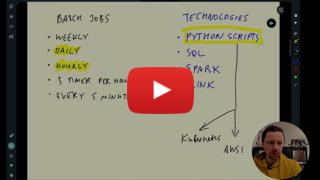](https://youtu.be/dcHe5Fl3MF8&list=PL3MmuxUbc_hJed7dXYoJw8DoCuVHhGEQb&index=51)
|
||||
|
||||
* :movie_camera: 5.1.2 Introduction to Spark
|
||||
|
||||
[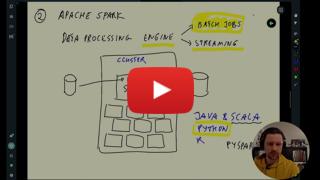](https://youtu.be/FhaqbEOuQ8U&list=PL3MmuxUbc_hJed7dXYoJw8DoCuVHhGEQb&index=52)
|
||||
|
||||
|
||||
## 5.2 Installation
|
||||
|
||||
Follow [these intructions](setup/) to install Spark:
|
||||
|
||||
* [Windows](setup/windows.md)
|
||||
* [Linux](setup/linux.md)
|
||||
* [MacOS](setup/macos.md)
|
||||
|
||||
And follow [this](setup/pyspark.md) to run PySpark in Jupyter
|
||||
|
||||
* :movie_camera: 5.2.1 (Optional) Installing Spark (Linux)
|
||||
|
||||
[](https://youtu.be/hqUbB9c8sKg&list=PL3MmuxUbc_hJed7dXYoJw8DoCuVHhGEQb&index=53)
|
||||
|
||||
Alternatively, if the setups above don't work, you can run Spark in Google Colab.
|
||||
> [!NOTE]
|
||||
> It's advisable to invest some time in setting things up locally rather than immediately jumping into this solution
|
||||
|
||||
* [Google Colab Instructions](https://medium.com/gitconnected/launch-spark-on-google-colab-and-connect-to-sparkui-342cad19b304)
|
||||
* [Google Colab Starter Notebook](https://github.com/aaalexlit/medium_articles/blob/main/Spark_in_Colab.ipynb)
|
||||
|
||||
|
||||
## 5.3 Spark SQL and DataFrames
|
||||
|
||||
* :movie_camera: 5.3.1 First Look at Spark/PySpark
|
||||
|
||||
[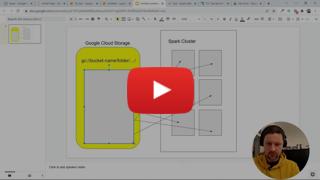](https://youtu.be/r_Sf6fCB40c&list=PL3MmuxUbc_hJed7dXYoJw8DoCuVHhGEQb&index=54)
|
||||
|
||||
* :movie_camera: 5.3.2 Spark Dataframes
|
||||
|
||||
[](https://youtu.be/ti3aC1m3rE8&list=PL3MmuxUbc_hJed7dXYoJw8DoCuVHhGEQb&index=55)
|
||||
|
||||
* :movie_camera: 5.3.3 (Optional) Preparing Yellow and Green Taxi Data
|
||||
|
||||
[](https://youtu.be/CI3P4tAtru4&list=PL3MmuxUbc_hJed7dXYoJw8DoCuVHhGEQb&index=56)
|
||||
|
||||
Script to prepare the Dataset [download_data.sh](code/download_data.sh)
|
||||
|
||||
> [!NOTE]
|
||||
> The other way to infer the schema (apart from pandas) for the csv files, is to set the `inferSchema` option to `true` while reading the files in Spark.
|
||||
|
||||
* :movie_camera: 5.3.4 SQL with Spark
|
||||
|
||||
[](https://youtu.be/uAlp2VuZZPY&list=PL3MmuxUbc_hJed7dXYoJw8DoCuVHhGEQb&index=57)
|
||||
|
||||
|
||||
## 5.4 Spark Internals
|
||||
|
||||
* :movie_camera: 5.4.1 Anatomy of a Spark Cluster
|
||||
|
||||
[](https://youtu.be/68CipcZt7ZA&list=PL3MmuxUbc_hJed7dXYoJw8DoCuVHhGEQb&index=58)
|
||||
|
||||
* :movie_camera: 5.4.2 GroupBy in Spark
|
||||
|
||||
[](https://youtu.be/9qrDsY_2COo&list=PL3MmuxUbc_hJed7dXYoJw8DoCuVHhGEQb&index=59)
|
||||
|
||||
* :movie_camera: 5.4.3 Joins in Spark
|
||||
|
||||
[](https://youtu.be/lu7TrqAWuH4&list=PL3MmuxUbc_hJed7dXYoJw8DoCuVHhGEQb&index=60)
|
||||
|
||||
## 5.5 (Optional) Resilient Distributed Datasets
|
||||
|
||||
* :movie_camera: 5.5.1 Operations on Spark RDDs
|
||||
|
||||
[](https://youtu.be/Bdu-xIrF3OM&list=PL3MmuxUbc_hJed7dXYoJw8DoCuVHhGEQb&index=61)
|
||||
|
||||
* :movie_camera: 5.5.2 Spark RDD mapPartition
|
||||
|
||||
[](https://youtu.be/k3uB2K99roI&list=PL3MmuxUbc_hJed7dXYoJw8DoCuVHhGEQb&index=62)
|
||||
|
||||
|
||||
## 5.6 Running Spark in the Cloud
|
||||
|
||||
* :movie_camera: 5.6.1 Connecting to Google Cloud Storage
|
||||
|
||||
[](https://youtu.be/Yyz293hBVcQ&list=PL3MmuxUbc_hJed7dXYoJw8DoCuVHhGEQb&index=63)
|
||||
|
||||
* :movie_camera: 5.6.2 Creating a Local Spark Cluster
|
||||
|
||||
[](https://youtu.be/HXBwSlXo5IA&list=PL3MmuxUbc_hJed7dXYoJw8DoCuVHhGEQb&index=64)
|
||||
|
||||
* :movie_camera: 5.6.3 Setting up a Dataproc Cluster
|
||||
|
||||
[](https://youtu.be/osAiAYahvh8&list=PL3MmuxUbc_hJed7dXYoJw8DoCuVHhGEQb&index=65)
|
||||
|
||||
* :movie_camera: 5.6.4 Connecting Spark to Big Query
|
||||
|
||||
[](https://youtu.be/HIm2BOj8C0Q&list=PL3MmuxUbc_hJed7dXYoJw8DoCuVHhGEQb&index=66)
|
||||
|
||||
|
||||
# Homework
|
||||
|
||||
* [2024 Homework](../cohorts/2024/05-batch/homework.md)
|
||||
|
||||
|
||||
# Community notes
|
||||
|
||||
Did you take notes? You can share them here.
|
||||
|
||||
* [Notes by Alvaro Navas](https://github.com/ziritrion/dataeng-zoomcamp/blob/main/notes/5_batch_processing.md)
|
||||
* [Sandy's DE Learning Blog](https://learningdataengineering540969211.wordpress.com/2022/02/24/week-5-de-zoomcamp-5-2-1-installing-spark-on-linux/)
|
||||
* [Notes by Alain Boisvert](https://github.com/boisalai/de-zoomcamp-2023/blob/main/week5.md)
|
||||
* [Alternative : Using docker-compose to launch spark by rafik](https://gist.github.com/rafik-rahoui/f98df941c4ccced9c46e9ccbdef63a03)
|
||||
* [Marcos Torregrosa's blog (spanish)](https://www.n4gash.com/2023/data-engineering-zoomcamp-semana-5-batch-spark)
|
||||
* [Notes by Victor Padilha](https://github.com/padilha/de-zoomcamp/tree/master/week5)
|
||||
* [Notes by Oscar Garcia](https://github.com/ozkary/Data-Engineering-Bootcamp/tree/main/Step5-Batch-Processing)
|
||||
* [Notes by HongWei](https://github.com/hwchua0209/data-engineering-zoomcamp-submission/blob/main/05-batch-processing/README.md)
|
||||
* [2024 videos transcript](https://drive.google.com/drive/folders/1XMmP4H5AMm1qCfMFxc_hqaPGw31KIVcb?usp=drive_link) by Maria Fisher
|
||||
* Add your notes here (above this line)
|
||||
@@ -1,131 +0,0 @@
|
||||
# Module 6: Stream Processing
|
||||
|
||||
# Code structure
|
||||
* [Java examples](java)
|
||||
* [Python examples](python)
|
||||
* [KSQLD examples](ksqldb)
|
||||
|
||||
## Confluent cloud setup
|
||||
Confluent cloud provides a free 30 days trial for, you can signup [here](https://www.confluent.io/confluent-cloud/tryfree/)
|
||||
|
||||
## Introduction to Stream Processing
|
||||
|
||||
- [Slides](https://docs.google.com/presentation/d/1bCtdCba8v1HxJ_uMm9pwjRUC-NAMeB-6nOG2ng3KujA/edit?usp=sharing)
|
||||
|
||||
- :movie_camera: 6.0.1 Introduction
|
||||
|
||||
[](https://youtu.be/hfvju3iOIP0&list=PL3MmuxUbc_hJed7dXYoJw8DoCuVHhGEQb&index=67)
|
||||
|
||||
- :movie_camera: 6.0.2 What is stream processing
|
||||
|
||||
[](https://youtu.be/WxTxKGcfA-k&list=PL3MmuxUbc_hJed7dXYoJw8DoCuVHhGEQb&index=68)
|
||||
|
||||
## Introduction to Kafka
|
||||
|
||||
- :movie_camera: 6.3 What is kafka?
|
||||
|
||||
[](https://youtu.be/zPLZUDPi4AY&list=PL3MmuxUbc_hJed7dXYoJw8DoCuVHhGEQb&index=69)
|
||||
|
||||
- :movie_camera: 6.4 Confluent cloud
|
||||
|
||||
[](https://youtu.be/ZnEZFEYKppw&list=PL3MmuxUbc_hJed7dXYoJw8DoCuVHhGEQb&index=70)
|
||||
|
||||
- :movie_camera: 6.5 Kafka producer consumer
|
||||
|
||||
[](https://youtu.be/aegTuyxX7Yg&list=PL3MmuxUbc_hJed7dXYoJw8DoCuVHhGEQb&index=71)
|
||||
|
||||
## Kafka Configuration
|
||||
|
||||
- :movie_camera: 6.6 Kafka configuration
|
||||
|
||||
[](https://youtu.be/SXQtWyRpMKs&list=PL3MmuxUbc_hJed7dXYoJw8DoCuVHhGEQb&index=72)
|
||||
|
||||
- [Kafka Configuration Reference](https://docs.confluent.io/platform/current/installation/configuration/)
|
||||
|
||||
## Kafka Streams
|
||||
|
||||
- [Slides](https://docs.google.com/presentation/d/1fVi9sFa7fL2ZW3ynS5MAZm0bRSZ4jO10fymPmrfTUjE/edit?usp=sharing)
|
||||
|
||||
- [Streams Concepts](https://docs.confluent.io/platform/current/streams/concepts.html)
|
||||
|
||||
- :movie_camera: 6.7 Kafka streams basics
|
||||
|
||||
[](https://youtu.be/dUyA_63eRb0&list=PL3MmuxUbc_hJed7dXYoJw8DoCuVHhGEQb&index=73)
|
||||
|
||||
- :movie_camera: 6.8 Kafka stream join
|
||||
|
||||
[](https://youtu.be/NcpKlujh34Y&list=PL3MmuxUbc_hJed7dXYoJw8DoCuVHhGEQb&index=74)
|
||||
|
||||
- :movie_camera: 6.9 Kafka stream testing
|
||||
|
||||
[](https://youtu.be/TNx5rmLY8Pk&list=PL3MmuxUbc_hJed7dXYoJw8DoCuVHhGEQb&index=75)
|
||||
|
||||
- :movie_camera: 6.10 Kafka stream windowing
|
||||
|
||||
[](https://youtu.be/r1OuLdwxbRc&list=PL3MmuxUbc_hJed7dXYoJw8DoCuVHhGEQb&index=76)
|
||||
|
||||
- :movie_camera: 6.11 Kafka ksqldb & Connect
|
||||
|
||||
[](https://youtu.be/DziQ4a4tn9Y&list=PL3MmuxUbc_hJed7dXYoJw8DoCuVHhGEQb&index=77)
|
||||
|
||||
- :movie_camera: 6.12 Kafka Schema registry
|
||||
|
||||
[](https://youtu.be/tBY_hBuyzwI&list=PL3MmuxUbc_hJed7dXYoJw8DoCuVHhGEQb&index=78)
|
||||
|
||||
## Faust - Python Stream Processing
|
||||
|
||||
- [Faust Documentation](https://faust.readthedocs.io/en/latest/index.html)
|
||||
- [Faust vs Kafka Streams](https://faust.readthedocs.io/en/latest/playbooks/vskafka.html)
|
||||
|
||||
## Pyspark - Structured Streaming
|
||||
Please follow the steps described under [pyspark-streaming](python/streams-example/pyspark/README.md)
|
||||
|
||||
- :movie_camera: 6.13 Kafka Streaming with Python
|
||||
|
||||
[](https://youtu.be/BgAlVknDFlQ&list=PL3MmuxUbc_hJed7dXYoJw8DoCuVHhGEQb&index=79)
|
||||
|
||||
- :movie_camera: 6.14 Pyspark Structured Streaming
|
||||
|
||||
[](https://youtu.be/VIVr7KwRQmE&list=PL3MmuxUbc_hJed7dXYoJw8DoCuVHhGEQb&index=80)
|
||||
|
||||
## Kafka Streams with JVM library
|
||||
|
||||
- [Confluent Kafka Streams](https://kafka.apache.org/documentation/streams/)
|
||||
- [Scala Example](https://github.com/AnkushKhanna/kafka-helper/tree/master/src/main/scala/kafka/schematest)
|
||||
|
||||
## KSQL and ksqlDB
|
||||
|
||||
- [Introducing KSQL: Streaming SQL for Apache Kafka](https://www.confluent.io/blog/ksql-streaming-sql-for-apache-kafka/)
|
||||
- [ksqlDB](https://ksqldb.io/)
|
||||
|
||||
## Kafka Connect
|
||||
|
||||
- [Making Sense of Stream Data](https://medium.com/analytics-vidhya/making-sense-of-stream-data-b74c1252a8f5)
|
||||
|
||||
## Docker
|
||||
|
||||
### Starting cluster
|
||||
|
||||
## Command line for Kafka
|
||||
|
||||
### Create topic
|
||||
|
||||
```bash
|
||||
./bin/kafka-topics.sh --create --topic demo_1 --bootstrap-server localhost:9092 --partitions 2
|
||||
```
|
||||
|
||||
## Homework
|
||||
|
||||
* [2024 Homework](../cohorts/2024/06-streaming/homework.md)
|
||||
|
||||
## Community notes
|
||||
|
||||
Did you take notes? You can share them here.
|
||||
|
||||
* [Notes by Alvaro Navas](https://github.com/ziritrion/dataeng-zoomcamp/blob/main/notes/6_streaming.md )
|
||||
* [Marcos Torregrosa's blog (spanish)](https://www.n4gash.com/2023/data-engineering-zoomcamp-semana-6-stream-processing/)
|
||||
* [Notes by Oscar Garcia](https://github.com/ozkary/Data-Engineering-Bootcamp/tree/main/Step6-Streaming)
|
||||
* [2024 videos transcript](https://drive.google.com/drive/folders/1UngeL5FM-GcDLM7QYaDTKb3jIS6CQC14?usp=drive_link) by Maria Fisher
|
||||
* [Notes by Shayan Shafiee Moghadam](https://github.com/shayansm2/eng-notebook/blob/main/kafka/readme.md)
|
||||
* Add your notes here (above this line)
|
||||
|
||||
@@ -1,108 +0,0 @@
|
||||
# Basic PubSub example with Redpanda
|
||||
|
||||
The aim of this module is to have a good grasp on the foundation of these Kafka/Redpanda concepts, to be able to submit a capstone project using streaming:
|
||||
- clusters
|
||||
- brokers
|
||||
- topics
|
||||
- producers
|
||||
- consumers and consumer groups
|
||||
- data serialization and deserialization
|
||||
- replication and retention
|
||||
- offsets
|
||||
- consumer-groups
|
||||
-
|
||||
|
||||
## 1. Pre-requisites
|
||||
|
||||
If you have been following the [module-06](./../../../06-streaming/README.md) videos, you might already have installed the `kafka-python` library, so you can move on to [Docker](#2-docker) section.
|
||||
|
||||
If you have not, this is the only package you need to install in your virtual environment for this Redpanda lesson.
|
||||
|
||||
1. activate your environment
|
||||
2. `pip install kafka-python`
|
||||
|
||||
## 2. Docker
|
||||
|
||||
Start a Redpanda cluster. Redpanda is a single binary image, so it is very easy to start learning kafka concepts with Redpanda.
|
||||
|
||||
```bash
|
||||
cd 06-streaming/python/redpanda_example/
|
||||
docker-compose up -d
|
||||
```
|
||||
|
||||
## 3. Set RPK alias
|
||||
|
||||
Redpanda has a console command `rpk` which means `Redpanda keeper`, the CLI tool that ships with Redpanda and is already available in the Docker image.
|
||||
|
||||
Set the following `rpk` alias so we can use it from our terminal, without having to open a Docker interactive terminal. We can use this `rpk` alias directly in our terminal.
|
||||
|
||||
```bash
|
||||
alias rpk="docker exec -ti redpanda-1 rpk"
|
||||
rpk version
|
||||
```
|
||||
|
||||
At this time, the verion is shown as `v23.2.26 (rev 328d83a06e)`. The important version munber is the major one `v23` following the versioning semantics `major.minor[.build[.revision]]`, to ensure that you get the same results as whatever is shared in this document.
|
||||
|
||||
> [!TIP]
|
||||
> If you're reading this after Mar, 2024 and want to update the Docker file to use the latest Redpanda images, just visit [Docker hub](https://hub.docker.com/r/vectorized/redpanda/tags), and paste the new version number.
|
||||
|
||||
|
||||
## 4. Kafka Producer - Consumer Examples
|
||||
|
||||
To run the producer-consumer examples, open 2 shell terminals in 2 side-by-side tabs and run following commands. Be sure to activate your virtual environment in each terminal.
|
||||
|
||||
```bash
|
||||
# Start consumer script, in 1st terminal tab
|
||||
python -m consumer.py
|
||||
# Start producer script, in 2nd terminal tab
|
||||
python -m producer.py
|
||||
```
|
||||
|
||||
Run the `python -m producer.py` command again (and again) to observe that the `consumer` worker tab would automatically consume messages in real-time when new `events` occur
|
||||
|
||||
## 5. Redpanda UI
|
||||
|
||||
You can also see the clusters, topics, etc from the Redpanda Console UI via your browser at [http://localhost:8080](http://localhost:8080)
|
||||
|
||||
|
||||
## 6. rpk commands glossary
|
||||
|
||||
Visit [get-started-rpk blog post](https://redpanda.com/blog/get-started-rpk-manage-streaming-data-clusters) for more.
|
||||
|
||||
```bash
|
||||
# set alias for rpk
|
||||
alias rpk="docker exec -ti redpanda-1 rpk"
|
||||
|
||||
# get info on cluster
|
||||
rpk cluster info
|
||||
|
||||
# create topic_name with m partitions and n replication factor
|
||||
rpk topic create [topic_name] --partitions m --replicas n
|
||||
|
||||
# get list of available topics, without extra details and with details
|
||||
rpk topic list
|
||||
rpk topic list --detailed
|
||||
|
||||
# inspect topic config
|
||||
rpk topic describe [topic_name]
|
||||
|
||||
# consume [topic_name]
|
||||
rpk topic consume [topic_name]
|
||||
|
||||
# list the consumer groups in a Redpanda cluster
|
||||
rpk group list
|
||||
|
||||
# get additional information about a consumer group, from above listed result
|
||||
rpk group describe my-group
|
||||
```
|
||||
|
||||
## 7. Additional Resources
|
||||
|
||||
Redpanda Univerity (needs a Redpanda account and it is free to enrol and do the course(s))
|
||||
- [RP101: Getting Started with Redpanda](https://university.redpanda.com/courses/hands-on-redpanda-getting-started)
|
||||
- [RP102: Stream Processing with Redpanda](https://university.redpanda.com/courses/take/hands-on-redpanda-stream-processing/lessons/37830192-intro)
|
||||
- [SF101: Streaming Fundamentals](https://university.redpanda.com/courses/streaming-fundamentals)
|
||||
- [SF102: Kafka building blocks](https://university.redpanda.com/courses/kafka-building-blocks)
|
||||
|
||||
If you feel that you already have a good foundational basis on Streaming and Kafka, feel free to skip these supplementary courses.
|
||||
|
||||
@@ -1,48 +0,0 @@
|
||||
import os
|
||||
from typing import Dict, List
|
||||
from json import loads
|
||||
from kafka import KafkaConsumer
|
||||
|
||||
from ride import Ride
|
||||
from settings import BOOTSTRAP_SERVERS, KAFKA_TOPIC
|
||||
|
||||
|
||||
class JsonConsumer:
|
||||
def __init__(self, props: Dict):
|
||||
self.consumer = KafkaConsumer(**props)
|
||||
|
||||
def consume_from_kafka(self, topics: List[str]):
|
||||
self.consumer.subscribe(topics)
|
||||
print('Consuming from Kafka started')
|
||||
print('Available topics to consume: ', self.consumer.subscription())
|
||||
while True:
|
||||
try:
|
||||
# SIGINT can't be handled when polling, limit timeout to 1 second.
|
||||
message = self.consumer.poll(1.0)
|
||||
if message is None or message == {}:
|
||||
continue
|
||||
for message_key, message_value in message.items():
|
||||
for msg_val in message_value:
|
||||
print(msg_val.key, msg_val.value)
|
||||
except KeyboardInterrupt:
|
||||
break
|
||||
|
||||
self.consumer.close()
|
||||
|
||||
|
||||
if __name__ == '__main__':
|
||||
config = {
|
||||
'bootstrap_servers': BOOTSTRAP_SERVERS,
|
||||
'auto_offset_reset': 'earliest',
|
||||
'enable_auto_commit': True,
|
||||
'key_deserializer': lambda key: int(key.decode('utf-8')),
|
||||
'value_deserializer': lambda x: loads(x.decode('utf-8'), object_hook=lambda d: Ride.from_dict(d)),
|
||||
'group_id': 'consumer.group.id.json-example.1',
|
||||
}
|
||||
|
||||
json_consumer = JsonConsumer(props=config)
|
||||
json_consumer.consume_from_kafka(topics=[KAFKA_TOPIC])
|
||||
|
||||
|
||||
# There's no schema in JSON format, so if the schema changes and one column is removed or new one added or the data types is changed, the Ride class would still work and produce-consume messages would still run without a hitch.
|
||||
# But the issue is in the downstream Analytics as the dataset would no longer have that column and the dashboards would thus fail. Therefore, the trust in our data and processes would erodes.
|
||||
@@ -1,90 +0,0 @@
|
||||
version: '3.7'
|
||||
services:
|
||||
# Redpanda cluster
|
||||
redpanda-1:
|
||||
image: docker.redpanda.com/redpandadata/redpanda:v23.2.26
|
||||
container_name: redpanda-1
|
||||
command:
|
||||
- redpanda
|
||||
- start
|
||||
- --smp
|
||||
- '1'
|
||||
- --reserve-memory
|
||||
- 0M
|
||||
- --overprovisioned
|
||||
- --node-id
|
||||
- '1'
|
||||
- --kafka-addr
|
||||
- PLAINTEXT://0.0.0.0:29092,OUTSIDE://0.0.0.0:9092
|
||||
- --advertise-kafka-addr
|
||||
- PLAINTEXT://redpanda-1:29092,OUTSIDE://localhost:9092
|
||||
- --pandaproxy-addr
|
||||
- PLAINTEXT://0.0.0.0:28082,OUTSIDE://0.0.0.0:8082
|
||||
- --advertise-pandaproxy-addr
|
||||
- PLAINTEXT://redpanda-1:28082,OUTSIDE://localhost:8082
|
||||
- --rpc-addr
|
||||
- 0.0.0.0:33145
|
||||
- --advertise-rpc-addr
|
||||
- redpanda-1:33145
|
||||
ports:
|
||||
# - 8081:8081
|
||||
- 8082:8082
|
||||
- 9092:9092
|
||||
- 9644:9644
|
||||
- 28082:28082
|
||||
- 29092:29092
|
||||
|
||||
# Want a two node Redpanda cluster? Uncomment this block :)
|
||||
# redpanda-2:
|
||||
# image: docker.redpanda.com/redpandadata/redpanda:v23.1.1
|
||||
# container_name: redpanda-2
|
||||
# command:
|
||||
# - redpanda
|
||||
# - start
|
||||
# - --smp
|
||||
# - '1'
|
||||
# - --reserve-memory
|
||||
# - 0M
|
||||
# - --overprovisioned
|
||||
# - --node-id
|
||||
# - '2'
|
||||
# - --seeds
|
||||
# - redpanda-1:33145
|
||||
# - --kafka-addr
|
||||
# - PLAINTEXT://0.0.0.0:29093,OUTSIDE://0.0.0.0:9093
|
||||
# - --advertise-kafka-addr
|
||||
# - PLAINTEXT://redpanda-2:29093,OUTSIDE://localhost:9093
|
||||
# - --pandaproxy-addr
|
||||
# - PLAINTEXT://0.0.0.0:28083,OUTSIDE://0.0.0.0:8083
|
||||
# - --advertise-pandaproxy-addr
|
||||
# - PLAINTEXT://redpanda-2:28083,OUTSIDE://localhost:8083
|
||||
# - --rpc-addr
|
||||
# - 0.0.0.0:33146
|
||||
# - --advertise-rpc-addr
|
||||
# - redpanda-2:33146
|
||||
# ports:
|
||||
# - 8083:8083
|
||||
# - 9093:9093
|
||||
|
||||
redpanda-console:
|
||||
image: docker.redpanda.com/redpandadata/console:v2.2.2
|
||||
container_name: redpanda-console
|
||||
entrypoint: /bin/sh
|
||||
command: -c "echo \"$$CONSOLE_CONFIG_FILE\" > /tmp/config.yml; /app/console"
|
||||
environment:
|
||||
CONFIG_FILEPATH: /tmp/config.yml
|
||||
CONSOLE_CONFIG_FILE: |
|
||||
kafka:
|
||||
brokers: ["redpanda-1:29092"]
|
||||
schemaRegistry:
|
||||
enabled: false
|
||||
redpanda:
|
||||
adminApi:
|
||||
enabled: true
|
||||
urls: ["http://redpanda-1:9644"]
|
||||
connect:
|
||||
enabled: false
|
||||
ports:
|
||||
- 8080:8080
|
||||
depends_on:
|
||||
- redpanda-1
|
||||
@@ -1,44 +0,0 @@
|
||||
import csv
|
||||
import json
|
||||
from typing import List, Dict
|
||||
from kafka import KafkaProducer
|
||||
from kafka.errors import KafkaTimeoutError
|
||||
|
||||
from ride import Ride
|
||||
from settings import BOOTSTRAP_SERVERS, INPUT_DATA_PATH, KAFKA_TOPIC
|
||||
|
||||
|
||||
class JsonProducer(KafkaProducer):
|
||||
def __init__(self, props: Dict):
|
||||
self.producer = KafkaProducer(**props)
|
||||
|
||||
@staticmethod
|
||||
def read_records(resource_path: str):
|
||||
records = []
|
||||
with open(resource_path, 'r') as f:
|
||||
reader = csv.reader(f)
|
||||
header = next(reader) # skip the header row
|
||||
for row in reader:
|
||||
records.append(Ride(arr=row))
|
||||
return records
|
||||
|
||||
def publish_rides(self, topic: str, messages: List[Ride]):
|
||||
for ride in messages:
|
||||
try:
|
||||
record = self.producer.send(topic=topic, key=ride.pu_location_id, value=ride)
|
||||
print('Record {} successfully produced at offset {}'.format(ride.pu_location_id, record.get().offset))
|
||||
except KafkaTimeoutError as e:
|
||||
print(e.__str__())
|
||||
|
||||
|
||||
if __name__ == '__main__':
|
||||
# Config Should match with the KafkaProducer expectation
|
||||
# kafka expects binary format for the key-value pair
|
||||
config = {
|
||||
'bootstrap_servers': BOOTSTRAP_SERVERS,
|
||||
'key_serializer': lambda key: str(key).encode(),
|
||||
'value_serializer': lambda x: json.dumps(x.__dict__, default=str).encode('utf-8')
|
||||
}
|
||||
producer = JsonProducer(props=config)
|
||||
rides = producer.read_records(resource_path=INPUT_DATA_PATH)
|
||||
producer.publish_rides(topic=KAFKA_TOPIC, messages=rides)
|
||||
@@ -1,52 +0,0 @@
|
||||
from typing import List, Dict
|
||||
from decimal import Decimal
|
||||
from datetime import datetime
|
||||
|
||||
|
||||
class Ride:
|
||||
def __init__(self, arr: List[str]):
|
||||
self.vendor_id = arr[0]
|
||||
self.tpep_pickup_datetime = datetime.strptime(arr[1], "%Y-%m-%d %H:%M:%S"),
|
||||
self.tpep_dropoff_datetime = datetime.strptime(arr[2], "%Y-%m-%d %H:%M:%S"),
|
||||
self.passenger_count = int(arr[3])
|
||||
self.trip_distance = Decimal(arr[4])
|
||||
self.rate_code_id = int(arr[5])
|
||||
self.store_and_fwd_flag = arr[6]
|
||||
self.pu_location_id = int(arr[7])
|
||||
self.do_location_id = int(arr[8])
|
||||
self.payment_type = arr[9]
|
||||
self.fare_amount = Decimal(arr[10])
|
||||
self.extra = Decimal(arr[11])
|
||||
self.mta_tax = Decimal(arr[12])
|
||||
self.tip_amount = Decimal(arr[13])
|
||||
self.tolls_amount = Decimal(arr[14])
|
||||
self.improvement_surcharge = Decimal(arr[15])
|
||||
self.total_amount = Decimal(arr[16])
|
||||
self.congestion_surcharge = Decimal(arr[17])
|
||||
|
||||
@classmethod
|
||||
def from_dict(cls, d: Dict):
|
||||
return cls(arr=[
|
||||
d['vendor_id'],
|
||||
d['tpep_pickup_datetime'][0],
|
||||
d['tpep_dropoff_datetime'][0],
|
||||
d['passenger_count'],
|
||||
d['trip_distance'],
|
||||
d['rate_code_id'],
|
||||
d['store_and_fwd_flag'],
|
||||
d['pu_location_id'],
|
||||
d['do_location_id'],
|
||||
d['payment_type'],
|
||||
d['fare_amount'],
|
||||
d['extra'],
|
||||
d['mta_tax'],
|
||||
d['tip_amount'],
|
||||
d['tolls_amount'],
|
||||
d['improvement_surcharge'],
|
||||
d['total_amount'],
|
||||
d['congestion_surcharge'],
|
||||
]
|
||||
)
|
||||
|
||||
def __repr__(self):
|
||||
return f'{self.__class__.__name__}: {self.__dict__}'
|
||||
@@ -1,4 +0,0 @@
|
||||
INPUT_DATA_PATH = '../resources/rides.csv'
|
||||
|
||||
BOOTSTRAP_SERVERS = ['localhost:9092']
|
||||
KAFKA_TOPIC = 'rides_json'
|
||||
@@ -1,46 +0,0 @@
|
||||
|
||||
# Running PySpark Streaming with Redpanda
|
||||
|
||||
### 1. Prerequisite
|
||||
|
||||
It is important to create network and volume as described in the document. Therefore please ensure, your volume and network are created correctly.
|
||||
|
||||
```bash
|
||||
docker volume ls # should list hadoop-distributed-file-system
|
||||
docker network ls # should list kafka-spark-network
|
||||
```
|
||||
|
||||
### 2. Create Docker Network & Volume
|
||||
|
||||
If you have not followed any other examples, and above `ls` steps shows no output, create them now.
|
||||
|
||||
```bash
|
||||
# Create Network
|
||||
docker network create kafka-spark-network
|
||||
|
||||
# Create Volume
|
||||
docker volume create --name=hadoop-distributed-file-system
|
||||
```
|
||||
|
||||
### Running Producer and Consumer
|
||||
```bash
|
||||
# Run producer
|
||||
python producer.py
|
||||
|
||||
# Run consumer with default settings
|
||||
python consumer.py
|
||||
# Run consumer for specific topic
|
||||
python consumer.py --topic <topic-name>
|
||||
```
|
||||
|
||||
### Running Streaming Script
|
||||
|
||||
spark-submit script ensures installation of necessary jars before running the streaming.py
|
||||
|
||||
```bash
|
||||
./spark-submit.sh streaming.py
|
||||
```
|
||||
|
||||
### Additional Resources
|
||||
- [Structured Streaming Programming Guide](https://spark.apache.org/docs/latest/structured-streaming-programming-guide.html#structured-streaming-programming-guide)
|
||||
- [Structured Streaming + Kafka Integration](https://spark.apache.org/docs/latest/structured-streaming-kafka-integration.html#structured-streaming-kafka-integration-guide-kafka-broker-versio)
|
||||
@@ -1,47 +0,0 @@
|
||||
import argparse
|
||||
from typing import Dict, List
|
||||
from kafka import KafkaConsumer
|
||||
|
||||
from settings import BOOTSTRAP_SERVERS, CONSUME_TOPIC_RIDES_CSV
|
||||
|
||||
|
||||
class RideCSVConsumer:
|
||||
def __init__(self, props: Dict):
|
||||
self.consumer = KafkaConsumer(**props)
|
||||
|
||||
def consume_from_kafka(self, topics: List[str]):
|
||||
self.consumer.subscribe(topics=topics)
|
||||
print('Consuming from Kafka started')
|
||||
print('Available topics to consume: ', self.consumer.subscription())
|
||||
while True:
|
||||
try:
|
||||
# SIGINT can't be handled when polling, limit timeout to 1 second.
|
||||
msg = self.consumer.poll(1.0)
|
||||
if msg is None or msg == {}:
|
||||
continue
|
||||
for msg_key, msg_values in msg.items():
|
||||
for msg_val in msg_values:
|
||||
print(f'Key:{msg_val.key}-type({type(msg_val.key)}), '
|
||||
f'Value:{msg_val.value}-type({type(msg_val.value)})')
|
||||
except KeyboardInterrupt:
|
||||
break
|
||||
|
||||
self.consumer.close()
|
||||
|
||||
|
||||
if __name__ == '__main__':
|
||||
parser = argparse.ArgumentParser(description='Kafka Consumer')
|
||||
parser.add_argument('--topic', type=str, default=CONSUME_TOPIC_RIDES_CSV)
|
||||
args = parser.parse_args()
|
||||
|
||||
topic = args.topic
|
||||
config = {
|
||||
'bootstrap_servers': [BOOTSTRAP_SERVERS],
|
||||
'auto_offset_reset': 'earliest',
|
||||
'enable_auto_commit': True,
|
||||
'key_deserializer': lambda key: int(key.decode('utf-8')),
|
||||
'value_deserializer': lambda value: value.decode('utf-8'),
|
||||
'group_id': 'consumer.group.id.csv-example.1',
|
||||
}
|
||||
csv_consumer = RideCSVConsumer(props=config)
|
||||
csv_consumer.consume_from_kafka(topics=[topic])
|
||||
@@ -1,104 +0,0 @@
|
||||
version: '3.7'
|
||||
volumes:
|
||||
shared-workspace:
|
||||
name: "hadoop-distributed-file-system"
|
||||
driver: local
|
||||
networks:
|
||||
default:
|
||||
name: kafka-spark-network
|
||||
external: true
|
||||
services:
|
||||
# Redpanda cluster
|
||||
redpanda-1:
|
||||
image: docker.redpanda.com/redpandadata/redpanda:v23.2.26
|
||||
container_name: redpanda-1
|
||||
command:
|
||||
- redpanda
|
||||
- start
|
||||
- --smp
|
||||
- '1'
|
||||
- --reserve-memory
|
||||
- 0M
|
||||
- --overprovisioned
|
||||
- --node-id
|
||||
- '1'
|
||||
- --kafka-addr
|
||||
- PLAINTEXT://0.0.0.0:29092,OUTSIDE://0.0.0.0:9092
|
||||
- --advertise-kafka-addr
|
||||
- PLAINTEXT://redpanda-1:29092,OUTSIDE://localhost:9092
|
||||
- --pandaproxy-addr
|
||||
- PLAINTEXT://0.0.0.0:28082,OUTSIDE://0.0.0.0:8082
|
||||
- --advertise-pandaproxy-addr
|
||||
- PLAINTEXT://redpanda-1:28082,OUTSIDE://localhost:8082
|
||||
- --rpc-addr
|
||||
- 0.0.0.0:33145
|
||||
- --advertise-rpc-addr
|
||||
- redpanda-1:33145
|
||||
ports:
|
||||
# - 8081:8081
|
||||
- 8082:8082
|
||||
- 9092:9092
|
||||
- 9644:9644
|
||||
- 28082:28082
|
||||
- 29092:29092
|
||||
volumes:
|
||||
- shared-workspace:/opt/workspace
|
||||
|
||||
# Want a two node Redpanda cluster? Uncomment this block :)
|
||||
redpanda-2:
|
||||
image: docker.redpanda.com/redpandadata/redpanda:v23.1.1
|
||||
container_name: redpanda-2
|
||||
command:
|
||||
- redpanda
|
||||
- start
|
||||
- --smp
|
||||
- '1'
|
||||
- --reserve-memory
|
||||
- 0M
|
||||
- --overprovisioned
|
||||
- --node-id
|
||||
- '2'
|
||||
- --seeds
|
||||
- redpanda-1:33145
|
||||
- --kafka-addr
|
||||
- PLAINTEXT://0.0.0.0:29093,OUTSIDE://0.0.0.0:9093
|
||||
- --advertise-kafka-addr
|
||||
- PLAINTEXT://redpanda-2:29093,OUTSIDE://localhost:9093
|
||||
- --pandaproxy-addr
|
||||
- PLAINTEXT://0.0.0.0:28083,OUTSIDE://0.0.0.0:8083
|
||||
- --advertise-pandaproxy-addr
|
||||
- PLAINTEXT://redpanda-2:28083,OUTSIDE://localhost:8083
|
||||
- --rpc-addr
|
||||
- 0.0.0.0:33146
|
||||
- --advertise-rpc-addr
|
||||
- redpanda-2:33146
|
||||
ports:
|
||||
- 8083:8083
|
||||
- 9093:9093
|
||||
volumes:
|
||||
- shared-workspace:/opt/workspace
|
||||
|
||||
redpanda-console:
|
||||
image: docker.redpanda.com/redpandadata/console:v2.2.2
|
||||
container_name: redpanda-console
|
||||
entrypoint: /bin/sh
|
||||
command: -c "echo \"$$CONSOLE_CONFIG_FILE\" > /tmp/config.yml; /app/console"
|
||||
environment:
|
||||
CONFIG_FILEPATH: /tmp/config.yml
|
||||
CONSOLE_CONFIG_FILE: |
|
||||
kafka:
|
||||
brokers: ["redpanda-1:29092"]
|
||||
schemaRegistry:
|
||||
enabled: false
|
||||
redpanda:
|
||||
adminApi:
|
||||
enabled: true
|
||||
urls: ["http://redpanda-1:9644"]
|
||||
connect:
|
||||
enabled: false
|
||||
ports:
|
||||
- 8080:8080
|
||||
depends_on:
|
||||
- redpanda-1
|
||||
volumes:
|
||||
- shared-workspace:/opt/workspace
|
||||
@@ -1,62 +0,0 @@
|
||||
import csv
|
||||
from time import sleep
|
||||
from typing import Dict
|
||||
from kafka import KafkaProducer
|
||||
|
||||
from settings import BOOTSTRAP_SERVERS, INPUT_DATA_PATH, PRODUCE_TOPIC_RIDES_CSV
|
||||
|
||||
|
||||
def delivery_report(err, msg):
|
||||
if err is not None:
|
||||
print("Delivery failed for record {}: {}".format(msg.key(), err))
|
||||
return
|
||||
print('Record {} successfully produced to {} [{}] at offset {}'.format(
|
||||
msg.key(), msg.topic(), msg.partition(), msg.offset()))
|
||||
|
||||
|
||||
class RideCSVProducer:
|
||||
def __init__(self, props: Dict):
|
||||
self.producer = KafkaProducer(**props)
|
||||
# self.producer = Producer(producer_props)
|
||||
|
||||
@staticmethod
|
||||
def read_records(resource_path: str):
|
||||
records, ride_keys = [], []
|
||||
i = 0
|
||||
with open(resource_path, 'r') as f:
|
||||
reader = csv.reader(f)
|
||||
header = next(reader) # skip the header
|
||||
for row in reader:
|
||||
# vendor_id, passenger_count, trip_distance, payment_type, total_amount
|
||||
records.append(f'{row[0]}, {row[1]}, {row[2]}, {row[3]}, {row[4]}, {row[9]}, {row[16]}')
|
||||
ride_keys.append(str(row[0]))
|
||||
i += 1
|
||||
if i == 5:
|
||||
break
|
||||
return zip(ride_keys, records)
|
||||
|
||||
def publish(self, topic: str, records: [str, str]):
|
||||
for key_value in records:
|
||||
key, value = key_value
|
||||
try:
|
||||
self.producer.send(topic=topic, key=key, value=value)
|
||||
print(f"Producing record for <key: {key}, value:{value}>")
|
||||
except KeyboardInterrupt:
|
||||
break
|
||||
except Exception as e:
|
||||
print(f"Exception while producing record - {value}: {e}")
|
||||
|
||||
self.producer.flush()
|
||||
sleep(1)
|
||||
|
||||
|
||||
if __name__ == "__main__":
|
||||
config = {
|
||||
'bootstrap_servers': [BOOTSTRAP_SERVERS],
|
||||
'key_serializer': lambda x: x.encode('utf-8'),
|
||||
'value_serializer': lambda x: x.encode('utf-8')
|
||||
}
|
||||
producer = RideCSVProducer(props=config)
|
||||
ride_records = producer.read_records(resource_path=INPUT_DATA_PATH)
|
||||
print(ride_records)
|
||||
producer.publish(topic=PRODUCE_TOPIC_RIDES_CSV, records=ride_records)
|
||||
@@ -1,18 +0,0 @@
|
||||
import pyspark.sql.types as T
|
||||
|
||||
INPUT_DATA_PATH = '../../resources/rides.csv'
|
||||
BOOTSTRAP_SERVERS = 'localhost:9092'
|
||||
|
||||
TOPIC_WINDOWED_VENDOR_ID_COUNT = 'vendor_counts_windowed'
|
||||
|
||||
PRODUCE_TOPIC_RIDES_CSV = CONSUME_TOPIC_RIDES_CSV = 'rides_csv'
|
||||
|
||||
RIDE_SCHEMA = T.StructType(
|
||||
[T.StructField("vendor_id", T.IntegerType()),
|
||||
T.StructField('tpep_pickup_datetime', T.TimestampType()),
|
||||
T.StructField('tpep_dropoff_datetime', T.TimestampType()),
|
||||
T.StructField("passenger_count", T.IntegerType()),
|
||||
T.StructField("trip_distance", T.FloatType()),
|
||||
T.StructField("payment_type", T.IntegerType()),
|
||||
T.StructField("total_amount", T.FloatType()),
|
||||
])
|
||||
@@ -1,20 +0,0 @@
|
||||
# Submit Python code to SparkMaster
|
||||
|
||||
if [ $# -lt 1 ]
|
||||
then
|
||||
echo "Usage: $0 <pyspark-job.py> [ executor-memory ]"
|
||||
echo "(specify memory in string format such as \"512M\" or \"2G\")"
|
||||
exit 1
|
||||
fi
|
||||
PYTHON_JOB=$1
|
||||
|
||||
if [ -z $2 ]
|
||||
then
|
||||
EXEC_MEM="1G"
|
||||
else
|
||||
EXEC_MEM=$2
|
||||
fi
|
||||
spark-submit --master spark://localhost:7077 --num-executors 2 \
|
||||
--executor-memory $EXEC_MEM --executor-cores 1 \
|
||||
--packages org.apache.spark:spark-sql-kafka-0-10_2.12:3.5.1,org.apache.spark:spark-avro_2.12:3.5.1,org.apache.spark:spark-streaming-kafka-0-10_2.12:3.5.1 \
|
||||
$PYTHON_JOB
|
||||
@@ -1,127 +0,0 @@
|
||||
from pyspark.sql import SparkSession
|
||||
import pyspark.sql.functions as F
|
||||
|
||||
from settings import RIDE_SCHEMA, CONSUME_TOPIC_RIDES_CSV, TOPIC_WINDOWED_VENDOR_ID_COUNT
|
||||
|
||||
|
||||
def read_from_kafka(consume_topic: str):
|
||||
# Spark Streaming DataFrame, connect to Kafka topic served at host in bootrap.servers option
|
||||
df_stream = spark \
|
||||
.readStream \
|
||||
.format("kafka") \
|
||||
.option("kafka.bootstrap.servers", "localhost:9092,broker:29092") \
|
||||
.option("subscribe", consume_topic) \
|
||||
.option("startingOffsets", "earliest") \
|
||||
.option("checkpointLocation", "checkpoint") \
|
||||
.load()
|
||||
return df_stream
|
||||
|
||||
|
||||
def parse_ride_from_kafka_message(df, schema):
|
||||
""" take a Spark Streaming df and parse value col based on <schema>, return streaming df cols in schema """
|
||||
assert df.isStreaming is True, "DataFrame doesn't receive streaming data"
|
||||
|
||||
df = df.selectExpr("CAST(key AS STRING)", "CAST(value AS STRING)")
|
||||
|
||||
# split attributes to nested array in one Column
|
||||
col = F.split(df['value'], ', ')
|
||||
|
||||
# expand col to multiple top-level columns
|
||||
for idx, field in enumerate(schema):
|
||||
df = df.withColumn(field.name, col.getItem(idx).cast(field.dataType))
|
||||
return df.select([field.name for field in schema])
|
||||
|
||||
|
||||
def sink_console(df, output_mode: str = 'complete', processing_time: str = '5 seconds'):
|
||||
write_query = df.writeStream \
|
||||
.outputMode(output_mode) \
|
||||
.trigger(processingTime=processing_time) \
|
||||
.format("console") \
|
||||
.option("truncate", False) \
|
||||
.start()
|
||||
return write_query # pyspark.sql.streaming.StreamingQuery
|
||||
|
||||
|
||||
def sink_memory(df, query_name, query_template):
|
||||
query_df = df \
|
||||
.writeStream \
|
||||
.queryName(query_name) \
|
||||
.format("memory") \
|
||||
.start()
|
||||
query_str = query_template.format(table_name=query_name)
|
||||
query_results = spark.sql(query_str)
|
||||
return query_results, query_df
|
||||
|
||||
|
||||
def sink_kafka(df, topic):
|
||||
write_query = df.writeStream \
|
||||
.format("kafka") \
|
||||
.option("kafka.bootstrap.servers", "localhost:9092,broker:29092") \
|
||||
.outputMode('complete') \
|
||||
.option("topic", topic) \
|
||||
.option("checkpointLocation", "checkpoint") \
|
||||
.start()
|
||||
return write_query
|
||||
|
||||
|
||||
def prepare_df_to_kafka_sink(df, value_columns, key_column=None):
|
||||
columns = df.columns
|
||||
|
||||
df = df.withColumn("value", F.concat_ws(', ', *value_columns))
|
||||
if key_column:
|
||||
df = df.withColumnRenamed(key_column, "key")
|
||||
df = df.withColumn("key", df.key.cast('string'))
|
||||
return df.select(['key', 'value'])
|
||||
|
||||
|
||||
def op_groupby(df, column_names):
|
||||
df_aggregation = df.groupBy(column_names).count()
|
||||
return df_aggregation
|
||||
|
||||
|
||||
def op_windowed_groupby(df, window_duration, slide_duration):
|
||||
df_windowed_aggregation = df.groupBy(
|
||||
F.window(timeColumn=df.tpep_pickup_datetime, windowDuration=window_duration, slideDuration=slide_duration),
|
||||
df.vendor_id
|
||||
).count()
|
||||
return df_windowed_aggregation
|
||||
|
||||
|
||||
if __name__ == "__main__":
|
||||
spark = SparkSession.builder.appName('streaming-examples').getOrCreate()
|
||||
spark.sparkContext.setLogLevel('WARN')
|
||||
|
||||
# read_streaming data
|
||||
df_consume_stream = read_from_kafka(consume_topic=CONSUME_TOPIC_RIDES_CSV)
|
||||
print(df_consume_stream.printSchema())
|
||||
|
||||
# parse streaming data
|
||||
df_rides = parse_ride_from_kafka_message(
|
||||
df_consume_stream,
|
||||
RIDE_SCHEMA
|
||||
)
|
||||
print(df_rides.printSchema())
|
||||
|
||||
sink_console(df_rides, output_mode='append')
|
||||
|
||||
df_trip_count_by_vendor_id = op_groupby(df_rides, ['vendor_id'])
|
||||
df_trip_count_by_pickup_date_vendor_id = op_windowed_groupby(
|
||||
df_rides,
|
||||
window_duration="10 minutes",
|
||||
slide_duration='5 minutes'
|
||||
)
|
||||
|
||||
# write the output out to the console for debugging / testing
|
||||
sink_console(df_trip_count_by_vendor_id)
|
||||
# write the output to the kafka topic
|
||||
df_trip_count_messages = prepare_df_to_kafka_sink(
|
||||
df=df_trip_count_by_pickup_date_vendor_id,
|
||||
value_columns=['count'],
|
||||
key_column='vendor_id'
|
||||
)
|
||||
kafka_sink_query = sink_kafka(
|
||||
df=df_trip_count_messages,
|
||||
topic=TOPIC_WINDOWED_VENDOR_ID_COUNT
|
||||
)
|
||||
|
||||
spark.streams.awaitAnyTermination()
|
||||
@@ -13,22 +13,22 @@
|
||||
|
||||
Syllabus
|
||||
|
||||
* [Module 1: Containerization and Infrastructure as Code](#module-1-containerization-and-infrastructure-as-code)
|
||||
* [Module 1: Introduction & Prerequisites](#module-1-introduction--prerequisites)
|
||||
* [Module 2: Workflow Orchestration](#module-2-workflow-orchestration)
|
||||
* [Workshop 1: Data Ingestion](#workshop-1-data-ingestion)
|
||||
* [Module 3: Data Warehouse](#module-3-data-warehouse)
|
||||
* [Module 4: Analytics Engineering](#module-4-analytics-engineering)
|
||||
* [Module 5: Batch processing](#module-5-batch-processing)
|
||||
* [Module 6: Streaming](#module-6-streaming)
|
||||
* [Project](#project)
|
||||
* [Module 7: Project](#module-7-project)
|
||||
|
||||
## Taking the course
|
||||
|
||||
### 2025 Cohort
|
||||
### 2024 Cohort
|
||||
|
||||
* **Start**: 13 January 2025
|
||||
* **Start**: 15 January 2024 (Monday) at 17:00 CET
|
||||
* **Registration link**: https://airtable.com/shr6oVXeQvSI5HuWD
|
||||
* Materials specific to the cohort: [cohorts/2025/](cohorts/2025/)
|
||||
* [Cohort folder](cohorts/2024/) with homeworks and deadlines
|
||||
|
||||
|
||||
### Self-paced mode
|
||||
|
||||
@@ -43,13 +43,10 @@ can take the course at your own pace
|
||||
|
||||
## Syllabus
|
||||
|
||||
We encourage [Learning in Public](learning-in-public.md)
|
||||
> **Note:** NYC TLC changed the format of the data we use to parquet. But you can still access
|
||||
> the csv files [here](https://github.com/DataTalksClub/nyc-tlc-data).
|
||||
|
||||
> **Note:** NYC TLC changed the format of the data we use to parquet.
|
||||
> In the course we still use the CSV files accessible [here](https://github.com/DataTalksClub/nyc-tlc-data).
|
||||
|
||||
|
||||
### [Module 1: Containerization and Infrastructure as Code](01-docker-terraform/)
|
||||
### [Module 1: Introduction & Prerequisites](week_1_basics_n_setup)
|
||||
|
||||
* Course overview
|
||||
* Introduction to GCP
|
||||
@@ -59,44 +56,34 @@ We encourage [Learning in Public](learning-in-public.md)
|
||||
* Preparing the environment for the course
|
||||
* Homework
|
||||
|
||||
[More details](01-docker-terraform/)
|
||||
[More details](week_1_basics_n_setup)
|
||||
|
||||
|
||||
### [Module 2: Workflow Orchestration](02-workflow-orchestration/)
|
||||
### [Module 2: Workflow Orchestration](week_2_workflow_orchestration/)
|
||||
|
||||
* Data Lake
|
||||
* Workflow orchestration
|
||||
* Workflow orchestration with Kestra
|
||||
* Workflow orchestration with Mage
|
||||
* Homework
|
||||
|
||||
[More details](02-workflow-orchestration/)
|
||||
[More details](week_2_workflow_orchestration/)
|
||||
|
||||
|
||||
### [Workshop 1: Data Ingestion](cohorts/2025/workshops/dlt.md)
|
||||
### [Module 3: Data Warehouse](week_3_data_warehouse)
|
||||
|
||||
* Reading from apis
|
||||
* Building scalable pipelines
|
||||
* Normalising data
|
||||
* Incremental loading
|
||||
* Homework
|
||||
|
||||
|
||||
[More details](cohorts/2025/workshops/dlt.md)
|
||||
|
||||
|
||||
### [Module 3: Data Warehouse](03-data-warehouse/)
|
||||
|
||||
* Data Warehouse
|
||||
* BigQuery
|
||||
* Partitioning and clustering
|
||||
* BigQuery best practices
|
||||
* Internals of BigQuery
|
||||
* Integrating BigQuery with Airflow
|
||||
* BigQuery Machine Learning
|
||||
|
||||
[More details](03-data-warehouse/)
|
||||
[More details](week_3_data_warehouse)
|
||||
|
||||
|
||||
### [Module 4: Analytics engineering](04-analytics-engineering/)
|
||||
### [Module 4: Analytics engineering](week_4_analytics_engineering/)
|
||||
|
||||
* Basics of analytics engineering
|
||||
* dbt (data build tool)
|
||||
@@ -108,10 +95,10 @@ We encourage [Learning in Public](learning-in-public.md)
|
||||
* Visualizing the data with google data studio and metabase
|
||||
|
||||
|
||||
[More details](04-analytics-engineering/)
|
||||
[More details](week_4_analytics_engineering)
|
||||
|
||||
|
||||
### [Module 5: Batch processing](05-batch/)
|
||||
### [Module 5: Batch processing](week_5_batch_processing)
|
||||
|
||||
* Batch processing
|
||||
* What is Spark
|
||||
@@ -119,31 +106,61 @@ We encourage [Learning in Public](learning-in-public.md)
|
||||
* Spark SQL
|
||||
* Internals: GroupBy and joins
|
||||
|
||||
[More details](05-batch/)
|
||||
[More details](week_5_batch_processing)
|
||||
|
||||
### [Module 6: Streaming](06-streaming/)
|
||||
### [Module 6: Streaming](week_6_stream_processing)
|
||||
|
||||
* Introduction to Kafka
|
||||
* Schemas (avro)
|
||||
* Kafka Streams
|
||||
* Kafka Connect and KSQL
|
||||
|
||||
[More details](06-streaming/)
|
||||
[More details](week_6_stream_processing)
|
||||
|
||||
|
||||
|
||||
### [Project](projects)
|
||||
### [Module 7: Project](week_7_project)
|
||||
|
||||
Putting everything we learned to practice
|
||||
|
||||
* Week 1 and 2: working on your project
|
||||
* Week 3: reviewing your peers
|
||||
* Week 7 and 8: working on your project
|
||||
* Week 9: reviewing your peers
|
||||
|
||||
[More details](projects)
|
||||
[More details](week_7_project)
|
||||
|
||||
### Course UI
|
||||
|
||||
Alternatively, you can access this course using the provided UI app, the app provides a user-friendly interface for navigating through the course material.
|
||||
|
||||
* Visit the following link: [DE Zoomcamp UI](https://dezoomcamp.streamlit.app/)
|
||||
|
||||
|
||||
|
||||
### Asking for help in Slack
|
||||
|
||||
The best way to get support is to use [DataTalks.Club's Slack](https://datatalks.club/slack.html). Join the [`#course-data-engineering`](https://app.slack.com/client/T01ATQK62F8/C01FABYF2RG) channel.
|
||||
|
||||
To make discussions in Slack more organized:
|
||||
|
||||
* Follow [these recommendations](asking-questions.md) when asking for help
|
||||
* Read the [DataTalks.Club community guidelines](https://datatalks.club/slack/guidelines.html)
|
||||
|
||||
## Overview
|
||||
|
||||
<img src="images/architecture/arch_v4_workshops.jpg" />
|
||||
### Architecture diagram
|
||||
<img src="images/architecture/arch_2.png"/>
|
||||
|
||||
### Technologies
|
||||
* *Google Cloud Platform (GCP)*: Cloud-based auto-scaling platform by Google
|
||||
* *Google Cloud Storage (GCS)*: Data Lake
|
||||
* *BigQuery*: Data Warehouse
|
||||
* *Terraform*: Infrastructure-as-Code (IaC)
|
||||
* *Docker*: Containerization
|
||||
* *SQL*: Data Analysis & Exploration
|
||||
* *Mage*: Workflow Orchestration
|
||||
* *dbt*: Data Transformation
|
||||
* *Spark*: Distributed Processing
|
||||
* *Kafka*: Streaming
|
||||
|
||||
|
||||
### Prerequisites
|
||||
|
||||
@@ -157,31 +174,21 @@ Prior experience with data engineering is not required.
|
||||
|
||||
## Instructors
|
||||
|
||||
- [Ankush Khanna](https://linkedin.com/in/ankushkhanna2)
|
||||
- [Victoria Perez Mola](https://www.linkedin.com/in/victoriaperezmola/)
|
||||
- [Alexey Grigorev](https://linkedin.com/in/agrigorev)
|
||||
- [Michael Shoemaker](https://www.linkedin.com/in/michaelshoemaker1/)
|
||||
- [Zach Wilson](https://www.linkedin.com/in/eczachly)
|
||||
- [Will Russell](https://www.linkedin.com/in/wrussell1999/)
|
||||
- [Anna Geller](https://www.linkedin.com/in/anna-geller-12a86811a/)
|
||||
|
||||
|
||||
## Tools
|
||||
|
||||
Past instructors:
|
||||
For this course, you'll need to have the following software installed on your computer:
|
||||
|
||||
- [Ankush Khanna](https://linkedin.com/in/ankushkhanna2)
|
||||
- [Sejal Vaidya](https://www.linkedin.com/in/vaidyasejal/)
|
||||
- [Irem Erturk](https://www.linkedin.com/in/iremerturk/)
|
||||
- [Luis Oliveira](https://www.linkedin.com/in/lgsoliveira/)
|
||||
* Docker and Docker-Compose
|
||||
* Python 3 (e.g. via [Anaconda](https://www.anaconda.com/products/individual))
|
||||
* Google Cloud SDK
|
||||
* Terraform
|
||||
|
||||
See [Module 1](week_1_basics_n_setup) for more details about installing these tools
|
||||
|
||||
## Asking for help in Slack
|
||||
|
||||
The best way to get support is to use [DataTalks.Club's Slack](https://datatalks.club/slack.html). Join the [`#course-data-engineering`](https://app.slack.com/client/T01ATQK62F8/C01FABYF2RG) channel.
|
||||
|
||||
To make discussions in Slack more organized:
|
||||
|
||||
* Follow [these recommendations](asking-questions.md) when asking for help
|
||||
* Read the [DataTalks.Club community guidelines](https://datatalks.club/slack/guidelines.html)
|
||||
|
||||
|
||||
|
||||
@@ -190,8 +197,8 @@ To make discussions in Slack more organized:
|
||||
Thanks to the course sponsors for making it possible to run this course
|
||||
|
||||
<p align="center">
|
||||
<a href="https://kestra.io/">
|
||||
<img height="120" src="images/kestra.svg">
|
||||
<a href="https://mage.ai/">
|
||||
<img height="150" src="images/mage.svg">
|
||||
</a>
|
||||
</p>
|
||||
|
||||
@@ -204,3 +211,4 @@ Thanks to the course sponsors for making it possible to run this course
|
||||
|
||||
|
||||
Do you want to support our course and our community? Please reach out to [alexey@datatalks.club](alexey@datatalks.club)
|
||||
|
||||
|
||||
@@ -1,6 +1,6 @@
|
||||
## Thank you!
|
||||
|
||||
Thanks for signing up for the course.
|
||||
Thanks for signining up for the course.
|
||||
|
||||
The process of adding you to the mailing list is not automated yet,
|
||||
but you will hear from us closer to the course start.
|
||||
|
||||
@@ -0,0 +1,2 @@
|
||||
|
||||

|
||||
@@ -7,15 +7,12 @@ To keep our discussion in Slack more organized, we ask you to follow these sugge
|
||||
|
||||
* First, review How to troubleshoot issues listed below.
|
||||
* Before asking a question, check the [FAQ](https://docs.google.com/document/d/19bnYs80DwuUimHM65UV3sylsCn2j1vziPOwzBwQrebw/edit).
|
||||
* Before asking a question review the [Slack Guidelines](#Ask-in-Slack).
|
||||
* Before asking a question review the [Slack Guidlines](#Ask-in-Slack).
|
||||
* If somebody helped you with your problem and it's not in [FAQ](https://docs.google.com/document/d/19bnYs80DwuUimHM65UV3sylsCn2j1vziPOwzBwQrebw/edit), please add it there.
|
||||
It'll help other students.
|
||||
* Zed Shaw (of the Learn the Hard Way series) has [a great post on how to help others help you](https://learncodethehardway.com/blog/03-how-to-ask-for-help/)
|
||||
* Check [Stackoverflow guide on asking](https://stackoverflow.com/help/how-to-ask)
|
||||
|
||||
### How to troubleshoot issues
|
||||
|
||||
The first step is to try to solve the issue on you own; get used to solving problems. This will be a real life skill you need when employeed.
|
||||
The first step is to try to solve the issue on you own; get use to solving problems. This will be a real life skill you need when employeed.
|
||||
|
||||
1. What does the error say? There will often be a description of the error or instructions on what is needed, I have even seen a link to the solution. Does it reference a specific line of your code?
|
||||
2. Restart the application or server/pc.
|
||||
@@ -24,21 +21,21 @@ The first step is to try to solve the issue on you own; get used to solving prob
|
||||
4. Check the tech’s documentation. Use its search if available or use the browsers search function.
|
||||
5. Try uninstall (this may remove the bad actor) and reinstall of application or reimplementation of action. Don’t forget to restart the server/pc for reinstalls.
|
||||
* Sometimes reinstalling fails to resolve the issue but works if you uninstall first.
|
||||
6. Ask in Slack
|
||||
7. Take a break and come back to it later. You will be amazed at how often you figure out the solution after letting your brain rest. Get some fresh air, workout, play a video game, watch a tv show, whatever allows your brain to not think about it for a little while or even until the next day.
|
||||
8. Remember technology issues in real life sometimes take days or even weeks to resolve
|
||||
6. Post your question to Stackoverflow. Be sure to read the Stackoverflow guide on posting good questions.
|
||||
* [Stackoverflow How To Ask Guide](https://stackoverflow.com/help/how-to-ask).
|
||||
* This will be your real life ask an expert in the future (in addition to coworkers).
|
||||
7. ##### Ask in Slack
|
||||
* Before asking a question, check the [FAQ](https://docs.google.com/document/d/19bnYs80DwuUimHM65UV3sylsCn2j1vziPOwzBwQrebw/edit).
|
||||
* DO NOT use screenshots, especially don’t take pictures from a phone.
|
||||
* DO NOT tag instructors, it may discourage others from helping you.
|
||||
* Copy and past errors; if it’s long, just post it in a reply to your thread.
|
||||
* Use ``` for formatting your code.
|
||||
* Use the same thread for the conversation (that means reply to your own thread).
|
||||
* DO NOT create multiple posts to discus the issue.
|
||||
* You may create a new post if the issue reemerges down the road. Be sure to describe what has changed in the environment.
|
||||
* Provide addition information in the same thread of the steps you have taken for resolution.
|
||||
8. Take a break and come back to it later. You will be amazed at how often you figure out the solution after letting your brain rest. Get some fresh air, workout, play a video game, watch a tv show, whatever allows your brain to not think about it for a little while or even until the next day.
|
||||
9. Remember technology issues in real life sometimes take days or even weeks to resolve.
|
||||
|
||||
### Asking in Slack
|
||||
|
||||
* Before asking a question, check the [FAQ](https://docs.google.com/document/d/19bnYs80DwuUimHM65UV3sylsCn2j1vziPOwzBwQrebw/edit).
|
||||
* DO NOT use screenshots, especially don’t take pictures from a phone.
|
||||
* DO NOT tag instructors, it may discourage others from helping you.
|
||||
* Copy and paste errors; if it’s long, just post it in a reply to your thread.
|
||||
* Use ``` for formatting your code.
|
||||
* Use the same thread for the conversation (that means replying to your own thread).
|
||||
* DO NOT create multiple posts to discuss the issue.
|
||||
* You may create a new post if the issue reemerges down the road. Be sure to describe what has changed in the environment.
|
||||
* Provide additional information in the same thread of the steps you have taken for resolution.
|
||||
|
||||
|
||||
|
||||
|
||||
@@ -1,181 +0,0 @@
|
||||
Have you found any cool resources about data engineering? Put them here
|
||||
|
||||
## Learning Data Engineering
|
||||
|
||||
### Courses
|
||||
|
||||
* [Data Engineering Zoomcamp](https://github.com/DataTalksClub/data-engineering-zoomcamp) by DataTalks.Club (free)
|
||||
* [Big Data Platforms, Autumn 2022: Introduction to Big Data Processing Frameworks](https://big-data-platforms-22.mooc.fi/) by the University of Helsinki (free)
|
||||
* [Awesome Data Engineering Learning Path](https://awesomedataengineering.com/)
|
||||
|
||||
|
||||
### Books
|
||||
|
||||
* [Designing Data-Intensive Applications: The Big Ideas Behind Reliable, Scalable, and Maintainable Systems by Martin Kleppmann](https://www.amazon.com/Designing-Data-Intensive-Applications-Reliable-Maintainable/dp/1449373321)
|
||||
* [Big Data: Principles and Best Practices of Scalable Realtime Data Systems by Nathan Marz, James Warren](https://www.amazon.com/Big-Data-Principles-practices-scalable/dp/1617290343)
|
||||
* [Practical DataOps: Delivering Agile Data Science at Scale by Harvinder Atwal](https://www.amazon.com/Practical-DataOps-Delivering-Agile-Science/dp/1484251032)
|
||||
* [Data Pipelines Pocket Reference: Moving and Processing Data for Analytics by James Densmore](https://www.amazon.com/Data-Pipelines-Pocket-Reference-Processing/dp/1492087831)
|
||||
* [Best books for data engineering](https://awesomedataengineering.com/data_engineering_best_books)
|
||||
* [Fundamentals of Data Engineering: Plan and Build Robust Data Systems by Joe Reis, Matt Housley](https://www.amazon.com/Fundamentals-Data-Engineering-Robust-Systems/dp/1098108302)
|
||||
|
||||
|
||||
### Introduction to Data Engineering Terms
|
||||
|
||||
* [https://datatalks.club/podcast/s05e02-data-engineering-acronyms.html](https://datatalks.club/podcast/s05e02-data-engineering-acronyms.html)
|
||||
|
||||
|
||||
### Data engineering in practice
|
||||
|
||||
Conference talks from companies, blog posts, etc
|
||||
|
||||
* [Uber Data Archives](https://eng.uber.com/category/articles/uberdata/) (Uber engineering blog)
|
||||
* [Data Engineering Weekly (DE-focused substack)](https://www.dataengineeringweekly.com/)
|
||||
* [Seattle Data Guy (DE-focused substack)](https://seattledataguy.substack.com/)
|
||||
|
||||
|
||||
## Doing Data Engineering
|
||||
|
||||
### Coding & Python
|
||||
|
||||
* [CS50's Introduction to Computer Science | edX](https://www.edx.org/course/introduction-computer-science-harvardx-cs50x) (course)
|
||||
* [Python for Everybody SpecializsationSpecialization](https://www.coursera.org/specializations/python) (course)
|
||||
* [Practical Python programming](https://github.com/dabeaz-course/practical-python/blob/master/Notes/Contents.md)
|
||||
|
||||
|
||||
### SQL
|
||||
|
||||
* [Intro to SQL: Querying and managing data | Khan Academy](https://www.khanacademy.org/computing/computer-programming/sql)
|
||||
* [Mode SQL Tutorial](https://mode.com/sql-tutorial/)
|
||||
* [Use The Index, Luke](https://use-the-index-luke.com/) (SQL Indexing a nd Tuning e-Book)nfreffx
|
||||
* [SQL Performance Explained](https://sql-performance-explained.com/) (book) e
|
||||
|
||||
|
||||
### Workflow orchestration
|
||||
|
||||
* [What is DAG?](https://youtu.be/1Yh5S-S6wsI) (video)
|
||||
* [Airflow, Prefect, and Dagster: An Inside Look](https://towardsdatascience.com/airflow-prefect-and-dagster-an-inside-look-6074781c9b77) (blog post)
|
||||
* [Open-Source Spotlight - Prefect - Kevin Kho](https://www.youtube.com/watch?v=ISLV9JyqF1w) (video)
|
||||
* [Prefect as a Data Engineering Project Workflow Tool, with Mary Clair Thompson (Duke) - 11/6/2020](https://youtu.be/HuwA4wLQtCM) (video)
|
||||
|
||||
|
||||
### ETL and ELT
|
||||
|
||||
* [ETL vs. ELT: What’s the Difference?](https://rivery.io/blog/etl-vs-elt/) (blog post) (print version)
|
||||
|
||||
### Data lakes
|
||||
|
||||
* [An Introduction to Modern Data Lake Storage Layers (Hodi, Iceberg, Delta Lake)](https://dacort.dev/posts/modern-data-lake-storage-layers/) (blog post)
|
||||
* [Lake House Architecture @ Halodoc: Data Platform 2.0](https://blogs.halodoc.io/lake-house-architecture-halodoc-data-platform-2-0/amp/) (blzog post)
|
||||
|
||||
|
||||
### Data warehousing
|
||||
|
||||
|
||||
* [Guide to Data Warehousing. Short and comprehensive information… | by Tomas Peluritis](https://towardsdatascience.com/guide-to-data-warehousing-6fdcf30b6fbe) (blog post)
|
||||
* [Snowflake, Redshift, BigQuery, and Others: Cloud Data Warehouse Tools Compared](https://www.altexsoft.com/blog/snowflake-redshift-bigquery-data-warehouse-tools/) (blog post)
|
||||
|
||||
|
||||
### Streaming
|
||||
|
||||
|
||||
* Building Streaming Analytics: The Journey and Learnings - Maxim Lukichev
|
||||
|
||||
### DataOps
|
||||
|
||||
* [DataOps 101 with Lars Albertsson – DataTalks.Club](https://datatalks.club/podcast/s02e11-dataops.html) (podcast)
|
||||
*
|
||||
|
||||
|
||||
### Monitoring and observability
|
||||
|
||||
* [Data Observability: The Next Frontier of Data Engineering with Barr Moses](https://datatalks.club/podcast/s03e03-data-observability.html) (podcast)
|
||||
|
||||
|
||||
### Analytics engineering
|
||||
|
||||
* [Analytics Engineer: New Role in a Data Team with Victoria Perez Mola](https://datatalks.club/podcast/s03e11-analytics-engineer.html) (podcast)
|
||||
* [Modern Data Stack for Analytics Engineering - Kyle Shannon](https://www.youtube.com/watch?v=UmIZIkeOfi0) (video)
|
||||
* [Analytics Engineering vs Data Engineering | RudderStack Blog](https://www.rudderstack.com/blog/analytics-engineering-vs-data-engineering) (blog post)
|
||||
* [Learn the Fundamentals of Analytics Engineering with dbt](https://courses.getdbt.com/courses/fundamentals) (course)
|
||||
|
||||
|
||||
### Data mesh
|
||||
|
||||
* [Data Mesh in Practice - Max Schultze](https://www.youtube.com/watch?v=ekEc8D_D3zY) (video)
|
||||
|
||||
### Cloud
|
||||
|
||||
* [https://acceldataio.medium.com/data-engineering-best-practices-how-netflix-keeps-its-data-infrastructure-cost-effective-dee310bcc910](https://acceldataio.medium.com/data-engineering-best-practices-how-netflix-keeps-its-data-infrastructure-cost-effective-dee310bcc910)
|
||||
|
||||
|
||||
### Reverse ETL
|
||||
|
||||
* TODO: What is reverse ETL?
|
||||
* [https://datatalks.club/podcast/s05e02-data-engineering-acronyms.html](https://datatalks.club/podcast/s05e02-data-engineering-acronyms.html)
|
||||
* [Open-Source Spotlight - Grouparoo - Brian Leonard](https://www.youtube.com/watch?v=hswlcgQZYuw) (video)
|
||||
* [Open-Source Spotlight - Castled.io (Reverse ETL) - Arun Thulasidharan](https://www.youtube.com/watch?v=iW0XhltAUJ8) (video)
|
||||
|
||||
## Career in Data Engineering
|
||||
|
||||
* [From Data Science to Data Engineering with Ellen König – DataTalks.Club](https://datatalks.club/podcast/s07e08-from-data-science-to-data-engineering.html) (podcast)
|
||||
* [Big Data Engineer vs Data Scientist with Roksolana Diachuk – DataTalks.Club](https://datatalks.club/podcast/s04e03-big-data-engineer-vs-data-scientist.html) (podcast)
|
||||
* [What Skills Do You Need to Become a Data Engineer](https://www.linkedin.com/pulse/what-skills-do-you-need-become-data-engineer-peng-wang/) (blog post)
|
||||
* [The future history of Data Engineering](https://groupby1.substack.com/p/data-engineering?s=r) (blog post)
|
||||
* [What Skills Do Data Engineers Need](https://www.theseattledataguy.com/what-skills-do-data-engineers-need/) (blog post)
|
||||
|
||||
### Data Engineering Management
|
||||
|
||||
* [Becoming a Data Engineering Manager with Rahul Jain – DataTalks.Club](https://datatalks.club/podcast/s07e07-becoming-a-data-engineering-manager.html) (podcast)
|
||||
|
||||
## Data engineering projects
|
||||
|
||||
* [How To Start A Data Engineering Project - With Data Engineering Project Ideas](https://www.youtube.com/watch?v=WpN47Jddo7I) (video)
|
||||
* [Data Engineering Project for Beginners - Batch edition](https://www.startdataengineering.com/post/data-engineering-project-for-beginners-batch-edition/) (blog post)
|
||||
* [Building a Data Engineering Project in 20 Minutes](https://www.sspaeti.com/blog/data-engineering-project-in-twenty-minutes/) (blog post)
|
||||
* [Automating Nike Run Club Data Analysis with Python, Airflow and Google Data Studio | by Rich Martin | Medium](https://medium.com/@rich_23525/automating-nike-run-club-data-analysis-with-python-airflow-and-google-data-studio-3c9556478926) (blog post)
|
||||
|
||||
|
||||
## Data Engineering Resources
|
||||
|
||||
### Blogs
|
||||
|
||||
* [Start Data Engineering](https://www.startdataengineering.com/)
|
||||
|
||||
### Podcasts
|
||||
|
||||
* [The Data Engineering Podcast](https://www.dataengineeringpodcast.com/)
|
||||
* [DataTalks.Club Podcast](https://datatalks.club/podcast.html) (only some episodes are about data engineering)
|
||||
*
|
||||
|
||||
### Communities
|
||||
|
||||
* [DataTalks.Club](https://datatalks.club/)
|
||||
* [/r/dataengineering](https://www.reddit.com/r/dataengineering)
|
||||
|
||||
|
||||
### Meetups
|
||||
|
||||
* [Sydney Data Engineers](https://sydneydataengineers.github.io/)
|
||||
|
||||
### People to follow on Twitter and LinkedIn
|
||||
|
||||
* TODO
|
||||
|
||||
### YouTube channels
|
||||
|
||||
* [Karolina Sowinska - YouTube](https://www.youtube.com/channel/UCAxnMry1lETl47xQWABvH7g) x`
|
||||
* [Seattle Data Guy - YouTube](https://www.youtube.com/c/SeattleDataGuy)
|
||||
* [Andreas Kretz - YouTube](https://www.youtube.com/c/andreaskayy)
|
||||
* [DataTalksClub - YouTube](https://youtube.com/c/datatalksclub) (only some videos are about data engineering)
|
||||
|
||||
### Resource aggregators
|
||||
|
||||
* [Reading List](https://www.scling.com/reading-list/) by Lars Albertsson
|
||||
* [GitHub - igorbarinov/awesome-data-engineering](https://github.com/igorbarinov/awesome-data-engineering) (focus is more on tools)
|
||||
|
||||
|
||||
## License
|
||||
|
||||
This work is licensed under a Creative Commons Attribution 4.0 International License.
|
||||
|
||||
CC BY 4.0
|
||||
@@ -24,14 +24,14 @@ def compute_certificate_id(email):
|
||||
Then use this hash to get the URL
|
||||
|
||||
```python
|
||||
cohort = 2024
|
||||
cohort = 2023
|
||||
course = 'dezoomcamp'
|
||||
your_id = compute_certificate_id('never.give.up@gmail.com')
|
||||
url = f"https://certificate.datatalks.club/{course}/{cohort}/{your_id}.pdf"
|
||||
print(url)
|
||||
```
|
||||
|
||||
Example: https://certificate.datatalks.club/dezoomcamp/2024/fe629854d45c559e9c10b3b8458ea392fdeb68a9.pdf
|
||||
Example: https://certificate.datatalks.club/dezoomcamp/2023/fe629854d45c559e9c10b3b8458ea392fdeb68a9.pdf
|
||||
|
||||
|
||||
## Adding to LinkedIn
|
||||
@@ -68,5 +68,4 @@ Did you take notes? You can share them here.
|
||||
* [Blog post by Isaac Kargar](https://kargarisaac.github.io/blog/data%20engineering/jupyter/2022/01/25/data-engineering-w2.html)
|
||||
* [Blog, notes, walkthroughs by Sandy Behrens](https://learningdataengineering540969211.wordpress.com/2022/01/30/week-2-de-zoomcamp-2-3-2-ingesting-data-to-gcp-with-airflow/)
|
||||
* [Notes from Apurva Hegde](https://github.com/apuhegde/Airflow-LocalExecutor-In-Docker#readme)
|
||||
* [Notes from Vincenzo Galante](https://binchentso.notion.site/Data-Talks-Club-Data-Engineering-Zoomcamp-8699af8e7ff94ec49e6f9bdec8eb69fd)
|
||||
* Add your notes here (above this line)
|
||||
|
||||
@@ -634,17 +634,5 @@ Links:
|
||||
<td><a href="https://github.com/ChungWasawat/dtc_de_project">Project</a></td>
|
||||
<td> <a href="https://www.linkedin.com/in/wasawat-boonyarittikit-b1698b179/"><img src="https://user-images.githubusercontent.com/875246/192300614-2ce22ed5-bbc4-4684-8098-d8128d71aac5.png" height="16em" /></a> <a href="https://github.com/ChungWasawat"><img src="https://user-images.githubusercontent.com/875246/192300611-a606521b-cb76-4090-be8e-7cc21752b996.png" height="16em" /></a></td>
|
||||
<td></td>
|
||||
</tr>
|
||||
<tr>
|
||||
<td>Fedor Faizov</td>
|
||||
<td><a href="https://github.com/Fedrpi/de-zoomcamp-bandcamp-project">Project</a></td>
|
||||
<td> <a href="https://www.linkedin.com/in/fedor-faizov-a75b32245/"><img src="https://user-images.githubusercontent.com/875246/192300614-2ce22ed5-bbc4-4684-8098-d8128d71aac5.png" height="16em" /></a> <a href="https://github.com/Fedrpi"><img src="https://user-images.githubusercontent.com/875246/192300611-a606521b-cb76-4090-be8e-7cc21752b996.png" height="16em" /></a></td>
|
||||
<td><details>
|
||||
<summary>More info</summary>
|
||||
|
||||
|
||||
|
||||
> Absolutly amazing course <3 </details></td>
|
||||
|
||||
</tr>
|
||||
</table>
|
||||
|
||||
@@ -1,103 +0,0 @@
|
||||
## Week 2: Workflow Orchestration
|
||||
|
||||
Python code from videos is linked [below](#code-repository).
|
||||
|
||||
Also, if you find the commands too small to view in Kalise's videos, here's the [transcript with code for the second Prefect video](https://github.com/discdiver/prefect-zoomcamp/tree/main/flows/01_start) and the [fifth Prefect video](https://github.com/discdiver/prefect-zoomcamp/tree/main/flows/03_deployments).
|
||||
|
||||
### Data Lake (GCS)
|
||||
|
||||
* What is a Data Lake
|
||||
* ELT vs. ETL
|
||||
* Alternatives to components (S3/HDFS, Redshift, Snowflake etc.)
|
||||
* [Video](https://www.youtube.com/watch?v=W3Zm6rjOq70&list=PL3MmuxUbc_hJed7dXYoJw8DoCuVHhGEQb)
|
||||
* [Slides](https://docs.google.com/presentation/d/1RkH-YhBz2apIjYZAxUz2Uks4Pt51-fVWVN9CcH9ckyY/edit?usp=sharing)
|
||||
|
||||
|
||||
### 1. Introduction to Workflow orchestration
|
||||
|
||||
* What is orchestration?
|
||||
* Workflow orchestrators vs. other types of orchestrators
|
||||
* Core features of a workflow orchestration tool
|
||||
* Different types of workflow orchestration tools that currently exist
|
||||
|
||||
:movie_camera: [Video](https://www.youtube.com/watch?v=8oLs6pzHp68&list=PL3MmuxUbc_hJed7dXYoJw8DoCuVHhGEQb)
|
||||
|
||||
|
||||
### 2. Introduction to Prefect concepts
|
||||
|
||||
* What is Prefect?
|
||||
* Installing Prefect
|
||||
* Prefect flow
|
||||
* Creating an ETL
|
||||
* Prefect task
|
||||
* Blocks and collections
|
||||
* Orion UI
|
||||
|
||||
:movie_camera: [Video](https://www.youtube.com/watch?v=cdtN6dhp708&list=PL3MmuxUbc_hJed7dXYoJw8DoCuVHhGEQb)
|
||||
|
||||
### 3. ETL with GCP & Prefect
|
||||
|
||||
* Flow 1: Putting data to Google Cloud Storage
|
||||
|
||||
:movie_camera: [Video](https://www.youtube.com/watch?v=W-rMz_2GwqQ&list=PL3MmuxUbc_hJed7dXYoJw8DoCuVHhGEQb)
|
||||
|
||||
|
||||
### 4. From Google Cloud Storage to Big Query
|
||||
|
||||
* Flow 2: From GCS to BigQuery
|
||||
|
||||
:movie_camera: [Video](https://www.youtube.com/watch?v=Cx5jt-V5sgE&list=PL3MmuxUbc_hJed7dXYoJw8DoCuVHhGEQb)
|
||||
|
||||
### 5. Parametrizing Flow & Deployments
|
||||
|
||||
* Parametrizing the script from your flow
|
||||
* Parameter validation with Pydantic
|
||||
* Creating a deployment locally
|
||||
* Setting up Prefect Agent
|
||||
* Running the flow
|
||||
* Notifications
|
||||
|
||||
:movie_camera: [Video](https://www.youtube.com/watch?v=QrDxPjX10iw&list=PL3MmuxUbc_hJed7dXYoJw8DoCuVHhGEQb)
|
||||
|
||||
### 6. Schedules & Docker Storage with Infrastructure
|
||||
|
||||
* Scheduling a deployment
|
||||
* Flow code storage
|
||||
* Running tasks in Docker
|
||||
|
||||
:movie_camera: [Video](https://www.youtube.com/watch?v=psNSzqTsi-s&list=PL3MmuxUbc_hJed7dXYoJw8DoCuVHhGEQb)
|
||||
|
||||
### 7. Prefect Cloud and Additional Resources
|
||||
|
||||
|
||||
* Using Prefect Cloud instead of local Prefect
|
||||
* Workspaces
|
||||
* Running flows on GCP
|
||||
|
||||
:movie_camera: [Video](https://www.youtube.com/watch?v=gGC23ZK7lr8&list=PL3MmuxUbc_hJed7dXYoJw8DoCuVHhGEQb)
|
||||
|
||||
* [Prefect docs](https://docs.prefect.io/)
|
||||
* [Pefect Discourse](https://discourse.prefect.io/)
|
||||
* [Prefect Cloud](https://app.prefect.cloud/)
|
||||
* [Prefect Slack](https://prefect-community.slack.com)
|
||||
|
||||
### Code repository
|
||||
|
||||
[Code from videos](https://github.com/discdiver/prefect-zoomcamp) (with a few minor enhancements)
|
||||
|
||||
### Homework
|
||||
Homework can be found [here](./homework.md).
|
||||
|
||||
## Community notes
|
||||
|
||||
Did you take notes? You can share them here.
|
||||
|
||||
* [Blog by Marcos Torregrosa (Prefect)](https://www.n4gash.com/2023/data-engineering-zoomcamp-semana-2/)
|
||||
* [Notes from Victor Padilha](https://github.com/padilha/de-zoomcamp/tree/master/week2)
|
||||
* [Notes by Alain Boisvert](https://github.com/boisalai/de-zoomcamp-2023/blob/main/week2.md)
|
||||
* [Notes by Candace Williams](https://github.com/teacherc/de_zoomcamp_candace2023/blob/main/week_2/week2_notes.md)
|
||||
* [Notes from Xia He-Bleinagel](https://xiahe-bleinagel.com/2023/02/week-2-data-engineering-zoomcamp-notes-prefect/)
|
||||
* [Notes from froukje](https://github.com/froukje/de-zoomcamp/blob/main/week_2_workflow_orchestration/notes/notes_week_02.md)
|
||||
* [Notes from Balaji](https://github.com/Balajirvp/DE-Zoomcamp/blob/main/Week%202/Detailed%20Week%202%20Notes.ipynb)
|
||||
* More on [Pandas vs SQL, Prefect capabilities, and testing your data](https://medium.com/@verazabeida/zoomcamp-2023-week-3-7f27bb8c483f), by Vera
|
||||
* Add your notes here (above this line)
|
||||
@@ -1,191 +0,0 @@
|
||||
> [!NOTE]
|
||||
>If you're looking for Airflow videos from the 2022 edition, check the [2022 cohort folder](../cohorts/2022/week_2_data_ingestion/).
|
||||
>
|
||||
>If you're looking for Prefect videos from the 2023 edition, check the [2023 cohort folder](../cohorts/2023/week_2_data_ingestion/).
|
||||
|
||||
# Week 2: Workflow Orchestration
|
||||
|
||||
Welcome to Week 2 of the Data Engineering Zoomcamp! 🚀😤 This week, we'll be covering workflow orchestration with Mage.
|
||||
|
||||
Mage is an open-source, hybrid framework for transforming and integrating data. ✨
|
||||
|
||||
This week, you'll learn how to use the Mage platform to author and share _magical_ data pipelines. This will all be covered in the course, but if you'd like to learn a bit more about Mage, check out our docs [here](https://docs.mage.ai/introduction/overview).
|
||||
|
||||
* [2.2.1 - 📯 Intro to Orchestration](#221----intro-to-orchestration)
|
||||
* [2.2.2 - 🧙♂️ Intro to Mage](#222---%EF%B8%8F-intro-to-mage)
|
||||
* [2.2.3 - 🐘 ETL: API to Postgres](#223----etl-api-to-postgres)
|
||||
* [2.2.4 - 🤓 ETL: API to GCS](#224----etl-api-to-gcs)
|
||||
* [2.2.5 - 🔍 ETL: GCS to BigQuery](#225----etl-gcs-to-bigquery)
|
||||
* [2.2.6 - 👨💻 Parameterized Execution](#226----parameterized-execution)
|
||||
* [2.2.7 - 🤖 Deployment (Optional)](#227----deployment-optional)
|
||||
* [2.2.8 - 🗒️ Homework](#228---️-homework)
|
||||
* [2.2.9 - 👣 Next Steps](#229----next-steps)
|
||||
|
||||
## 📕 Course Resources
|
||||
|
||||
### 2.2.1 - 📯 Intro to Orchestration
|
||||
|
||||
In this section, we'll cover the basics of workflow orchestration. We'll discuss what it is, why it's important, and how it can be used to build data pipelines.
|
||||
|
||||
Videos
|
||||
- 2.2.1a - What is Orchestration?
|
||||
|
||||
[](https://youtu.be/Li8-MWHhTbo&list=PL3MmuxUbc_hJed7dXYoJw8DoCuVHhGEQb&index=17)
|
||||
|
||||
Resources
|
||||
- [Slides](https://docs.google.com/presentation/d/17zSxG5Z-tidmgY-9l7Al1cPmz4Slh4VPK6o2sryFYvw/)
|
||||
|
||||
### 2.2.2 - 🧙♂️ Intro to Mage
|
||||
|
||||
In this section, we'll introduce the Mage platform. We'll cover what makes Mage different from other orchestrators, the fundamental concepts behind Mage, and how to get started. To cap it off, we'll spin Mage up via Docker 🐳 and run a simple pipeline.
|
||||
|
||||
Videos
|
||||
- 2.2.2a - What is Mage?
|
||||
|
||||
[](https://youtu.be/AicKRcK3pa4&list=PL3MmuxUbc_hJed7dXYoJw8DoCuVHhGEQb&index=18)
|
||||
|
||||
- 2.2.2b - Configuring Mage
|
||||
|
||||
[](https://youtu.be/tNiV7Wp08XE&list=PL3MmuxUbc_hJed7dXYoJw8DoCuVHhGEQb&index=19)
|
||||
|
||||
- 2.2.2c - A Simple Pipeline
|
||||
|
||||
[](https://youtu.be/stI-gg4QBnI&list=PL3MmuxUbc_hJed7dXYoJw8DoCuVHhGEQb&index=20)
|
||||
|
||||
Resources
|
||||
- [Getting Started Repo](https://github.com/mage-ai/mage-zoomcamp)
|
||||
- [Slides](https://docs.google.com/presentation/d/1y_5p3sxr6Xh1RqE6N8o2280gUzAdiic2hPhYUUD6l88/)
|
||||
|
||||
### 2.2.3 - 🐘 ETL: API to Postgres
|
||||
|
||||
Hooray! Mage is up and running. Now, let's build a _real_ pipeline. In this section, we'll build a simple ETL pipeline that loads data from an API into a Postgres database. Our database will be built using Docker— it will be running locally, but it's the same as if it were running in the cloud.
|
||||
|
||||
Videos
|
||||
- 2.2.3a - Configuring Postgres
|
||||
|
||||
[](https://youtu.be/pmhI-ezd3BE&list=PL3MmuxUbc_hJed7dXYoJw8DoCuVHhGEQb&index=21)
|
||||
|
||||
- 2.2.3b - Writing an ETL Pipeline : API to postgres
|
||||
|
||||
[](https://youtu.be/Maidfe7oKLs&list=PL3MmuxUbc_hJed7dXYoJw8DoCuVHhGEQb&index=22)
|
||||
|
||||
|
||||
### 2.2.4 - 🤓 ETL: API to GCS
|
||||
|
||||
Ok, so we've written data _locally_ to a database, but what about the cloud? In this tutorial, we'll walk through the process of using Mage to extract, transform, and load data from an API to Google Cloud Storage (GCS).
|
||||
|
||||
We'll cover both writing _partitioned_ and _unpartitioned_ data to GCS and discuss _why_ you might want to do one over the other. Many data teams start with extracting data from a source and writing it to a data lake _before_ loading it to a structured data source, like a database.
|
||||
|
||||
Videos
|
||||
- 2.2.4a - Configuring GCP
|
||||
|
||||
[](https://youtu.be/00LP360iYvE&list=PL3MmuxUbc_hJed7dXYoJw8DoCuVHhGEQb&index=23)
|
||||
|
||||
- 2.2.4b - Writing an ETL Pipeline : API to GCS
|
||||
|
||||
[](https://youtu.be/w0XmcASRUnc&list=PL3MmuxUbc_hJed7dXYoJw8DoCuVHhGEQb&index=24)
|
||||
|
||||
Resources
|
||||
- [DTC Zoomcamp GCP Setup](../01-docker-terraform/1_terraform_gcp/2_gcp_overview.md)
|
||||
|
||||
### 2.2.5 - 🔍 ETL: GCS to BigQuery
|
||||
|
||||
Now that we've written data to GCS, let's load it into BigQuery. In this section, we'll walk through the process of using Mage to load our data from GCS to BigQuery. This closely mirrors a very common data engineering workflow: loading data from a data lake into a data warehouse.
|
||||
|
||||
Videos
|
||||
- 2.2.5a - Writing an ETL Pipeline : GCS to BigQuery
|
||||
|
||||
[](https://youtu.be/JKp_uzM-XsM&list=PL3MmuxUbc_hJed7dXYoJw8DoCuVHhGEQb&index=25)
|
||||
|
||||
### 2.2.6 - 👨💻 Parameterized Execution
|
||||
|
||||
By now you're familiar with building pipelines, but what about adding parameters? In this video, we'll discuss some built-in runtime variables that exist in Mage and show you how to define your own! We'll also cover how to use these variables to parameterize your pipelines. Finally, we'll talk about what it means to *backfill* a pipeline and how to do it in Mage.
|
||||
|
||||
Videos
|
||||
- 2.2.6a - Parameterized Execution
|
||||
|
||||
[](https://youtu.be/H0hWjWxB-rg&list=PL3MmuxUbc_hJed7dXYoJw8DoCuVHhGEQb&index=26)
|
||||
|
||||
|
||||
- 2.2.6b - Backfills
|
||||
|
||||
[](https://youtu.be/ZoeC6Ag5gQc&list=PL3MmuxUbc_hJed7dXYoJw8DoCuVHhGEQb&index=27)
|
||||
|
||||
Resources
|
||||
- [Mage Variables Overview](https://docs.mage.ai/development/variables/overview)
|
||||
- [Mage Runtime Variables](https://docs.mage.ai/getting-started/runtime-variable)
|
||||
|
||||
### 2.2.7 - 🤖 Deployment (Optional)
|
||||
|
||||
In this section, we'll cover deploying Mage using Terraform and Google Cloud. This section is optional— it's not *necessary* to learn Mage, but it might be helpful if you're interested in creating a fully deployed project. If you're using Mage in your final project, you'll need to deploy it to the cloud.
|
||||
|
||||
Videos
|
||||
- 2.2.7a - Deployment Prerequisites
|
||||
|
||||
[](https://youtu.be/zAwAX5sxqsg&list=PL3MmuxUbc_hJed7dXYoJw8DoCuVHhGEQb&index=28)
|
||||
|
||||
- 2.2.7b - Google Cloud Permissions
|
||||
|
||||
[](https://youtu.be/O_H7DCmq2rA&list=PL3MmuxUbc_hJed7dXYoJw8DoCuVHhGEQb&index=29)
|
||||
|
||||
- 2.2.7c - Deploying to Google Cloud - Part 1
|
||||
|
||||
[](https://youtu.be/9A872B5hb_0&list=PL3MmuxUbc_hJed7dXYoJw8DoCuVHhGEQb&index=30)
|
||||
|
||||
- 2.2.7d - Deploying to Google Cloud - Part 2
|
||||
|
||||
[](https://youtu.be/0YExsb2HgLI&list=PL3MmuxUbc_hJed7dXYoJw8DoCuVHhGEQb&index=31)
|
||||
|
||||
Resources
|
||||
- [Installing Terraform](https://developer.hashicorp.com/terraform/tutorials/aws-get-started/install-cli)
|
||||
- [Installing `gcloud` CLI](https://cloud.google.com/sdk/docs/install)
|
||||
- [Mage Terraform Templates](https://github.com/mage-ai/mage-ai-terraform-templates)
|
||||
|
||||
Additional Mage Guides
|
||||
- [Terraform](https://docs.mage.ai/production/deploying-to-cloud/using-terraform)
|
||||
- [Deploying to GCP with Terraform](https://docs.mage.ai/production/deploying-to-cloud/gcp/setup)
|
||||
|
||||
### 2.2.8 - 🗒️ Homework
|
||||
|
||||
We've prepared a short exercise to test you on what you've learned this week. You can find the homework [here](../cohorts/2024/02-workflow-orchestration/homework.md). This follows closely from the contents of the course and shouldn't take more than an hour or two to complete. 😄
|
||||
|
||||
### 2.2.9 - 👣 Next Steps
|
||||
|
||||
Congratulations! You've completed Week 2 of the Data Engineering Zoomcamp. We hope you've enjoyed learning about Mage and that you're excited to use it in your final project. If you have any questions, feel free to reach out to us on Slack. Be sure to check out our "Next Steps" video for some inspiration for the rest of your journey 😄.
|
||||
|
||||
Videos
|
||||
- 2.2.9 - Next Steps
|
||||
|
||||
[](https://youtu.be/uUtj7N0TleQ&list=PL3MmuxUbc_hJed7dXYoJw8DoCuVHhGEQb&index=32)
|
||||
|
||||
Resources
|
||||
- [Slides](https://docs.google.com/presentation/d/1yN-e22VNwezmPfKrZkgXQVrX5owDb285I2HxHWgmAEQ/edit#slide=id.g262fb0d2905_0_12)
|
||||
|
||||
### 📑 Additional Resources
|
||||
|
||||
- [Mage Docs](https://docs.mage.ai/)
|
||||
- [Mage Guides](https://docs.mage.ai/guides)
|
||||
- [Mage Slack](https://www.mage.ai/chat)
|
||||
|
||||
|
||||
# Community notes
|
||||
|
||||
Did you take notes? You can share them here:
|
||||
|
||||
## 2024 notes
|
||||
|
||||
* [2024 Videos transcripts week 2](https://drive.google.com/drive/folders/1yxT0uMMYKa6YOxanh91wGqmQUMS7yYW7?usp=sharing) by Maria Fisher
|
||||
* [Notes from Jonah Oliver](https://www.jonahboliver.com/blog/de-zc-w2)
|
||||
* [Notes from Linda](https://github.com/inner-outer-space/de-zoomcamp-2024/blob/main/2-workflow-orchestration/readme.md)
|
||||
* [Notes from Kirill](https://github.com/kirill505/data-engineering-zoomcamp/blob/main/02-workflow-orchestration/README.md)
|
||||
* [Notes from Zharko](https://www.zharconsulting.com/contents/data/data-engineering-bootcamp-2024/week-2-ingesting-data-with-mage/)
|
||||
* Add your notes above this line
|
||||
|
||||
## 2023 notes
|
||||
|
||||
See [here](../cohorts/2023/week_2_workflow_orchestration#community-notes)
|
||||
|
||||
|
||||
## 2022 notes
|
||||
|
||||
See [here](../cohorts/2022/week_2_data_ingestion#community-notes)
|
||||
@@ -1,98 +0,0 @@
|
||||
## Module 2 Homework
|
||||
|
||||
ATTENTION: At the end of the submission form, you will be required to include a link to your GitHub repository or other public code-hosting site. This repository should contain your code for solving the homework. If your solution includes code that is not in file format, please include these directly in the README file of your repository.
|
||||
|
||||
> In case you don't get one option exactly, select the closest one
|
||||
|
||||
For the homework, we'll be working with the _green_ taxi dataset located here:
|
||||
|
||||
`https://github.com/DataTalksClub/nyc-tlc-data/releases/tag/green/download`
|
||||
|
||||
To get a `wget`-able link, use this prefix (note that the link itself gives 404):
|
||||
|
||||
`https://github.com/DataTalksClub/nyc-tlc-data/releases/download/green/`
|
||||
|
||||
### Assignment
|
||||
|
||||
The goal will be to construct an ETL pipeline that loads the data, performs some transformations, and writes the data to a database (and Google Cloud!).
|
||||
|
||||
- Create a new pipeline, call it `green_taxi_etl`
|
||||
- Add a data loader block and use Pandas to read data for the final quarter of 2020 (months `10`, `11`, `12`).
|
||||
- You can use the same datatypes and date parsing methods shown in the course.
|
||||
- `BONUS`: load the final three months using a for loop and `pd.concat`
|
||||
- Add a transformer block and perform the following:
|
||||
- Remove rows where the passenger count is equal to 0 _and_ the trip distance is equal to zero.
|
||||
- Create a new column `lpep_pickup_date` by converting `lpep_pickup_datetime` to a date.
|
||||
- Rename columns in Camel Case to Snake Case, e.g. `VendorID` to `vendor_id`.
|
||||
- Add three assertions:
|
||||
- `vendor_id` is one of the existing values in the column (currently)
|
||||
- `passenger_count` is greater than 0
|
||||
- `trip_distance` is greater than 0
|
||||
- Using a Postgres data exporter (SQL or Python), write the dataset to a table called `green_taxi` in a schema `mage`. Replace the table if it already exists.
|
||||
- Write your data as Parquet files to a bucket in GCP, partioned by `lpep_pickup_date`. Use the `pyarrow` library!
|
||||
- Schedule your pipeline to run daily at 5AM UTC.
|
||||
|
||||
### Questions
|
||||
|
||||
## Question 1. Data Loading
|
||||
|
||||
Once the dataset is loaded, what's the shape of the data?
|
||||
|
||||
* 266,855 rows x 20 columns
|
||||
* 544,898 rows x 18 columns
|
||||
* 544,898 rows x 20 columns
|
||||
* 133,744 rows x 20 columns
|
||||
|
||||
## Question 2. Data Transformation
|
||||
|
||||
Upon filtering the dataset where the passenger count is greater than 0 _and_ the trip distance is greater than zero, how many rows are left?
|
||||
|
||||
* 544,897 rows
|
||||
* 266,855 rows
|
||||
* 139,370 rows
|
||||
* 266,856 rows
|
||||
|
||||
## Question 3. Data Transformation
|
||||
|
||||
Which of the following creates a new column `lpep_pickup_date` by converting `lpep_pickup_datetime` to a date?
|
||||
|
||||
* `data = data['lpep_pickup_datetime'].date`
|
||||
* `data('lpep_pickup_date') = data['lpep_pickup_datetime'].date`
|
||||
* `data['lpep_pickup_date'] = data['lpep_pickup_datetime'].dt.date`
|
||||
* `data['lpep_pickup_date'] = data['lpep_pickup_datetime'].dt().date()`
|
||||
|
||||
## Question 4. Data Transformation
|
||||
|
||||
What are the existing values of `VendorID` in the dataset?
|
||||
|
||||
* 1, 2, or 3
|
||||
* 1 or 2
|
||||
* 1, 2, 3, 4
|
||||
* 1
|
||||
|
||||
## Question 5. Data Transformation
|
||||
|
||||
How many columns need to be renamed to snake case?
|
||||
|
||||
* 3
|
||||
* 6
|
||||
* 2
|
||||
* 4
|
||||
|
||||
## Question 6. Data Exporting
|
||||
|
||||
Once exported, how many partitions (folders) are present in Google Cloud?
|
||||
|
||||
* 96
|
||||
* 56
|
||||
* 67
|
||||
* 108
|
||||
|
||||
## Submitting the solutions
|
||||
|
||||
* Form for submitting: https://courses.datatalks.club/de-zoomcamp-2024/homework/hw2
|
||||
* Check the link above to see the due date
|
||||
|
||||
## Solution
|
||||
|
||||
Will be added after the due date
|
||||
@@ -1,86 +0,0 @@
|
||||
## Module 3 Homework
|
||||
|
||||
Solution: https://www.youtube.com/watch?v=8g_lRKaC9ro
|
||||
|
||||
ATTENTION: At the end of the submission form, you will be required to include a link to your GitHub repository or other public code-hosting site. This repository should contain your code for solving the homework. If your solution includes code that is not in file format (such as SQL queries or shell commands), please include these directly in the README file of your repository.
|
||||
|
||||
<b><u>Important Note:</b></u> <p> For this homework we will be using the 2022 Green Taxi Trip Record Parquet Files from the New York
|
||||
City Taxi Data found here: </br> https://www.nyc.gov/site/tlc/about/tlc-trip-record-data.page </br>
|
||||
If you are using orchestration such as Mage, Airflow or Prefect do not load the data into Big Query using the orchestrator.</br>
|
||||
Stop with loading the files into a bucket. </br></br>
|
||||
<u>NOTE:</u> You will need to use the PARQUET option files when creating an External Table</br>
|
||||
|
||||
<b>SETUP:</b></br>
|
||||
Create an external table using the Green Taxi Trip Records Data for 2022. </br>
|
||||
Create a table in BQ using the Green Taxi Trip Records for 2022 (do not partition or cluster this table). </br>
|
||||
</p>
|
||||
|
||||
## Question 1:
|
||||
Question 1: What is count of records for the 2022 Green Taxi Data??
|
||||
- 65,623,481
|
||||
- 840,402
|
||||
- 1,936,423
|
||||
- 253,647
|
||||
|
||||
## Question 2:
|
||||
Write a query to count the distinct number of PULocationIDs for the entire dataset on both the tables.</br>
|
||||
What is the estimated amount of data that will be read when this query is executed on the External Table and the Table?
|
||||
|
||||
- 0 MB for the External Table and 6.41MB for the Materialized Table
|
||||
- 18.82 MB for the External Table and 47.60 MB for the Materialized Table
|
||||
- 0 MB for the External Table and 0MB for the Materialized Table
|
||||
- 2.14 MB for the External Table and 0MB for the Materialized Table
|
||||
|
||||
|
||||
## Question 3:
|
||||
How many records have a fare_amount of 0?
|
||||
- 12,488
|
||||
- 128,219
|
||||
- 112
|
||||
- 1,622
|
||||
|
||||
## Question 4:
|
||||
What is the best strategy to make an optimized table in Big Query if your query will always order the results by PUlocationID and filter based on lpep_pickup_datetime? (Create a new table with this strategy)
|
||||
- Cluster on lpep_pickup_datetime Partition by PUlocationID
|
||||
- Partition by lpep_pickup_datetime Cluster on PUlocationID
|
||||
- Partition by lpep_pickup_datetime and Partition by PUlocationID
|
||||
- Cluster on by lpep_pickup_datetime and Cluster on PUlocationID
|
||||
|
||||
## Question 5:
|
||||
Write a query to retrieve the distinct PULocationID between lpep_pickup_datetime
|
||||
06/01/2022 and 06/30/2022 (inclusive)</br>
|
||||
|
||||
Use the materialized table you created earlier in your from clause and note the estimated bytes. Now change the table in the from clause to the partitioned table you created for question 4 and note the estimated bytes processed. What are these values? </br>
|
||||
|
||||
Choose the answer which most closely matches.</br>
|
||||
|
||||
- 22.82 MB for non-partitioned table and 647.87 MB for the partitioned table
|
||||
- 12.82 MB for non-partitioned table and 1.12 MB for the partitioned table
|
||||
- 5.63 MB for non-partitioned table and 0 MB for the partitioned table
|
||||
- 10.31 MB for non-partitioned table and 10.31 MB for the partitioned table
|
||||
|
||||
|
||||
## Question 6:
|
||||
Where is the data stored in the External Table you created?
|
||||
|
||||
- Big Query
|
||||
- GCP Bucket
|
||||
- Big Table
|
||||
- Container Registry
|
||||
|
||||
|
||||
## Question 7:
|
||||
It is best practice in Big Query to always cluster your data:
|
||||
- True
|
||||
- False
|
||||
|
||||
|
||||
## (Bonus: Not worth points) Question 8:
|
||||
No Points: Write a `SELECT count(*)` query FROM the materialized table you created. How many bytes does it estimate will be read? Why?
|
||||
|
||||
|
||||
## Submitting the solutions
|
||||
|
||||
* Form for submitting: https://courses.datatalks.club/de-zoomcamp-2024/homework/hw3
|
||||
|
||||
|
||||
@@ -1,81 +0,0 @@
|
||||
## Module 4 Homework
|
||||
|
||||
In this homework, we'll use the models developed during the week 4 videos and enhance the already presented dbt project using the already loaded Taxi data for fhv vehicles for year 2019 in our DWH.
|
||||
|
||||
This means that in this homework we use the following data [Datasets list](https://github.com/DataTalksClub/nyc-tlc-data/)
|
||||
* Yellow taxi data - Years 2019 and 2020
|
||||
* Green taxi data - Years 2019 and 2020
|
||||
* fhv data - Year 2019.
|
||||
|
||||
We will use the data loaded for:
|
||||
|
||||
* Building a source table: `stg_fhv_tripdata`
|
||||
* Building a fact table: `fact_fhv_trips`
|
||||
* Create a dashboard
|
||||
|
||||
If you don't have access to GCP, you can do this locally using the ingested data from your Postgres database
|
||||
instead. If you have access to GCP, you don't need to do it for local Postgres - only if you want to.
|
||||
|
||||
> **Note**: if your answer doesn't match exactly, select the closest option
|
||||
|
||||
### Question 1:
|
||||
|
||||
**What happens when we execute dbt build --vars '{'is_test_run':'true'}'**
|
||||
You'll need to have completed the ["Build the first dbt models"](https://www.youtube.com/watch?v=UVI30Vxzd6c) video.
|
||||
- It's the same as running *dbt build*
|
||||
- It applies a _limit 100_ to all of our models
|
||||
- It applies a _limit 100_ only to our staging models
|
||||
- Nothing
|
||||
|
||||
### Question 2:
|
||||
|
||||
**What is the code that our CI job will run? Where is this code coming from?**
|
||||
|
||||
- The code that has been merged into the main branch
|
||||
- The code that is behind the creation object on the dbt_cloud_pr_ schema
|
||||
- The code from any development branch that has been opened based on main
|
||||
- The code from the development branch we are requesting to merge to main
|
||||
|
||||
|
||||
### Question 3 (2 points)
|
||||
|
||||
**What is the count of records in the model fact_fhv_trips after running all dependencies with the test run variable disabled (:false)?**
|
||||
Create a staging model for the fhv data, similar to the ones made for yellow and green data. Add an additional filter for keeping only records with pickup time in year 2019.
|
||||
Do not add a deduplication step. Run this models without limits (is_test_run: false).
|
||||
|
||||
Create a core model similar to fact trips, but selecting from stg_fhv_tripdata and joining with dim_zones.
|
||||
Similar to what we've done in fact_trips, keep only records with known pickup and dropoff locations entries for pickup and dropoff locations.
|
||||
Run the dbt model without limits (is_test_run: false).
|
||||
|
||||
- 12998722
|
||||
- 22998722
|
||||
- 32998722
|
||||
- 42998722
|
||||
|
||||
### Question 4 (2 points)
|
||||
|
||||
**What is the service that had the most rides during the month of July 2019 month with the biggest amount of rides after building a tile for the fact_fhv_trips table and the fact_trips tile as seen in the videos?**
|
||||
|
||||
Create a dashboard with some tiles that you find interesting to explore the data. One tile should show the amount of trips per month, as done in the videos for fact_trips, including the fact_fhv_trips data.
|
||||
|
||||
- FHV
|
||||
- Green
|
||||
- Yellow
|
||||
- FHV and Green
|
||||
|
||||
|
||||
## Submitting the solutions
|
||||
|
||||
* Form for submitting: https://courses.datatalks.club/de-zoomcamp-2024/homework/hw4
|
||||
|
||||
Deadline: 22 February (Thursday), 22:00 CET
|
||||
|
||||
|
||||
## Solution (To be published after deadline)
|
||||
|
||||
* Video: https://youtu.be/3OPggh5Rca8
|
||||
* Answers:
|
||||
* Question 1: It applies a _limit 100_ only to our staging models
|
||||
* Question 2: The code from the development branch we are requesting to merge to main
|
||||
* Question 3: 22998722
|
||||
* Question 4: Yellow
|
||||
@@ -1,100 +0,0 @@
|
||||
## Module 5 Homework
|
||||
|
||||
Solution: https://www.youtube.com/watch?v=YtddC7vJOgQ
|
||||
|
||||
In this homework we'll put what we learned about Spark in practice.
|
||||
|
||||
For this homework we will be using the FHV 2019-10 data found here. [FHV Data](https://github.com/DataTalksClub/nyc-tlc-data/releases/download/fhv/fhv_tripdata_2019-10.csv.gz)
|
||||
|
||||
### Question 1:
|
||||
|
||||
**Install Spark and PySpark**
|
||||
|
||||
- Install Spark
|
||||
- Run PySpark
|
||||
- Create a local spark session
|
||||
- Execute spark.version.
|
||||
|
||||
What's the output?
|
||||
|
||||
> [!NOTE]
|
||||
> To install PySpark follow this [guide](https://github.com/DataTalksClub/data-engineering-zoomcamp/blob/main/05-batch/setup/pyspark.md)
|
||||
|
||||
### Question 2:
|
||||
|
||||
**FHV October 2019**
|
||||
|
||||
Read the October 2019 FHV into a Spark Dataframe with a schema as we did in the lessons.
|
||||
|
||||
Repartition the Dataframe to 6 partitions and save it to parquet.
|
||||
|
||||
What is the average size of the Parquet (ending with .parquet extension) Files that were created (in MB)? Select the answer which most closely matches.
|
||||
|
||||
- 1MB
|
||||
- 6MB
|
||||
- 25MB
|
||||
- 87MB
|
||||
|
||||
|
||||
|
||||
### Question 3:
|
||||
|
||||
**Count records**
|
||||
|
||||
How many taxi trips were there on the 15th of October?
|
||||
|
||||
Consider only trips that started on the 15th of October.
|
||||
|
||||
- 108,164
|
||||
- 12,856
|
||||
- 452,470
|
||||
- 62,610
|
||||
|
||||
> [!IMPORTANT]
|
||||
> Be aware of columns order when defining schema
|
||||
|
||||
### Question 4:
|
||||
|
||||
**Longest trip for each day**
|
||||
|
||||
What is the length of the longest trip in the dataset in hours?
|
||||
|
||||
- 631,152.50 Hours
|
||||
- 243.44 Hours
|
||||
- 7.68 Hours
|
||||
- 3.32 Hours
|
||||
|
||||
|
||||
|
||||
### Question 5:
|
||||
|
||||
**User Interface**
|
||||
|
||||
Spark’s User Interface which shows the application's dashboard runs on which local port?
|
||||
|
||||
- 80
|
||||
- 443
|
||||
- 4040
|
||||
- 8080
|
||||
|
||||
|
||||
|
||||
### Question 6:
|
||||
|
||||
**Least frequent pickup location zone**
|
||||
|
||||
Load the zone lookup data into a temp view in Spark</br>
|
||||
[Zone Data](https://github.com/DataTalksClub/nyc-tlc-data/releases/download/misc/taxi_zone_lookup.csv)
|
||||
|
||||
Using the zone lookup data and the FHV October 2019 data, what is the name of the LEAST frequent pickup location Zone?</br>
|
||||
|
||||
- East Chelsea
|
||||
- Jamaica Bay
|
||||
- Union Sq
|
||||
- Crown Heights North
|
||||
|
||||
|
||||
## Submitting the solutions
|
||||
|
||||
- Form for submitting: https://courses.datatalks.club/de-zoomcamp-2024/homework/hw5
|
||||
- Deadline: See the website
|
||||
@@ -1,34 +0,0 @@
|
||||
version: '3.7'
|
||||
services:
|
||||
# Redpanda cluster
|
||||
redpanda-1:
|
||||
image: docker.redpanda.com/vectorized/redpanda:v22.3.5
|
||||
container_name: redpanda-1
|
||||
command:
|
||||
- redpanda
|
||||
- start
|
||||
- --smp
|
||||
- '1'
|
||||
- --reserve-memory
|
||||
- 0M
|
||||
- --overprovisioned
|
||||
- --node-id
|
||||
- '1'
|
||||
- --kafka-addr
|
||||
- PLAINTEXT://0.0.0.0:29092,OUTSIDE://0.0.0.0:9092
|
||||
- --advertise-kafka-addr
|
||||
- PLAINTEXT://redpanda-1:29092,OUTSIDE://localhost:9092
|
||||
- --pandaproxy-addr
|
||||
- PLAINTEXT://0.0.0.0:28082,OUTSIDE://0.0.0.0:8082
|
||||
- --advertise-pandaproxy-addr
|
||||
- PLAINTEXT://redpanda-1:28082,OUTSIDE://localhost:8082
|
||||
- --rpc-addr
|
||||
- 0.0.0.0:33145
|
||||
- --advertise-rpc-addr
|
||||
- redpanda-1:33145
|
||||
ports:
|
||||
# - 8081:8081
|
||||
- 8082:8082
|
||||
- 9092:9092
|
||||
- 28082:28082
|
||||
- 29092:29092
|
||||
@@ -1,318 +0,0 @@
|
||||
## Module 6 Homework
|
||||
|
||||
In this homework, we're going to extend Module 5 Homework and learn about streaming with PySpark.
|
||||
|
||||
Instead of Kafka, we will use Red Panda, which is a drop-in
|
||||
replacement for Kafka.
|
||||
|
||||
Ensure you have the following set up (if you had done the previous homework and the module):
|
||||
|
||||
- Docker (see [module 1](https://github.com/DataTalksClub/data-engineering-zoomcamp/tree/main/01-docker-terraform))
|
||||
- PySpark (see [module 5](https://github.com/DataTalksClub/data-engineering-zoomcamp/tree/main/05-batch/setup))
|
||||
|
||||
For this homework we will be using the files from Module 5 homework:
|
||||
|
||||
- Green 2019-10 data from [here](https://github.com/DataTalksClub/nyc-tlc-data/releases/download/green/green_tripdata_2019-10.csv.gz)
|
||||
|
||||
|
||||
|
||||
## Start Red Panda
|
||||
|
||||
Let's start redpanda in a docker container.
|
||||
|
||||
There's a `docker-compose.yml` file in the homework folder (taken from [here](https://github.com/redpanda-data-blog/2023-python-gsg/blob/main/docker-compose.yml))
|
||||
|
||||
Copy this file to your homework directory and run
|
||||
|
||||
```bash
|
||||
docker-compose up
|
||||
```
|
||||
|
||||
(Add `-d` if you want to run in detached mode)
|
||||
|
||||
|
||||
## Question 1: Redpanda version
|
||||
|
||||
Now let's find out the version of redpandas.
|
||||
|
||||
For that, check the output of the command `rpk help` _inside the container_. The name of the container is `redpanda-1`.
|
||||
|
||||
Find out what you need to execute based on the `help` output.
|
||||
|
||||
What's the version, based on the output of the command you executed? (copy the entire version)
|
||||
|
||||
|
||||
## Question 2. Creating a topic
|
||||
|
||||
Before we can send data to the redpanda server, we
|
||||
need to create a topic. We do it also with the `rpk`
|
||||
command we used previously for figuring out the version of
|
||||
redpandas.
|
||||
|
||||
Read the output of `help` and based on it, create a topic with name `test-topic`
|
||||
|
||||
What's the output of the command for creating a topic? Include the entire output in your answer.
|
||||
|
||||
|
||||
## Question 3. Connecting to the Kafka server
|
||||
|
||||
We need to make sure we can connect to the server, so
|
||||
later we can send some data to its topics
|
||||
|
||||
First, let's install the kafka connector (up to you if you
|
||||
want to have a separate virtual environment for that)
|
||||
|
||||
```bash
|
||||
pip install kafka-python
|
||||
```
|
||||
|
||||
You can start a jupyter notebook in your solution folder or
|
||||
create a script
|
||||
|
||||
Let's try to connect to our server:
|
||||
|
||||
```python
|
||||
import json
|
||||
import time
|
||||
|
||||
from kafka import KafkaProducer
|
||||
|
||||
def json_serializer(data):
|
||||
return json.dumps(data).encode('utf-8')
|
||||
|
||||
server = 'localhost:9092'
|
||||
|
||||
producer = KafkaProducer(
|
||||
bootstrap_servers=[server],
|
||||
value_serializer=json_serializer
|
||||
)
|
||||
|
||||
producer.bootstrap_connected()
|
||||
```
|
||||
|
||||
Provided that you can connect to the server, what's the output
|
||||
of the last command?
|
||||
|
||||
|
||||
## Question 4. Sending data to the stream
|
||||
|
||||
Now we're ready to send some test data:
|
||||
|
||||
```python
|
||||
t0 = time.time()
|
||||
|
||||
topic_name = 'test-topic'
|
||||
|
||||
for i in range(10):
|
||||
message = {'number': i}
|
||||
producer.send(topic_name, value=message)
|
||||
print(f"Sent: {message}")
|
||||
time.sleep(0.05)
|
||||
|
||||
producer.flush()
|
||||
|
||||
t1 = time.time()
|
||||
print(f'took {(t1 - t0):.2f} seconds')
|
||||
```
|
||||
|
||||
How much time did it take? Where did it spend most of the time?
|
||||
|
||||
* Sending the messages
|
||||
* Flushing
|
||||
* Both took approximately the same amount of time
|
||||
|
||||
(Don't remove `time.sleep` when answering this question)
|
||||
|
||||
|
||||
## Reading data with `rpk`
|
||||
|
||||
You can see the messages that you send to the topic
|
||||
with `rpk`:
|
||||
|
||||
```bash
|
||||
rpk topic consume test-topic
|
||||
```
|
||||
|
||||
Run the command above and send the messages one more time to
|
||||
see them
|
||||
|
||||
|
||||
## Sending the taxi data
|
||||
|
||||
Now let's send our actual data:
|
||||
|
||||
* Read the green csv.gz file
|
||||
* We will only need these columns:
|
||||
* `'lpep_pickup_datetime',`
|
||||
* `'lpep_dropoff_datetime',`
|
||||
* `'PULocationID',`
|
||||
* `'DOLocationID',`
|
||||
* `'passenger_count',`
|
||||
* `'trip_distance',`
|
||||
* `'tip_amount'`
|
||||
|
||||
Iterate over the records in the dataframe
|
||||
|
||||
```python
|
||||
for row in df_green.itertuples(index=False):
|
||||
row_dict = {col: getattr(row, col) for col in row._fields}
|
||||
print(row_dict)
|
||||
break
|
||||
|
||||
# TODO implement sending the data here
|
||||
```
|
||||
|
||||
Note: this way of iterating over the records is more efficient compared
|
||||
to `iterrows`
|
||||
|
||||
|
||||
## Question 5: Sending the Trip Data
|
||||
|
||||
* Create a topic `green-trips` and send the data there
|
||||
* How much time in seconds did it take? (You can round it to a whole number)
|
||||
* Make sure you don't include sleeps in your code
|
||||
|
||||
|
||||
## Creating the PySpark consumer
|
||||
|
||||
Now let's read the data with PySpark.
|
||||
|
||||
Spark needs a library (jar) to be able to connect to Kafka,
|
||||
so we need to tell PySpark that it needs to use it:
|
||||
|
||||
```python
|
||||
import pyspark
|
||||
from pyspark.sql import SparkSession
|
||||
|
||||
pyspark_version = pyspark.__version__
|
||||
kafka_jar_package = f"org.apache.spark:spark-sql-kafka-0-10_2.12:{pyspark_version}"
|
||||
|
||||
spark = SparkSession \
|
||||
.builder \
|
||||
.master("local[*]") \
|
||||
.appName("GreenTripsConsumer") \
|
||||
.config("spark.jars.packages", kafka_jar_package) \
|
||||
.getOrCreate()
|
||||
```
|
||||
|
||||
Now we can connect to the stream:
|
||||
|
||||
```python
|
||||
green_stream = spark \
|
||||
.readStream \
|
||||
.format("kafka") \
|
||||
.option("kafka.bootstrap.servers", "localhost:9092") \
|
||||
.option("subscribe", "green-trips") \
|
||||
.option("startingOffsets", "earliest") \
|
||||
.load()
|
||||
```
|
||||
|
||||
In order to test that we can consume from the stream,
|
||||
let's see what will be the first record there.
|
||||
|
||||
In Spark streaming, the stream is represented as a sequence of
|
||||
small batches, each batch being a small RDD (or a small dataframe).
|
||||
|
||||
So we can execute a function over each mini-batch.
|
||||
Let's run `take(1)` there to see what do we have in the stream:
|
||||
|
||||
```python
|
||||
def peek(mini_batch, batch_id):
|
||||
first_row = mini_batch.take(1)
|
||||
|
||||
if first_row:
|
||||
print(first_row[0])
|
||||
|
||||
query = green_stream.writeStream.foreachBatch(peek).start()
|
||||
```
|
||||
|
||||
You should see a record like this:
|
||||
|
||||
```
|
||||
Row(key=None, value=bytearray(b'{"lpep_pickup_datetime": "2019-10-01 00:26:02", "lpep_dropoff_datetime": "2019-10-01 00:39:58", "PULocationID": 112, "DOLocationID": 196, "passenger_count": 1.0, "trip_distance": 5.88, "tip_amount": 0.0}'), topic='green-trips', partition=0, offset=0, timestamp=datetime.datetime(2024, 3, 12, 22, 42, 9, 411000), timestampType=0)
|
||||
```
|
||||
|
||||
Now let's stop the query, so it doesn't keep consuming messages
|
||||
from the stream
|
||||
|
||||
```python
|
||||
query.stop()
|
||||
```
|
||||
|
||||
## Question 6. Parsing the data
|
||||
|
||||
The data is JSON, but currently it's in binary format. We need
|
||||
to parse it and turn it into a streaming dataframe with proper
|
||||
columns.
|
||||
|
||||
Similarly to PySpark, we define the schema
|
||||
|
||||
```python
|
||||
from pyspark.sql import types
|
||||
|
||||
schema = types.StructType() \
|
||||
.add("lpep_pickup_datetime", types.StringType()) \
|
||||
.add("lpep_dropoff_datetime", types.StringType()) \
|
||||
.add("PULocationID", types.IntegerType()) \
|
||||
.add("DOLocationID", types.IntegerType()) \
|
||||
.add("passenger_count", types.DoubleType()) \
|
||||
.add("trip_distance", types.DoubleType()) \
|
||||
.add("tip_amount", types.DoubleType())
|
||||
```
|
||||
|
||||
And apply this schema:
|
||||
|
||||
```python
|
||||
from pyspark.sql import functions as F
|
||||
|
||||
green_stream = green_stream \
|
||||
.select(F.from_json(F.col("value").cast('STRING'), schema).alias("data")) \
|
||||
.select("data.*")
|
||||
```
|
||||
|
||||
How does the record look after parsing? Copy the output.
|
||||
|
||||
|
||||
### Question 7: Most popular destination
|
||||
|
||||
Now let's finally do some streaming analytics. We will
|
||||
see what's the most popular destination currently
|
||||
based on our stream of data (which ideally we should
|
||||
have sent with delays like we did in workshop 2)
|
||||
|
||||
|
||||
This is how you can do it:
|
||||
|
||||
* Add a column "timestamp" using the `current_timestamp` function
|
||||
* Group by:
|
||||
* 5 minutes window based on the timestamp column (`F.window(col("timestamp"), "5 minutes")`)
|
||||
* `"DOLocationID"`
|
||||
* Order by count
|
||||
|
||||
You can print the output to the console using this
|
||||
code
|
||||
|
||||
```python
|
||||
query = popular_destinations \
|
||||
.writeStream \
|
||||
.outputMode("complete") \
|
||||
.format("console") \
|
||||
.option("truncate", "false") \
|
||||
.start()
|
||||
|
||||
query.awaitTermination()
|
||||
```
|
||||
|
||||
Write the most popular destination, your answer should be *either* the zone ID or the zone name of this destination. (You will need to re-send the data for this to work)
|
||||
|
||||
|
||||
## Submitting the solutions
|
||||
|
||||
* Form for submitting: https://courses.datatalks.club/de-zoomcamp-2024/homework/hw6
|
||||
|
||||
|
||||
## Solution
|
||||
|
||||
We will publish the solution here after deadline.
|
||||
|
||||
|
||||
@@ -1,50 +1,48 @@
|
||||
## Data Engineering Zoomcamp 2024 Cohort
|
||||
|
||||
* [Pre-launch Q&A stream](https://www.youtube.com/watch?v=91b8u9GmqB4)
|
||||
* [Launch stream with course overview](https://www.youtube.com/live/AtRhA-NfS24?si=5JzA_E8BmJjiLi8l)
|
||||
* Launch stream with course overview (TODO)
|
||||
* [Deadline calendar](https://docs.google.com/spreadsheets/d/e/2PACX-1vQACMLuutV5rvXg5qICuJGL-yZqIV0FBD84CxPdC5eZHf8TfzB-CJT_3Mo7U7oGVTXmSihPgQxuuoku/pubhtml)
|
||||
* [Course Google calendar](https://calendar.google.com/calendar/?cid=ZXIxcjA1M3ZlYjJpcXU0dTFmaG02MzVxMG9AZ3JvdXAuY2FsZW5kYXIuZ29vZ2xlLmNvbQ)
|
||||
* [FAQ](https://docs.google.com/document/d/19bnYs80DwuUimHM65UV3sylsCn2j1vziPOwzBwQrebw/edit?usp=sharing)
|
||||
* Course Playlist: Only 2024 Live videos & homeworks (TODO)
|
||||
* [Public Leaderboard of Top-100 Participants](leaderboard.md)
|
||||
|
||||
|
||||
[**Module 1: Introduction & Prerequisites**](01-docker-terraform/)
|
||||
[**Module 1: Introduction & Prerequisites**](01_docker_sql/)
|
||||
|
||||
* [Homework](01-docker-terraform/homework.md)
|
||||
* [Homework SQL](01_docker_sql/homework.md)
|
||||
* [Homework Terraform](01_terraform/homework.md)
|
||||
|
||||
[**Module 2: Workflow Orchestration**](02_workflow_orchestration)
|
||||
|
||||
[**Module 2: Workflow Orchestration**](02-workflow-orchestration)
|
||||
|
||||
* [Homework](02-workflow-orchestration/homework.md)
|
||||
* [Homework](02_workflow_orchestration/homework.md)
|
||||
* Office hours
|
||||
|
||||
[**Workshop 1: Data Ingestion**](workshops/dlt.md)
|
||||
[**Workshop: Data Loading**]
|
||||
|
||||
* Workshop with dlt
|
||||
* [Homework](workshops/dlt.md)
|
||||
Workshop with dlt (TBA)
|
||||
|
||||
|
||||
[**Module 3: Data Warehouse**](03-data-warehouse)
|
||||
[**Module 3: Data Warehouse**](03_data_warehouse)
|
||||
|
||||
* [Homework](03-data-warehouse/homework.md)
|
||||
* [Homework](03_data_warehouse/homework.md)
|
||||
|
||||
|
||||
[**Module 4: Analytics Engineering**](04-analytics-engineering/)
|
||||
[**Module 4: Analytics Engineering**](04_analytics_engineering/)
|
||||
|
||||
* [Homework](04-analytics-engineering/homework.md)
|
||||
* [Homework](04_analytics_engineering/homework.md)
|
||||
|
||||
|
||||
[**Module 5: Batch processing**](05-batch/)
|
||||
[**Module 5: Batch processing**](05_batch_processing/)
|
||||
|
||||
* [Homework](05-batch/homework.md)
|
||||
* [Homework](05_batch_processing/homework.md)
|
||||
|
||||
|
||||
[**Module 6: Stream Processing**](06-streaming)
|
||||
[**Module 6: Stream Processing**](06_stream_processing)
|
||||
|
||||
* [Homework](06-streaming/homework.md)
|
||||
* [Homework](06_stream_processing/homework.md)
|
||||
|
||||
|
||||
[**Project**](project.md)
|
||||
[**Module 7, 8 & 9: Project**](project.md)
|
||||
|
||||
More information [here](project.md)
|
||||
|
||||
@@ -1,700 +0,0 @@
|
||||
## Leaderboard
|
||||
|
||||
This is the top [100 leaderboard](https://courses.datatalks.club/de-zoomcamp-2024/leaderboard)
|
||||
of participants of Data Engineering Zoomcamp 2024 edition!
|
||||
|
||||
<table>
|
||||
<tr>
|
||||
<th>Name</th>
|
||||
<th>Projects</th>
|
||||
<th>Social</th>
|
||||
<th>Comments</th>
|
||||
</tr>
|
||||
<tr>
|
||||
<td>Ashraf Mohammad</td>
|
||||
<td><a href="https://github.com/Ashraf1395/customer_retention_analytics"><img src="https://user-images.githubusercontent.com/875246/192300611-a606521b-cb76-4090-be8e-7cc21752b996.png" height="16em" /></a><a href="https://github.com/Ashraf1395/supply_chain_finance.git"><img src="https://user-images.githubusercontent.com/875246/192300611-a606521b-cb76-4090-be8e-7cc21752b996.png" height="16em" /></a></a></td>
|
||||
<td> <a href="www.linkedin.com/in/ashraf1395"><img src="https://user-images.githubusercontent.com/875246/192300614-2ce22ed5-bbc4-4684-8098-d8128d71aac5.png" height="16em" /></a> <a href="www.github.com/Ashraf1395"><img src="https://user-images.githubusercontent.com/875246/192300611-a606521b-cb76-4090-be8e-7cc21752b996.png" height="16em" /></a></td>
|
||||
<td><details>
|
||||
<summary>comment</summary>
|
||||
Really Recommend this bootcamp , if you want to get hands on data engineering experience. My two Capstone project: www.github.com/Ashraf1395/supply_chain_finance, www.github.com/Ashraf1395/customer_retention_analytics
|
||||
</details></td>
|
||||
</tr>
|
||||
<tr>
|
||||
<td>Jorge Vladimir Abrego Arevalo</td>
|
||||
<td><a href="https://github.com/JorgeAbrego/weather_stream_project"><img src="https://user-images.githubusercontent.com/875246/192300611-a606521b-cb76-4090-be8e-7cc21752b996.png" height="16em" /></a><a href="https://github.com/JorgeAbrego/capital_bikeshare_project"><img src="https://user-images.githubusercontent.com/875246/192300611-a606521b-cb76-4090-be8e-7cc21752b996.png" height="16em" /></a></a></td>
|
||||
<td> <a href="https://www.linkedin.com/in/jorge-abrego/"><img src="https://user-images.githubusercontent.com/875246/192300614-2ce22ed5-bbc4-4684-8098-d8128d71aac5.png" height="16em" /></a> <a href="https://github.com/JorgeAbrego"><img src="https://user-images.githubusercontent.com/875246/192300611-a606521b-cb76-4090-be8e-7cc21752b996.png" height="16em" /></a></td>
|
||||
<td></td>
|
||||
</tr>
|
||||
<tr>
|
||||
<td>Purnendu Shekhar Shukla</td>
|
||||
<td></a></td>
|
||||
<td></td>
|
||||
<td></td>
|
||||
</tr>
|
||||
<tr>
|
||||
<td>Krishna Anand</td>
|
||||
<td><a href="https://github.com/anandaiml19/DE_Zoomcamp_Project2/tree/main"><img src="https://user-images.githubusercontent.com/875246/192300611-a606521b-cb76-4090-be8e-7cc21752b996.png" height="16em" /></a><a href="https://github.com/anandaiml19/Data-Engineering-Zoomcamp-Project1"><img src="https://user-images.githubusercontent.com/875246/192300611-a606521b-cb76-4090-be8e-7cc21752b996.png" height="16em" /></a></a></td>
|
||||
<td> <a href="https://www.linkedin.com/in/krishna-anand-v-g-70bba623/"><img src="https://user-images.githubusercontent.com/875246/192300614-2ce22ed5-bbc4-4684-8098-d8128d71aac5.png" height="16em" /></a> <a href="https://github.com/anandaiml19"><img src="https://user-images.githubusercontent.com/875246/192300611-a606521b-cb76-4090-be8e-7cc21752b996.png" height="16em" /></a></td>
|
||||
<td></td>
|
||||
</tr>
|
||||
<tr>
|
||||
<td>Abhijit Chakraborty</td>
|
||||
<td></a></td>
|
||||
<td></td>
|
||||
<td></td>
|
||||
</tr>
|
||||
<tr>
|
||||
<td>Hekmatullah Sajid</td>
|
||||
<td><a href="https://github.com/hekmatullah-sajid/EcoEnergy-Germany"><img src="https://user-images.githubusercontent.com/875246/192300611-a606521b-cb76-4090-be8e-7cc21752b996.png" height="16em" /></a></a></td>
|
||||
<td> <a href="https://www.linkedin.com/in/hekmatullah-sajid/"><img src="https://user-images.githubusercontent.com/875246/192300614-2ce22ed5-bbc4-4684-8098-d8128d71aac5.png" height="16em" /></a> <a href="https://github.com/hekmatullah-sajid"><img src="https://user-images.githubusercontent.com/875246/192300611-a606521b-cb76-4090-be8e-7cc21752b996.png" height="16em" /></a></td>
|
||||
<td></td>
|
||||
</tr>
|
||||
<tr>
|
||||
<td>Lottie Jane Pollard</td>
|
||||
<td><a href="https://github.com/LottieJaneDev/usgs_earthquake_data_pipeline"><img src="https://user-images.githubusercontent.com/875246/192300611-a606521b-cb76-4090-be8e-7cc21752b996.png" height="16em" /></a></a></td>
|
||||
<td> <a href="https://www.linkedin.com/in/lottiejanedev/"><img src="https://user-images.githubusercontent.com/875246/192300614-2ce22ed5-bbc4-4684-8098-d8128d71aac5.png" height="16em" /></a> <a href="https://github.com/LottieJaneDev/usgs_earthquake_data_pipeline"><img src="https://user-images.githubusercontent.com/875246/192300611-a606521b-cb76-4090-be8e-7cc21752b996.png" height="16em" /></a></td>
|
||||
<td></td>
|
||||
</tr>
|
||||
<tr>
|
||||
<td>AviAnna</td>
|
||||
<td></a></td>
|
||||
<td></td>
|
||||
<td></td>
|
||||
</tr>
|
||||
<tr>
|
||||
<td>Ketut Garjita</td>
|
||||
<td><a href="https://github.com/garjita63/dezoomcamp2024-project1"><img src="https://user-images.githubusercontent.com/875246/192300611-a606521b-cb76-4090-be8e-7cc21752b996.png" height="16em" /></a></a></td>
|
||||
<td> <a href="https://www.linkedin.com/in/ketutgarjitadba/"><img src="https://user-images.githubusercontent.com/875246/192300614-2ce22ed5-bbc4-4684-8098-d8128d71aac5.png" height="16em" /></a> <a href="https://github.com/garjita63"><img src="https://user-images.githubusercontent.com/875246/192300611-a606521b-cb76-4090-be8e-7cc21752b996.png" height="16em" /></a></td>
|
||||
<td><details>
|
||||
<summary>comment</summary>
|
||||
I would like to express my thanks and appreciation to the Data Talks Club for organizing this excellent Data Engineering Zoomcamp training. This made me valuable experience in deepening new knowledge for me even though previously I had mostly worked as a Database Administrator for various platform databases. Thank you also to the community (datatalks-club.slack.com), especially slack course-data-engineering, as well as other slack communities such as mageai.slack.com.
|
||||
</details></td>
|
||||
</tr>
|
||||
<tr>
|
||||
<td>Diogo Costa</td>
|
||||
<td><a href="https://github.com/techwithcosta/youtube-ai-analytics"><img src="https://user-images.githubusercontent.com/875246/192300611-a606521b-cb76-4090-be8e-7cc21752b996.png" height="16em" /></a></a></td>
|
||||
<td> <a href="https://www.linkedin.com/in/costadms/"><img src="https://user-images.githubusercontent.com/875246/192300614-2ce22ed5-bbc4-4684-8098-d8128d71aac5.png" height="16em" /></a> <a href="https://github.com/techwithcosta"><img src="https://user-images.githubusercontent.com/875246/192300611-a606521b-cb76-4090-be8e-7cc21752b996.png" height="16em" /></a></td>
|
||||
<td><details>
|
||||
<summary>comment</summary>
|
||||
Great course! Check out my YouTube channel: https://www.youtube.com/@TechWithCosta
|
||||
</details></td>
|
||||
</tr>
|
||||
<tr>
|
||||
<td>Francisco Ortiz Tena</td>
|
||||
<td><a href="https://github.com/FranciscoOrtizTena/de_zoomcamp_project_01/"><img src="https://user-images.githubusercontent.com/875246/192300611-a606521b-cb76-4090-be8e-7cc21752b996.png" height="16em" /></a></a></td>
|
||||
<td> <a href="https://www.linkedin.com/in/francisco-ortiz-tena/"><img src="https://user-images.githubusercontent.com/875246/192300614-2ce22ed5-bbc4-4684-8098-d8128d71aac5.png" height="16em" /></a> <a href="https://github.com/FranciscoOrtizTena"><img src="https://user-images.githubusercontent.com/875246/192300611-a606521b-cb76-4090-be8e-7cc21752b996.png" height="16em" /></a></td>
|
||||
<td><details>
|
||||
<summary>comment</summary>
|
||||
It is an awesome course!
|
||||
</details></td>
|
||||
</tr>
|
||||
<tr>
|
||||
<td>Nevenka Lukic</td>
|
||||
<td><a href="https://github.com/nenalukic/air-quality-project"><img src="https://user-images.githubusercontent.com/875246/192300611-a606521b-cb76-4090-be8e-7cc21752b996.png" height="16em" /></a></a></td>
|
||||
<td> <a href="https://www.linkedin.com/in/nevenka-lukic/"><img src="https://user-images.githubusercontent.com/875246/192300614-2ce22ed5-bbc4-4684-8098-d8128d71aac5.png" height="16em" /></a> <a href="https://github.com/nenalukic"><img src="https://user-images.githubusercontent.com/875246/192300611-a606521b-cb76-4090-be8e-7cc21752b996.png" height="16em" /></a></td>
|
||||
<td><details>
|
||||
<summary>comment</summary>
|
||||
This DE Zoomcamp was fantastic learning and networking experiences. Many thanks to organizers and big recommendations to anyone!
|
||||
</details></td>
|
||||
</tr>
|
||||
<tr>
|
||||
<td>Mukhammad Sofyan Rizka Akbar</td>
|
||||
<td><a href="https://github.com/SofyanAkbar94/Project-DE-Zoomcamp-2024"><img src="https://user-images.githubusercontent.com/875246/192300611-a606521b-cb76-4090-be8e-7cc21752b996.png" height="16em" /></a></a></td>
|
||||
<td> <a href="https://id.linkedin.com/in/m-sofyan-r-a-aa00a4118"><img src="https://user-images.githubusercontent.com/875246/192300614-2ce22ed5-bbc4-4684-8098-d8128d71aac5.png" height="16em" /></a> <a href="https://github.com/SofyanAkbar94/"><img src="https://user-images.githubusercontent.com/875246/192300611-a606521b-cb76-4090-be8e-7cc21752b996.png" height="16em" /></a></td>
|
||||
<td><details>
|
||||
<summary>comment</summary>
|
||||
Thanks for providing this course, especially for Alexey and other Datatalk hosts and I hope I can join ML, ML Ops, and LLM Zoomcamp. See you soon :)
|
||||
</details></td>
|
||||
</tr>
|
||||
<tr>
|
||||
<td>Mahmoud Mahdy Zaky</td>
|
||||
<td><a href="https://github.com/MahmoudMahdy448/Football-Data-Analytics/tree/main"><img src="https://user-images.githubusercontent.com/875246/192300611-a606521b-cb76-4090-be8e-7cc21752b996.png" height="16em" /></a></a></td>
|
||||
<td> <a href="https://www.linkedin.com/in/mahmoud-mahdy-zaky"><img src="https://user-images.githubusercontent.com/875246/192300614-2ce22ed5-bbc4-4684-8098-d8128d71aac5.png" height="16em" /></a> <a href="https://github.com/MahmoudMahdy448"><img src="https://user-images.githubusercontent.com/875246/192300611-a606521b-cb76-4090-be8e-7cc21752b996.png" height="16em" /></a></td>
|
||||
<td></td>
|
||||
</tr>
|
||||
<tr>
|
||||
<td>Brilliant Pancake</td>
|
||||
<td></a></td>
|
||||
<td></td>
|
||||
<td></td>
|
||||
</tr>
|
||||
<tr>
|
||||
<td>Jobert M. Gutierrez</td>
|
||||
<td><a href="https://github.com/bizzaccelerator/Footballers-transfers-Insights.git"><img src="https://user-images.githubusercontent.com/875246/192300611-a606521b-cb76-4090-be8e-7cc21752b996.png" height="16em" /></a></a></td>
|
||||
<td> <a href="www.linkedin.com/in/jobertgutierrez"><img src="https://user-images.githubusercontent.com/875246/192300614-2ce22ed5-bbc4-4684-8098-d8128d71aac5.png" height="16em" /></a> <a href="https://github.com/bizzaccelerator"><img src="https://user-images.githubusercontent.com/875246/192300611-a606521b-cb76-4090-be8e-7cc21752b996.png" height="16em" /></a></td>
|
||||
<td></td>
|
||||
</tr>
|
||||
<tr>
|
||||
<td>Olusegun Samson Ayeni</td>
|
||||
<td><a href="https://github.com/iamraphson/IMDB-pipeline-project"><img src="https://user-images.githubusercontent.com/875246/192300611-a606521b-cb76-4090-be8e-7cc21752b996.png" height="16em" /></a><a href="https://github.com/iamraphson/DE-2024-project-book-recommendation"><img src="https://user-images.githubusercontent.com/875246/192300611-a606521b-cb76-4090-be8e-7cc21752b996.png" height="16em" /></a></a></td>
|
||||
<td> <a href="https://www.linkedin.com/in/iamraphson/"><img src="https://user-images.githubusercontent.com/875246/192300614-2ce22ed5-bbc4-4684-8098-d8128d71aac5.png" height="16em" /></a> <a href="https://github.com/iamraphson"><img src="https://user-images.githubusercontent.com/875246/192300611-a606521b-cb76-4090-be8e-7cc21752b996.png" height="16em" /></a></td>
|
||||
<td></td>
|
||||
</tr>
|
||||
<tr>
|
||||
<td>Lily Chau</td>
|
||||
<td><a href="https://github.com/lilychau1/uk-power-analytics"><img src="https://user-images.githubusercontent.com/875246/192300611-a606521b-cb76-4090-be8e-7cc21752b996.png" height="16em" /></a><a href="https://github.com/lilychau1/uk-power-analytics/tree/main"><img src="https://user-images.githubusercontent.com/875246/192300611-a606521b-cb76-4090-be8e-7cc21752b996.png" height="16em" /></a></a></td>
|
||||
<td> <a href="www.linkedin.com/in/lilychau1"><img src="https://user-images.githubusercontent.com/875246/192300614-2ce22ed5-bbc4-4684-8098-d8128d71aac5.png" height="16em" /></a> <a href="https://github.com/lilychau1"><img src="https://user-images.githubusercontent.com/875246/192300611-a606521b-cb76-4090-be8e-7cc21752b996.png" height="16em" /></a></td>
|
||||
<td><details>
|
||||
<summary>comment</summary>
|
||||
Big thank you to Alexey and all other speakers. This is one of the best online learning platforms I have ever come across.
|
||||
</details></td>
|
||||
</tr>
|
||||
<tr>
|
||||
<td>Aleksandr Kolmakov</td>
|
||||
<td><a href="https://github.com/Feanaur/marine-species-analytics"><img src="https://user-images.githubusercontent.com/875246/192300611-a606521b-cb76-4090-be8e-7cc21752b996.png" height="16em" /></a><a href="https://github.com/Feanaur/marine-species-analytics"><img src="https://user-images.githubusercontent.com/875246/192300611-a606521b-cb76-4090-be8e-7cc21752b996.png" height="16em" /></a></a></td>
|
||||
<td> <a href="https://www.linkedin.com/in/aleksandr-kolmakov/"><img src="https://user-images.githubusercontent.com/875246/192300614-2ce22ed5-bbc4-4684-8098-d8128d71aac5.png" height="16em" /></a> <a href="https://github.com/alex-kolmakov"><img src="https://user-images.githubusercontent.com/875246/192300611-a606521b-cb76-4090-be8e-7cc21752b996.png" height="16em" /></a></td>
|
||||
<td></td>
|
||||
</tr>
|
||||
<tr>
|
||||
<td>Kang Zhi Yong</td>
|
||||
<td></a></td>
|
||||
<td></td>
|
||||
<td></td>
|
||||
</tr>
|
||||
<tr>
|
||||
<td>Eduardo Muñoz Sala</td>
|
||||
<td><a href="https://github.com/edumunozsala/GDELT-Events-Data-Eng-Project"><img src="https://user-images.githubusercontent.com/875246/192300611-a606521b-cb76-4090-be8e-7cc21752b996.png" height="16em" /></a></a></td>
|
||||
<td> <a href="https://www.linkedin.com/in/edumunozsala/"><img src="https://user-images.githubusercontent.com/875246/192300614-2ce22ed5-bbc4-4684-8098-d8128d71aac5.png" height="16em" /></a> <a href="https://github.com/edumunozsala"><img src="https://user-images.githubusercontent.com/875246/192300611-a606521b-cb76-4090-be8e-7cc21752b996.png" height="16em" /></a></td>
|
||||
<td></td>
|
||||
</tr>
|
||||
<tr>
|
||||
<td>Kirill Bazarov</td>
|
||||
<td><a href="https://github.com/kirill505/de-zoomcamp-project"><img src="https://user-images.githubusercontent.com/875246/192300611-a606521b-cb76-4090-be8e-7cc21752b996.png" height="16em" /></a></a></td>
|
||||
<td> <a href="https://www.linkedin.com/in/kirill-bazarov-66ba3152"><img src="https://user-images.githubusercontent.com/875246/192300614-2ce22ed5-bbc4-4684-8098-d8128d71aac5.png" height="16em" /></a> <a href="https://github.com/kirill505"><img src="https://user-images.githubusercontent.com/875246/192300611-a606521b-cb76-4090-be8e-7cc21752b996.png" height="16em" /></a></td>
|
||||
<td></td>
|
||||
</tr>
|
||||
<tr>
|
||||
<td>Shayan Shafiee Moghadam</td>
|
||||
<td><a href="https://github.com/shayansm2/DE-zoomcamp-playground/tree/de-zoomcamp-2nd-project/github-events-analyzer"><img src="https://user-images.githubusercontent.com/875246/192300611-a606521b-cb76-4090-be8e-7cc21752b996.png" height="16em" /></a><a href="https://github.com/shayansm2/tech-career-explorer/tree/de-zoomcamp-project"><img src="https://user-images.githubusercontent.com/875246/192300611-a606521b-cb76-4090-be8e-7cc21752b996.png" height="16em" /></a></a></td>
|
||||
<td> <a href="https://www.linkedin.com/in/shayan-shafiee-moghadam/"><img src="https://user-images.githubusercontent.com/875246/192300614-2ce22ed5-bbc4-4684-8098-d8128d71aac5.png" height="16em" /></a> <a href="https://github.com/shayansm2"><img src="https://user-images.githubusercontent.com/875246/192300611-a606521b-cb76-4090-be8e-7cc21752b996.png" height="16em" /></a></td>
|
||||
<td></td>
|
||||
</tr>
|
||||
<tr>
|
||||
<td>Landry N.</td>
|
||||
<td><a href="https://github.com/drux31/capstone-dezoomcamp"><img src="https://user-images.githubusercontent.com/875246/192300611-a606521b-cb76-4090-be8e-7cc21752b996.png" height="16em" /></a></a></td>
|
||||
<td> <a href="https://github.com/drux31"><img src="https://user-images.githubusercontent.com/875246/192300611-a606521b-cb76-4090-be8e-7cc21752b996.png" height="16em" /></a></td>
|
||||
<td><details>
|
||||
<summary>comment</summary>
|
||||
Thanks for the awsome course.
|
||||
</details></td>
|
||||
</tr>
|
||||
<tr>
|
||||
<td>Condescending Austin</td>
|
||||
<td></a></td>
|
||||
<td></td>
|
||||
<td></td>
|
||||
</tr>
|
||||
<tr>
|
||||
<td>Lee Durbin</td>
|
||||
<td></a></td>
|
||||
<td></td>
|
||||
<td></td>
|
||||
</tr>
|
||||
<tr>
|
||||
<td>Loving Einstein</td>
|
||||
<td></a></td>
|
||||
<td></td>
|
||||
<td></td>
|
||||
</tr>
|
||||
<tr>
|
||||
<td>Carlos Vecina Tebar</td>
|
||||
<td></a></td>
|
||||
<td></td>
|
||||
<td></td>
|
||||
</tr>
|
||||
<tr>
|
||||
<td>Abiodun Oki</td>
|
||||
<td></a></td>
|
||||
<td> <a href="https://www.linkedin.com/in/okibaba/"><img src="https://user-images.githubusercontent.com/875246/192300614-2ce22ed5-bbc4-4684-8098-d8128d71aac5.png" height="16em" /></a> <a href="https://github.com/Okibaba"><img src="https://user-images.githubusercontent.com/875246/192300611-a606521b-cb76-4090-be8e-7cc21752b996.png" height="16em" /></a></td>
|
||||
<td><details>
|
||||
<summary>comment</summary>
|
||||
thoroughly enjoyed the course, great work Alexey & course team!
|
||||
</details></td>
|
||||
</tr>
|
||||
<tr>
|
||||
<td>Jimoh</td>
|
||||
<td></a></td>
|
||||
<td></td>
|
||||
<td></td>
|
||||
</tr>
|
||||
<tr>
|
||||
<td>Sleepy Villani</td>
|
||||
<td></a></td>
|
||||
<td></td>
|
||||
<td></td>
|
||||
</tr>
|
||||
<tr>
|
||||
<td>Ella Cinders</td>
|
||||
<td></a></td>
|
||||
<td></td>
|
||||
<td></td>
|
||||
</tr>
|
||||
<tr>
|
||||
<td>Max Lutz</td>
|
||||
<td></a></td>
|
||||
<td></td>
|
||||
<td></td>
|
||||
</tr>
|
||||
<tr>
|
||||
<td>Jessica De Silva</td>
|
||||
<td></a></td>
|
||||
<td></td>
|
||||
<td></td>
|
||||
</tr>
|
||||
<tr>
|
||||
<td>Daniel Okello</td>
|
||||
<td></a></td>
|
||||
<td> <a href="https://www.linkedin.com/in/okellodaniel/"><img src="https://user-images.githubusercontent.com/875246/192300614-2ce22ed5-bbc4-4684-8098-d8128d71aac5.png" height="16em" /></a> <a href="https://github.com/okellodaniel"><img src="https://user-images.githubusercontent.com/875246/192300611-a606521b-cb76-4090-be8e-7cc21752b996.png" height="16em" /></a></td>
|
||||
<td></td>
|
||||
</tr>
|
||||
<tr>
|
||||
<td>Kirill Sitnikov</td>
|
||||
<td><a href="https://github.com/Siddha911/Citibike-data-project"><img src="https://user-images.githubusercontent.com/875246/192300611-a606521b-cb76-4090-be8e-7cc21752b996.png" height="16em" /></a></a></td>
|
||||
<td> <a href="Siddha911"><img src="https://user-images.githubusercontent.com/875246/192300611-a606521b-cb76-4090-be8e-7cc21752b996.png" height="16em" /></a></td>
|
||||
<td><details>
|
||||
<summary>comment</summary>
|
||||
Thank you Alexey and all DTC team! I’m so glad that I knew about your courses and projects!
|
||||
</details></td>
|
||||
</tr>
|
||||
<tr>
|
||||
<td>edumad</td>
|
||||
<td></a></td>
|
||||
<td></td>
|
||||
<td></td>
|
||||
</tr>
|
||||
<tr>
|
||||
<td>Duy Quoc Vo</td>
|
||||
<td><a href="https://github.com/voduyquoc/air_pollution_tracking"><img src="https://user-images.githubusercontent.com/875246/192300611-a606521b-cb76-4090-be8e-7cc21752b996.png" height="16em" /></a></a></td>
|
||||
<td> <a href="https://www.linkedin.com/in/voduyquoc/"><img src="https://user-images.githubusercontent.com/875246/192300614-2ce22ed5-bbc4-4684-8098-d8128d71aac5.png" height="16em" /></a> <a href="https://github.com/voduyquoc"><img src="https://user-images.githubusercontent.com/875246/192300611-a606521b-cb76-4090-be8e-7cc21752b996.png" height="16em" /></a></td>
|
||||
<td><details>
|
||||
<summary>comment</summary>
|
||||
NA
|
||||
</details></td>
|
||||
</tr>
|
||||
<tr>
|
||||
<td>Xiang Li</td>
|
||||
<td></a></td>
|
||||
<td></td>
|
||||
<td></td>
|
||||
</tr>
|
||||
<tr>
|
||||
<td>Sugeng Wahyudi</td>
|
||||
<td><a href="https://github.com/Gengsu07/DEGengsuProject"><img src="https://user-images.githubusercontent.com/875246/192300611-a606521b-cb76-4090-be8e-7cc21752b996.png" height="16em" /></a></a></td>
|
||||
<td> <a href="https://www.linkedin.com/in/sugeng-wahyudi-8a3939132/"><img src="https://user-images.githubusercontent.com/875246/192300614-2ce22ed5-bbc4-4684-8098-d8128d71aac5.png" height="16em" /></a> <a href="https://github.com/Gengsu07"><img src="https://user-images.githubusercontent.com/875246/192300611-a606521b-cb76-4090-be8e-7cc21752b996.png" height="16em" /></a></td>
|
||||
<td><details>
|
||||
<summary>comment</summary>
|
||||
Thanks a lot, this was amazing. Can't miss another course and zoomcamp from datatalks.club
|
||||
</details></td>
|
||||
</tr>
|
||||
<tr>
|
||||
<td>Anatolii Kryvko</td>
|
||||
<td><a href="https://github.com/Nogromi/ukraine-vaccinations/tree/master"><img src="https://user-images.githubusercontent.com/875246/192300611-a606521b-cb76-4090-be8e-7cc21752b996.png" height="16em" /></a></a></td>
|
||||
<td> <a href="https://www.linkedin.com/in/anatolii-kryvko-69b538107/"><img src="https://user-images.githubusercontent.com/875246/192300614-2ce22ed5-bbc4-4684-8098-d8128d71aac5.png" height="16em" /></a> <a href="https://github.com/Nogromi"><img src="https://user-images.githubusercontent.com/875246/192300611-a606521b-cb76-4090-be8e-7cc21752b996.png" height="16em" /></a></td>
|
||||
<td></td>
|
||||
</tr>
|
||||
<tr>
|
||||
<td>David Vanegas</td>
|
||||
<td></a></td>
|
||||
<td></td>
|
||||
<td></td>
|
||||
</tr>
|
||||
<tr>
|
||||
<td>Honey Badger</td>
|
||||
<td></a></td>
|
||||
<td></td>
|
||||
<td></td>
|
||||
</tr>
|
||||
<tr>
|
||||
<td>Abdelrahman Kamal</td>
|
||||
<td></a></td>
|
||||
<td></td>
|
||||
<td></td>
|
||||
</tr>
|
||||
<tr>
|
||||
<td>Jean Paul Rodriguez</td>
|
||||
<td><a href="https://github.com/jeanpaulrd1/de-zc-final-project"><img src="https://user-images.githubusercontent.com/875246/192300611-a606521b-cb76-4090-be8e-7cc21752b996.png" height="16em" /></a></a></td>
|
||||
<td> <a href="https://www.linkedin.com/in/jean-paul-rodriguez"><img src="https://user-images.githubusercontent.com/875246/192300614-2ce22ed5-bbc4-4684-8098-d8128d71aac5.png" height="16em" /></a> <a href="https://github.com/jeanpaulrd1/de-zc-final-project"><img src="https://user-images.githubusercontent.com/875246/192300611-a606521b-cb76-4090-be8e-7cc21752b996.png" height="16em" /></a></td>
|
||||
<td></td>
|
||||
</tr>
|
||||
<tr>
|
||||
<td>Eager Pasteur</td>
|
||||
<td></a></td>
|
||||
<td></td>
|
||||
<td></td>
|
||||
</tr>
|
||||
<tr>
|
||||
<td>Damian Pszczoła</td>
|
||||
<td><a href="https://github.com/d4mp3/GLDAS-Data-Pipeline"><img src="https://user-images.githubusercontent.com/875246/192300611-a606521b-cb76-4090-be8e-7cc21752b996.png" height="16em" /></a></a></td>
|
||||
<td> <a href="https://www.linkedin.com/in/damian-pszczo%C5%82a-7aba54241/"><img src="https://user-images.githubusercontent.com/875246/192300614-2ce22ed5-bbc4-4684-8098-d8128d71aac5.png" height="16em" /></a> <a href="https://github.com/d4mp3"><img src="https://user-images.githubusercontent.com/875246/192300611-a606521b-cb76-4090-be8e-7cc21752b996.png" height="16em" /></a></td>
|
||||
<td></td>
|
||||
</tr>
|
||||
<tr>
|
||||
<td>ManPrat</td>
|
||||
<td></a></td>
|
||||
<td></td>
|
||||
<td></td>
|
||||
</tr>
|
||||
<tr>
|
||||
<td>forrest_parnassus</td>
|
||||
<td></a></td>
|
||||
<td></td>
|
||||
<td></td>
|
||||
</tr>
|
||||
<tr>
|
||||
<td>Ramazan Abylkassov</td>
|
||||
<td><a href="https://github.com/ramazanabylkassov/aviation_stack_project"><img src="https://user-images.githubusercontent.com/875246/192300611-a606521b-cb76-4090-be8e-7cc21752b996.png" height="16em" /></a></a></td>
|
||||
<td> <a href="https://www.linkedin.com/in/ramazan-abylkassov-23965097/"><img src="https://user-images.githubusercontent.com/875246/192300614-2ce22ed5-bbc4-4684-8098-d8128d71aac5.png" height="16em" /></a> <a href="https://github.com/ramazanabylkassov"><img src="https://user-images.githubusercontent.com/875246/192300611-a606521b-cb76-4090-be8e-7cc21752b996.png" height="16em" /></a></td>
|
||||
<td><details>
|
||||
<summary>comment</summary>
|
||||
Look mom, I am on leaderboard!
|
||||
</details></td>
|
||||
</tr>
|
||||
<tr>
|
||||
<td>Digamber Deshmukh</td>
|
||||
<td></a></td>
|
||||
<td></td>
|
||||
<td></td>
|
||||
</tr>
|
||||
<tr>
|
||||
<td>Andrew Lee</td>
|
||||
<td><a href="https://github.com/wndrlxx/ca-trademarks-data-pipeline"><img src="https://user-images.githubusercontent.com/875246/192300611-a606521b-cb76-4090-be8e-7cc21752b996.png" height="16em" /></a></a></td>
|
||||
<td></td>
|
||||
<td></td>
|
||||
</tr>
|
||||
<tr>
|
||||
<td>Matt R</td>
|
||||
<td></a></td>
|
||||
<td></td>
|
||||
<td></td>
|
||||
</tr>
|
||||
<tr>
|
||||
<td>Raul Antonio Catacora Grundy</td>
|
||||
<td><a href="https://github.com/Cerpint4xt/data-engineering-all-news-project"><img src="https://user-images.githubusercontent.com/875246/192300611-a606521b-cb76-4090-be8e-7cc21752b996.png" height="16em" /></a></a></td>
|
||||
<td> <a href="https://www.linkedin.com/in/raul-catacora-grundy-208315236/"><img src="https://user-images.githubusercontent.com/875246/192300614-2ce22ed5-bbc4-4684-8098-d8128d71aac5.png" height="16em" /></a> <a href="https://github.com/Cerpint4xt"><img src="https://user-images.githubusercontent.com/875246/192300611-a606521b-cb76-4090-be8e-7cc21752b996.png" height="16em" /></a></td>
|
||||
<td><details>
|
||||
<summary>comment</summary>
|
||||
I just want to thank everyone, all the instructors, collaborators for creating this amazing set of resources and such a solid community based on sharing and caring. Many many thanks and shout out to you guys
|
||||
</details></td>
|
||||
</tr>
|
||||
<tr>
|
||||
<td>Ranga H.</td>
|
||||
<td></a></td>
|
||||
<td></td>
|
||||
<td></td>
|
||||
</tr>
|
||||
<tr>
|
||||
<td>Salma Gouda</td>
|
||||
<td><a href="https://github.com/salmagouda/data-engineering-capstone/tree/main"><img src="https://user-images.githubusercontent.com/875246/192300611-a606521b-cb76-4090-be8e-7cc21752b996.png" height="16em" /></a></a></td>
|
||||
<td> <a href="https://linkedin.com/in/salmagouda"><img src="https://user-images.githubusercontent.com/875246/192300614-2ce22ed5-bbc4-4684-8098-d8128d71aac5.png" height="16em" /></a> <a href="https://github.com/salmagouda"><img src="https://user-images.githubusercontent.com/875246/192300611-a606521b-cb76-4090-be8e-7cc21752b996.png" height="16em" /></a></td>
|
||||
<td></td>
|
||||
</tr>
|
||||
<tr>
|
||||
<td>Artsiom Turevich</td>
|
||||
<td><a href="https://github.com/aturevich/zoomcamp_de_project"><img src="https://user-images.githubusercontent.com/875246/192300611-a606521b-cb76-4090-be8e-7cc21752b996.png" height="16em" /></a></a></td>
|
||||
<td> <a href="https://www.linkedin.com/in/artsiom-turevich/"><img src="https://user-images.githubusercontent.com/875246/192300614-2ce22ed5-bbc4-4684-8098-d8128d71aac5.png" height="16em" /></a> <a href="a.turevich"><img src="https://user-images.githubusercontent.com/875246/192300611-a606521b-cb76-4090-be8e-7cc21752b996.png" height="16em" /></a></td>
|
||||
<td><details>
|
||||
<summary>comment</summary>
|
||||
A long time ago in a galaxy far, far away...
|
||||
</details></td>
|
||||
</tr>
|
||||
<tr>
|
||||
<td>Abhirup Ghosh</td>
|
||||
<td></a></td>
|
||||
<td></td>
|
||||
<td></td>
|
||||
</tr>
|
||||
<tr>
|
||||
<td>Sonny Pham</td>
|
||||
<td></a></td>
|
||||
<td></td>
|
||||
<td></td>
|
||||
</tr>
|
||||
<tr>
|
||||
<td>Peter Tran</td>
|
||||
<td></a></td>
|
||||
<td></td>
|
||||
<td></td>
|
||||
</tr>
|
||||
<tr>
|
||||
<td>Ritika Tilwalia</td>
|
||||
<td><a href="https://github.com/rtilwalia/Fashion-Campus-Orders"><img src="https://user-images.githubusercontent.com/875246/192300611-a606521b-cb76-4090-be8e-7cc21752b996.png" height="16em" /></a></a></td>
|
||||
<td> <a href="https://www.linkedin.com/in/ritika-tilwalia/"><img src="https://user-images.githubusercontent.com/875246/192300614-2ce22ed5-bbc4-4684-8098-d8128d71aac5.png" height="16em" /></a> <a href="https://github.com/rtilwalia"><img src="https://user-images.githubusercontent.com/875246/192300611-a606521b-cb76-4090-be8e-7cc21752b996.png" height="16em" /></a></td>
|
||||
<td></td>
|
||||
</tr>
|
||||
<tr>
|
||||
<td>Eager Yalow</td>
|
||||
<td></a></td>
|
||||
<td></td>
|
||||
<td></td>
|
||||
</tr>
|
||||
<tr>
|
||||
<td>Dave Samaniego</td>
|
||||
<td><a href="https://github.com/nishiikata/de-zoomcamp-2024-mage-capstone"><img src="https://user-images.githubusercontent.com/875246/192300611-a606521b-cb76-4090-be8e-7cc21752b996.png" height="16em" /></a></a></td>
|
||||
<td> <a href="https://www.linkedin.com/in/dave-s-32545014a"><img src="https://user-images.githubusercontent.com/875246/192300614-2ce22ed5-bbc4-4684-8098-d8128d71aac5.png" height="16em" /></a> <a href="https://github.com/nishiikata"><img src="https://user-images.githubusercontent.com/875246/192300611-a606521b-cb76-4090-be8e-7cc21752b996.png" height="16em" /></a></td>
|
||||
<td><details>
|
||||
<summary>comment</summary>
|
||||
Thank you DataTalksClub for the course. It was challenging learning many new things, but I had fun along the way too!
|
||||
</details></td>
|
||||
</tr>
|
||||
<tr>
|
||||
<td>Lucid Keldysh</td>
|
||||
<td></a></td>
|
||||
<td></td>
|
||||
<td></td>
|
||||
</tr>
|
||||
<tr>
|
||||
<td>Isaac Ndirangu Muturi</td>
|
||||
<td><a href="https://github.com/Isaac-Ndirangu-Muturi-749/End_to_end_data_pipeline--Optimizing_Online_Retail_Analytics_with_Data_and_Analytics_Engineering"><img src="https://user-images.githubusercontent.com/875246/192300611-a606521b-cb76-4090-be8e-7cc21752b996.png" height="16em" /></a></a></td>
|
||||
<td> <a href="https://www.linkedin.com/in/isaac-muturi-3b6b2b237"><img src="https://user-images.githubusercontent.com/875246/192300614-2ce22ed5-bbc4-4684-8098-d8128d71aac5.png" height="16em" /></a> <a href="https://github.com/Isaac-Ndirangu-Muturi-749"><img src="https://user-images.githubusercontent.com/875246/192300611-a606521b-cb76-4090-be8e-7cc21752b996.png" height="16em" /></a></td>
|
||||
<td><details>
|
||||
<summary>comment</summary>
|
||||
Amazing learning experience
|
||||
</details></td>
|
||||
</tr>
|
||||
<tr>
|
||||
<td>Agitated Wing</td>
|
||||
<td></a></td>
|
||||
<td></td>
|
||||
<td></td>
|
||||
</tr>
|
||||
<tr>
|
||||
<td>Hanaa HAMMAD</td>
|
||||
<td></a></td>
|
||||
<td> <a href="https://www.linkedin.com/in/hanaahammad/"><img src="https://user-images.githubusercontent.com/875246/192300614-2ce22ed5-bbc4-4684-8098-d8128d71aac5.png" height="16em" /></a> <a href="https://github.com/hanaahammad"><img src="https://user-images.githubusercontent.com/875246/192300611-a606521b-cb76-4090-be8e-7cc21752b996.png" height="16em" /></a></td>
|
||||
<td><details>
|
||||
<summary>comment</summary>
|
||||
Grateful to this great course
|
||||
</details></td>
|
||||
</tr>
|
||||
<tr>
|
||||
<td>Jonah Oliver</td>
|
||||
<td></a></td>
|
||||
<td></td>
|
||||
<td></td>
|
||||
</tr>
|
||||
<tr>
|
||||
<td>Paul Emilio Arizpe Colorado</td>
|
||||
<td><a href="https://github.com/kiramishima/crimes_in_mexico_city_analysis"><img src="https://user-images.githubusercontent.com/875246/192300611-a606521b-cb76-4090-be8e-7cc21752b996.png" height="16em" /></a></a></td>
|
||||
<td> <a href="https://www.linkedin.com/in/parizpe/"><img src="https://user-images.githubusercontent.com/875246/192300614-2ce22ed5-bbc4-4684-8098-d8128d71aac5.png" height="16em" /></a> <a href="https://github.com/kiramishima"><img src="https://user-images.githubusercontent.com/875246/192300611-a606521b-cb76-4090-be8e-7cc21752b996.png" height="16em" /></a></td>
|
||||
<td><details>
|
||||
<summary>comment</summary>
|
||||
DataTalksClub brought me the opportunity to learn data engineering. Thanks for all :D
|
||||
</details></td>
|
||||
</tr>
|
||||
<tr>
|
||||
<td>Asma-Chloë FARAH</td>
|
||||
<td><a href="https://github.com/AsmaChloe/traffic_counting_paris"><img src="https://user-images.githubusercontent.com/875246/192300611-a606521b-cb76-4090-be8e-7cc21752b996.png" height="16em" /></a></a></td>
|
||||
<td> <a href="https://www.linkedin.com/in/asma-chloefarah/"><img src="https://user-images.githubusercontent.com/875246/192300614-2ce22ed5-bbc4-4684-8098-d8128d71aac5.png" height="16em" /></a> <a href="https://github.com/AsmaChloe"><img src="https://user-images.githubusercontent.com/875246/192300611-a606521b-cb76-4090-be8e-7cc21752b996.png" height="16em" /></a></td>
|
||||
<td><details>
|
||||
<summary>comment</summary>
|
||||
Thank you for this amazing zoomcamp ! It was really fun !
|
||||
</details></td>
|
||||
</tr>
|
||||
<tr>
|
||||
<td>Happy Feistel</td>
|
||||
<td></a></td>
|
||||
<td></td>
|
||||
<td></td>
|
||||
</tr>
|
||||
<tr>
|
||||
<td>Luca Pugliese</td>
|
||||
<td><a href="https://github.com/lucapug/nyc-bike-analytics"><img src="https://user-images.githubusercontent.com/875246/192300611-a606521b-cb76-4090-be8e-7cc21752b996.png" height="16em" /></a></a></td>
|
||||
<td> <a href="https://www.linkedin.com/in/lucapug/"><img src="https://user-images.githubusercontent.com/875246/192300614-2ce22ed5-bbc4-4684-8098-d8128d71aac5.png" height="16em" /></a> <a href="https://github.com/lucapug"><img src="https://user-images.githubusercontent.com/875246/192300611-a606521b-cb76-4090-be8e-7cc21752b996.png" height="16em" /></a></td>
|
||||
<td><details>
|
||||
<summary>comment</summary>
|
||||
it has been a crowdlearning experience! starting in thousands of us. 359 graduated in the end. Proud to have classified 59th. Thanks to all.
|
||||
</details></td>
|
||||
</tr>
|
||||
<tr>
|
||||
<td>Jake Maund</td>
|
||||
<td></a></td>
|
||||
<td></td>
|
||||
<td></td>
|
||||
</tr>
|
||||
<tr>
|
||||
<td>Aditya Phulallwar</td>
|
||||
<td></a></td>
|
||||
<td></td>
|
||||
<td></td>
|
||||
</tr>
|
||||
<tr>
|
||||
<td>Dave Wilson</td>
|
||||
<td></a></td>
|
||||
<td></td>
|
||||
<td></td>
|
||||
</tr>
|
||||
<tr>
|
||||
<td>Haitham Hussein Hamad</td>
|
||||
<td><a href="https://github.com/haithamhamad2/kaggle-survey"><img src="https://user-images.githubusercontent.com/875246/192300611-a606521b-cb76-4090-be8e-7cc21752b996.png" height="16em" /></a></a></td>
|
||||
<td> <a href="https://www.linkedin.com/in/haitham-hamad-8926b415/"><img src="https://user-images.githubusercontent.com/875246/192300614-2ce22ed5-bbc4-4684-8098-d8128d71aac5.png" height="16em" /></a> <a href="https://github.com/haithamhamad2"><img src="https://user-images.githubusercontent.com/875246/192300611-a606521b-cb76-4090-be8e-7cc21752b996.png" height="16em" /></a></td>
|
||||
<td></td>
|
||||
</tr>
|
||||
<tr>
|
||||
<td>Alexandre Bergere aka Rocket</td>
|
||||
<td></a></td>
|
||||
<td></td>
|
||||
<td></td>
|
||||
</tr>
|
||||
<tr>
|
||||
<td>TOGBAN COKOUVI Joyce Elvis Mahoutondji</td>
|
||||
<td><a href="https://github.com/lvsuno/Github_data_analysis"><img src="https://user-images.githubusercontent.com/875246/192300611-a606521b-cb76-4090-be8e-7cc21752b996.png" height="16em" /></a></a></td>
|
||||
<td> <a href="https://www.linkedin.com/in/elvistogban/"><img src="https://user-images.githubusercontent.com/875246/192300614-2ce22ed5-bbc4-4684-8098-d8128d71aac5.png" height="16em" /></a> <a href="https://github.com/lvsuno/Github_data_analysis"><img src="https://user-images.githubusercontent.com/875246/192300611-a606521b-cb76-4090-be8e-7cc21752b996.png" height="16em" /></a></td>
|
||||
<td></td>
|
||||
</tr>
|
||||
<tr>
|
||||
<td>Sad Robinson</td>
|
||||
<td></a></td>
|
||||
<td></td>
|
||||
<td></td>
|
||||
</tr>
|
||||
<tr>
|
||||
<td>Tetiana Omelchenko</td>
|
||||
<td><a href="https://github.com/TOmelchenko/LifeExpectancyProject"><img src="https://user-images.githubusercontent.com/875246/192300611-a606521b-cb76-4090-be8e-7cc21752b996.png" height="16em" /></a></a></td>
|
||||
<td> <a href="www.linkedin.com/in/tetiana-omelchenko-35177379"><img src="https://user-images.githubusercontent.com/875246/192300614-2ce22ed5-bbc4-4684-8098-d8128d71aac5.png" height="16em" /></a> <a href="https://github.com/TOmelchenko/LifeExpectancyProject"><img src="https://user-images.githubusercontent.com/875246/192300611-a606521b-cb76-4090-be8e-7cc21752b996.png" height="16em" /></a></td>
|
||||
<td></td>
|
||||
</tr>
|
||||
<tr>
|
||||
<td>Amanda Kershaw</td>
|
||||
<td><a href="https://github.com/ANKershaw/youtube_video_ranks"><img src="https://user-images.githubusercontent.com/875246/192300611-a606521b-cb76-4090-be8e-7cc21752b996.png" height="16em" /></a></a></td>
|
||||
<td> <a href="https://www.linkedin.com/in/amandalnkershaw"><img src="https://user-images.githubusercontent.com/875246/192300614-2ce22ed5-bbc4-4684-8098-d8128d71aac5.png" height="16em" /></a> <a href="https://github.com/ANKershaw/youtube_video_ranks"><img src="https://user-images.githubusercontent.com/875246/192300611-a606521b-cb76-4090-be8e-7cc21752b996.png" height="16em" /></a></td>
|
||||
<td><details>
|
||||
<summary>comment</summary>
|
||||
This course was incredibly rewarding and absolutely worth the effort.
|
||||
</details></td>
|
||||
</tr>
|
||||
<tr>
|
||||
<td>Kristjan Sert</td>
|
||||
<td><a href="https://github.com/KrisSert/cadaster-ee"><img src="https://user-images.githubusercontent.com/875246/192300611-a606521b-cb76-4090-be8e-7cc21752b996.png" height="16em" /></a></a></td>
|
||||
<td> <a href="https://www.linkedin.com/in/kristjan-sert-043396131/"><img src="https://user-images.githubusercontent.com/875246/192300614-2ce22ed5-bbc4-4684-8098-d8128d71aac5.png" height="16em" /></a> <a href="https://github.com/KrisSert"><img src="https://user-images.githubusercontent.com/875246/192300611-a606521b-cb76-4090-be8e-7cc21752b996.png" height="16em" /></a></td>
|
||||
<td></td>
|
||||
</tr>
|
||||
<tr>
|
||||
<td>Murad Arfanyan</td>
|
||||
<td><a href="https://github.com/murkenson/movies_tv_shows_data_pipeline"><img src="https://user-images.githubusercontent.com/875246/192300611-a606521b-cb76-4090-be8e-7cc21752b996.png" height="16em" /></a></a></td>
|
||||
<td> <a href="https://www.linkedin.com/in/murad-arfanyan-846786176/"><img src="https://user-images.githubusercontent.com/875246/192300614-2ce22ed5-bbc4-4684-8098-d8128d71aac5.png" height="16em" /></a> <a href="https://github.com/murkenson"><img src="https://user-images.githubusercontent.com/875246/192300611-a606521b-cb76-4090-be8e-7cc21752b996.png" height="16em" /></a></td>
|
||||
<td></td>
|
||||
</tr>
|
||||
<tr>
|
||||
<td>Ecstatic Hofstadter</td>
|
||||
<td></a></td>
|
||||
<td></td>
|
||||
<td></td>
|
||||
</tr>
|
||||
<tr>
|
||||
<td>Chung Huu Tin</td>
|
||||
<td><a href="https://github.com/TinChung41/US-Accidents-Analysis-zoomcamp-project"><img src="https://user-images.githubusercontent.com/875246/192300611-a606521b-cb76-4090-be8e-7cc21752b996.png" height="16em" /></a></a></td>
|
||||
<td> <a href="linkedin.com/in/huu-tin-chung"><img src="https://user-images.githubusercontent.com/875246/192300614-2ce22ed5-bbc4-4684-8098-d8128d71aac5.png" height="16em" /></a> <a href="https://github.com/TinChung41"><img src="https://user-images.githubusercontent.com/875246/192300611-a606521b-cb76-4090-be8e-7cc21752b996.png" height="16em" /></a></td>
|
||||
<td></td>
|
||||
</tr>
|
||||
<tr>
|
||||
<td>Zen Mayer</td>
|
||||
<td></a></td>
|
||||
<td></td>
|
||||
<td></td>
|
||||
</tr>
|
||||
<tr>
|
||||
<td>Zhastay Yeltay</td>
|
||||
<td><a href="https://github.com/yelzha/tengrinews-open-project"><img src="https://user-images.githubusercontent.com/875246/192300611-a606521b-cb76-4090-be8e-7cc21752b996.png" height="16em" /></a></a></td>
|
||||
<td> <a href="https://www.linkedin.com/in/yelzha/"><img src="https://user-images.githubusercontent.com/875246/192300614-2ce22ed5-bbc4-4684-8098-d8128d71aac5.png" height="16em" /></a> <a href="https://github.com/yelzha"><img src="https://user-images.githubusercontent.com/875246/192300611-a606521b-cb76-4090-be8e-7cc21752b996.png" height="16em" /></a></td>
|
||||
<td><details>
|
||||
<summary>comment</summary>
|
||||
;)
|
||||
</details></td>
|
||||
</tr>
|
||||
<tr>
|
||||
<td>AV3NII</td>
|
||||
<td></a></td>
|
||||
<td></td>
|
||||
<td></td>
|
||||
</tr>
|
||||
<tr>
|
||||
<td>Sebastian Alejandro Peralta Casafranca</td>
|
||||
<td></a></td>
|
||||
<td></td>
|
||||
<td></td>
|
||||
</tr>
|
||||
<tr>
|
||||
<td>Relaxed Williams</td>
|
||||
<td></a></td>
|
||||
<td></td>
|
||||
<td></td>
|
||||
</tr>
|
||||
<tr>
|
||||
<td>George Mouratos</td>
|
||||
<td><a href="https://github.com/Gimour/Datatalks_final_project"><img src="https://user-images.githubusercontent.com/875246/192300611-a606521b-cb76-4090-be8e-7cc21752b996.png" height="16em" /></a></a></td>
|
||||
<td> <a href="https://www.linkedin.com/in/gmouratos/"><img src="https://user-images.githubusercontent.com/875246/192300614-2ce22ed5-bbc4-4684-8098-d8128d71aac5.png" height="16em" /></a> <a href="https://github.com/Gimour/DataTalks, https://github.com/Gimour/Datatalks_final_project"><img src="https://user-images.githubusercontent.com/875246/192300611-a606521b-cb76-4090-be8e-7cc21752b996.png" height="16em" /></a></td>
|
||||
<td><details>
|
||||
<summary>comment</summary>
|
||||
-
|
||||
</details></td>
|
||||
</tr>
|
||||
<tr>
|
||||
<td>mhmed ahmed rjb</td>
|
||||
<td></a></td>
|
||||
<td></td>
|
||||
<td></td>
|
||||
</tr>
|
||||
<tr>
|
||||
<td>Frosty Jackson</td>
|
||||
<td></a></td>
|
||||
<td></td>
|
||||
<td></td>
|
||||
</tr>
|
||||
<tr>
|
||||
<td>WANJOHI</td>
|
||||
<td><a href="https://github.com/DE-ZoomCamp/Flood-Monitoring"><img src="https://user-images.githubusercontent.com/875246/192300611-a606521b-cb76-4090-be8e-7cc21752b996.png" height="16em" /></a></a></td>
|
||||
<td> <a href="https://github.com/DE-ZoomCamp/Flood-Monitoring"><img src="https://user-images.githubusercontent.com/875246/192300611-a606521b-cb76-4090-be8e-7cc21752b996.png" height="16em" /></a></td>
|
||||
<td></td>
|
||||
</tr>
|
||||
<tr>
|
||||
<td>Ighorr Holstrom</td>
|
||||
<td><a href="https://github.com/askeladden31/air_raids_data/"><img src="https://user-images.githubusercontent.com/875246/192300611-a606521b-cb76-4090-be8e-7cc21752b996.png" height="16em" /></a></a></td>
|
||||
<td> <a href="https://www.linkedin.com/in/ighorr-holstrom/"><img src="https://user-images.githubusercontent.com/875246/192300614-2ce22ed5-bbc4-4684-8098-d8128d71aac5.png" height="16em" /></a> <a href="https://github.com/askeladden31"><img src="https://user-images.githubusercontent.com/875246/192300611-a606521b-cb76-4090-be8e-7cc21752b996.png" height="16em" /></a></td>
|
||||
<td></td>
|
||||
</tr>
|
||||
<tr>
|
||||
<td>Jesse Delzio</td>
|
||||
<td></a></td>
|
||||
<td> <a href="https://www.linkedin.com/in/delzioj"><img src="https://user-images.githubusercontent.com/875246/192300614-2ce22ed5-bbc4-4684-8098-d8128d71aac5.png" height="16em" /></a> <a href="https://github.com/delzio"><img src="https://user-images.githubusercontent.com/875246/192300611-a606521b-cb76-4090-be8e-7cc21752b996.png" height="16em" /></a></td>
|
||||
<td></td>
|
||||
</tr>
|
||||
<tr>
|
||||
<td>Khalil El Daou</td>
|
||||
<td><a href="https://github.com/khalileldoau/global-news-engagement-on-social-media"><img src="https://user-images.githubusercontent.com/875246/192300611-a606521b-cb76-4090-be8e-7cc21752b996.png" height="16em" /></a></a></td>
|
||||
<td> <a href="https://www.linkedin.com/in/khalil-el-daou-177a8b114?utm_source=share&utm_campaign=share_via&utm_content=profile&utm_medium=android_app"><img src="https://user-images.githubusercontent.com/875246/192300614-2ce22ed5-bbc4-4684-8098-d8128d71aac5.png" height="16em" /></a> <a href="https://github.com/khalileldoau"><img src="https://user-images.githubusercontent.com/875246/192300611-a606521b-cb76-4090-be8e-7cc21752b996.png" height="16em" /></a></td>
|
||||
<td><details>
|
||||
<summary>comment</summary>
|
||||
Already made a post about the zoomcamp
|
||||
</details></td>
|
||||
</tr>
|
||||
<tr>
|
||||
<td>Juan Rojas</td>
|
||||
<td></a></td>
|
||||
<td></td>
|
||||
<td></td>
|
||||
</tr>
|
||||
<tr>
|
||||
<td>Gonçalo</td>
|
||||
<td></a></td>
|
||||
<td></td>
|
||||
<td></td>
|
||||
</tr>
|
||||
<tr>
|
||||
<td>Muhamad Farikhin</td>
|
||||
<td></a></td>
|
||||
<td></td>
|
||||
<td></td>
|
||||
</tr>
|
||||
<tr>
|
||||
<td>Bold Lederberg</td>
|
||||
<td></a></td>
|
||||
<td></td>
|
||||
<td></td>
|
||||
</tr>
|
||||
<tr>
|
||||
<td>Taras Shalaiko</td>
|
||||
<td><a href="https://github.com/tarasenya/dezoomcamp_final_project"><img src="https://user-images.githubusercontent.com/875246/192300611-a606521b-cb76-4090-be8e-7cc21752b996.png" height="16em" /></a></a></td>
|
||||
<td> <a href="https://www.linkedin.com/in/taras-shalaiko-30114a107/"><img src="https://user-images.githubusercontent.com/875246/192300614-2ce22ed5-bbc4-4684-8098-d8128d71aac5.png" height="16em" /></a> <a href="https://github.com/tarasenya"><img src="https://user-images.githubusercontent.com/875246/192300611-a606521b-cb76-4090-be8e-7cc21752b996.png" height="16em" /></a></td>
|
||||
<td></td>
|
||||
</tr>
|
||||
</table>
|
||||
@@ -25,19 +25,51 @@ so in total, you will make three submissions.
|
||||
|
||||
#### Project Attempt #1
|
||||
|
||||
* Project: https://courses.datatalks.club/de-zoomcamp-2024/project/project1
|
||||
* Review: https://courses.datatalks.club/de-zoomcamp-2024/project/project1/eval
|
||||
Project:
|
||||
|
||||
#### Project Attempt #2
|
||||
* Form: TBA
|
||||
* Deadline: TBA
|
||||
|
||||
Peer reviewing:
|
||||
|
||||
* Peer review assignments: TBA ("project-01" sheet)
|
||||
* Form: TBA
|
||||
* Deadline: TBA
|
||||
|
||||
Project feedback: TBA ("project-01" sheet)
|
||||
|
||||
|
||||
#### Project Attempt #1
|
||||
|
||||
Project:
|
||||
|
||||
* Form: TBA
|
||||
* Deadline: TBA
|
||||
|
||||
Peer reviewing:
|
||||
|
||||
* Peer review assignments: TBA ("project-02" sheet)
|
||||
* Form: TBA
|
||||
* Deadline: TBA
|
||||
|
||||
Project feedback: TBA ("project-02" sheet)
|
||||
|
||||
* Project: https://courses.datatalks.club/de-zoomcamp-2024/project/project2
|
||||
* Review: https://courses.datatalks.club/de-zoomcamp-2024/project/project2/eval
|
||||
|
||||
> **Important**: update your "Certificate name" here: https://courses.datatalks.club/de-zoomcamp-2024/enrollment -
|
||||
this is what we will use when generating certificates for you.
|
||||
|
||||
### Evaluation criteria
|
||||
|
||||
See [here](../../week_7_project/README.md)
|
||||
|
||||
|
||||
### Misc
|
||||
|
||||
To get the hash for your project, use this function to hash your email:
|
||||
|
||||
```python
|
||||
from hashlib import sha1
|
||||
|
||||
def compute_hash(email):
|
||||
return sha1(email.lower().encode('utf-8')).hexdigest()
|
||||
```
|
||||
|
||||
Or use [this website](http://www.sha1-online.com/).
|
||||
|
||||
@@ -1,7 +1,5 @@
|
||||
## Module 1 Homework
|
||||
|
||||
ATTENTION: At the very end of the submission form, you will be required to include a link to your GitHub repository or other public code-hosting site. This repository should contain your code for solving the homework. If your solution includes code that is not in file format (such as SQL queries or shell commands), please include these directly in the README file of your repository.
|
||||
|
||||
## Docker & SQL
|
||||
|
||||
In this homework we'll prepare the environment
|
||||
@@ -68,20 +66,18 @@ Remember that `lpep_pickup_datetime` and `lpep_dropoff_datetime` columns are in
|
||||
- 15859
|
||||
- 89009
|
||||
|
||||
## Question 4. Longest trip for each day
|
||||
## Question 4. Largest trip for each day
|
||||
|
||||
Which was the pick up day with the longest trip distance?
|
||||
Which was the pick up day with the largest trip distance
|
||||
Use the pick up time for your calculations.
|
||||
|
||||
Tip: For every trip on a single day, we only care about the trip with the longest distance.
|
||||
|
||||
- 2019-09-18
|
||||
- 2019-09-16
|
||||
- 2019-09-26
|
||||
- 2019-09-21
|
||||
|
||||
|
||||
## Question 5. Three biggest pick up Boroughs
|
||||
## Question 5. The number of passengers
|
||||
|
||||
Consider lpep_pickup_datetime in '2019-09-18' and ignoring Borough has Unknown
|
||||
|
||||
@@ -113,7 +109,7 @@ In this section homework we'll prepare the environment by creating resources in
|
||||
|
||||
In your VM on GCP/Laptop/GitHub Codespace install Terraform.
|
||||
Copy the files from the course repo
|
||||
[here](https://github.com/DataTalksClub/data-engineering-zoomcamp/tree/main/01-docker-terraform/1_terraform_gcp/terraform) to your VM/Laptop/GitHub Codespace.
|
||||
[here](https://github.com/DataTalksClub/data-engineering-zoomcamp/tree/main/week_1_basics_n_setup/1_terraform_gcp/terraform) to your VM/Laptop/GitHub Codespace.
|
||||
|
||||
Modify the files as necessary to create a GCP Bucket and Big Query Dataset.
|
||||
|
||||
@@ -131,7 +127,7 @@ Paste the output of this command into the homework submission form.
|
||||
|
||||
## Submitting the solutions
|
||||
|
||||
* Form for submitting: https://courses.datatalks.club/de-zoomcamp-2024/homework/hw01
|
||||
* Form for submitting:
|
||||
* You can submit your homework multiple times. In this case, only the last submission will be used.
|
||||
|
||||
Deadline: 29 January, 23:00 CET
|
||||
Deadline:
|
||||
@@ -1,133 +0,0 @@
|
||||
# Data ingestion with dlt
|
||||
|
||||
In this hands-on workshop, we’ll learn how to build data ingestion pipelines.
|
||||
|
||||
We’ll cover the following steps:
|
||||
|
||||
* Extracting data from APIs, or files.
|
||||
* Normalizing and loading data
|
||||
* Incremental loading
|
||||
|
||||
By the end of this workshop, you’ll be able to write data pipelines like a senior data engineer: Quickly, concisely, scalable, and self-maintaining.
|
||||
|
||||
Video: https://www.youtube.com/live/oLXhBM7nf2Q
|
||||
|
||||
---
|
||||
|
||||
# Navigation
|
||||
|
||||
* [Workshop content](dlt_resources/data_ingestion_workshop.md)
|
||||
* [Workshop notebook](dlt_resources/workshop.ipynb)
|
||||
* [Homework starter notebook](dlt_resources/homework_starter.ipynb)
|
||||
|
||||
# Resources
|
||||
|
||||
- Website and community: Visit our [docs](https://dlthub.com/docs/intro), discuss on our slack (Link at top of docs).
|
||||
- Course colab: [Notebook](https://colab.research.google.com/drive/1kLyD3AL-tYf_HqCXYnA3ZLwHGpzbLmoj#scrollTo=5aPjk0O3S_Ag&forceEdit=true&sandboxMode=true).
|
||||
- dlthub [community Slack](https://dlthub.com/community).
|
||||
|
||||
---
|
||||
|
||||
# Teacher
|
||||
|
||||
Welcome to the data talks club data engineering zoomcamp, the data ingestion workshop.
|
||||
|
||||
- My name is [Adrian](https://www.linkedin.com/in/data-team/), and I work in the data field since 2012
|
||||
- I built many data warehouses some lakes, and a few data teams
|
||||
- 10 years into my career I started working on dlt “data load tool”, which is an open source library to enable data engineers to build faster and better.
|
||||
- I started working on dlt because data engineering is one of the few areas of software engineering where we do not have developer tools to do our work.
|
||||
- Building better pipelines would require more code re-use - we cannot all just build perfect pipelines from scratch every time.
|
||||
- And so dlt was born, a library that automates the tedious part of data ingestion: Loading, schema management, data type detection, scalability, self healing, scalable extraction… you get the idea - essentially a data engineer’s “one stop shop” for best practice data pipelining.
|
||||
- Due to its **simplicity** of use, dlt enables **laymen** to
|
||||
- Build pipelines 5-10x faster than without it
|
||||
- Build self healing, self maintaining pipelines with all the best practices of data engineers. Automating schema changes removes the bulk of maintenance efforts.
|
||||
- Govern your pipelines with schema evolution alerts and data contracts.
|
||||
- and generally develop pipelines like a senior, commercial data engineer.
|
||||
|
||||
---
|
||||
|
||||
# Course
|
||||
You can find the course file [here](./dlt_resources/data_ingestion_workshop.md)
|
||||
The course has 3 parts
|
||||
- [Extraction Section](./dlt_resources/data_ingestion_workshop.md#extracting-data): In this section we will learn about scalable extraction
|
||||
- [Normalisation Section](./dlt_resources/data_ingestion_workshop.md#normalisation): In this section we will learn to prepare data for loading
|
||||
- [Loading Section](./dlt_resources/data_ingestion_workshop.md#incremental-loading)): Here we will learn about incremental loading modes
|
||||
|
||||
---
|
||||
|
||||
# Homework
|
||||
|
||||
The [linked colab notebook](https://colab.research.google.com/drive/1Te-AT0lfh0GpChg1Rbd0ByEKOHYtWXfm#scrollTo=wLF4iXf-NR7t&forceEdit=true&sandboxMode=true) offers a few exercises to practice what you learned today.
|
||||
|
||||
|
||||
#### Question 1: What is the sum of the outputs of the generator for limit = 5?
|
||||
- **A**: 10.23433234744176
|
||||
- **B**: 7.892332347441762
|
||||
- **C**: 8.382332347441762
|
||||
- **D**: 9.123332347441762
|
||||
|
||||
#### Question 2: What is the 13th number yielded by the generator?
|
||||
- **A**: 4.236551275463989
|
||||
- **B**: 3.605551275463989
|
||||
- **C**: 2.345551275463989
|
||||
- **D**: 5.678551275463989
|
||||
|
||||
#### Question 3: Append the 2 generators. After correctly appending the data, calculate the sum of all ages of people.
|
||||
- **A**: 353
|
||||
- **B**: 365
|
||||
- **C**: 378
|
||||
- **D**: 390
|
||||
|
||||
#### Question 4: Merge the 2 generators using the ID column. Calculate the sum of ages of all the people loaded as described above.
|
||||
- **A**: 215
|
||||
- **B**: 266
|
||||
- **C**: 241
|
||||
- **D**: 258
|
||||
|
||||
Submit the solution here: https://courses.datatalks.club/de-zoomcamp-2024/homework/workshop1
|
||||
|
||||
---
|
||||
# Next steps
|
||||
|
||||
As you are learning the various concepts of data engineering,
|
||||
consider creating a portfolio project that will further your own knowledge.
|
||||
|
||||
By demonstrating the ability to deliver end to end, you will have an easier time finding your first role.
|
||||
This will help regardless of whether your hiring manager reviews your project, largely because you will have a better
|
||||
understanding and will be able to talk the talk.
|
||||
|
||||
Here are some example projects that others did with dlt:
|
||||
- Serverless dlt-dbt on cloud functions: [Article](https://docs.getdbt.com/blog/serverless-dlt-dbt-stack)
|
||||
- Bird finder: [Part 1](https://publish.obsidian.md/lough-on-data/blogs/bird-finder-via-dlt-i), [Part 2](https://publish.obsidian.md/lough-on-data/blogs/bird-finder-via-dlt-ii)
|
||||
- Event ingestion on GCP: [Article and repo](https://dlthub.com/docs/blog/streaming-pubsub-json-gcp)
|
||||
- Event ingestion on AWS: [Article and repo](https://dlthub.com/docs/blog/dlt-aws-taktile-blog)
|
||||
- Or see one of the many demos created by our working students: [Hacker news](https://dlthub.com/docs/blog/hacker-news-gpt-4-dashboard-demo),
|
||||
[GA4 events](https://dlthub.com/docs/blog/ga4-internal-dashboard-demo),
|
||||
[an E-Commerce](https://dlthub.com/docs/blog/postgresql-bigquery-metabase-demo),
|
||||
[google sheets](https://dlthub.com/docs/blog/google-sheets-to-data-warehouse-pipeline),
|
||||
[Motherduck](https://dlthub.com/docs/blog/dlt-motherduck-demo),
|
||||
[MongoDB + Holistics](https://dlthub.com/docs/blog/MongoDB-dlt-Holistics),
|
||||
[Deepnote](https://dlthub.com/docs/blog/deepnote-women-wellness-violence-tends),
|
||||
[Prefect](https://dlthub.com/docs/blog/dlt-prefect),
|
||||
[PowerBI vs GoodData vs Metabase](https://dlthub.com/docs/blog/semantic-modeling-tools-comparison),
|
||||
[Dagster](https://dlthub.com/docs/blog/dlt-dagster),
|
||||
[Ingesting events via gcp webhooks](https://dlthub.com/docs/blog/dlt-webhooks-on-cloud-functions-for-event-capture),
|
||||
[SAP to snowflake replication](https://dlthub.com/docs/blog/sap-hana-to-snowflake-demo-blog),
|
||||
[Read emails and send sumamry to slack with AI and Kestra](https://dlthub.com/docs/blog/dlt-kestra-demo-blog),
|
||||
[Mode +dlt capabilities](https://dlthub.com/docs/blog/dlt-mode-blog),
|
||||
[dbt on cloud functions](https://dlthub.com/docs/blog/dlt-dbt-runner-on-cloud-functions)
|
||||
- If you want to use dlt in your project, [check this list of public APIs](https://dlthub.com/docs/blog/practice-api-sources)
|
||||
|
||||
|
||||
If you create a personal project, consider submitting it to our blog - we will be happy to showcase it. Just drop us a line in the dlt slack.
|
||||
|
||||
|
||||
|
||||
**And don't forget, if you like dlt**
|
||||
- **Give us a [GitHub Star!](https://github.com/dlt-hub/dlt)**
|
||||
- **Join our [Slack community](https://dlthub.com/community)**
|
||||
|
||||
|
||||
# Notes
|
||||
|
||||
* Add your notes here
|
||||
@@ -1,582 +0,0 @@
|
||||
# Intro
|
||||
|
||||
What is data loading, or data ingestion?
|
||||
|
||||
Data ingestion is the process of extracting data from a producer, transporting it to a convenient environment, and preparing it for usage by normalising it, sometimes cleaning, and adding metadata.
|
||||
|
||||
### “A wild dataset magically appears!”
|
||||
|
||||
In many data science teams, data magically appears - because the engineer loads it.
|
||||
|
||||
- Sometimes the format in which it appears is structured, and with explicit schema
|
||||
- In that case, they can go straight to using it; Examples: Parquet, Avro, or table in a db,
|
||||
- Sometimes the format is weakly typed and without explicit schema, such as csv, json
|
||||
- in which case some extra normalisation or cleaning might be needed before usage
|
||||
|
||||
> 💡 **What is a schema?** The schema specifies the expected format and structure of data within a document or data store, defining the allowed keys, their data types, and any constraints or relationships.
|
||||
|
||||
|
||||
### Be the magician! 😎
|
||||
|
||||
Since you are here to learn about data engineering, you will be the one making datasets magically appear.
|
||||
|
||||
Here’s what you need to learn to build pipelines
|
||||
|
||||
- Extracting data
|
||||
- Normalising, cleaning, adding metadata such as schema and types
|
||||
- and Incremental loading, which is vital for fast, cost effective data refreshes.
|
||||
|
||||
### What else does a data engineer do? What are we not learning, and what are we learning?
|
||||
|
||||
- It might seem simplistic, but in fact a data engineer’s main goal is to ensure data flows from source systems to analytical destinations.
|
||||
- So besides building pipelines, running pipelines and fixing pipelines, a data engineer may also focus on optimising data storage, ensuring data quality and integrity, implementing effective data governance practices, and continuously refining data architecture to meet the evolving needs of the organisation.
|
||||
- Ultimately, a data engineer's role extends beyond the mechanical aspects of pipeline development, encompassing the strategic management and enhancement of the entire data lifecycle.
|
||||
- This workshop focuses on building robust, scalable, self maintaining pipelines, with built in governance - in other words, best practices applied.
|
||||
|
||||
# Extracting data
|
||||
|
||||
### The considerations of extracting data
|
||||
|
||||
In this section we will learn about extracting data from source systems, and what to care about when doing so.
|
||||
|
||||
Most data is stored behind an API
|
||||
|
||||
- Sometimes that’s a RESTful api for some business application, returning records of data.
|
||||
- Sometimes the API returns a secure file path to something like a json or parquet file in a bucket that enables you to grab the data in bulk,
|
||||
- Sometimes the API is something else (mongo, sql, other databases or applications) and will generally return records as JSON - the most common interchange format.
|
||||
|
||||
As an engineer, you will need to build pipelines that “just work”.
|
||||
|
||||
So here’s what you need to consider on extraction, to prevent the pipelines from breaking, and to keep them running smoothly.
|
||||
|
||||
- Hardware limits: During this course we will cover how to navigate the challenges of managing memory.
|
||||
- Network limits: Sometimes networks can fail. We can’t fix what could go wrong but we can retry network jobs until they succeed. For example, dlt library offers a requests “replacement” that has built in retries. [Docs](https://dlthub.com/docs/reference/performance#using-the-built-in-requests-client). We won’t focus on this during the course but you can read the docs on your own.
|
||||
- Source api limits: Each source might have some limits such as how many requests you can do per second. We would call these “rate limits”. Read each source’s docs carefully to understand how to navigate these obstacles. You can find some examples of how to wait for rate limits in our verified sources repositories
|
||||
- examples: [Zendesk](https://developer.zendesk.com/api-reference/introduction/rate-limits/), [Shopify](https://shopify.dev/docs/api/usage/rate-limits)
|
||||
|
||||
### Extracting data without hitting hardware limits
|
||||
|
||||
What kind of limits could you hit on your machine? In the case of data extraction, the only limits are memory and storage. This refers to the RAM or virtual memory, and the disk, or physical storage.
|
||||
|
||||
### **Managing memory.**
|
||||
|
||||
- Many data pipelines run on serverless functions or on orchestrators that delegate the workloads to clusters of small workers.
|
||||
- These systems have a small memory or share it between multiple workers - so filling the memory is BAAAD: It might lead to not only your pipeline crashing, but crashing the entire container or machine that might be shared with other worker processes, taking them down too.
|
||||
- The same can be said about disk - in most cases your disk is sufficient, but in some cases it’s not. For those cases, mounting an external drive mapped to a storage bucket is the way to go. Airflow for example supports a “data” folder that is used just like a local folder but can be mapped to a bucket for unlimited capacity.
|
||||
|
||||
### So how do we avoid filling the memory?
|
||||
|
||||
- We often do not know the volume of data upfront
|
||||
- And we cannot scale dynamically or infinitely on hardware during runtime
|
||||
- So the answer is: Control the max memory you use
|
||||
|
||||
### Control the max memory used by streaming the data
|
||||
|
||||
Streaming here refers to processing the data event by event or chunk by chunk instead of doing bulk operations.
|
||||
|
||||
Let’s look at some classic examples of streaming where data is transferred chunk by chunk or event by event
|
||||
|
||||
- Between an audio broadcaster and an in-browser audio player
|
||||
- Between a server and a local video player
|
||||
- Between a smart home device or IoT device and your phone
|
||||
- between google maps and your navigation app
|
||||
- Between instagram live and your followers
|
||||
|
||||
What do data engineers do? We usually stream the data between buffers, such as
|
||||
|
||||
- from API to local file
|
||||
- from webhooks to event queues
|
||||
- from event queue (Kafka, SQS) to Bucket
|
||||
|
||||
### Streaming in python via generators
|
||||
|
||||
Let’s focus on how we build most data pipelines:
|
||||
|
||||
- To process data in a stream in python, we use generators, which are functions that can return multiple times - by allowing multiple returns, the data can be released as it’s produced, as stream, instead of returning it all at once as a batch.
|
||||
|
||||
Take the following theoretical example:
|
||||
|
||||
- We search twitter for “cat pictures”. We do not know how many pictures will be returned - maybe 10, maybe 10.000.000. Will they fit in memory? Who knows.
|
||||
- So to grab this data without running out of memory, we would use a python generator.
|
||||
- What’s a generator? In simple words, it’s a function that can return multiple times. Here’s an example of a regular function, and how that function looks if written as a generator.
|
||||
|
||||
### Generator examples:
|
||||
|
||||
Let’s look at a regular returning function, and how we can re-write it as a generator.
|
||||
|
||||
**Regular function collects data in memory.** Here you can see how data is collected row by row in a list called `data`before it is returned. This will break if we have more data than memory.
|
||||
|
||||
```python
|
||||
def search_twitter(query):
|
||||
data = []
|
||||
for row in paginated_get(query):
|
||||
data.append(row)
|
||||
return data
|
||||
|
||||
# Collect all the cat picture data
|
||||
for row in search_twitter("cat pictures"):
|
||||
# Once collected,
|
||||
# print row by row
|
||||
print(row)
|
||||
```
|
||||
|
||||
When calling `for row in search_twitter("cat pictures"):` all the data must first be downloaded before the first record is returned
|
||||
|
||||
Let’s see how we could rewrite this as a generator.
|
||||
|
||||
**Generator for streaming the data.** The memory usage here is minimal.
|
||||
|
||||
As you can see, in the modified function, we yield each row as we get the data, without collecting it into memory. We can then run this generator and handle the data item by item.
|
||||
|
||||
```python
|
||||
def search_twitter(query):
|
||||
for row in paginated_get(query):
|
||||
yield row
|
||||
|
||||
# Get one row at a time
|
||||
for row in extract_data("cat pictures"):
|
||||
# print the row
|
||||
print(row)
|
||||
# do something with the row such as cleaning it and writing it to a buffer
|
||||
# continue requesting and printing data
|
||||
```
|
||||
|
||||
When calling `for row in extract_data("cat pictures"):` the function only runs until the first data item is yielded, before printing - so we do not need to wait long for the first value. It will then continue until there is no more data to get.
|
||||
|
||||
If we wanted to get all the values at once from a generator instead of one by one, we would need to first “run” the generator and collect the data. For example, if we wanted to get all the data in memory we could do `data = list(extract_data("cat pictures"))` which would run the generator and collect all the data in a list before continuing.
|
||||
|
||||
## 3 Extraction examples:
|
||||
|
||||
### Example 1: Grabbing data from an api
|
||||
|
||||
> 💡 This is the bread and butter of data engineers pulling data, so follow along in the colab or in your local setup.
|
||||
|
||||
|
||||
For these purposes we created an api that can serve the data you are already familiar with, the NYC taxi dataset.
|
||||
|
||||
The api documentation is as follows:
|
||||
|
||||
- There are a limited nr of records behind the api
|
||||
- The data can be requested page by page, each page containing 1000 records
|
||||
- If we request a page with no data, we will get a successful response with no data
|
||||
- so this means that when we get an empty page, we know there is no more data and we can stop requesting pages - this is a common way to paginate but not the only one - each api may be different.
|
||||
- details:
|
||||
- method: get
|
||||
- url: `https://us-central1-dlthub-analytics.cloudfunctions.net/data_engineering_zoomcamp_api`
|
||||
- parameters: `page` integer. Represents the page number you are requesting. Defaults to 1.
|
||||
|
||||
|
||||
So how do we design our requester?
|
||||
|
||||
- We need to request page by page until we get no more data. At this point, we do not know how much data is behind the api.
|
||||
- It could be 1000 records or it could be 10GB of records. So let’s grab the data with a generator to avoid having to fit an undetermined amount of data into ram.
|
||||
|
||||
In this approach to grabbing data from apis, we have pros and cons:
|
||||
|
||||
- Pros: **Easy memory management** thanks to api returning events/pages
|
||||
- Cons: **Low throughput**, due to the data transfer being constrained via an API.
|
||||
|
||||
```bash
|
||||
import requests
|
||||
|
||||
BASE_API_URL = "https://us-central1-dlthub-analytics.cloudfunctions.net/data_engineering_zoomcamp_api"
|
||||
|
||||
# I call this a paginated getter
|
||||
# as it's a function that gets data
|
||||
# and also paginates until there is no more data
|
||||
# by yielding pages, we "microbatch", which speeds up downstream processing
|
||||
|
||||
def paginated_getter():
|
||||
page_number = 1
|
||||
|
||||
while True:
|
||||
# Set the query parameters
|
||||
params = {'page': page_number}
|
||||
|
||||
# Make the GET request to the API
|
||||
response = requests.get(BASE_API_URL, params=params)
|
||||
response.raise_for_status() # Raise an HTTPError for bad responses
|
||||
page_json = response.json()
|
||||
print(f'got page number {page_number} with {len(page_json)} records')
|
||||
|
||||
# if the page has no records, stop iterating
|
||||
if page_json:
|
||||
yield page_json
|
||||
page_number += 1
|
||||
else:
|
||||
# No more data, break the loop
|
||||
break
|
||||
|
||||
if __name__ == '__main__':
|
||||
# Use the generator to iterate over pages
|
||||
for page_data in paginated_getter():
|
||||
# Process each page as needed
|
||||
print(page_data)
|
||||
```
|
||||
|
||||
### Example 2: Grabbing the same data from file - simple download
|
||||
|
||||
|
||||
> 💡 This part is demonstrative, so you do not need to follow along; just pay attention.
|
||||
|
||||
|
||||
- Why am I showing you this? so when you do this in the future, you will remember there is a best practice you can apply for scalability.
|
||||
|
||||
Some apis respond with files instead of pages of data. The reason for this is simple: Throughput and cost. A restful api that returns data has to read the data from storage and process and return it to you by some logic - If this data is large, this costs time, money and creates a bottleneck.
|
||||
|
||||
A better way is to offer the data as files that someone can download from storage directly, without going through the restful api layer. This is common for apis that offer large volumes of data, such as ad impressions data.
|
||||
|
||||
In this example, we grab exactly the same data as we did in the API example above, but now we get it from the underlying file instead of going through the API.
|
||||
|
||||
- Pros: **High throughput**
|
||||
- Cons: **Memory** is used to hold all the data
|
||||
|
||||
This is how the code could look. As you can see in this case our `data`and `parsed_data` variables hold the entire file data in memory before returning it. Not great.
|
||||
|
||||
```python
|
||||
import requests
|
||||
import json
|
||||
|
||||
url = "https://storage.googleapis.com/dtc_zoomcamp_api/yellow_tripdata_2009-06.jsonl"
|
||||
|
||||
def download_and_read_jsonl(url):
|
||||
response = requests.get(url)
|
||||
response.raise_for_status() # Raise an HTTPError for bad responses
|
||||
data = response.text.splitlines()
|
||||
parsed_data = [json.loads(line) for line in data]
|
||||
return parsed_data
|
||||
|
||||
|
||||
downloaded_data = download_and_read_jsonl(url)
|
||||
|
||||
if downloaded_data:
|
||||
# Process or print the downloaded data as needed
|
||||
print(downloaded_data[:5]) # Print the first 5 entries as an example
|
||||
```
|
||||
|
||||
### Example 3: Same file, streaming download
|
||||
|
||||
|
||||
> 💡 This is the bread and butter of data engineers pulling data, so follow along in the colab
|
||||
|
||||
Ok, downloading files is simple, but what if we want to do a stream download?
|
||||
|
||||
That’s possible too - in effect giving us the best of both worlds. In this case we prepared a jsonl file which is already split into lines making our code simple. But json (not jsonl) files could also be downloaded in this fashion, for example using the `ijson` library.
|
||||
|
||||
What are the pros and cons of this method of grabbing data?
|
||||
|
||||
Pros: **High throughput, easy memory management,** because we are downloading a file
|
||||
|
||||
Cons: **Difficult to do for columnar file formats**, as entire blocks need to be downloaded before they can be deserialised to rows. Sometimes, the code is complex too.
|
||||
|
||||
Here’s what the code looks like - in a jsonl file each line is a json document, or a “row” of data, so we yield them as they get downloaded. This allows us to download one row and process it before getting the next row.
|
||||
|
||||
```bash
|
||||
import requests
|
||||
import json
|
||||
|
||||
def download_and_yield_rows(url):
|
||||
response = requests.get(url, stream=True)
|
||||
response.raise_for_status() # Raise an HTTPError for bad responses
|
||||
|
||||
for line in response.iter_lines():
|
||||
if line:
|
||||
yield json.loads(line)
|
||||
|
||||
# Replace the URL with your actual URL
|
||||
url = "https://storage.googleapis.com/dtc_zoomcamp_api/yellow_tripdata_2009-06.jsonl"
|
||||
|
||||
# Use the generator to iterate over rows with minimal memory usage
|
||||
for row in download_and_yield_rows(url):
|
||||
# Process each row as needed
|
||||
print(row)
|
||||
```
|
||||
|
||||
In the colab notebook you can also find a code snippet to load the data - but we will load some data later in the course and you can explore the colab on your own after the course.
|
||||
|
||||
What is worth keeping in mind at this point is that our loader library that we will use later, `dlt`or data load tool, will respect the streaming concept of the generator and will process it in an efficient way keeping memory usage low and using parallelism where possible.
|
||||
|
||||
Let’s move over to the Colab notebook and run examples 2 and 3, compare them, and finally load examples 1 and 3 to DuckDB
|
||||
|
||||
# Normalising data
|
||||
|
||||
You often hear that data people spend most of their time “cleaning” data. What does this mean?
|
||||
|
||||
Let’s look granularly into what people consider data cleaning.
|
||||
|
||||
Usually we have 2 parts:
|
||||
|
||||
- Normalising data without changing its meaning,
|
||||
- and filtering data for a use case, which changes its meaning.
|
||||
|
||||
### Part of what we often call data cleaning is just metadata work:
|
||||
|
||||
- Add types (string to number, string to timestamp, etc)
|
||||
- Rename columns: Ensure column names follow a supported standard downstream - such as no strange characters in the names.
|
||||
- Flatten nested dictionaries: Bring nested dictionary values into the top dictionary row
|
||||
- Unnest lists or arrays into child tables: Arrays or lists cannot be flattened into their parent record, so if we want flat data we need to break them out into separate tables.
|
||||
- We will look at a practical example next, as these concepts can be difficult to visualise from text.
|
||||
|
||||
### **Why prepare data? why not use json as is?**
|
||||
|
||||
- We do not easily know what is inside a json document due to lack of schema
|
||||
- Types are not enforced between rows of json - we could have one record where age is `25`and another where age is `twenty five` , and another where it’s `25.00`. Or in some systems, you might have a dictionary for a single record, but a list of dicts for multiple records. This could easily lead to applications downstream breaking.
|
||||
- We cannot just use json data easily, for example we would need to convert strings to time if we want to do a daily aggregation.
|
||||
- Reading json loads more data into memory, as the whole document is scanned - while in parquet or databases we can scan a single column of a document. This causes costs and slowness.
|
||||
- Json is not fast to aggregate - columnar formats are.
|
||||
- Json is not fast to search.
|
||||
- Basically json is designed as a "lowest common denominator format" for "interchange" / data transfer and is unsuitable for direct analytical usage.
|
||||
|
||||
### Practical example
|
||||
|
||||
|
||||
> 💡 This is the bread and butter of data engineers pulling data, so follow along in the colab notebook.
|
||||
|
||||
In the case of the NY taxi rides data, the dataset is quite clean - so let’s instead use a small example of more complex data. Let’s assume we know some information about passengers and stops.
|
||||
|
||||
For this example we modified the dataset as follows
|
||||
|
||||
- We added nested dictionaries
|
||||
|
||||
```json
|
||||
"coordinates": {
|
||||
"start": {
|
||||
"lon": -73.787442,
|
||||
"lat": 40.641525
|
||||
},
|
||||
```
|
||||
|
||||
- We added nested lists
|
||||
|
||||
```json
|
||||
"passengers": [
|
||||
{"name": "John", "rating": 4.9},
|
||||
{"name": "Jack", "rating": 3.9}
|
||||
],
|
||||
```
|
||||
|
||||
- We added a record hash that gives us an unique id for the record, for easy identification
|
||||
|
||||
```json
|
||||
"record_hash": "b00361a396177a9cb410ff61f20015ad",
|
||||
```
|
||||
|
||||
|
||||
We want to load this data to a database. How do we want to clean the data?
|
||||
|
||||
- We want to flatten dictionaries into the base row
|
||||
- We want to flatten lists into a separate table
|
||||
- We want to convert time strings into time type
|
||||
|
||||
```python
|
||||
data = [
|
||||
{
|
||||
"vendor_name": "VTS",
|
||||
"record_hash": "b00361a396177a9cb410ff61f20015ad",
|
||||
"time": {
|
||||
"pickup": "2009-06-14 23:23:00",
|
||||
"dropoff": "2009-06-14 23:48:00"
|
||||
},
|
||||
"Trip_Distance": 17.52,
|
||||
"coordinates": {
|
||||
"start": {
|
||||
"lon": -73.787442,
|
||||
"lat": 40.641525
|
||||
},
|
||||
"end": {
|
||||
"lon": -73.980072,
|
||||
"lat": 40.742963
|
||||
}
|
||||
},
|
||||
"Rate_Code": None,
|
||||
"store_and_forward": None,
|
||||
"Payment": {
|
||||
"type": "Credit",
|
||||
"amt": 20.5,
|
||||
"surcharge": 0,
|
||||
"mta_tax": None,
|
||||
"tip": 9,
|
||||
"tolls": 4.15,
|
||||
"status": "booked"
|
||||
},
|
||||
"Passenger_Count": 2,
|
||||
"passengers": [
|
||||
{"name": "John", "rating": 4.9},
|
||||
{"name": "Jack", "rating": 3.9}
|
||||
],
|
||||
"Stops": [
|
||||
{"lon": -73.6, "lat": 40.6},
|
||||
{"lon": -73.5, "lat": 40.5}
|
||||
]
|
||||
},
|
||||
]
|
||||
```
|
||||
|
||||
Now let’s normalise this data.
|
||||
|
||||
## Introducing dlt
|
||||
|
||||
dlt is a python library created for the purpose of assisting data engineers to build simpler, faster and more robust pipelines with minimal effort.
|
||||
|
||||
You can think of dlt as a loading tool that implements the best practices of data pipelines enabling you to just “use” those best practices in your own pipelines, in a declarative way.
|
||||
|
||||
This enables you to stop reinventing the flat tyre, and leverage dlt to build pipelines much faster than if you did everything from scratch.
|
||||
|
||||
dlt automates much of the tedious work a data engineer would do, and does it in a way that is robust. dlt can handle things like:
|
||||
|
||||
- Schema: Inferring and evolving schema, alerting changes, using schemas as data contracts.
|
||||
- Typing data, flattening structures, renaming columns to fit database standards. In our example we will pass the “data” you can see above and see it normalised.
|
||||
- Processing a stream of events/rows without filling memory. This includes extraction from generators.
|
||||
- Loading to a variety of dbs or file formats.
|
||||
|
||||
Let’s use it to load our nested json to duckdb:
|
||||
|
||||
Here’s how you would do that on your local machine. I will walk you through before showing you in colab as well.
|
||||
|
||||
First, install dlt
|
||||
|
||||
```bash
|
||||
# Make sure you are using Python 3.8-3.11 and have pip installed
|
||||
# spin up a venv
|
||||
python -m venv ./env
|
||||
source ./env/bin/activate
|
||||
# pip install
|
||||
pip install dlt[duckdb]
|
||||
```
|
||||
|
||||
Next, grab your data from above and run this snippet
|
||||
|
||||
- here we define a pipeline, which is a connection to a destination
|
||||
- and we run the pipeline, printing the outcome
|
||||
|
||||
```python
|
||||
# define the connection to load to.
|
||||
# We now use duckdb, but you can switch to Bigquery later
|
||||
pipeline = dlt.pipeline(pipeline_name="taxi_data",
|
||||
destination='duckdb',
|
||||
dataset_name='taxi_rides')
|
||||
|
||||
# run the pipeline with default settings, and capture the outcome
|
||||
info = pipeline.run(data,
|
||||
table_name="users",
|
||||
write_disposition="replace")
|
||||
|
||||
# show the outcome
|
||||
print(info)
|
||||
```
|
||||
|
||||
If you are running dlt locally you can use the built in streamlit app by running the cli command with the pipeline name we chose above.
|
||||
|
||||
```bash
|
||||
dlt pipeline taxi_data show
|
||||
```
|
||||
|
||||
Or explore the data in the linked colab notebook. I’ll switch to it now to show you the data.
|
||||
|
||||
# Incremental loading
|
||||
|
||||
Incremental loading means that as we update our datasets with the new data, we would only load the new data, as opposed to making a full copy of a source’s data all over again and replacing the old version.
|
||||
|
||||
By loading incrementally, our pipelines run faster and cheaper.
|
||||
|
||||
- Incremental loading goes hand in hand with incremental extraction and state, two concepts which we will not delve into during this workshop
|
||||
- `State` is information that keeps track of what was loaded, to know what else remains to be loaded. dlt stores the state at the destination in a separate table.
|
||||
- Incremental extraction refers to only requesting the increment of data that we need, and not more. This is tightly connected to the state to determine the exact chunk that needs to be extracted and loaded.
|
||||
- You can learn more about incremental extraction and state by reading the dlt docs on how to do it.
|
||||
|
||||
### dlt currently supports 2 ways of loading incrementally:
|
||||
|
||||
1. Append:
|
||||
- We can use this for immutable or stateless events (data that doesn’t change), such as taxi rides - For example, every day there are new rides, and we could load the new ones only instead of the entire history.
|
||||
- We could also use this to load different versions of stateful data, for example for creating a “slowly changing dimension” table for auditing changes. For example, if we load a list of cars and their colors every day, and one day one car changes color, we need both sets of data to be able to discern that a change happened.
|
||||
2. Merge:
|
||||
- We can use this to update data that changes.
|
||||
- For example, a taxi ride could have a payment status, which is originally “booked” but could later be changed into “paid”, “rejected” or “cancelled”
|
||||
|
||||
Here is how you can think about which method to use:
|
||||
|
||||

|
||||
|
||||
* If you want to keep track of when changes occur in stateful data (slowly changing dimension) then you will need to append the data
|
||||
|
||||
### Let’s do a merge example together:
|
||||
|
||||
|
||||
> 💡 This is the bread and butter of data engineers pulling data, so follow along.
|
||||
|
||||
|
||||
- In our previous example, the payment status changed from "booked" to “cancelled”. Perhaps Jack likes to fraud taxis and that explains his low rating. Besides the ride status change, he also got his rating lowered further.
|
||||
- The merge operation replaces an old record with a new one based on a key. The key could consist of multiple fields or a single unique id. We will use record hash that we created for simplicity. If you do not have a unique key, you could create one deterministically out of several fields, such as by concatenating the data and hashing it.
|
||||
- A merge operation replaces rows, it does not update them. If you want to update only parts of a row, you would have to load the new data by appending it and doing a custom transformation to combine the old and new data.
|
||||
|
||||
In this example, the score of the 2 drivers got lowered and we need to update the values. We do it by using merge write disposition, replacing the records identified by `record hash` present in the new data.
|
||||
|
||||
```python
|
||||
data = [
|
||||
{
|
||||
"vendor_name": "VTS",
|
||||
"record_hash": "b00361a396177a9cb410ff61f20015ad",
|
||||
"time": {
|
||||
"pickup": "2009-06-14 23:23:00",
|
||||
"dropoff": "2009-06-14 23:48:00"
|
||||
},
|
||||
"Trip_Distance": 17.52,
|
||||
"coordinates": {
|
||||
"start": {
|
||||
"lon": -73.787442,
|
||||
"lat": 40.641525
|
||||
},
|
||||
"end": {
|
||||
"lon": -73.980072,
|
||||
"lat": 40.742963
|
||||
}
|
||||
},
|
||||
"Rate_Code": None,
|
||||
"store_and_forward": None,
|
||||
"Payment": {
|
||||
"type": "Credit",
|
||||
"amt": 20.5,
|
||||
"surcharge": 0,
|
||||
"mta_tax": None,
|
||||
"tip": 9,
|
||||
"tolls": 4.15,
|
||||
"status": "cancelled"
|
||||
},
|
||||
"Passenger_Count": 2,
|
||||
"passengers": [
|
||||
{"name": "John", "rating": 4.4},
|
||||
{"name": "Jack", "rating": 3.6}
|
||||
],
|
||||
"Stops": [
|
||||
{"lon": -73.6, "lat": 40.6},
|
||||
{"lon": -73.5, "lat": 40.5}
|
||||
]
|
||||
},
|
||||
]
|
||||
|
||||
# define the connection to load to.
|
||||
# We now use duckdb, but you can switch to Bigquery later
|
||||
pipeline = dlt.pipeline(destination='duckdb', dataset_name='taxi_rides')
|
||||
|
||||
# run the pipeline with default settings, and capture the outcome
|
||||
info = pipeline.run(data,
|
||||
table_name="users",
|
||||
write_disposition="merge",
|
||||
merge_key="record_hash")
|
||||
|
||||
# show the outcome
|
||||
print(info)
|
||||
```
|
||||
|
||||
As you can see in your notebook, the payment status and Jack’s rating were updated after running the code.
|
||||
|
||||
### What’s next?
|
||||
|
||||
- You could change the destination to parquet + local file system or storage bucket. See the colab bonus section.
|
||||
- You could change the destination to BigQuery. Destination & credential setup docs: https://dlthub.com/docs/dlt-ecosystem/destinations/, https://dlthub.com/docs/walkthroughs/add_credentials
|
||||
or See the colab bonus section.
|
||||
- You could use a decorator to convert the generator into a customised dlt resource: https://dlthub.com/docs/general-usage/resource
|
||||
- You can deep dive into building more complex pipelines by following the guides:
|
||||
- https://dlthub.com/docs/walkthroughs
|
||||
- https://dlthub.com/docs/build-a-pipeline-tutorial
|
||||
- You can join our [Slack community](https://dlthub.com/community) and engage with us there.
|
||||
@@ -1,233 +0,0 @@
|
||||
{
|
||||
"nbformat": 4,
|
||||
"nbformat_minor": 0,
|
||||
"metadata": {
|
||||
"colab": {
|
||||
"provenance": []
|
||||
},
|
||||
"kernelspec": {
|
||||
"name": "python3",
|
||||
"display_name": "Python 3"
|
||||
},
|
||||
"language_info": {
|
||||
"name": "python"
|
||||
}
|
||||
},
|
||||
"cells": [
|
||||
{
|
||||
"cell_type": "markdown",
|
||||
"source": [
|
||||
"# **Homework**: Data talks club data engineering zoomcamp Data loading workshop\n",
|
||||
"\n",
|
||||
"Hello folks, let's practice what we learned - Loading data with the best practices of data engineering.\n",
|
||||
"\n",
|
||||
"Here are the exercises we will do\n",
|
||||
"\n",
|
||||
"\n"
|
||||
],
|
||||
"metadata": {
|
||||
"id": "mrTFv5nPClXh"
|
||||
}
|
||||
},
|
||||
{
|
||||
"cell_type": "markdown",
|
||||
"source": [
|
||||
"# 1. Use a generator\n",
|
||||
"\n",
|
||||
"Remember the concept of generator? Let's practice using them to futher our understanding of how they work.\n",
|
||||
"\n",
|
||||
"Let's define a generator and then run it as practice.\n",
|
||||
"\n",
|
||||
"**Answer the following questions:**\n",
|
||||
"\n",
|
||||
"- **Question 1: What is the sum of the outputs of the generator for limit = 5?**\n",
|
||||
"- **Question 2: What is the 13th number yielded**\n",
|
||||
"\n",
|
||||
"I suggest practicing these questions without GPT as the purpose is to further your learning."
|
||||
],
|
||||
"metadata": {
|
||||
"id": "wLF4iXf-NR7t"
|
||||
}
|
||||
},
|
||||
{
|
||||
"cell_type": "code",
|
||||
"source": [
|
||||
"def square_root_generator(limit):\n",
|
||||
" n = 1\n",
|
||||
" while n <= limit:\n",
|
||||
" yield n ** 0.5\n",
|
||||
" n += 1\n",
|
||||
"\n",
|
||||
"# Example usage:\n",
|
||||
"limit = 5\n",
|
||||
"generator = square_root_generator(limit)\n",
|
||||
"\n",
|
||||
"for sqrt_value in generator:\n",
|
||||
" print(sqrt_value)\n"
|
||||
],
|
||||
"metadata": {
|
||||
"colab": {
|
||||
"base_uri": "https://localhost:8080/"
|
||||
},
|
||||
"id": "wLng-bDJN4jf",
|
||||
"outputId": "547683cb-5f56-4815-a903-d0d9578eb1f9"
|
||||
},
|
||||
"execution_count": null,
|
||||
"outputs": [
|
||||
{
|
||||
"output_type": "stream",
|
||||
"name": "stdout",
|
||||
"text": [
|
||||
"1.0\n",
|
||||
"1.4142135623730951\n",
|
||||
"1.7320508075688772\n",
|
||||
"2.0\n",
|
||||
"2.23606797749979\n"
|
||||
]
|
||||
}
|
||||
]
|
||||
},
|
||||
{
|
||||
"cell_type": "markdown",
|
||||
"source": [],
|
||||
"metadata": {
|
||||
"id": "xbe3q55zN43j"
|
||||
}
|
||||
},
|
||||
{
|
||||
"cell_type": "markdown",
|
||||
"source": [
|
||||
"# 2. Append a generator to a table with existing data\n",
|
||||
"\n",
|
||||
"\n",
|
||||
"Below you have 2 generators. You will be tasked to load them to duckdb and answer some questions from the data\n",
|
||||
"\n",
|
||||
"1. Load the first generator and calculate the sum of ages of all people. Make sure to only load it once.\n",
|
||||
"2. Append the second generator to the same table as the first.\n",
|
||||
"3. **After correctly appending the data, calculate the sum of all ages of people.**\n",
|
||||
"\n",
|
||||
"\n"
|
||||
],
|
||||
"metadata": {
|
||||
"id": "vjWhILzGJMpK"
|
||||
}
|
||||
},
|
||||
{
|
||||
"cell_type": "code",
|
||||
"execution_count": null,
|
||||
"metadata": {
|
||||
"colab": {
|
||||
"base_uri": "https://localhost:8080/"
|
||||
},
|
||||
"id": "2MoaQcdLBEk6",
|
||||
"outputId": "d2b93dc1-d83f-44ea-aeff-fdf51d75f7aa"
|
||||
},
|
||||
"outputs": [
|
||||
{
|
||||
"output_type": "stream",
|
||||
"name": "stdout",
|
||||
"text": [
|
||||
"{'ID': 1, 'Name': 'Person_1', 'Age': 26, 'City': 'City_A'}\n",
|
||||
"{'ID': 2, 'Name': 'Person_2', 'Age': 27, 'City': 'City_A'}\n",
|
||||
"{'ID': 3, 'Name': 'Person_3', 'Age': 28, 'City': 'City_A'}\n",
|
||||
"{'ID': 4, 'Name': 'Person_4', 'Age': 29, 'City': 'City_A'}\n",
|
||||
"{'ID': 5, 'Name': 'Person_5', 'Age': 30, 'City': 'City_A'}\n",
|
||||
"{'ID': 3, 'Name': 'Person_3', 'Age': 33, 'City': 'City_B', 'Occupation': 'Job_3'}\n",
|
||||
"{'ID': 4, 'Name': 'Person_4', 'Age': 34, 'City': 'City_B', 'Occupation': 'Job_4'}\n",
|
||||
"{'ID': 5, 'Name': 'Person_5', 'Age': 35, 'City': 'City_B', 'Occupation': 'Job_5'}\n",
|
||||
"{'ID': 6, 'Name': 'Person_6', 'Age': 36, 'City': 'City_B', 'Occupation': 'Job_6'}\n",
|
||||
"{'ID': 7, 'Name': 'Person_7', 'Age': 37, 'City': 'City_B', 'Occupation': 'Job_7'}\n",
|
||||
"{'ID': 8, 'Name': 'Person_8', 'Age': 38, 'City': 'City_B', 'Occupation': 'Job_8'}\n"
|
||||
]
|
||||
}
|
||||
],
|
||||
"source": [
|
||||
"def people_1():\n",
|
||||
" for i in range(1, 6):\n",
|
||||
" yield {\"ID\": i, \"Name\": f\"Person_{i}\", \"Age\": 25 + i, \"City\": \"City_A\"}\n",
|
||||
"\n",
|
||||
"for person in people_1():\n",
|
||||
" print(person)\n",
|
||||
"\n",
|
||||
"\n",
|
||||
"def people_2():\n",
|
||||
" for i in range(3, 9):\n",
|
||||
" yield {\"ID\": i, \"Name\": f\"Person_{i}\", \"Age\": 30 + i, \"City\": \"City_B\", \"Occupation\": f\"Job_{i}\"}\n",
|
||||
"\n",
|
||||
"\n",
|
||||
"for person in people_2():\n",
|
||||
" print(person)\n"
|
||||
]
|
||||
},
|
||||
{
|
||||
"cell_type": "markdown",
|
||||
"source": [],
|
||||
"metadata": {
|
||||
"id": "vtdTIm4fvQCN"
|
||||
}
|
||||
},
|
||||
{
|
||||
"cell_type": "markdown",
|
||||
"source": [
|
||||
"# 3. Merge a generator\n",
|
||||
"\n",
|
||||
"Re-use the generators from Exercise 2.\n",
|
||||
"\n",
|
||||
"A table's primary key needs to be created from the start, so load your data to a new table with primary key ID.\n",
|
||||
"\n",
|
||||
"Load your first generator first, and then load the second one with merge. Since they have overlapping IDs, some of the records from the first load should be replaced by the ones from the second load.\n",
|
||||
"\n",
|
||||
"After loading, you should have a total of 8 records, and ID 3 should have age 33.\n",
|
||||
"\n",
|
||||
"Question: **Calculate the sum of ages of all the people loaded as described above.**\n"
|
||||
],
|
||||
"metadata": {
|
||||
"id": "pY4cFAWOSwN1"
|
||||
}
|
||||
},
|
||||
{
|
||||
"cell_type": "markdown",
|
||||
"source": [
|
||||
"# Solution: First make sure that the following modules are installed:"
|
||||
],
|
||||
"metadata": {
|
||||
"id": "kKB2GTB9oVjr"
|
||||
}
|
||||
},
|
||||
{
|
||||
"cell_type": "code",
|
||||
"source": [
|
||||
"#Install the dependencies\n",
|
||||
"%%capture\n",
|
||||
"!pip install dlt[duckdb]"
|
||||
],
|
||||
"metadata": {
|
||||
"id": "xTVvtyqrfVNq"
|
||||
},
|
||||
"execution_count": null,
|
||||
"outputs": []
|
||||
},
|
||||
{
|
||||
"cell_type": "code",
|
||||
"source": [
|
||||
"# to do: homework :)"
|
||||
],
|
||||
"metadata": {
|
||||
"id": "a2-PRBAkGC2K"
|
||||
},
|
||||
"execution_count": null,
|
||||
"outputs": []
|
||||
},
|
||||
{
|
||||
"cell_type": "markdown",
|
||||
"source": [
|
||||
"Questions? difficulties? We are here to help.\n",
|
||||
"- DTC data engineering course channel: https://datatalks-club.slack.com/archives/C01FABYF2RG\n",
|
||||
"- dlt's DTC cohort channel: https://dlthub-community.slack.com/archives/C06GAEX2VNX"
|
||||
],
|
||||
"metadata": {
|
||||
"id": "PoTJu4kbGG0z"
|
||||
}
|
||||
}
|
||||
]
|
||||
}
|
||||

|
Before Width: | Height: | Size: 26 KiB |
@@ -1,184 +0,0 @@
|
||||
<p align="center">
|
||||
<picture>
|
||||
<source srcset="https://github.com/risingwavelabs/risingwave/blob/main/.github/RisingWave-logo-dark.svg" width="500px" media="(prefers-color-scheme: dark)">
|
||||
<img src="https://github.com/risingwavelabs/risingwave/blob/main/.github/RisingWave-logo-light.svg" width="500px">
|
||||
</picture>
|
||||
</p>
|
||||
|
||||
|
||||
</div>
|
||||
|
||||
<p align="center">
|
||||
<a
|
||||
href="https://docs.risingwave.com/"
|
||||
target="_blank"
|
||||
><b>Documentation</b></a> 📑
|
||||
<a
|
||||
href="https://tutorials.risingwave.com/"
|
||||
target="_blank"
|
||||
><b>Hands-on Tutorials</b></a> 🎯
|
||||
<a
|
||||
href="https://cloud.risingwave.com/"
|
||||
target="_blank"
|
||||
><b>RisingWave Cloud</b></a> 🚀
|
||||
<a
|
||||
href="https://risingwave.com/slack"
|
||||
target="_blank"
|
||||
>
|
||||
<b>Get Instant Help</b>
|
||||
</a>
|
||||
</p>
|
||||
<div align="center">
|
||||
<a
|
||||
href="https://risingwave.com/slack"
|
||||
target="_blank"
|
||||
>
|
||||
<img alt="Slack" src="https://badgen.net/badge/Slack/Join%20RisingWave/0abd59?icon=slack" />
|
||||
</a>
|
||||
<a
|
||||
href="https://twitter.com/risingwavelabs"
|
||||
target="_blank"
|
||||
>
|
||||
<img alt="X" src="https://img.shields.io/twitter/follow/risingwavelabs" />
|
||||
</a>
|
||||
<a
|
||||
href="https://www.youtube.com/@risingwave-labs"
|
||||
target="_blank"
|
||||
>
|
||||
<img alt="YouTube" src="https://img.shields.io/youtube/channel/views/UCsHwdyBRxBpmkA5RRd0YNEA" />
|
||||
</a>
|
||||
</div>
|
||||
|
||||
## Stream processing with RisingWave
|
||||
|
||||
In this hands-on workshop, we’ll learn how to process real-time streaming data using SQL in RisingWave. The system we’ll use is [RisingWave](https://github.com/risingwavelabs/risingwave), an open-source SQL database for processing and managing streaming data. You may not feel unfamiliar with RisingWave’s user experience, as it’s fully wire compatible with PostgreSQL.
|
||||
|
||||
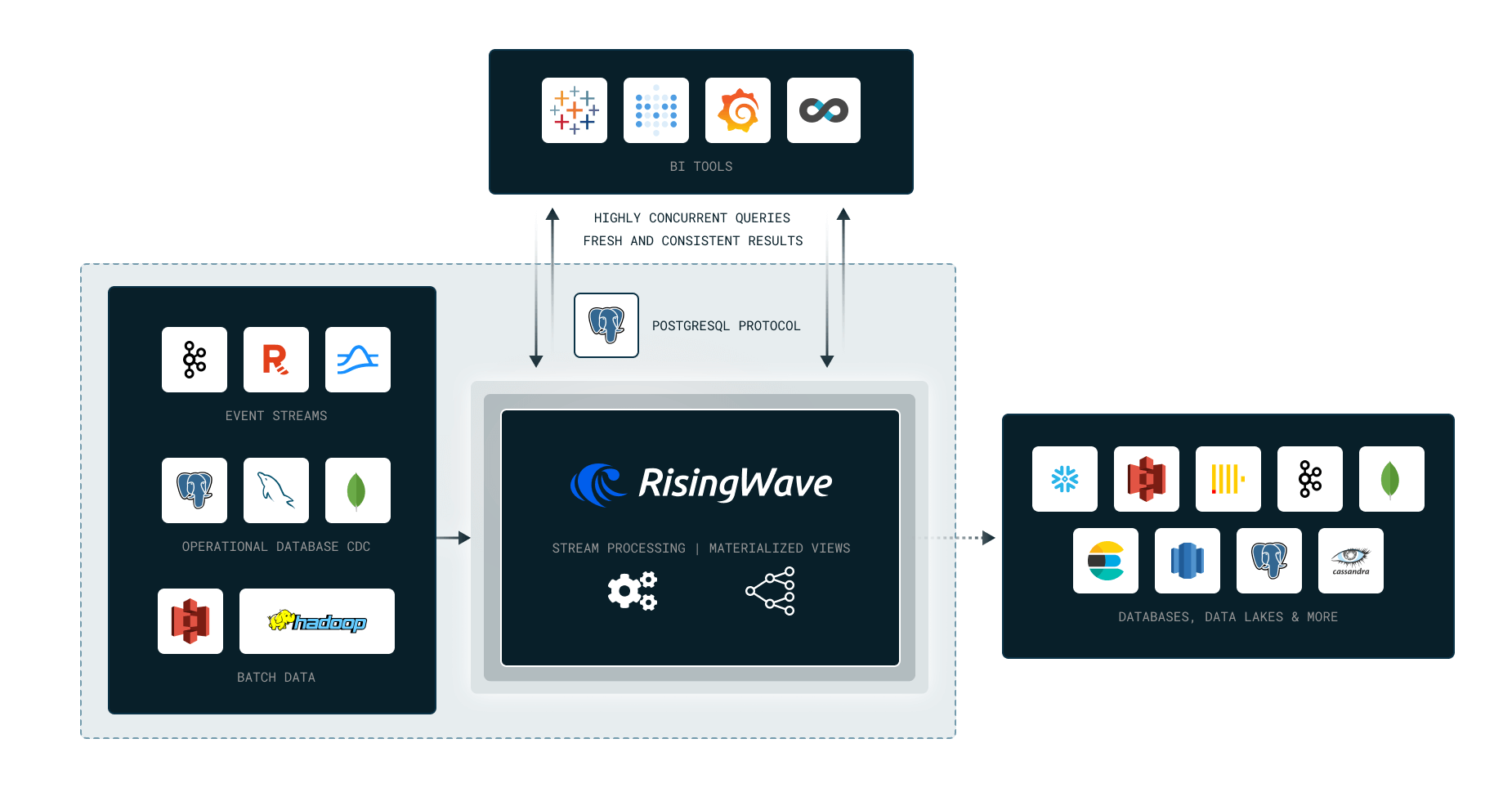
|
||||
|
||||
|
||||
|
||||
We’ll cover the following topics in this Workshop:
|
||||
|
||||
- Why Stream Processing?
|
||||
- Stateless computation (Filters, Projections)
|
||||
- Stateful Computation (Aggregations, Joins)
|
||||
- Data Ingestion and Delivery
|
||||
|
||||
RisingWave in 10 Minutes:
|
||||
https://tutorials.risingwave.com/docs/intro
|
||||
|
||||
Workshop video:
|
||||
|
||||
<a href="https://youtube.com/live/L2BHFnZ6XjE">
|
||||
<img src="https://markdown-videos-api.jorgenkh.no/youtube/L2BHFnZ6XjE" />
|
||||
</a>
|
||||
|
||||
[Project Repository](https://github.com/risingwavelabs/risingwave-data-talks-workshop-2024-03-04)
|
||||
|
||||
## Homework
|
||||
|
||||
**Please setup the environment in [Getting Started](https://github.com/risingwavelabs/risingwave-data-talks-workshop-2024-03-04?tab=readme-ov-file#getting-started) and for the [Homework](https://github.com/risingwavelabs/risingwave-data-talks-workshop-2024-03-04/blob/main/homework.md#setting-up) first.**
|
||||
|
||||
### Question 0
|
||||
|
||||
_This question is just a warm-up to introduce dynamic filter, please attempt it before viewing its solution._
|
||||
|
||||
What are the dropoff taxi zones at the latest dropoff times?
|
||||
|
||||
For this part, we will use the [dynamic filter pattern](https://docs.risingwave.com/docs/current/sql-pattern-dynamic-filters/).
|
||||
|
||||
<details>
|
||||
<summary>Solution</summary>
|
||||
|
||||
```sql
|
||||
CREATE MATERIALIZED VIEW latest_dropoff_time AS
|
||||
WITH t AS (
|
||||
SELECT MAX(tpep_dropoff_datetime) AS latest_dropoff_time
|
||||
FROM trip_data
|
||||
)
|
||||
SELECT taxi_zone.Zone as taxi_zone, latest_dropoff_time
|
||||
FROM t,
|
||||
trip_data
|
||||
JOIN taxi_zone
|
||||
ON trip_data.DOLocationID = taxi_zone.location_id
|
||||
WHERE trip_data.tpep_dropoff_datetime = t.latest_dropoff_time;
|
||||
|
||||
-- taxi_zone | latest_dropoff_time
|
||||
-- ----------------+---------------------
|
||||
-- Midtown Center | 2022-01-03 17:24:54
|
||||
-- (1 row)
|
||||
```
|
||||
|
||||
</details>
|
||||
|
||||
### Question 1
|
||||
|
||||
Create a materialized view to compute the average, min and max trip time **between each taxi zone**.
|
||||
|
||||
Note that we consider the do not consider `a->b` and `b->a` as the same trip pair.
|
||||
So as an example, you would consider the following trip pairs as different pairs:
|
||||
```plaintext
|
||||
Yorkville East -> Steinway
|
||||
Steinway -> Yorkville East
|
||||
```
|
||||
|
||||
From this MV, find the pair of taxi zones with the highest average trip time.
|
||||
You may need to use the [dynamic filter pattern](https://docs.risingwave.com/docs/current/sql-pattern-dynamic-filters/) for this.
|
||||
|
||||
Bonus (no marks): Create an MV which can identify anomalies in the data. For example, if the average trip time between two zones is 1 minute,
|
||||
but the max trip time is 10 minutes and 20 minutes respectively.
|
||||
|
||||
Options:
|
||||
1. Yorkville East, Steinway
|
||||
2. Murray Hill, Midwood
|
||||
3. East Flatbush/Farragut, East Harlem North
|
||||
4. Midtown Center, University Heights/Morris Heights
|
||||
|
||||
p.s. The trip time between taxi zones does not take symmetricity into account, i.e. `A -> B` and `B -> A` are considered different trips. This applies to subsequent questions as well.
|
||||
|
||||
### Question 2
|
||||
|
||||
Recreate the MV(s) in question 1, to also find the **number of trips** for the pair of taxi zones with the highest average trip time.
|
||||
|
||||
Options:
|
||||
1. 5
|
||||
2. 3
|
||||
3. 10
|
||||
4. 1
|
||||
|
||||
### Question 3
|
||||
|
||||
From the latest pickup time to 17 hours before, what are the top 3 busiest zones in terms of number of pickups?
|
||||
For example if the latest pickup time is 2020-01-01 17:00:00,
|
||||
then the query should return the top 3 busiest zones from 2020-01-01 00:00:00 to 2020-01-01 17:00:00.
|
||||
|
||||
HINT: You can use [dynamic filter pattern](https://docs.risingwave.com/docs/current/sql-pattern-dynamic-filters/)
|
||||
to create a filter condition based on the latest pickup time.
|
||||
|
||||
NOTE: For this question `17 hours` was picked to ensure we have enough data to work with.
|
||||
|
||||
Options:
|
||||
1. Clinton East, Upper East Side North, Penn Station
|
||||
2. LaGuardia Airport, Lincoln Square East, JFK Airport
|
||||
3. Midtown Center, Upper East Side South, Upper East Side North
|
||||
4. LaGuardia Airport, Midtown Center, Upper East Side North
|
||||
|
||||
|
||||
## Submitting the solutions
|
||||
|
||||
- Form for submitting: https://courses.datatalks.club/de-zoomcamp-2024/homework/workshop2
|
||||
- Deadline: 11 March (Monday), 23:00 CET
|
||||
|
||||
## Rewards 🥳
|
||||
|
||||
Everyone who completes the homework will get a pen and a sticker, and 5 lucky winners will receive a Tshirt and other secret surprises!
|
||||
We encourage you to share your achievements with this workshop on your socials and look forward to your submissions 😁
|
||||
|
||||
- Follow us on **LinkedIn**: https://www.linkedin.com/company/risingwave
|
||||
- Follow us on **GitHub**: https://github.com/risingwavelabs/risingwave
|
||||
- Join us on **Slack**: https://risingwave-labs.com/slack
|
||||
|
||||
See you around!
|
||||
|
||||
|
||||
## Solution
|
||||
@@ -1,192 +0,0 @@
|
||||
# Module 1 Homework: Docker & SQL
|
||||
|
||||
In this homework we'll prepare the environment and practice
|
||||
Docker and SQL
|
||||
|
||||
When submitting your homework, you will also need to include
|
||||
a link to your GitHub repository or other public code-hosting
|
||||
site.
|
||||
|
||||
This repository should contain the code for solving the homework.
|
||||
|
||||
When your solution has SQL or shell commands and not code
|
||||
(e.g. python files) file formad, include them directly in
|
||||
the README file of your repository.
|
||||
|
||||
|
||||
## Question 1. Understanding docker first run
|
||||
|
||||
Run docker with the `python:3.12.8` image in an interactive mode, use the entrypoint `bash`.
|
||||
|
||||
What's the version of `pip` in the image?
|
||||
|
||||
- 24.3.1
|
||||
- 24.2.1
|
||||
- 23.3.1
|
||||
- 23.2.1
|
||||
|
||||
|
||||
## Question 2. Understanding Docker networking and docker-compose
|
||||
|
||||
Given the following `docker-compose.yaml`, what is the `hostname` and `port` that **pgadmin** should use to connect to the postgres database?
|
||||
|
||||
```yaml
|
||||
services:
|
||||
db:
|
||||
container_name: postgres
|
||||
image: postgres:17-alpine
|
||||
environment:
|
||||
POSTGRES_USER: 'postgres'
|
||||
POSTGRES_PASSWORD: 'postgres'
|
||||
POSTGRES_DB: 'ny_taxi'
|
||||
ports:
|
||||
- '5433:5432'
|
||||
volumes:
|
||||
- vol-pgdata:/var/lib/postgresql/data
|
||||
|
||||
pgadmin:
|
||||
container_name: pgadmin
|
||||
image: dpage/pgadmin4:latest
|
||||
environment:
|
||||
PGADMIN_DEFAULT_EMAIL: "pgadmin@pgadmin.com"
|
||||
PGADMIN_DEFAULT_PASSWORD: "pgadmin"
|
||||
ports:
|
||||
- "8080:80"
|
||||
volumes:
|
||||
- vol-pgadmin_data:/var/lib/pgadmin
|
||||
|
||||
volumes:
|
||||
vol-pgdata:
|
||||
name: vol-pgdata
|
||||
vol-pgadmin_data:
|
||||
name: vol-pgadmin_data
|
||||
```
|
||||
|
||||
- postgres:5433
|
||||
- localhost:5432
|
||||
- db:5433
|
||||
- postgres:5432
|
||||
- db:5432
|
||||
|
||||
|
||||
## Prepare Postgres
|
||||
|
||||
Run Postgres and load data as shown in the videos
|
||||
We'll use the green taxi trips from October 2019:
|
||||
|
||||
```bash
|
||||
wget https://github.com/DataTalksClub/nyc-tlc-data/releases/download/green/green_tripdata_2019-10.csv.gz
|
||||
```
|
||||
|
||||
You will also need the dataset with zones:
|
||||
|
||||
```bash
|
||||
wget https://github.com/DataTalksClub/nyc-tlc-data/releases/download/misc/taxi_zone_lookup.csv
|
||||
```
|
||||
|
||||
Download this data and put it into Postgres.
|
||||
|
||||
You can use the code from the course. It's up to you whether
|
||||
you want to use Jupyter or a python script.
|
||||
|
||||
## Question 3. Trip Segmentation Count
|
||||
|
||||
During the period of October 1st 2019 (inclusive) and November 1st 2019 (exclusive), how many trips, **respectively**, happened:
|
||||
1. Up to 1 mile
|
||||
2. In between 1 (exclusive) and 3 miles (inclusive),
|
||||
3. In between 3 (exclusive) and 7 miles (inclusive),
|
||||
4. In between 7 (exclusive) and 10 miles (inclusive),
|
||||
5. Over 10 miles
|
||||
|
||||
Answers:
|
||||
|
||||
- 104,793; 197,670; 110,612; 27,831; 35,281
|
||||
- 104,793; 198,924; 109,603; 27,678; 35,189
|
||||
- 101,056; 201,407; 110,612; 27,831; 35,281
|
||||
- 101,056; 202,661; 109,603; 27,678; 35,189
|
||||
- 104,838; 199,013; 109,645; 27,688; 35,202
|
||||
|
||||
|
||||
## Question 4. Longest trip for each day
|
||||
|
||||
Which was the pick up day with the longest trip distance?
|
||||
Use the pick up time for your calculations.
|
||||
|
||||
Tip: For every day, we only care about one single trip with the longest distance.
|
||||
|
||||
- 2019-10-11
|
||||
- 2019-10-24
|
||||
- 2019-10-26
|
||||
- 2019-10-31
|
||||
|
||||
|
||||
## Question 5. Three biggest pickup zones
|
||||
|
||||
Which were the top pickup locations with over 13,000 in
|
||||
`total_amount` (across all trips) for 2019-10-18?
|
||||
|
||||
Consider only `lpep_pickup_datetime` when filtering by date.
|
||||
|
||||
- East Harlem North, East Harlem South, Morningside Heights
|
||||
- East Harlem North, Morningside Heights
|
||||
- Morningside Heights, Astoria Park, East Harlem South
|
||||
- Bedford, East Harlem North, Astoria Park
|
||||
|
||||
|
||||
## Question 6. Largest tip
|
||||
|
||||
For the passengers picked up in Ocrober 2019 in the zone
|
||||
name "East Harlem North" which was the drop off zone that had
|
||||
the largest tip?
|
||||
|
||||
Note: it's `tip` , not `trip`
|
||||
|
||||
We need the name of the zone, not the ID.
|
||||
|
||||
- Yorkville West
|
||||
- JFK Airport
|
||||
- East Harlem North
|
||||
- East Harlem South
|
||||
|
||||
|
||||
## Terraform
|
||||
|
||||
In this section homework we'll prepare the environment by creating resources in GCP with Terraform.
|
||||
|
||||
In your VM on GCP/Laptop/GitHub Codespace install Terraform.
|
||||
Copy the files from the course repo
|
||||
[here](../../../01-docker-terraform/1_terraform_gcp/terraform) to your VM/Laptop/GitHub Codespace.
|
||||
|
||||
Modify the files as necessary to create a GCP Bucket and Big Query Dataset.
|
||||
|
||||
|
||||
## Question 7. Terraform Workflow
|
||||
|
||||
Which of the following sequences, **respectively**, describes the workflow for:
|
||||
1. Downloading the provider plugins and setting up backend,
|
||||
2. Generating proposed changes and auto-executing the plan
|
||||
3. Remove all resources managed by terraform`
|
||||
|
||||
Answers:
|
||||
- terraform import, terraform apply -y, terraform destroy
|
||||
- teraform init, terraform plan -auto-apply, terraform rm
|
||||
- terraform init, terraform run -auto-aprove, terraform destroy
|
||||
- terraform init, terraform apply -auto-aprove, terraform destroy
|
||||
- terraform import, terraform apply -y, terraform rm
|
||||
|
||||
|
||||
## Submitting the solutions
|
||||
|
||||
* Form for submitting: https://courses.datatalks.club/de-zoomcamp-2025/homework/hw1
|
||||
|
||||
```
|
||||
docker run -it \
|
||||
-e POSTGRES_USER="postgres" \
|
||||
-e POSTGRES_PASSWORD="postres" \
|
||||
-e POSTGRES_DB="ny_taxi" \
|
||||
-v dtc_postgres_volume_local:/var/lib/postgresql/data \
|
||||
-p 5432:5432 \
|
||||
—network=pg-network \
|
||||
—name pg-database \
|
||||
postgres:17
|
||||
```
|
||||
@@ -1,98 +0,0 @@
|
||||
## Module 2 Homework (DRAFT)
|
||||
|
||||
ATTENTION: At the end of the submission form, you will be required to include a link to your GitHub repository or other public code-hosting site. This repository should contain your code for solving the homework. If your solution includes code that is not in file format, please include these directly in the README file of your repository.
|
||||
|
||||
> In case you don't get one option exactly, select the closest one
|
||||
|
||||
For the homework, we'll be working with the _green_ taxi dataset located here:
|
||||
|
||||
`https://github.com/DataTalksClub/nyc-tlc-data/releases/tag/green/download`
|
||||
|
||||
To get a `wget`-able link, use this prefix (note that the link itself gives 404):
|
||||
|
||||
`https://github.com/DataTalksClub/nyc-tlc-data/releases/download/green/`
|
||||
|
||||
### Assignment
|
||||
|
||||
The goal will be to construct an ETL pipeline that loads the data, performs some transformations, and writes the data to a database (and Google Cloud!).
|
||||
|
||||
- Create a new pipeline, call it `green_taxi_etl`
|
||||
- Add a data loader block and use Pandas to read data for the final quarter of 2020 (months `10`, `11`, `12`).
|
||||
- You can use the same datatypes and date parsing methods shown in the course.
|
||||
- `BONUS`: load the final three months using a for loop and `pd.concat`
|
||||
- Add a transformer block and perform the following:
|
||||
- Remove rows where the passenger count is equal to 0 _and_ the trip distance is equal to zero.
|
||||
- Create a new column `lpep_pickup_date` by converting `lpep_pickup_datetime` to a date.
|
||||
- Rename columns in Camel Case to Snake Case, e.g. `VendorID` to `vendor_id`.
|
||||
- Add three assertions:
|
||||
- `vendor_id` is one of the existing values in the column (currently)
|
||||
- `passenger_count` is greater than 0
|
||||
- `trip_distance` is greater than 0
|
||||
- Using a Postgres data exporter (SQL or Python), write the dataset to a table called `green_taxi` in a schema `mage`. Replace the table if it already exists.
|
||||
- Write your data as Parquet files to a bucket in GCP, partioned by `lpep_pickup_date`. Use the `pyarrow` library!
|
||||
- Schedule your pipeline to run daily at 5AM UTC.
|
||||
|
||||
### Questions
|
||||
|
||||
## Question 1. Data Loading
|
||||
|
||||
Once the dataset is loaded, what's the shape of the data?
|
||||
|
||||
* 266,855 rows x 20 columns
|
||||
* 544,898 rows x 18 columns
|
||||
* 544,898 rows x 20 columns
|
||||
* 133,744 rows x 20 columns
|
||||
|
||||
## Question 2. Data Transformation
|
||||
|
||||
Upon filtering the dataset where the passenger count is greater than 0 _and_ the trip distance is greater than zero, how many rows are left?
|
||||
|
||||
* 544,897 rows
|
||||
* 266,855 rows
|
||||
* 139,370 rows
|
||||
* 266,856 rows
|
||||
|
||||
## Question 3. Data Transformation
|
||||
|
||||
Which of the following creates a new column `lpep_pickup_date` by converting `lpep_pickup_datetime` to a date?
|
||||
|
||||
* `data = data['lpep_pickup_datetime'].date`
|
||||
* `data('lpep_pickup_date') = data['lpep_pickup_datetime'].date`
|
||||
* `data['lpep_pickup_date'] = data['lpep_pickup_datetime'].dt.date`
|
||||
* `data['lpep_pickup_date'] = data['lpep_pickup_datetime'].dt().date()`
|
||||
|
||||
## Question 4. Data Transformation
|
||||
|
||||
What are the existing values of `VendorID` in the dataset?
|
||||
|
||||
* 1, 2, or 3
|
||||
* 1 or 2
|
||||
* 1, 2, 3, 4
|
||||
* 1
|
||||
|
||||
## Question 5. Data Transformation
|
||||
|
||||
How many columns need to be renamed to snake case?
|
||||
|
||||
* 3
|
||||
* 6
|
||||
* 2
|
||||
* 4
|
||||
|
||||
## Question 6. Data Exporting
|
||||
|
||||
Once exported, how many partitions (folders) are present in Google Cloud?
|
||||
|
||||
* 96
|
||||
* 56
|
||||
* 67
|
||||
* 108
|
||||
|
||||
## Submitting the solutions
|
||||
|
||||
* Form for submitting: https://courses.datatalks.club/de-zoomcamp-2024/homework/hw2
|
||||
* Check the link above to see the due date
|
||||
|
||||
## Solution
|
||||
|
||||
Will be added after the due date
|
||||
@@ -1,86 +0,0 @@
|
||||
## Module 3 Homework (DRAFT)
|
||||
|
||||
Solution: https://www.youtube.com/watch?v=8g_lRKaC9ro
|
||||
|
||||
ATTENTION: At the end of the submission form, you will be required to include a link to your GitHub repository or other public code-hosting site. This repository should contain your code for solving the homework. If your solution includes code that is not in file format (such as SQL queries or shell commands), please include these directly in the README file of your repository.
|
||||
|
||||
<b><u>Important Note:</b></u> <p> For this homework we will be using the 2022 Green Taxi Trip Record Parquet Files from the New York
|
||||
City Taxi Data found here: </br> https://www.nyc.gov/site/tlc/about/tlc-trip-record-data.page </br>
|
||||
If you are using orchestration such as Mage, Airflow or Prefect do not load the data into Big Query using the orchestrator.</br>
|
||||
Stop with loading the files into a bucket. </br></br>
|
||||
<u>NOTE:</u> You will need to use the PARQUET option files when creating an External Table</br>
|
||||
|
||||
<b>SETUP:</b></br>
|
||||
Create an external table using the Green Taxi Trip Records Data for 2022. </br>
|
||||
Create a table in BQ using the Green Taxi Trip Records for 2022 (do not partition or cluster this table). </br>
|
||||
</p>
|
||||
|
||||
## Question 1:
|
||||
Question 1: What is count of records for the 2022 Green Taxi Data??
|
||||
- 65,623,481
|
||||
- 840,402
|
||||
- 1,936,423
|
||||
- 253,647
|
||||
|
||||
## Question 2:
|
||||
Write a query to count the distinct number of PULocationIDs for the entire dataset on both the tables.</br>
|
||||
What is the estimated amount of data that will be read when this query is executed on the External Table and the Table?
|
||||
|
||||
- 0 MB for the External Table and 6.41MB for the Materialized Table
|
||||
- 18.82 MB for the External Table and 47.60 MB for the Materialized Table
|
||||
- 0 MB for the External Table and 0MB for the Materialized Table
|
||||
- 2.14 MB for the External Table and 0MB for the Materialized Table
|
||||
|
||||
|
||||
## Question 3:
|
||||
How many records have a fare_amount of 0?
|
||||
- 12,488
|
||||
- 128,219
|
||||
- 112
|
||||
- 1,622
|
||||
|
||||
## Question 4:
|
||||
What is the best strategy to make an optimized table in Big Query if your query will always order the results by PUlocationID and filter based on lpep_pickup_datetime? (Create a new table with this strategy)
|
||||
- Cluster on lpep_pickup_datetime Partition by PUlocationID
|
||||
- Partition by lpep_pickup_datetime Cluster on PUlocationID
|
||||
- Partition by lpep_pickup_datetime and Partition by PUlocationID
|
||||
- Cluster on by lpep_pickup_datetime and Cluster on PUlocationID
|
||||
|
||||
## Question 5:
|
||||
Write a query to retrieve the distinct PULocationID between lpep_pickup_datetime
|
||||
06/01/2022 and 06/30/2022 (inclusive)</br>
|
||||
|
||||
Use the materialized table you created earlier in your from clause and note the estimated bytes. Now change the table in the from clause to the partitioned table you created for question 4 and note the estimated bytes processed. What are these values? </br>
|
||||
|
||||
Choose the answer which most closely matches.</br>
|
||||
|
||||
- 22.82 MB for non-partitioned table and 647.87 MB for the partitioned table
|
||||
- 12.82 MB for non-partitioned table and 1.12 MB for the partitioned table
|
||||
- 5.63 MB for non-partitioned table and 0 MB for the partitioned table
|
||||
- 10.31 MB for non-partitioned table and 10.31 MB for the partitioned table
|
||||
|
||||
|
||||
## Question 6:
|
||||
Where is the data stored in the External Table you created?
|
||||
|
||||
- Big Query
|
||||
- GCP Bucket
|
||||
- Big Table
|
||||
- Container Registry
|
||||
|
||||
|
||||
## Question 7:
|
||||
It is best practice in Big Query to always cluster your data:
|
||||
- True
|
||||
- False
|
||||
|
||||
|
||||
## (Bonus: Not worth points) Question 8:
|
||||
No Points: Write a `SELECT count(*)` query FROM the materialized table you created. How many bytes does it estimate will be read? Why?
|
||||
|
||||
|
||||
## Submitting the solutions
|
||||
|
||||
* Form for submitting: https://courses.datatalks.club/de-zoomcamp-2024/homework/hw3
|
||||
|
||||
|
||||
@@ -1,81 +0,0 @@
|
||||
## Module 4 Homework (DRAFT)
|
||||
|
||||
In this homework, we'll use the models developed during the week 4 videos and enhance the already presented dbt project using the already loaded Taxi data for fhv vehicles for year 2019 in our DWH.
|
||||
|
||||
This means that in this homework we use the following data [Datasets list](https://github.com/DataTalksClub/nyc-tlc-data/)
|
||||
* Yellow taxi data - Years 2019 and 2020
|
||||
* Green taxi data - Years 2019 and 2020
|
||||
* fhv data - Year 2019.
|
||||
|
||||
We will use the data loaded for:
|
||||
|
||||
* Building a source table: `stg_fhv_tripdata`
|
||||
* Building a fact table: `fact_fhv_trips`
|
||||
* Create a dashboard
|
||||
|
||||
If you don't have access to GCP, you can do this locally using the ingested data from your Postgres database
|
||||
instead. If you have access to GCP, you don't need to do it for local Postgres - only if you want to.
|
||||
|
||||
> **Note**: if your answer doesn't match exactly, select the closest option
|
||||
|
||||
### Question 1:
|
||||
|
||||
**What happens when we execute dbt build --vars '{'is_test_run':'true'}'**
|
||||
You'll need to have completed the ["Build the first dbt models"](https://www.youtube.com/watch?v=UVI30Vxzd6c) video.
|
||||
- It's the same as running *dbt build*
|
||||
- It applies a _limit 100_ to all of our models
|
||||
- It applies a _limit 100_ only to our staging models
|
||||
- Nothing
|
||||
|
||||
### Question 2:
|
||||
|
||||
**What is the code that our CI job will run? Where is this code coming from?**
|
||||
|
||||
- The code that has been merged into the main branch
|
||||
- The code that is behind the creation object on the dbt_cloud_pr_ schema
|
||||
- The code from any development branch that has been opened based on main
|
||||
- The code from the development branch we are requesting to merge to main
|
||||
|
||||
|
||||
### Question 3 (2 points)
|
||||
|
||||
**What is the count of records in the model fact_fhv_trips after running all dependencies with the test run variable disabled (:false)?**
|
||||
Create a staging model for the fhv data, similar to the ones made for yellow and green data. Add an additional filter for keeping only records with pickup time in year 2019.
|
||||
Do not add a deduplication step. Run this models without limits (is_test_run: false).
|
||||
|
||||
Create a core model similar to fact trips, but selecting from stg_fhv_tripdata and joining with dim_zones.
|
||||
Similar to what we've done in fact_trips, keep only records with known pickup and dropoff locations entries for pickup and dropoff locations.
|
||||
Run the dbt model without limits (is_test_run: false).
|
||||
|
||||
- 12998722
|
||||
- 22998722
|
||||
- 32998722
|
||||
- 42998722
|
||||
|
||||
### Question 4 (2 points)
|
||||
|
||||
**What is the service that had the most rides during the month of July 2019 month with the biggest amount of rides after building a tile for the fact_fhv_trips table and the fact_trips tile as seen in the videos?**
|
||||
|
||||
Create a dashboard with some tiles that you find interesting to explore the data. One tile should show the amount of trips per month, as done in the videos for fact_trips, including the fact_fhv_trips data.
|
||||
|
||||
- FHV
|
||||
- Green
|
||||
- Yellow
|
||||
- FHV and Green
|
||||
|
||||
|
||||
## Submitting the solutions
|
||||
|
||||
* Form for submitting: https://courses.datatalks.club/de-zoomcamp-2024/homework/hw4
|
||||
|
||||
Deadline: 22 February (Thursday), 22:00 CET
|
||||
|
||||
|
||||
## Solution (To be published after deadline)
|
||||
|
||||
* Video: https://youtu.be/3OPggh5Rca8
|
||||
* Answers:
|
||||
* Question 1: It applies a _limit 100_ only to our staging models
|
||||
* Question 2: The code from the development branch we are requesting to merge to main
|
||||
* Question 3: 22998722
|
||||
* Question 4: Yellow
|
||||
@@ -1,100 +0,0 @@
|
||||
## Module 5 Homework (DRAFT)
|
||||
|
||||
Solution: https://www.youtube.com/watch?v=YtddC7vJOgQ
|
||||
|
||||
In this homework we'll put what we learned about Spark in practice.
|
||||
|
||||
For this homework we will be using the FHV 2019-10 data found here. [FHV Data](https://github.com/DataTalksClub/nyc-tlc-data/releases/download/fhv/fhv_tripdata_2019-10.csv.gz)
|
||||
|
||||
### Question 1:
|
||||
|
||||
**Install Spark and PySpark**
|
||||
|
||||
- Install Spark
|
||||
- Run PySpark
|
||||
- Create a local spark session
|
||||
- Execute spark.version.
|
||||
|
||||
What's the output?
|
||||
|
||||
> [!NOTE]
|
||||
> To install PySpark follow this [guide](https://github.com/DataTalksClub/data-engineering-zoomcamp/blob/main/05-batch/setup/pyspark.md)
|
||||
|
||||
### Question 2:
|
||||
|
||||
**FHV October 2019**
|
||||
|
||||
Read the October 2019 FHV into a Spark Dataframe with a schema as we did in the lessons.
|
||||
|
||||
Repartition the Dataframe to 6 partitions and save it to parquet.
|
||||
|
||||
What is the average size of the Parquet (ending with .parquet extension) Files that were created (in MB)? Select the answer which most closely matches.
|
||||
|
||||
- 1MB
|
||||
- 6MB
|
||||
- 25MB
|
||||
- 87MB
|
||||
|
||||
|
||||
|
||||
### Question 3:
|
||||
|
||||
**Count records**
|
||||
|
||||
How many taxi trips were there on the 15th of October?
|
||||
|
||||
Consider only trips that started on the 15th of October.
|
||||
|
||||
- 108,164
|
||||
- 12,856
|
||||
- 452,470
|
||||
- 62,610
|
||||
|
||||
> [!IMPORTANT]
|
||||
> Be aware of columns order when defining schema
|
||||
|
||||
### Question 4:
|
||||
|
||||
**Longest trip for each day**
|
||||
|
||||
What is the length of the longest trip in the dataset in hours?
|
||||
|
||||
- 631,152.50 Hours
|
||||
- 243.44 Hours
|
||||
- 7.68 Hours
|
||||
- 3.32 Hours
|
||||
|
||||
|
||||
|
||||
### Question 5:
|
||||
|
||||
**User Interface**
|
||||
|
||||
Spark’s User Interface which shows the application's dashboard runs on which local port?
|
||||
|
||||
- 80
|
||||
- 443
|
||||
- 4040
|
||||
- 8080
|
||||
|
||||
|
||||
|
||||
### Question 6:
|
||||
|
||||
**Least frequent pickup location zone**
|
||||
|
||||
Load the zone lookup data into a temp view in Spark</br>
|
||||
[Zone Data](https://github.com/DataTalksClub/nyc-tlc-data/releases/download/misc/taxi_zone_lookup.csv)
|
||||
|
||||
Using the zone lookup data and the FHV October 2019 data, what is the name of the LEAST frequent pickup location Zone?</br>
|
||||
|
||||
- East Chelsea
|
||||
- Jamaica Bay
|
||||
- Union Sq
|
||||
- Crown Heights North
|
||||
|
||||
|
||||
## Submitting the solutions
|
||||
|
||||
- Form for submitting: https://courses.datatalks.club/de-zoomcamp-2024/homework/hw5
|
||||
- Deadline: See the website
|
||||
@@ -1,318 +0,0 @@
|
||||
## Module 6 Homework (DRAFT)
|
||||
|
||||
In this homework, we're going to extend Module 5 Homework and learn about streaming with PySpark.
|
||||
|
||||
Instead of Kafka, we will use Red Panda, which is a drop-in
|
||||
replacement for Kafka.
|
||||
|
||||
Ensure you have the following set up (if you had done the previous homework and the module):
|
||||
|
||||
- Docker (see [module 1](https://github.com/DataTalksClub/data-engineering-zoomcamp/tree/main/01-docker-terraform))
|
||||
- PySpark (see [module 5](https://github.com/DataTalksClub/data-engineering-zoomcamp/tree/main/05-batch/setup))
|
||||
|
||||
For this homework we will be using the files from Module 5 homework:
|
||||
|
||||
- Green 2019-10 data from [here](https://github.com/DataTalksClub/nyc-tlc-data/releases/download/green/green_tripdata_2019-10.csv.gz)
|
||||
|
||||
|
||||
|
||||
## Start Red Panda
|
||||
|
||||
Let's start redpanda in a docker container.
|
||||
|
||||
There's a `docker-compose.yml` file in the homework folder (taken from [here](https://github.com/redpanda-data-blog/2023-python-gsg/blob/main/docker-compose.yml))
|
||||
|
||||
Copy this file to your homework directory and run
|
||||
|
||||
```bash
|
||||
docker-compose up
|
||||
```
|
||||
|
||||
(Add `-d` if you want to run in detached mode)
|
||||
|
||||
|
||||
## Question 1: Redpanda version
|
||||
|
||||
Now let's find out the version of redpandas.
|
||||
|
||||
For that, check the output of the command `rpk help` _inside the container_. The name of the container is `redpanda-1`.
|
||||
|
||||
Find out what you need to execute based on the `help` output.
|
||||
|
||||
What's the version, based on the output of the command you executed? (copy the entire version)
|
||||
|
||||
|
||||
## Question 2. Creating a topic
|
||||
|
||||
Before we can send data to the redpanda server, we
|
||||
need to create a topic. We do it also with the `rpk`
|
||||
command we used previously for figuring out the version of
|
||||
redpandas.
|
||||
|
||||
Read the output of `help` and based on it, create a topic with name `test-topic`
|
||||
|
||||
What's the output of the command for creating a topic? Include the entire output in your answer.
|
||||
|
||||
|
||||
## Question 3. Connecting to the Kafka server
|
||||
|
||||
We need to make sure we can connect to the server, so
|
||||
later we can send some data to its topics
|
||||
|
||||
First, let's install the kafka connector (up to you if you
|
||||
want to have a separate virtual environment for that)
|
||||
|
||||
```bash
|
||||
pip install kafka-python
|
||||
```
|
||||
|
||||
You can start a jupyter notebook in your solution folder or
|
||||
create a script
|
||||
|
||||
Let's try to connect to our server:
|
||||
|
||||
```python
|
||||
import json
|
||||
import time
|
||||
|
||||
from kafka import KafkaProducer
|
||||
|
||||
def json_serializer(data):
|
||||
return json.dumps(data).encode('utf-8')
|
||||
|
||||
server = 'localhost:9092'
|
||||
|
||||
producer = KafkaProducer(
|
||||
bootstrap_servers=[server],
|
||||
value_serializer=json_serializer
|
||||
)
|
||||
|
||||
producer.bootstrap_connected()
|
||||
```
|
||||
|
||||
Provided that you can connect to the server, what's the output
|
||||
of the last command?
|
||||
|
||||
|
||||
## Question 4. Sending data to the stream
|
||||
|
||||
Now we're ready to send some test data:
|
||||
|
||||
```python
|
||||
t0 = time.time()
|
||||
|
||||
topic_name = 'test-topic'
|
||||
|
||||
for i in range(10):
|
||||
message = {'number': i}
|
||||
producer.send(topic_name, value=message)
|
||||
print(f"Sent: {message}")
|
||||
time.sleep(0.05)
|
||||
|
||||
producer.flush()
|
||||
|
||||
t1 = time.time()
|
||||
print(f'took {(t1 - t0):.2f} seconds')
|
||||
```
|
||||
|
||||
How much time did it take? Where did it spend most of the time?
|
||||
|
||||
* Sending the messages
|
||||
* Flushing
|
||||
* Both took approximately the same amount of time
|
||||
|
||||
(Don't remove `time.sleep` when answering this question)
|
||||
|
||||
|
||||
## Reading data with `rpk`
|
||||
|
||||
You can see the messages that you send to the topic
|
||||
with `rpk`:
|
||||
|
||||
```bash
|
||||
rpk topic consume test-topic
|
||||
```
|
||||
|
||||
Run the command above and send the messages one more time to
|
||||
see them
|
||||
|
||||
|
||||
## Sending the taxi data
|
||||
|
||||
Now let's send our actual data:
|
||||
|
||||
* Read the green csv.gz file
|
||||
* We will only need these columns:
|
||||
* `'lpep_pickup_datetime',`
|
||||
* `'lpep_dropoff_datetime',`
|
||||
* `'PULocationID',`
|
||||
* `'DOLocationID',`
|
||||
* `'passenger_count',`
|
||||
* `'trip_distance',`
|
||||
* `'tip_amount'`
|
||||
|
||||
Iterate over the records in the dataframe
|
||||
|
||||
```python
|
||||
for row in df_green.itertuples(index=False):
|
||||
row_dict = {col: getattr(row, col) for col in row._fields}
|
||||
print(row_dict)
|
||||
break
|
||||
|
||||
# TODO implement sending the data here
|
||||
```
|
||||
|
||||
Note: this way of iterating over the records is more efficient compared
|
||||
to `iterrows`
|
||||
|
||||
|
||||
## Question 5: Sending the Trip Data
|
||||
|
||||
* Create a topic `green-trips` and send the data there
|
||||
* How much time in seconds did it take? (You can round it to a whole number)
|
||||
* Make sure you don't include sleeps in your code
|
||||
|
||||
|
||||
## Creating the PySpark consumer
|
||||
|
||||
Now let's read the data with PySpark.
|
||||
|
||||
Spark needs a library (jar) to be able to connect to Kafka,
|
||||
so we need to tell PySpark that it needs to use it:
|
||||
|
||||
```python
|
||||
import pyspark
|
||||
from pyspark.sql import SparkSession
|
||||
|
||||
pyspark_version = pyspark.__version__
|
||||
kafka_jar_package = f"org.apache.spark:spark-sql-kafka-0-10_2.12:{pyspark_version}"
|
||||
|
||||
spark = SparkSession \
|
||||
.builder \
|
||||
.master("local[*]") \
|
||||
.appName("GreenTripsConsumer") \
|
||||
.config("spark.jars.packages", kafka_jar_package) \
|
||||
.getOrCreate()
|
||||
```
|
||||
|
||||
Now we can connect to the stream:
|
||||
|
||||
```python
|
||||
green_stream = spark \
|
||||
.readStream \
|
||||
.format("kafka") \
|
||||
.option("kafka.bootstrap.servers", "localhost:9092") \
|
||||
.option("subscribe", "green-trips") \
|
||||
.option("startingOffsets", "earliest") \
|
||||
.load()
|
||||
```
|
||||
|
||||
In order to test that we can consume from the stream,
|
||||
let's see what will be the first record there.
|
||||
|
||||
In Spark streaming, the stream is represented as a sequence of
|
||||
small batches, each batch being a small RDD (or a small dataframe).
|
||||
|
||||
So we can execute a function over each mini-batch.
|
||||
Let's run `take(1)` there to see what do we have in the stream:
|
||||
|
||||
```python
|
||||
def peek(mini_batch, batch_id):
|
||||
first_row = mini_batch.take(1)
|
||||
|
||||
if first_row:
|
||||
print(first_row[0])
|
||||
|
||||
query = green_stream.writeStream.foreachBatch(peek).start()
|
||||
```
|
||||
|
||||
You should see a record like this:
|
||||
|
||||
```
|
||||
Row(key=None, value=bytearray(b'{"lpep_pickup_datetime": "2019-10-01 00:26:02", "lpep_dropoff_datetime": "2019-10-01 00:39:58", "PULocationID": 112, "DOLocationID": 196, "passenger_count": 1.0, "trip_distance": 5.88, "tip_amount": 0.0}'), topic='green-trips', partition=0, offset=0, timestamp=datetime.datetime(2024, 3, 12, 22, 42, 9, 411000), timestampType=0)
|
||||
```
|
||||
|
||||
Now let's stop the query, so it doesn't keep consuming messages
|
||||
from the stream
|
||||
|
||||
```python
|
||||
query.stop()
|
||||
```
|
||||
|
||||
## Question 6. Parsing the data
|
||||
|
||||
The data is JSON, but currently it's in binary format. We need
|
||||
to parse it and turn it into a streaming dataframe with proper
|
||||
columns.
|
||||
|
||||
Similarly to PySpark, we define the schema
|
||||
|
||||
```python
|
||||
from pyspark.sql import types
|
||||
|
||||
schema = types.StructType() \
|
||||
.add("lpep_pickup_datetime", types.StringType()) \
|
||||
.add("lpep_dropoff_datetime", types.StringType()) \
|
||||
.add("PULocationID", types.IntegerType()) \
|
||||
.add("DOLocationID", types.IntegerType()) \
|
||||
.add("passenger_count", types.DoubleType()) \
|
||||
.add("trip_distance", types.DoubleType()) \
|
||||
.add("tip_amount", types.DoubleType())
|
||||
```
|
||||
|
||||
And apply this schema:
|
||||
|
||||
```python
|
||||
from pyspark.sql import functions as F
|
||||
|
||||
green_stream = green_stream \
|
||||
.select(F.from_json(F.col("value").cast('STRING'), schema).alias("data")) \
|
||||
.select("data.*")
|
||||
```
|
||||
|
||||
How does the record look after parsing? Copy the output.
|
||||
|
||||
|
||||
### Question 7: Most popular destination
|
||||
|
||||
Now let's finally do some streaming analytics. We will
|
||||
see what's the most popular destination currently
|
||||
based on our stream of data (which ideally we should
|
||||
have sent with delays like we did in workshop 2)
|
||||
|
||||
|
||||
This is how you can do it:
|
||||
|
||||
* Add a column "timestamp" using the `current_timestamp` function
|
||||
* Group by:
|
||||
* 5 minutes window based on the timestamp column (`F.window(col("timestamp"), "5 minutes")`)
|
||||
* `"DOLocationID"`
|
||||
* Order by count
|
||||
|
||||
You can print the output to the console using this
|
||||
code
|
||||
|
||||
```python
|
||||
query = popular_destinations \
|
||||
.writeStream \
|
||||
.outputMode("complete") \
|
||||
.format("console") \
|
||||
.option("truncate", "false") \
|
||||
.start()
|
||||
|
||||
query.awaitTermination()
|
||||
```
|
||||
|
||||
Write the most popular destination, your answer should be *either* the zone ID or the zone name of this destination. (You will need to re-send the data for this to work)
|
||||
|
||||
|
||||
## Submitting the solutions
|
||||
|
||||
* Form for submitting: https://courses.datatalks.club/de-zoomcamp-2024/homework/hw6
|
||||
|
||||
|
||||
## Solution
|
||||
|
||||
We will publish the solution here after deadline.
|
||||
|
||||
|
||||
@@ -1,48 +0,0 @@
|
||||
## Data Engineering Zoomcamp 2025 Cohort
|
||||
|
||||
* [Pre-launch Q&A stream](TBA)
|
||||
* [Launch stream with course overview](TBA)
|
||||
* [Course Google calendar](https://calendar.google.com/calendar/?cid=ZXIxcjA1M3ZlYjJpcXU0dTFmaG02MzVxMG9AZ3JvdXAuY2FsZW5kYXIuZ29vZ2xlLmNvbQ)
|
||||
* [FAQ](https://docs.google.com/document/d/19bnYs80DwuUimHM65UV3sylsCn2j1vziPOwzBwQrebw/edit?usp=sharing)
|
||||
* Course Playlist: Only 2024 Live videos & homeworks (TODO)
|
||||
|
||||
|
||||
[**Module 1: Introduction & Prerequisites**](01-docker-terraform/)
|
||||
|
||||
* [Homework](01-docker-terraform/homework.md)
|
||||
|
||||
|
||||
[**Module 2: Workflow Orchestration**](02-workflow-orchestration)
|
||||
|
||||
* [Homework](02-workflow-orchestration/homework.md)
|
||||
* Office hours
|
||||
|
||||
[**Workshop 1: Data Ingestion**](workshops/dlt.md)
|
||||
|
||||
* Workshop with dlt
|
||||
* [Homework](workshops/dlt.md)
|
||||
|
||||
|
||||
[**Module 3: Data Warehouse**](03-data-warehouse)
|
||||
|
||||
* [Homework](03-data-warehouse/homework.md)
|
||||
|
||||
|
||||
[**Module 4: Analytics Engineering**](04-analytics-engineering/)
|
||||
|
||||
* [Homework](04-analytics-engineering/homework.md)
|
||||
|
||||
|
||||
[**Module 5: Batch processing**](05-batch/)
|
||||
|
||||
* [Homework](05-batch/homework.md)
|
||||
|
||||
|
||||
[**Module 6: Stream Processing**](06-streaming)
|
||||
|
||||
* [Homework](06-streaming/homework.md)
|
||||
|
||||
|
||||
[**Project**](project.md)
|
||||
|
||||
More information [here](project.md)
|
||||
@@ -1,43 +0,0 @@
|
||||
## Course Project
|
||||
|
||||
The goal of this project is to apply everything we learned
|
||||
in this course and build an end-to-end data pipeline.
|
||||
|
||||
You will have two attempts to submit your project. If you don't have
|
||||
time to submit your project by the end of attempt #1 (you started the
|
||||
course late, you have vacation plans, life/work got in the way, etc.)
|
||||
or you fail your first attempt,
|
||||
then you will have a second chance to submit your project as attempt
|
||||
#2.
|
||||
|
||||
There are only two attempts.
|
||||
|
||||
Remember that to pass the project, you must evaluate 3 peers. If you don't do that,
|
||||
your project can't be considered complete.
|
||||
|
||||
To find the projects assigned to you, use the peer review assignments link
|
||||
and find your hash in the first column. You will see three rows: you need to evaluate
|
||||
each of these projects. For each project, you need to submit the form once,
|
||||
so in total, you will make three submissions.
|
||||
|
||||
|
||||
### Submitting
|
||||
|
||||
#### Project Attempt #1
|
||||
|
||||
* Project: https://courses.datatalks.club/de-zoomcamp-2024/project/project1
|
||||
* Review: https://courses.datatalks.club/de-zoomcamp-2024/project/project1/eval
|
||||
|
||||
#### Project Attempt #2
|
||||
|
||||
* Project: https://courses.datatalks.club/de-zoomcamp-2024/project/project2
|
||||
* Review: https://courses.datatalks.club/de-zoomcamp-2024/project/project2/eval
|
||||
|
||||
> **Important**: update your "Certificate name" here: https://courses.datatalks.club/de-zoomcamp-2024/enrollment -
|
||||
this is what we will use when generating certificates for you.
|
||||
|
||||
### Evaluation criteria
|
||||
|
||||
See [here](../../week_7_project/README.md)
|
||||
|
||||
|
||||
@@ -1,5 +0,0 @@
|
||||
# Data ingestion with dlt
|
||||
|
||||
Sign up here: https://lu.ma/quyfn4q8 (optional)
|
||||
|
||||
Details TBA
|
||||

|
After Width: | Height: | Size: 163 KiB |

|
Before Width: | Height: | Size: 309 KiB |

|
Before Width: | Height: | Size: 119 KiB |

|
Before Width: | Height: | Size: 66 KiB |

@@ -1,18 +0,0 @@
|
||||
<svg width="233" height="68" viewBox="0 0 233 68" fill="none" xmlns="http://www.w3.org/2000/svg">
|
||||
<rect x="0.901123" width="232" height="68" rx="10" fill="#FBFBFB"/>
|
||||
<path d="M76.5176 15.4844H68.3245V52.0398H76.5176V44.759L79.5817 41.6282L86.4414 52.0398H95.7628L85.1438 35.969L95.3646 25.5348H85.2477L76.5176 34.6997V15.4844Z" fill="#26282D"/>
|
||||
<path d="M161.375 17.419H153.278V25.5348H148.585V32.0804H153.278V46.0303C153.278 47.9809 153.784 49.4988 154.85 50.5263C155.914 51.5529 157.485 52.0398 159.505 52.0398H166.597V45.6358H161.375V32.0804H166.597V25.5348H161.375V17.419Z" fill="#26282D"/>
|
||||
<path fill-rule="evenodd" clip-rule="evenodd" d="M108.268 25.063C104.269 25.063 101.032 26.2737 98.591 28.7155L98.5889 28.7177C96.1783 31.178 94.9898 34.5473 94.9898 38.7873C94.9898 42.9802 96.1622 46.3323 98.5386 48.8076C100.919 51.2869 104.208 52.5117 108.364 52.5117C111.75 52.5117 114.607 51.7291 116.915 50.1453L116.916 50.1441L116.918 50.1429C119.225 48.5115 120.665 46.3552 121.226 43.6844L121.302 43.3237H113.268L113.199 43.5304C112.92 44.3664 112.354 45.0428 111.48 45.5605C110.622 46.0618 109.572 46.32 108.316 46.32C106.787 46.32 105.582 45.9055 104.671 45.1005C103.762 44.2819 103.303 43.2171 103.303 41.878V40.7861H120.814L120.845 40.5211C120.975 39.4405 121.04 38.3828 121.04 37.3482C121.04 33.5575 119.871 30.5543 117.504 28.3784C115.19 26.1597 112.1 25.063 108.268 25.063ZM104.617 32.3848C105.496 31.6405 106.67 31.2547 108.171 31.2547C109.624 31.2547 110.766 31.6321 111.63 32.3615L111.632 32.3633L111.634 32.3651C112.507 33.076 112.943 34.0042 112.943 35.1777V35.3494H103.303V35.272C103.303 34.0644 103.742 33.1123 104.615 32.3867L104.617 32.3848Z" fill="#26282D"/>
|
||||
<path fill-rule="evenodd" clip-rule="evenodd" d="M135.174 25.063C131.745 25.063 128.993 25.8116 126.95 27.3424L126.949 27.3431C124.91 28.8833 123.893 31.0193 123.893 33.7149C123.893 35.8196 124.566 37.5446 125.928 38.8596C127.283 40.1673 129.292 41.0424 131.918 41.5126L131.921 41.5131L136.62 42.2691L136.624 42.2697C137.413 42.3758 138.001 42.5845 138.412 42.876L138.414 42.8774L138.416 42.8788C138.791 43.1366 139.05 43.6198 139.127 44.4161C139.124 45.1308 138.834 45.6701 138.249 46.0664L138.246 46.0684C137.661 46.4742 136.787 46.6975 135.583 46.6975C134.261 46.6975 133.269 46.4153 132.57 45.888C131.903 45.3721 131.557 44.6325 131.557 43.6238V43.3237H123.484V43.6238C123.484 46.3267 124.57 48.4997 126.734 50.1146L126.734 50.1153C128.906 51.7244 131.851 52.5117 135.535 52.5117C139.138 52.5117 142.018 51.7482 144.141 50.1868C146.293 48.6166 147.369 46.433 147.369 43.671C147.369 41.4958 146.734 39.7371 145.435 38.4304C144.141 37.1294 142.223 36.3106 139.722 35.9428L139.719 35.9425L135.171 35.2112L135.168 35.2107C134.603 35.1338 134.217 35.0798 134.007 35.0484C133.841 35.0062 133.622 34.9282 133.349 34.809C133.092 34.6974 132.838 34.5345 132.585 34.3159C132.225 34.0019 132.038 33.5842 132.038 33.0307C132.038 32.3299 132.297 31.8189 132.803 31.4565C133.325 31.0831 134.087 30.8772 135.126 30.8772C136.318 30.8772 137.165 31.1171 137.714 31.5486C138.252 31.9712 138.551 32.6147 138.574 33.5334L138.581 33.8263H146.632L146.622 33.5167C146.539 30.9288 145.471 28.8613 143.421 27.3419C141.378 25.8113 138.617 25.063 135.174 25.063ZM143.958 49.9467L144.141 50.1868L144.141 50.1874L143.958 49.9467ZM132.382 46.1246L132.569 45.887L132.57 45.888L132.571 45.8888L132.382 46.1246ZM139.433 44.4024L139.129 44.4301L139.127 44.4161L139.127 44.4024H139.433Z" fill="#26282D"/>
|
||||
<path fill-rule="evenodd" clip-rule="evenodd" d="M199.96 25.063C196.386 25.063 193.491 25.8514 191.305 27.4585C189.124 29.0584 187.932 31.3451 187.718 34.2833L187.694 34.6048H195.696L195.717 34.3271C195.792 33.3391 196.155 32.6117 196.785 32.107L196.785 32.1065C197.434 31.5832 198.367 31.3019 199.623 31.3019C200.887 31.3019 201.778 31.5985 202.353 32.1387C202.927 32.6765 203.24 33.5051 203.24 34.6822V35.892H196.567C193.548 35.892 191.12 36.6284 189.317 38.1342C187.522 39.6304 186.634 41.6851 186.634 44.2608C186.634 46.7498 187.42 48.7673 189.013 50.2802L189.016 50.2824C190.625 51.7776 192.768 52.5117 195.411 52.5117C197.427 52.5117 199.211 52.1098 200.755 51.2962L200.757 51.2951C202.162 50.5399 203.159 49.5447 203.725 48.3057L203.797 48.7443L203.798 48.7484C204 49.8729 204.481 50.7321 205.271 51.2773L205.273 51.2786L205.275 51.2799C206.057 51.803 207.24 52.0398 208.768 52.0398H214.61V46.32H211.361V34.8238C211.361 32.124 210.443 29.8163 208.607 27.9184C206.791 25.9917 203.883 25.063 199.96 25.063ZM194.851 43.1284C194.851 42.3709 195.11 41.8447 195.598 41.495C196.104 41.1326 196.9 40.9277 198.035 40.9277H203.24V41.5477C203.24 43.0544 202.774 44.2211 201.866 45.0824C200.957 45.9286 199.709 46.3672 198.083 46.3672C196.932 46.3672 196.125 46.1566 195.612 45.7833C195.116 45.4225 194.851 44.8784 194.851 44.0957V43.1284Z" fill="#26282D"/>
|
||||
<path d="M177.217 25.5348C174.438 25.5348 172.503 26.2508 171.586 27.8082C171.188 28.474 170.911 29.1308 170.758 29.7782L170.757 29.7811L170.757 29.7839C170.623 30.4086 170.558 31.1701 170.558 32.0634V52.0398H178.655V32.0804H186.5V25.5348H177.217Z" fill="#26282D"/>
|
||||
<path d="M219.974 52.0637C219.102 52.0637 218.379 51.7923 217.805 51.2495C217.254 50.6831 216.979 49.9868 216.979 49.1608C216.979 48.3347 217.254 47.6503 217.805 47.1075C218.379 46.541 219.102 46.2578 219.974 46.2578C220.824 46.2578 221.524 46.541 222.075 47.1075C222.626 47.6503 222.901 48.3347 222.901 49.1608C222.901 49.9868 222.626 50.6831 222.075 51.2495C221.524 51.7923 220.824 52.0637 219.974 52.0637Z" fill="#F62E77"/>
|
||||
<path d="M10.9011 15.3676C10.9011 12.4032 13.3525 10 16.3765 10H54.4038C57.4277 10 59.8791 12.4032 59.8791 15.3676V52.6467C59.8791 55.6111 57.4277 58.0143 54.4038 58.0143H16.3765C13.3525 58.0143 10.9011 55.6111 10.9011 52.6467V15.3676Z" fill="#2C0059"/>
|
||||
<path d="M34.1873 30.1515C34.8515 29.5004 35.9285 29.5004 36.5927 30.1515L39.3231 32.8282C39.9873 33.4793 39.9873 34.5351 39.3231 35.1862L36.5927 37.8629C35.9285 38.5141 34.8515 38.5141 34.1873 37.8629L31.4569 35.1862C30.7927 34.5351 30.7927 33.4793 31.4569 32.8282L34.1873 30.1515Z" fill="#A950FF"/>
|
||||
<path d="M46.763 30.1302C47.4154 29.4907 48.473 29.4907 49.1254 30.1302L51.8988 32.849C52.5512 33.4885 52.5512 34.5254 51.8988 35.1649L49.1254 37.8837C48.473 38.5233 47.4154 38.5233 46.763 37.8837L43.9896 35.1649C43.3373 34.5254 43.3373 33.4885 43.9896 32.849L46.763 30.1302Z" fill="#A950FF"/>
|
||||
<path d="M34.2088 17.8234C34.8612 17.1839 35.9188 17.1839 36.5712 17.8234L39.3446 20.5422C39.997 21.1817 39.997 22.2186 39.3446 22.8581L36.5712 25.5769C35.9188 26.2165 34.8612 26.2165 34.2088 25.5769L31.4354 22.8581C30.7831 22.2186 30.7831 21.1817 31.4354 20.5422L34.2088 17.8234Z" fill="#E9C1FF"/>
|
||||
<path d="M33.0466 26.6747C33.7109 27.3259 33.7109 28.3816 33.0466 29.0328L30.3162 31.7094C29.652 32.3606 28.5751 32.3606 27.9108 31.7094L25.1805 29.0328C24.5162 28.3816 24.5162 27.3259 25.1805 26.6747L27.9108 23.9981C28.5751 23.3469 29.652 23.3469 30.3162 23.9981L33.0466 26.6747Z" fill="#CD88FF"/>
|
||||
<path d="M26.7908 32.849C27.4431 33.4885 27.4431 34.5254 26.7908 35.1649L24.0174 37.8837C23.365 38.5233 22.3074 38.5233 21.655 37.8837L18.8816 35.1649C18.2292 34.5254 18.2292 33.4885 18.8816 32.849L21.655 30.1302C22.3074 29.4907 23.365 29.4907 24.0174 30.1302L26.7908 32.849Z" fill="#A950FF"/>
|
||||
<path d="M45.6003 26.6747C46.2645 27.3259 46.2645 28.3816 45.6003 29.0328L42.8699 31.7094C42.2057 32.3606 41.1288 32.3606 40.4645 31.7094L37.7342 29.0328C37.0699 28.3816 37.0699 27.3259 37.7342 26.6747L40.4645 23.9981C41.1288 23.3469 42.2057 23.3469 42.8699 23.9981L45.6003 26.6747Z" fill="#CD88FF"/>
|
||||
<path d="M38.0771 44.2537C39.5611 45.7085 39.5611 48.0671 38.0771 49.5218C36.5932 50.9766 34.1872 50.9766 32.7033 49.5218C31.2193 48.0671 31.2193 45.7085 32.7033 44.2537C34.1872 42.799 36.5932 42.799 38.0771 44.2537Z" fill="#F62E76"/>
|
||||
</svg>
|
||||
|
Before Width: | Height: | Size: 7.6 KiB |

|
Before Width: | Height: | Size: 30 KiB |
@@ -1,37 +0,0 @@
|
||||
# Learning in public
|
||||
|
||||
Most people learn in private: they consume content but don't tell
|
||||
anyone about it. There's nothing wrong with it.
|
||||
|
||||
But we want to encourage you to document your progress and
|
||||
share it publicly on social media.
|
||||
|
||||
It helps you get noticed and will lead to:
|
||||
|
||||
* Expanding your network: meeting new people and making new friends
|
||||
* Being invited to meetups, conferences and podcasts
|
||||
* Landing a job or getting clients
|
||||
* Many other good things
|
||||
|
||||
Here's a more compresensive reading on why you want to do it: https://github.com/readme/guides/publishing-your-work
|
||||
|
||||
|
||||
## Learning in Public for Zoomcamps
|
||||
|
||||
When you submit your homework or project, you can also submit
|
||||
learning in public posts:
|
||||
|
||||
<img src="https://github.com/DataTalksClub/mlops-zoomcamp/raw/main/images/learning-in-public-links.png" />
|
||||
|
||||
You can watch this video to see how your learning in public posts may look like:
|
||||
|
||||
<a href="https://www.loom.com/share/710e3297487b409d94df0e8da1c984ce" target="_blank">
|
||||
<img src="https://github.com/DataTalksClub/mlops-zoomcamp/raw/main/images/learning-in-public.png" height="240" />
|
||||
</a>
|
||||
|
||||
## Daily Documentation
|
||||
|
||||
- **Post Daily Diaries**: Document what you learn each day, including the challenges faced and the methods used to overcome them.
|
||||
- **Create Quick Videos**: Make short videos showcasing your work and upload them to GitHub.
|
||||
|
||||
Send a PR if you want to suggest improvements for this document
|
||||